Virtual home staging is the process of digitally furnishing listing photos of an empty or outdated home — so buyers see a fully styled, move-in-ready space without you spending anything on physical furniture.
For a seller or agent preparing a home for market in 2026, the practical question isn't "does virtual staging work?" — it's "which rooms do I stage first, how do I prepare, which style fits this house, and when does virtual staging make sense versus physical staging?" This guide covers all of it, including the honest limitations most vendors won't tell you.
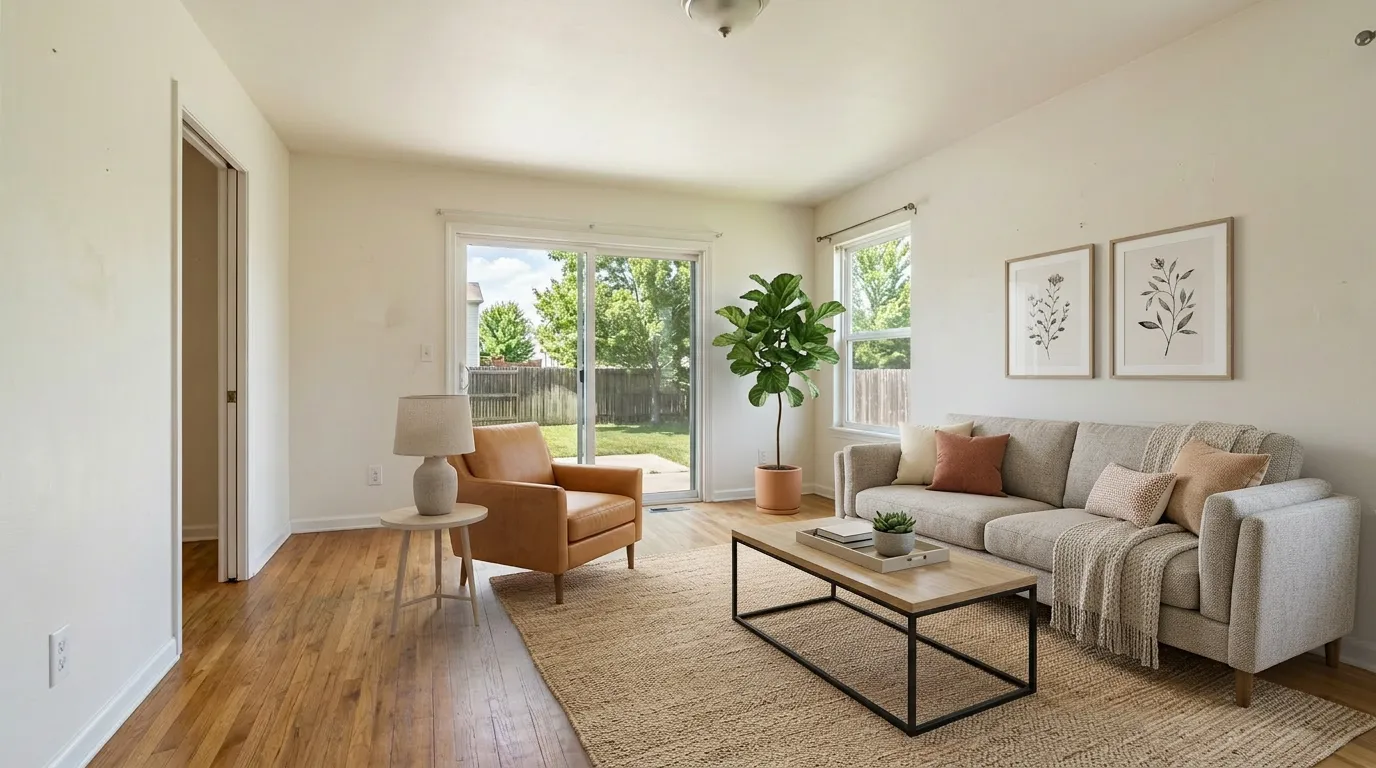
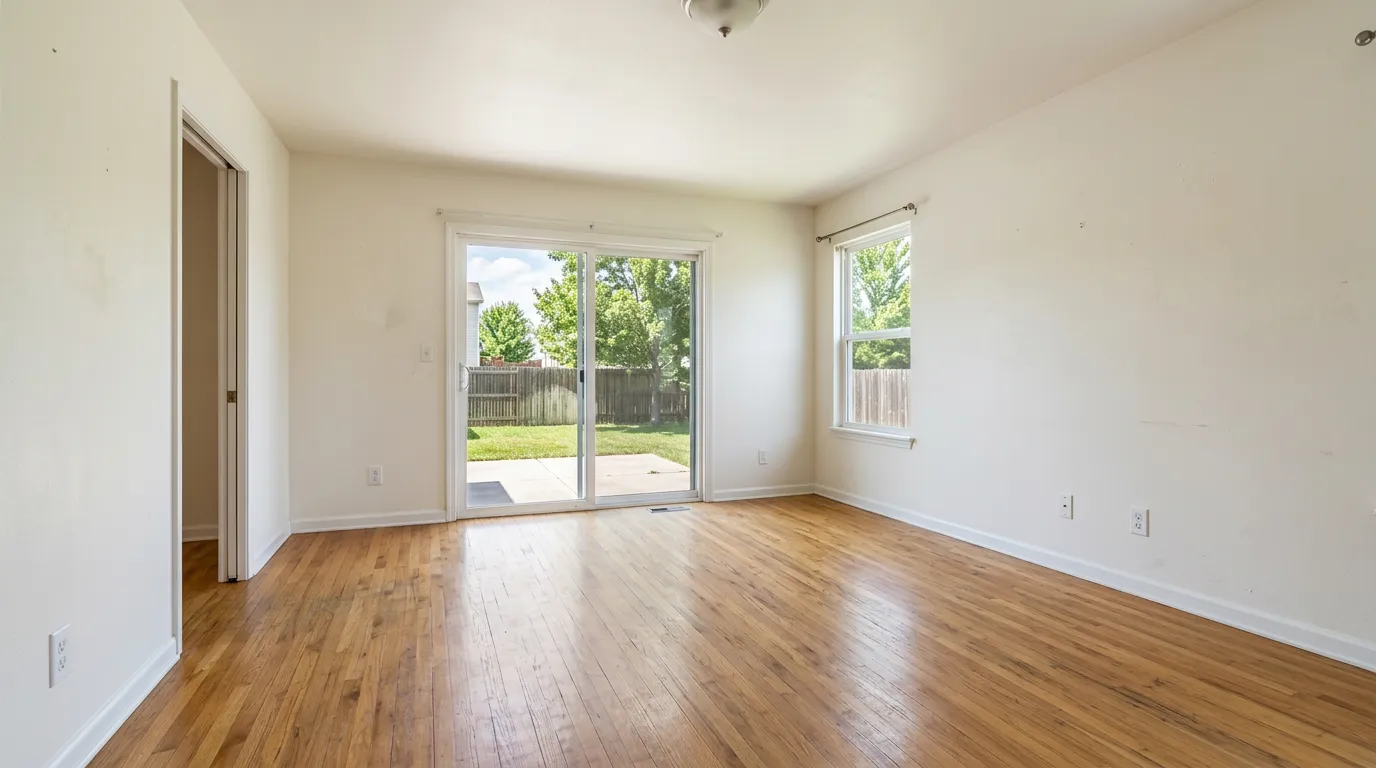
Why Virtual Home Staging Changes Listing Outcomes
Buyers make their first impression on Zillow or Realtor.com, not at the front door. Empty rooms look smaller on screen, feel clinical, and give buyers nothing to emotionally attach to. A staged listing photo solves all three problems in a single upload.
The data is consistent. According to NAR's Profile of Home Staging, 83% of buyers' agents say staging helps buyers visualize the property as their future home, and 81% of buyers find it easier to emotionally connect with a staged space. Separately, agents who stage listings report properties selling faster and with fewer price concessions than equivalent unstaged listings.
The problem has always been cost and time. Physical staging — renting furniture, scheduling delivery, waiting for setup — runs $1,500–$4,000+ per property and takes days. Virtual home staging delivers the same visual impact for under $1 per photo in 30 seconds.
For a four-bedroom suburban home with 20 listing photos, the math looks like this:
| Staging approach | Cost | Time to listing-ready |
|---|---|---|
| Physical staging | $1,500 – $4,000+ | 3–10 days |
| Traditional virtual staging (human designer) | $24–$50 per photo | 24–48 hours |
| AI virtual staging (2026) | $0.30–$1.00 per photo | 30 seconds |
A fully staged 20-photo listing with AI virtual staging costs between $6 and $20 total — less than a single real estate photo edit.
Before You Stage: How to Prepare the Home
Virtual staging works on the photo you give it. A badly prepared room produces a badly staged result — and a bad staged photo is worse than no staged photo. Run through this checklist before you shoot listing photos.
1. Clear out personal items — not just for aesthetics. Personal documents, family photos, medication, jewelry boxes, and visible security equipment in listing photos are a safety risk. Buyers, and their agents, are strangers. Strip the personal layer before any photography, staged or unstaged.
2. Complete small repairs before you photograph. Virtual staging adds furniture on top of the real room. It does not fix a water stain on the ceiling, a cracked baseboard, or a scuffed floor. Buyers notice those things on the walkthrough. A beautifully staged room with a visible patch of peeling paint actively damages trust — it looks like staging was used to hide something.
3. Clean and declutter to bare walls where possible. The emptier the room, the more freedom the AI has to place furniture in natural positions. A room with random items scattered across the floor forces the model to work around them, often producing awkward furniture placement. For vacant homes: sweep, mop, wipe windows. For occupied homes: strip the room to the furniture that's staying.
4. Photograph with good natural light, from corners. The most common issue that breaks virtual staging is lighting inconsistency — a room photographed in flat overhead artificial light looks wrong when the AI adds furniture lit by a window. Shoot in daylight. Open blinds. Photograph from corners to show full room depth. If budget allows, one session with a real estate photographer will outperform 20 sessions of phone camera retakes.
5. Don't forget the exterior. Virtual staging isn't just for interiors. Curb appeal — the front of the home — is what buyers see first in map view. A bare or overgrown front yard can be virtually staged with a lawn, shrubs, and seasonal plantings. Some agents use this to show the home's exterior potential without a landscaping budget.
Which Rooms to Stage First
Not every room moves the needle equally. If you're working with a limited budget, or staging incrementally before more photos are taken, prioritize in this order:
1. Living Room — Stage First, Always
The living room is the cover photo on most listings and the first interior photo buyers click into. An empty living room is the single biggest conversion killer on Zillow. Stage this room even if you stage nothing else.
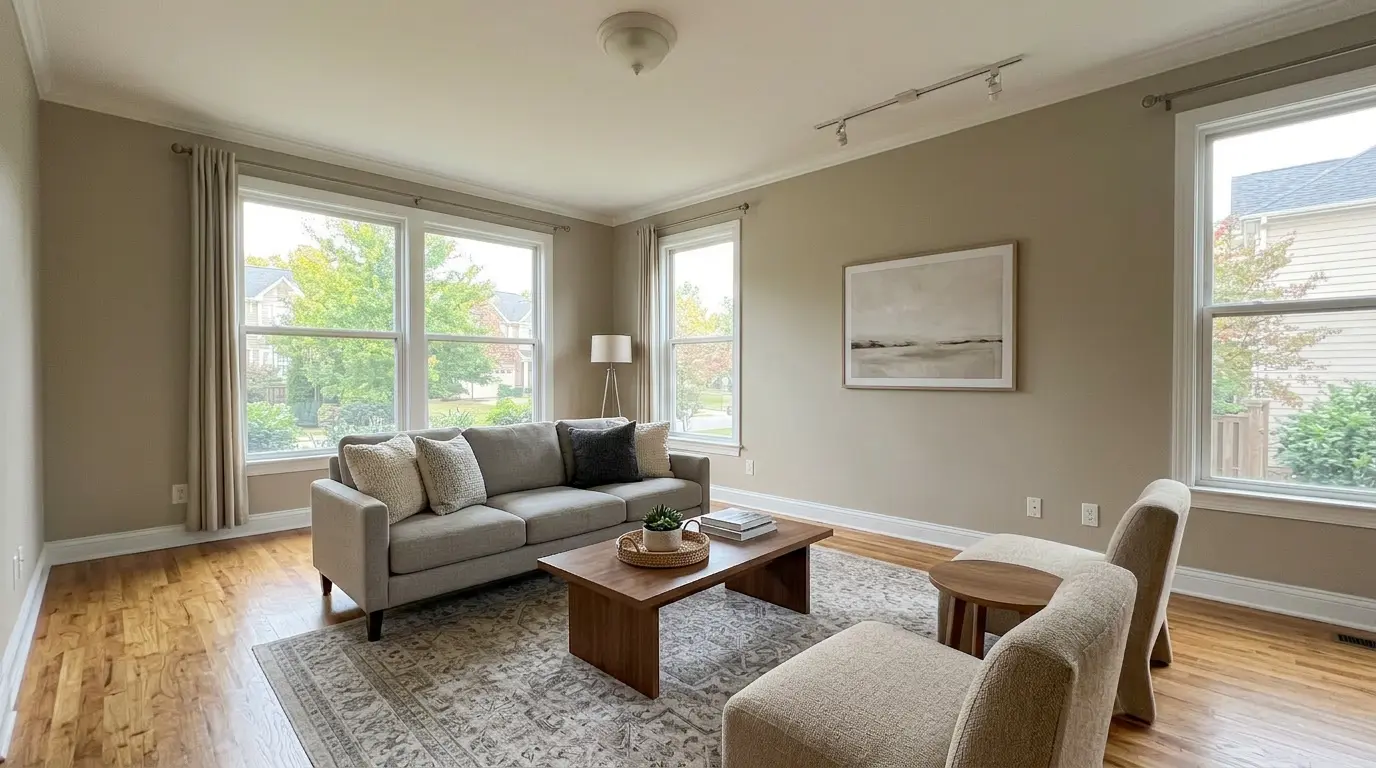
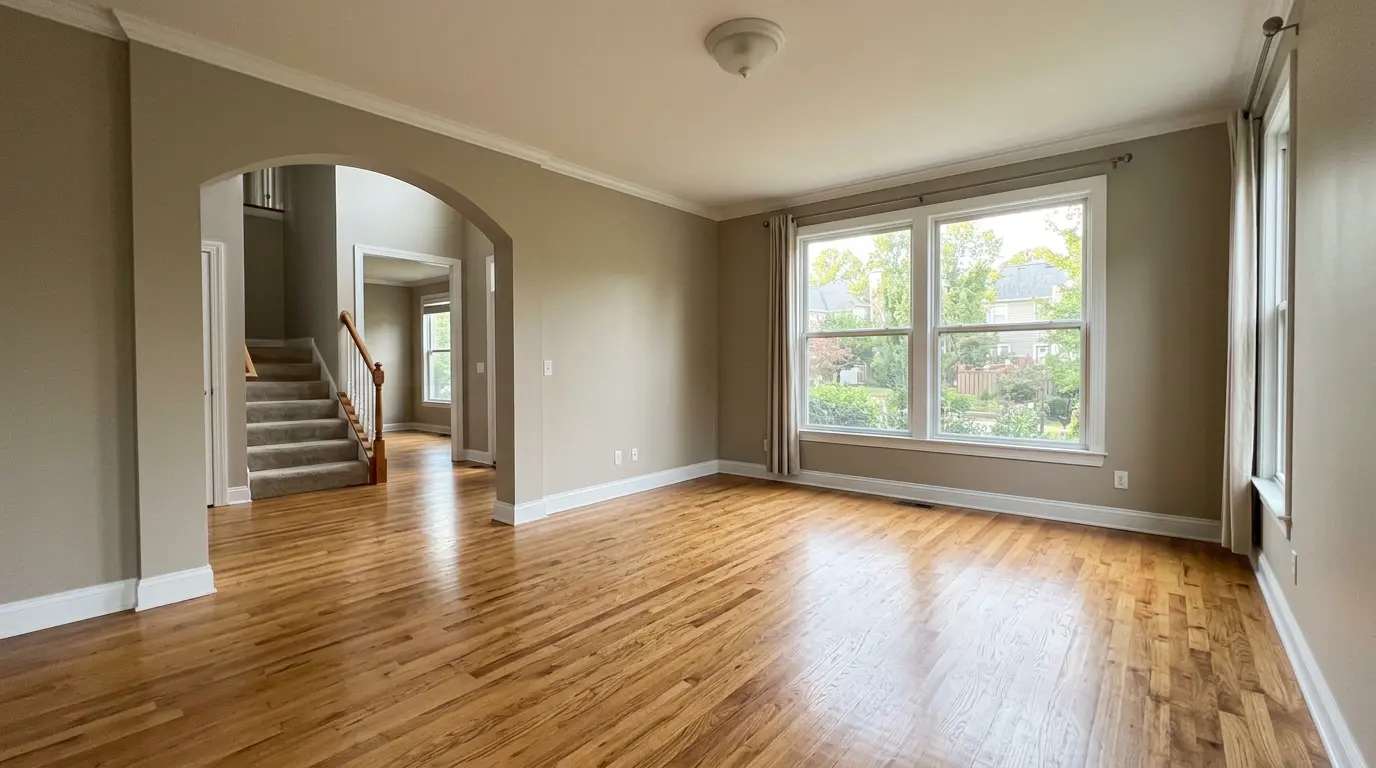
What good living room staging does: it communicates scale (a sofa tells buyers exactly how big the room is), defines how the space is used (gathering vs. quiet reading vs. open-plan entertaining), and anchors the listing's overall design tone.
2. Master Bedroom — The Second Decision Point
After the living room, buyers go straight to the master bedroom. An empty master reads as a generic white box. A staged master — with a bed, nightstands, and bedding in the right scale — instantly signals whether this home fits their lifestyle.
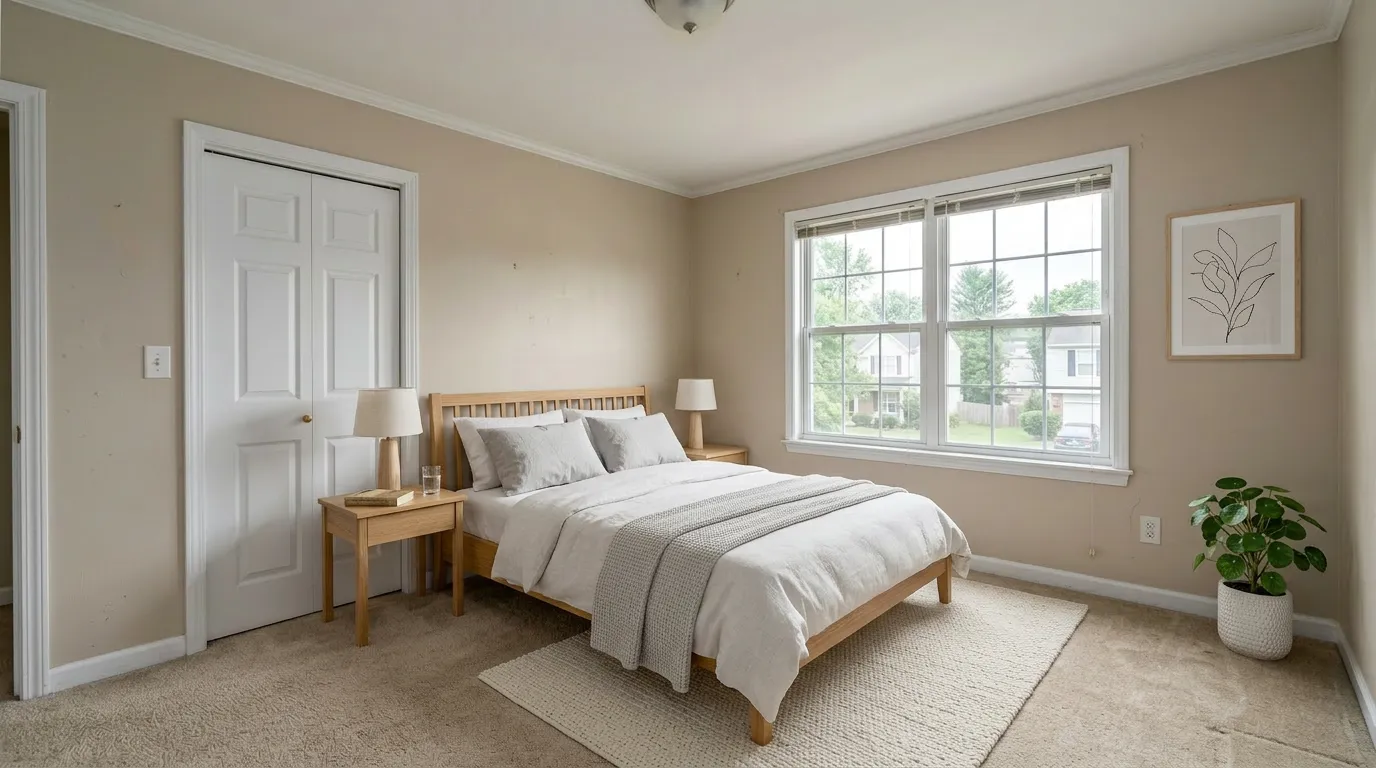
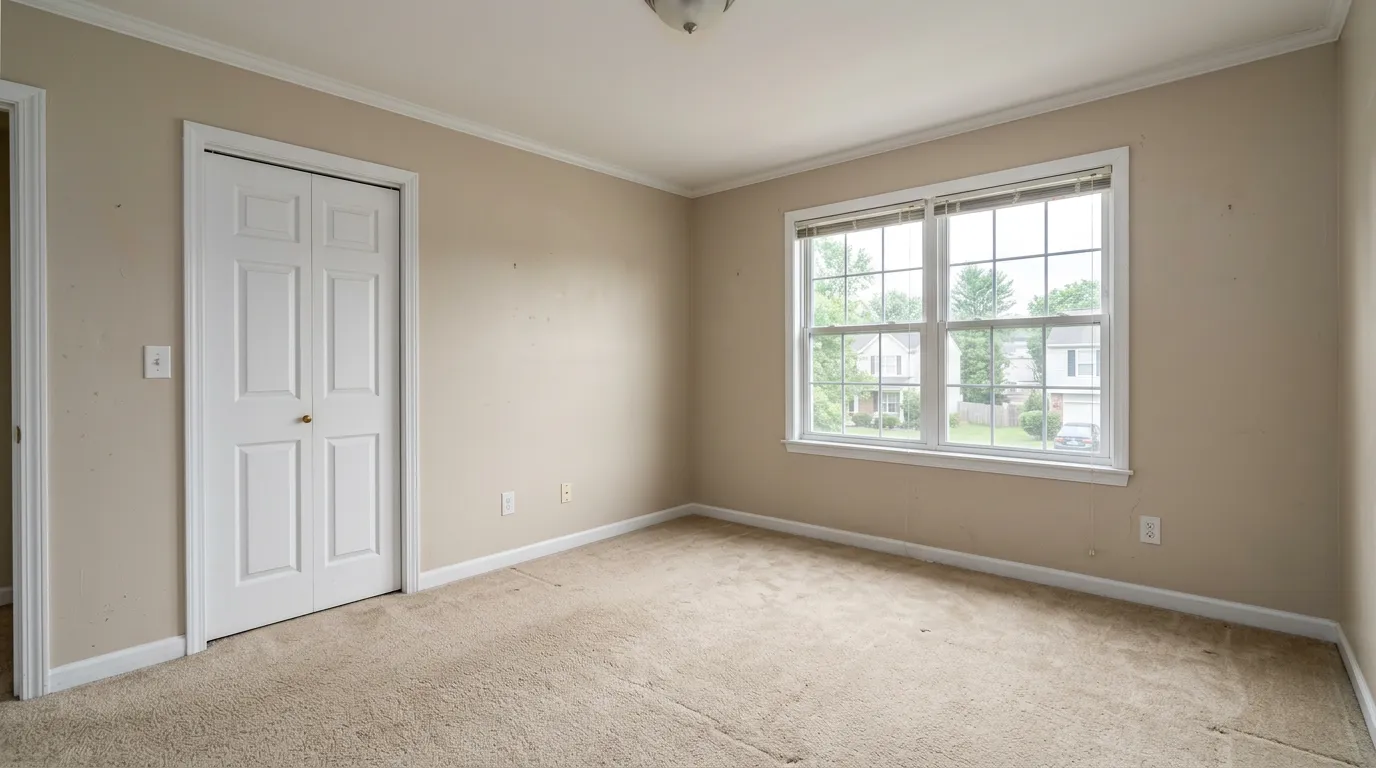
Bed size matters more than most agents realize. A virtual staging tool should render the bed in true proportion to the room — a queen in a room that holds a king reads as cramped, a king in a 10×11 reads as absurd. Before you publish, verify the bed scale against the door frame and windows in the original photo.
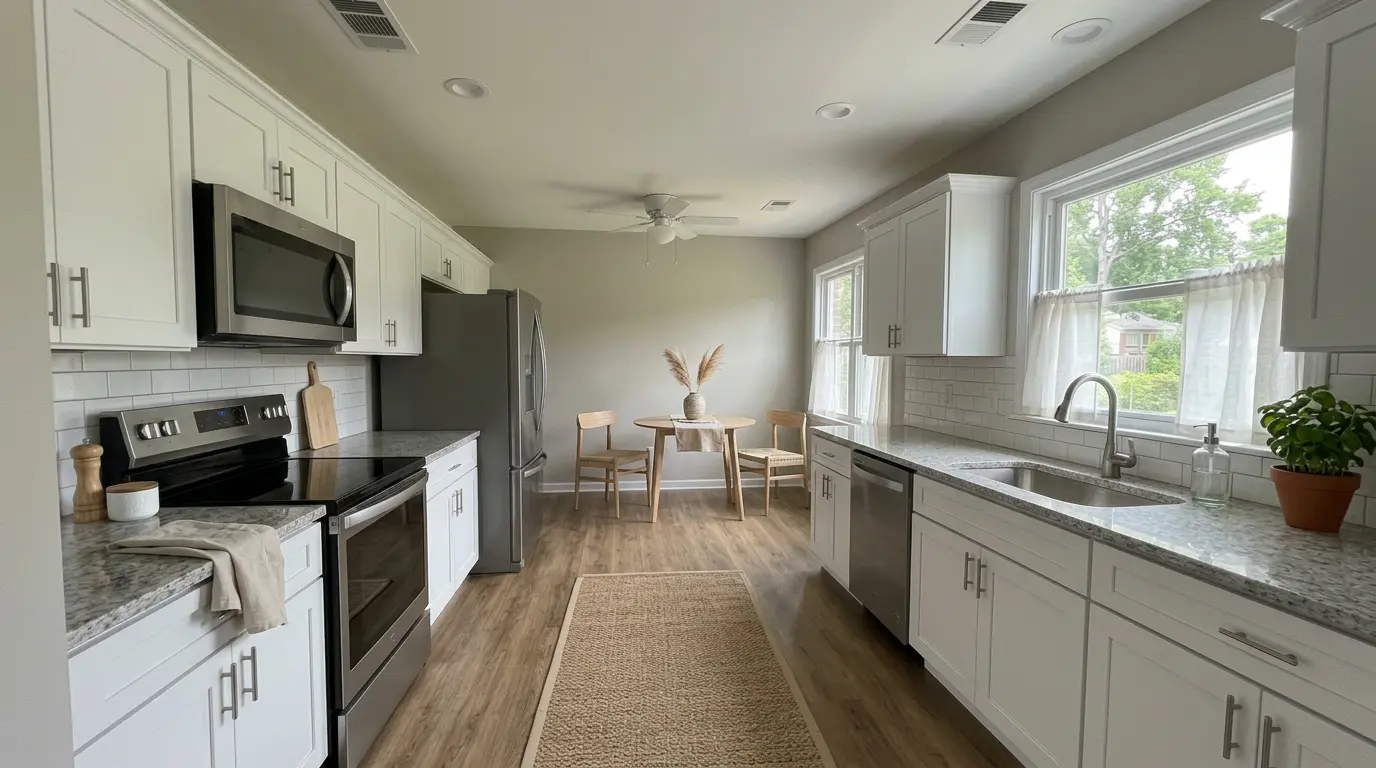
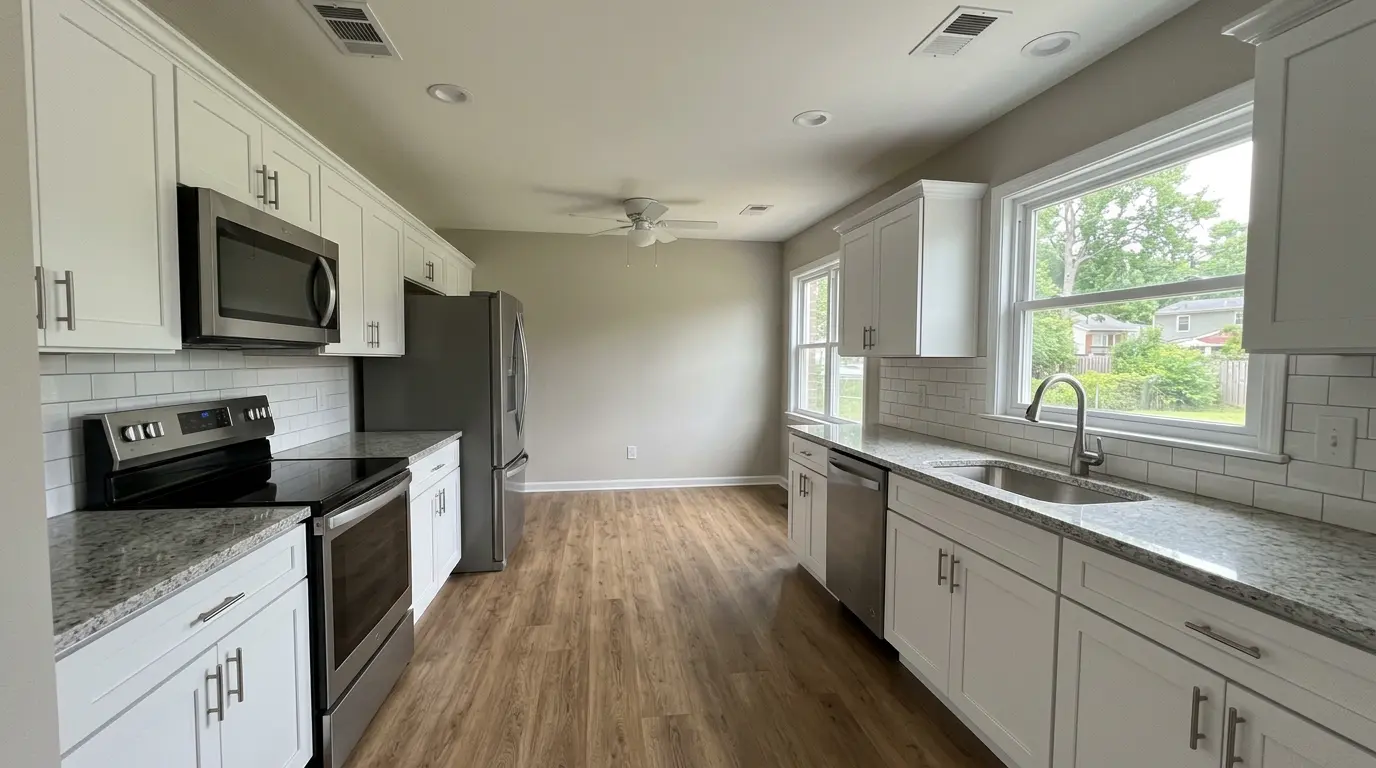
3. Kitchen — Stage Only If It Has a Visible Dining Zone
Kitchens are harder to virtually stage because the major elements (cabinets, counters, appliances) are fixed and already visible. Staging adds value here when the kitchen opens to a breakfast nook or an eat-in area that can be furnished.
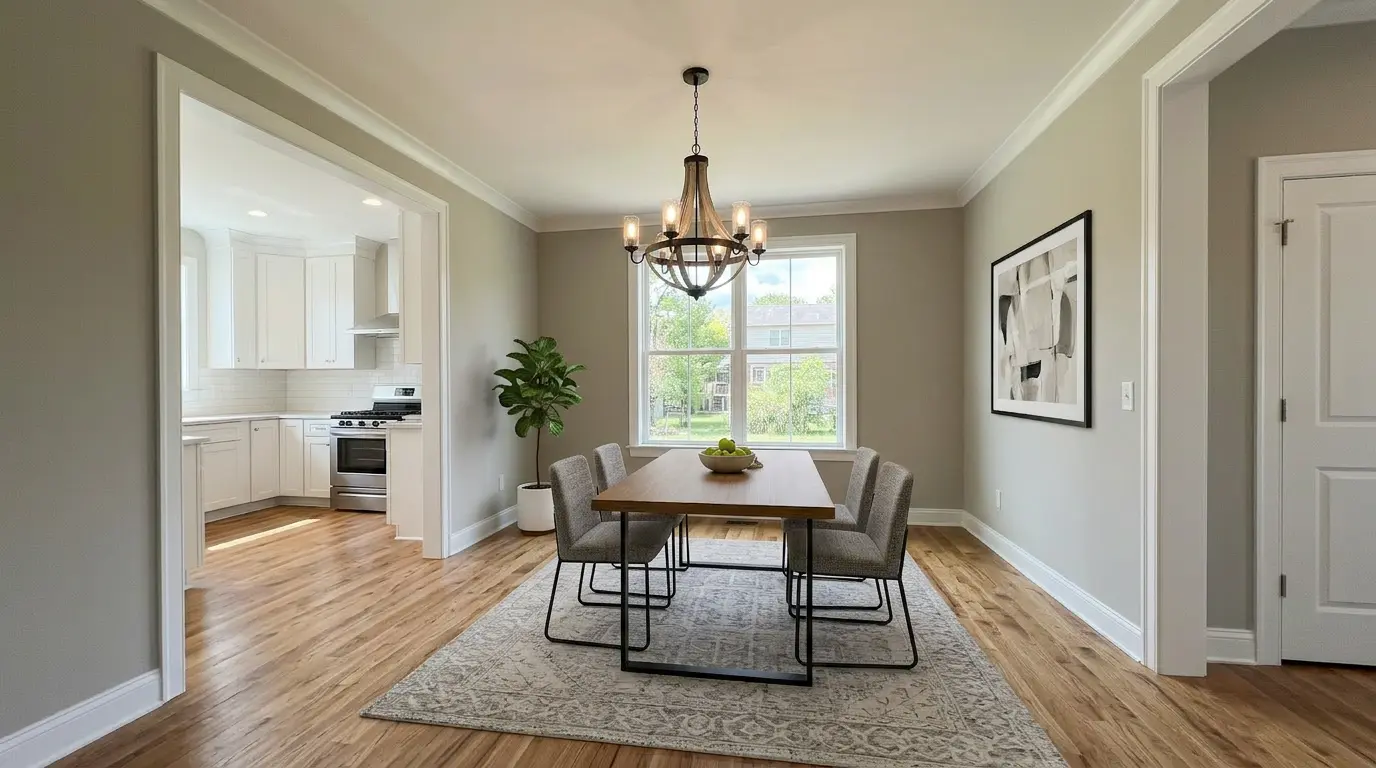
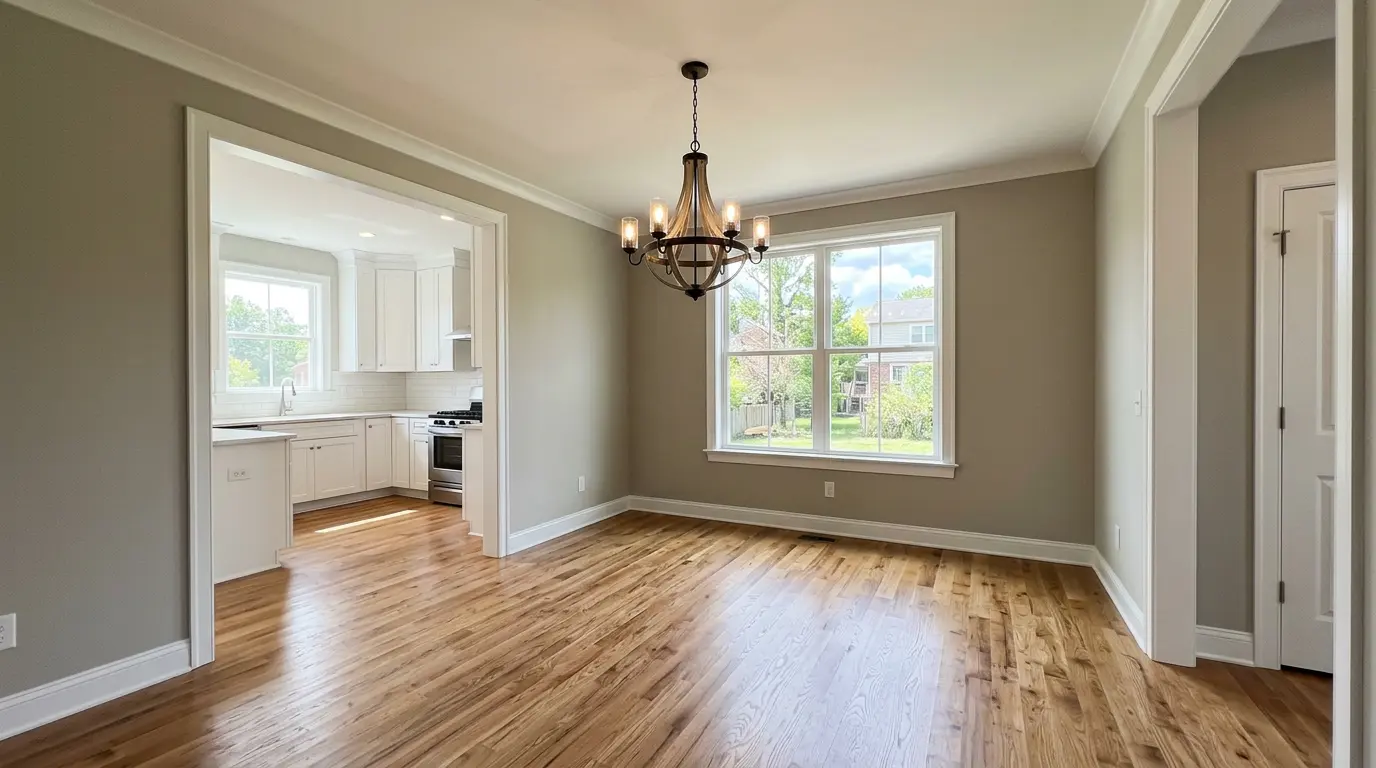
4. Dining Room — Stage When It Reads as Its Own Room
Open-plan spaces where the dining area blends into the living room are best staged together as one scene. If your dining room is a distinct space — a separate room or a clearly defined zone — stage it. A dining table grounds the room and tells buyers how many people this home entertains.
5. Secondary Bedrooms and Home Office — Stage Selectively
Secondary bedrooms matter most when they're the buyer's primary motivation for the home size (families buying for kids' rooms, buyers looking for a guest suite). A home office setup is worth one staged photo — remote work is now a standard search filter.
Don't stage every secondary bedroom. One or two representative photos are enough to confirm the home has the right number of functional spaces.
Choosing the Right Style for Your Home
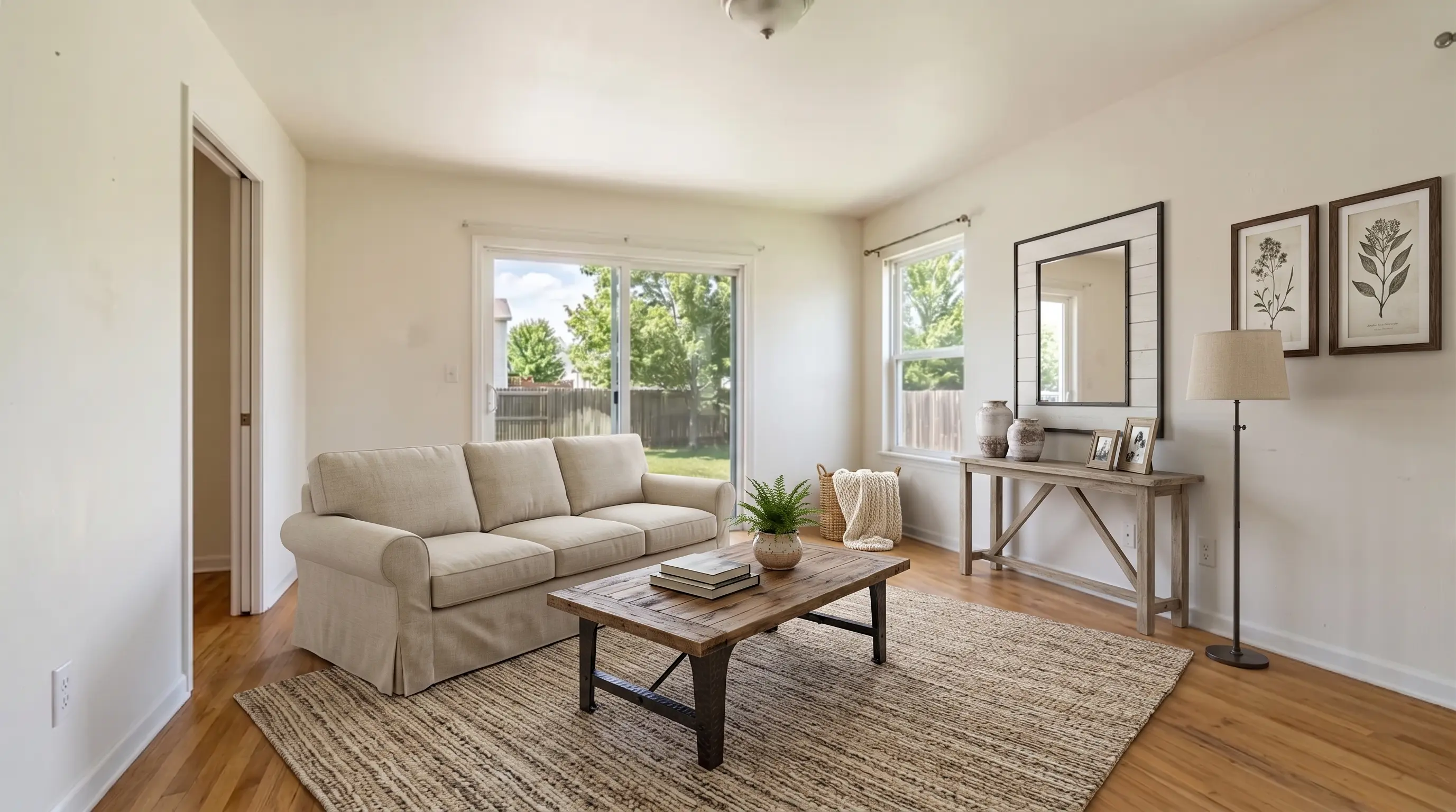
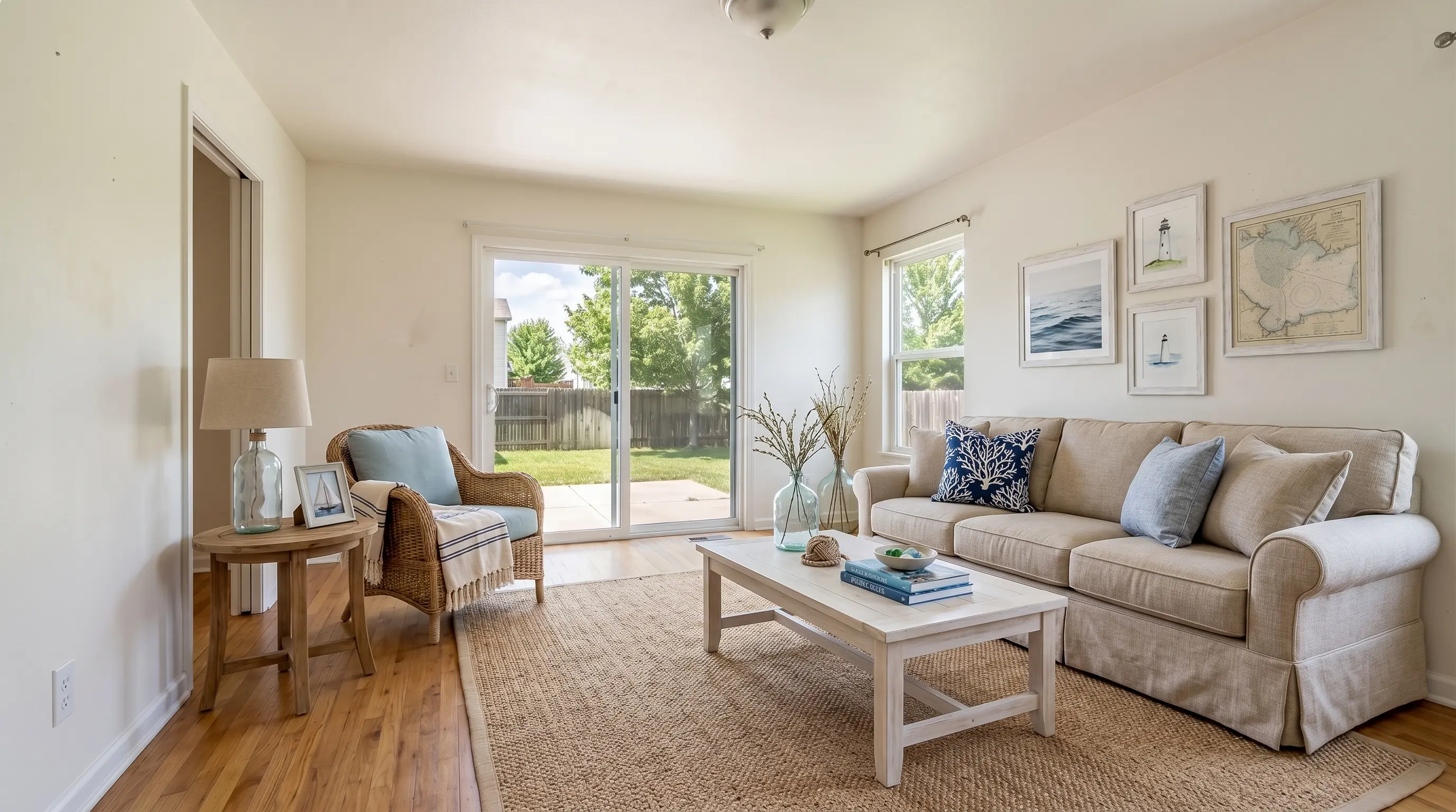
Virtual staging works best when the style feels native to the home's architecture and the likely buyer demographic. Mismatching style to home type is the single fastest way for staging to look fake.
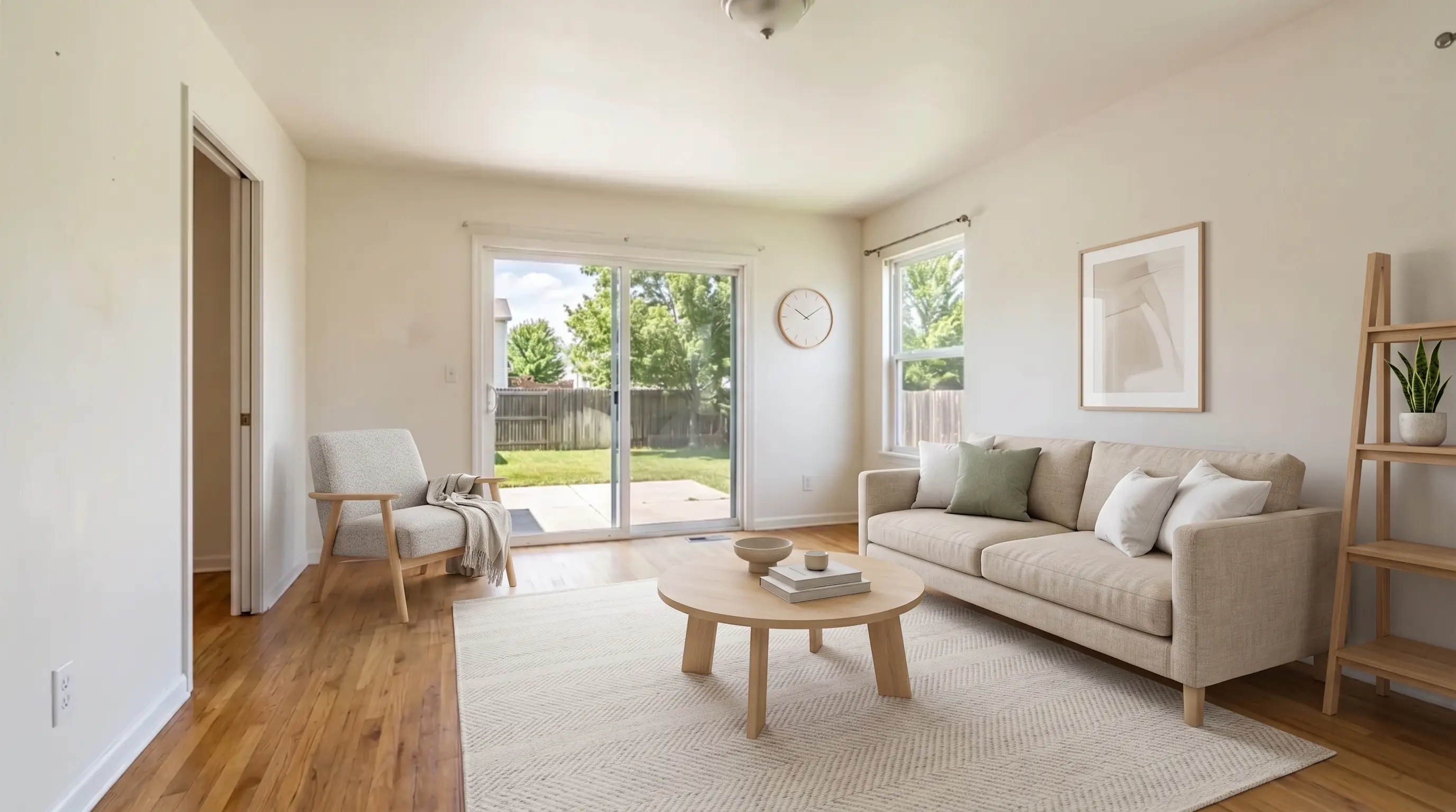
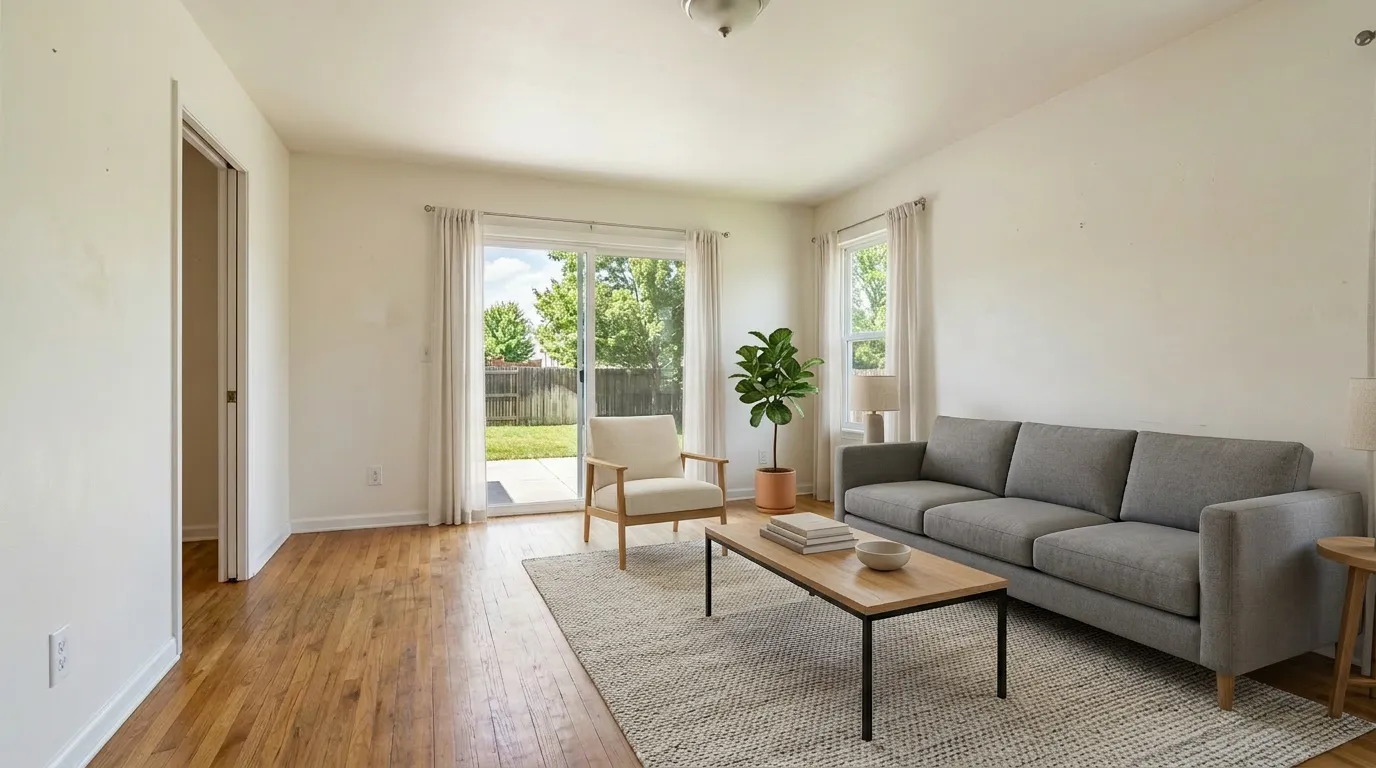
Style-to-home-type matching guide
| Home type | Top-performing styles | Avoid |
|---|---|---|
| Suburban single-family (3–4 BR) | Farmhouse, Coastal, Contemporary | Industrial, Luxury |
| Urban condo / loft | Modern, Scandinavian, Industrial | Farmhouse, Coastal |
| Townhouse / row home | Contemporary, Minimalist | Farmhouse |
| Larger suburban / luxury | Luxury, Contemporary, Coastal | Industrial, Minimalist |
| Older / historic home | Scandinavian, Coastal, Farmhouse | Industrial |
Use one style family throughout the home. If the living room is Farmhouse, stage the master bedroom Farmhouse or Coastal — not Industrial. Mixed styles across rooms signal low-effort staging and confuse buyers' sense of the home's overall feel.
What Virtual Home Staging Costs in 2026
For a typical four-bedroom, two-bathroom suburban home with 20 listing photos:
| Budget model | Plan | Photos included | Monthly cost | Cost per listing |
|---|---|---|---|---|
| Solo agent, 1–2 listings/mo | Standard | 36/mo | $25 | $25 or less |
| Active agent, 3–5 listings/mo | Professional | 108/mo | $65 | $13–$22 |
| Team or high-volume | Business | 216/mo | $105 | $5–$11 |
Most solo agents staging one home at a time will stage an entire listing — 15–20 photos, not all of which need staging — well within a Standard plan at $25/month.
What isn't included by default at some vendors: furniture removal and de-clutter for occupied rooms. If the home is still furnished (with dated or unwanted decor), confirm whether your staging tool includes object removal in the base plan before you commit. Some vendors charge an extra $20–$99 per photo for it. At VirtualStaging.tools, both empty-room staging and occupied-room restage are included in every plan.
Try it first: VirtualStaging.tools includes 3 free photos (no credit card) — enough to stage your living room and master bedroom before you decide on a plan.
Virtual Staging vs. Physical Staging: Which Is Right for This Home?
Virtual staging is not always the right answer. Here is the honest decision framework.
Choose virtual staging when:
- The home is vacant. Empty rooms are the ideal use case. There is nothing to work around, removal is free, and the AI has maximum freedom.
- You need the listing up fast. Virtual staging turns around in 30 seconds. Physical staging takes 3–10 days minimum for setup, plus furniture rental periods that run 1–3 months. For a same-day listing, virtual is the only option.
- The listing is priced under $1.5M. Below this threshold, buyers largely do not expect a physically staged walkthrough, and the math heavily favors virtual staging ($6–$20 per listing versus $1,500–$4,000+).
- You are managing volume. Physical staging requires coordination per listing — vendor relationships, scheduling, key access. Virtual staging scales to any volume without added logistics.
- The decor is dated but the structure is sound. A 1990s living room with oak furniture and floral wallpaper photographs poorly. Virtual staging can show the modern potential of the space without a renovation.
Choose physical staging when:
- The listing is luxury tier ($2M+). High-end buyers expect to walk through a furnished home. They are making a purchase that competes with new construction — and new construction always shows staged. Virtual staging on paper is not enough.
- The floor plan is unusual. Odd-shaped rooms, unexpected ceiling heights, or non-standard room proportions are hard for buyers to read in photos. Physical staging helps them understand the space when they walk in.
- The market is extremely competitive. In a market where multiple offers are the norm and buyers are making fast decisions, a physically staged home has a walkthrough advantage that virtual staging cannot match.
The hybrid approach — the best of both
The most practical strategy for mid-range listings: physically stage the two rooms buyers walk through most carefully, and virtually stage the rest.
A typical hybrid setup:
- Living room → physical staging (it's the first room buyers walk into; it needs to feel real)
- Primary bedroom → physical staging (emotional center of the purchase decision for most families)
- Kitchen, dining room, secondary bedrooms, office → virtual staging
The hybrid approach limits your physical staging cost to $600–$900 (two rooms instead of a full house), eliminates the "all photos are staged, but the walkthrough is empty" disappointment, and still ensures MLS photos of every room look professional. Agents using this model often set the physically staged rooms as the first 3–4 listing photos, setting an accurate expectation before buyers arrive.
Multi-Room Consistency — The Detail Most Sellers Miss
When buyers scroll through your listing, the staged photos should feel like they belong to the same home. The three most common consistency failures in virtual home staging:
- Style drift room to room. Modern in the living room, Farmhouse in the bedroom, Industrial in the office. Pick one style family and hold it.
- Lighting inconsistency. Good AI models adjust generated furniture to match the room's existing lighting direction. If your living room is north-facing and cool-toned, the staged sofa shouldn't look like it's in a sunlit greenhouse. Check before/after shadows for consistency.
- Scale inconsistency. A queen bed in one room, a king bed in another bedroom of the same size. Buyers notice. Consistency builds trust.
What Virtual Home Staging Can't Fix: Honest Limitations
Virtual staging is a powerful marketing tool. It is not a substitute for a well-prepared home or an honest listing.
The walkthrough gap is real. Buyers see polished staged photos online, arrive at the property, and find an empty (or poorly furnished) room. This gap exists. It is the most common complaint about virtual staging across agent forums and buyer reviews. The solution is not to avoid virtual staging — it is to manage expectations proactively:
- Include the unstaged original photo alongside every staged version in the listing (this is also required by many MLSes and California AB 723).
- In your listing remarks, note that rooms are virtually staged and that the home is vacant or lightly furnished.
- For in-person showings, bring a printed or iPad version of the staged photos and use them actively during the tour: "This is what the living room looks like styled — here's the floor plan and natural light at 2pm." Agents who do this report significantly better buyer reactions than agents who let buyers walk into an empty room cold.
Bad staging is worse than no staging. A virtual staging output with floating furniture, incorrect scale, or mismatched lighting immediately signals cheap execution. Buyers don't consciously identify why — but they swipe past. Before publishing any staged photo, check: do chair legs cast shadows? Is the bed proportional to the window? Do textiles look like fabric, not printed stickers? If the answer to any of these is no, regenerate or pick a different style.
Structural problems remain visible. Virtual staging cannot digitally remove a water stain, a cracked foundation wall, or a worn carpet. Any attempt to hide real defects with staging crosses into misrepresentation. Stage over imperfections only if they are cosmetic (paint color, dated wallpaper, old furniture) — not structural or material.
AI tools vary significantly in quality. The gap between the best and worst virtual staging outputs in 2026 is large. A tool that produces beautiful results on a standard suburban living room may produce unusable results on an unusual room type, a low-light space, or an occupied room with complex clutter. Always run a test on your most challenging photo before committing to a full listing.
MLS Disclosure: What You Must Do
Every virtually staged photo must be disclosed as such — in listing remarks and ideally as an image caption on each staged photo. In California (AB 723, effective January 1, 2026), you must also provide the unaltered original either as a paired image immediately before or after the staged version, or via a URL pointing to the original.
Every VirtualStaging.tools plan includes a built-in MLS Disclosure Helper that generates the compliant remarks language and paired-image export in one click. You don't build this yourself.
For full details on state-by-state rules, see our complete virtual staging guide.
Frequently Asked Questions
What is virtual home staging?
Virtual home staging is the process of digitally adding furniture, decor, and lifestyle details to listing photos of an empty or dated home. In 2026, AI-powered tools do this in 30 seconds per photo, for under $1 per image. The result is a buyer-ready listing photo that shows the home's potential without renting physical furniture.
How much does virtual home staging cost?
AI virtual home staging costs $0.30–$1.00 per photo, typically packaged in monthly subscriptions. A Standard plan at $25/month covers 36 photos — enough for 1–2 full listings. Traditional human-designer virtual staging costs $24–$50 per photo with 24–48 hour turnaround. For a four-bedroom home with 20 listing photos, AI staging costs $6–$20 total versus $480–$1,000 with a traditional service.
Is virtual home staging worth it for sellers?
Yes, for most listings under $2M. The cost is under $20 for an entire home's photos. Staged listings historically attract more showings and offers than empty-room listings. The only case where it's less clear-cut: luxury properties where buyers expect a physically staged walk-through experience, or homes where buyers are specifically shopping empty so they can customize from scratch.
Which rooms should I virtually stage?
Prioritize in this order: (1) living room — it's the cover photo and first click; (2) master bedroom — the second decision point for most buyers; (3) kitchen dining zone — if there's a distinct eat-in area; (4) dining room — if it's a separate room; (5) one or two secondary bedrooms if they're key to the buyer profile. You don't need to stage every room — stage the rooms that appear in the listing's first 5–8 photos.
What's the best style for virtual home staging?
Match style to home type and likely buyer. Farmhouse, Coastal, and Contemporary perform best in suburban single-family homes. Modern and Scandinavian suit urban condos and townhouses. Luxury and Contemporary work well in larger homes. Use the same style family across all rooms — mixing Farmhouse in the living room with Industrial in the bedroom looks inconsistent and staged.
Do virtually staged photos need to be disclosed?
Yes. Every credible MLS requires disclosure that photos have been virtually staged. The standard practice: add "Some photos virtually staged to show the home's potential" to listing remarks, and a "[Virtually staged]" caption on each affected photo. In California (AB 723), the unaltered original must also be accessible — either as a paired image in the listing, or via a link to the original. See our complete staging guide for state-specific details.
Can virtual staging work if the home is still furnished?
Yes. Most 2026 tools handle occupied-room restaging — they remove existing furniture and replace it with staged pieces. This is useful for homes with dated decor, seller-still-living situations, or cluttered rooms. Verify before subscribing that your tool includes furniture removal in the base plan and that it actually clears the room cleanly. Run one test on a messy or dated room before committing to a full listing.
How is virtual house staging different from virtual staging?
They're the same thing — "virtual house staging" and "virtual home staging" are different search terms for the same service. The process is identical regardless of property type: upload a listing photo, select a style, and receive a furnished version in 30 seconds. The only variation is in which style works best for a given property type (see style-matching table above).
Can I use ChatGPT or a free tool instead of a paid virtual staging service?
For a one-off test, yes — ChatGPT (GPT-4o) and free tools like Canva can produce a basic staged image. For production listing use, they fall short in three specific ways that matter for MLS: (1) structure preservation — general AI tools will move windows, change floor materials, or add architectural features that don't exist, which crosses into misrepresentation; (2) scale accuracy — without real-estate-specific training, furniture scale relative to the actual room is often wrong; (3) multi-angle consistency — stage the same living room from two angles with ChatGPT and you get two different sofas on different walls. Purpose-built virtual staging tools solve all three by design. If you list fewer than one property per month and have a good eye for spotting AI errors, a free tool is a reasonable starting point. If you're doing volume, the consistency and compliance features of a dedicated tool save more time than they cost.
What are the main disadvantages of virtual home staging?
The honest list: (1) Walkthrough disappointment — buyers arrive expecting the staged version and find an empty room. Manage this by including the unstaged original in your listing and briefing buyers before the showing. (2) Quality variance — a bad virtual staging output (floating furniture, wrong scale, mismatched lighting) actively hurts a listing more than no staging at all. Test before publishing. (3) No substitute for physical defects — virtual staging cannot remove a stained ceiling or fix a worn carpet. Structural and material issues remain visible and should not be obscured. (4) Buyer trust requires disclosure — undisclosed virtual staging, if a buyer discovers it, creates a misrepresentation risk that outweighs any marketing benefit. All four of these are manageable with the right workflow; none of them are reasons to avoid virtual staging entirely.
Getting Started with Virtual Home Staging
- Stage your living room first. Upload the listing's primary living room photo, pick a style that matches the home's architecture, and compare the result to your original. Most agents decide in that first test whether virtual staging fits their workflow.
- Extend through the priority rooms. Living room → master bedroom → kitchen/dining → secondary bedrooms, as covered above.
- Pick one style family and hold it. Run every room through the same style before finalizing.
- Export with disclosure. Use the built-in MLS Disclosure Helper to generate compliant remarks language and paired-image export for every staged photo.
Try VirtualStaging.tools free — 3 photos, no credit card. Stage your living room and master bedroom before you commit to anything. See pricing →
Pricing data sourced from VirtualStaging.tools pricing page and competitor public pages, verified April 2026. MLS disclosure rules sourced from NAR Code of Ethics Article 12 and California AB 723 (effective January 1, 2026).
More from the blog
Related reading
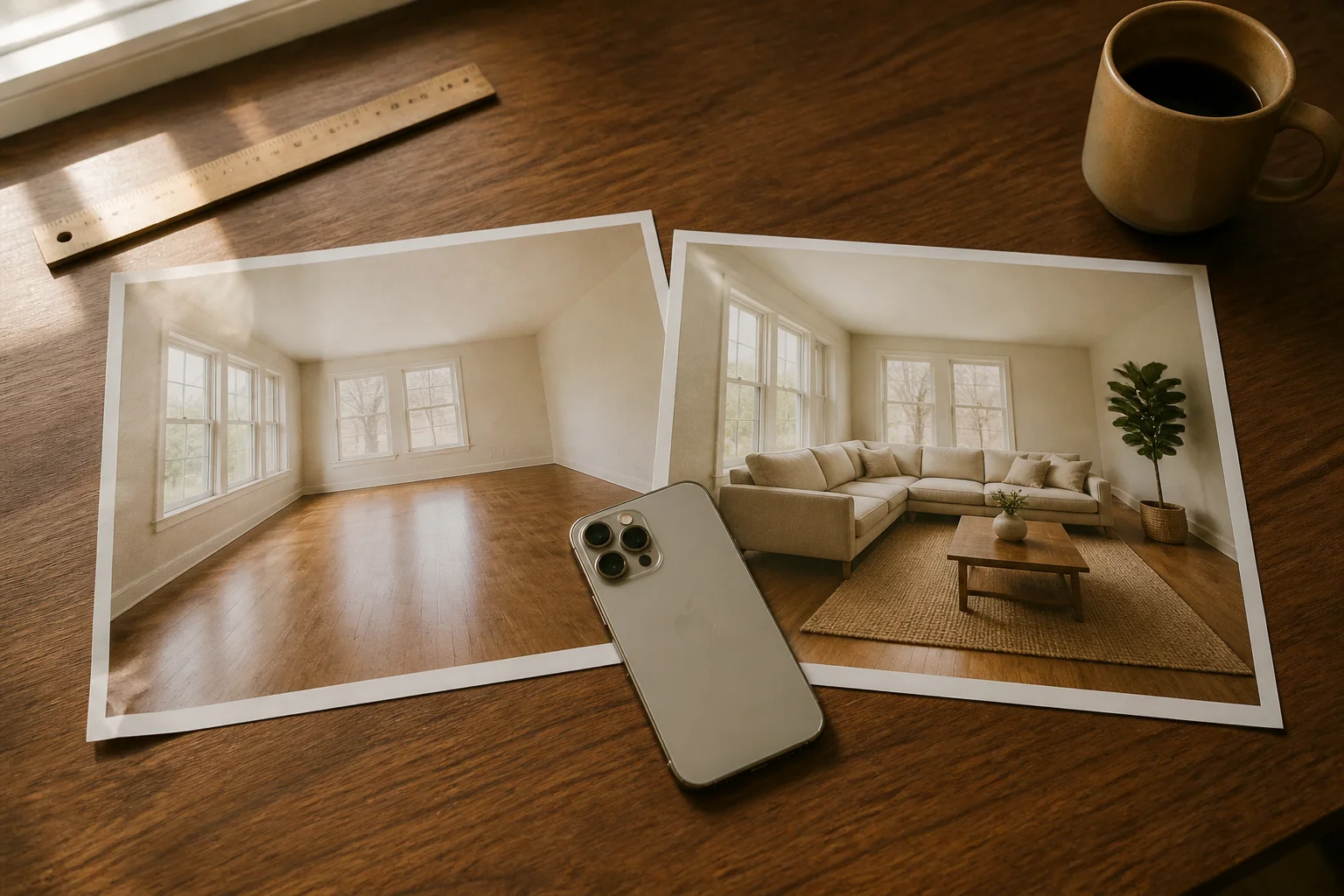
Virtual Staging App: What Solo Agents Actually Need in 2026
Virtual staging apps in 2026 — native iOS/Android vs web apps, free tiers compared, the 6 'tells' buyers spot, AB 723 disclosure rules, and the solo-agent cost math.

How Much Does Virtual Staging Cost? 2026 Price Guide
How much does virtual staging cost in 2026? Compare AI ($1–$5/photo), manual designer ($25–$75), and physical staging ($2,000+) — plus what's free.
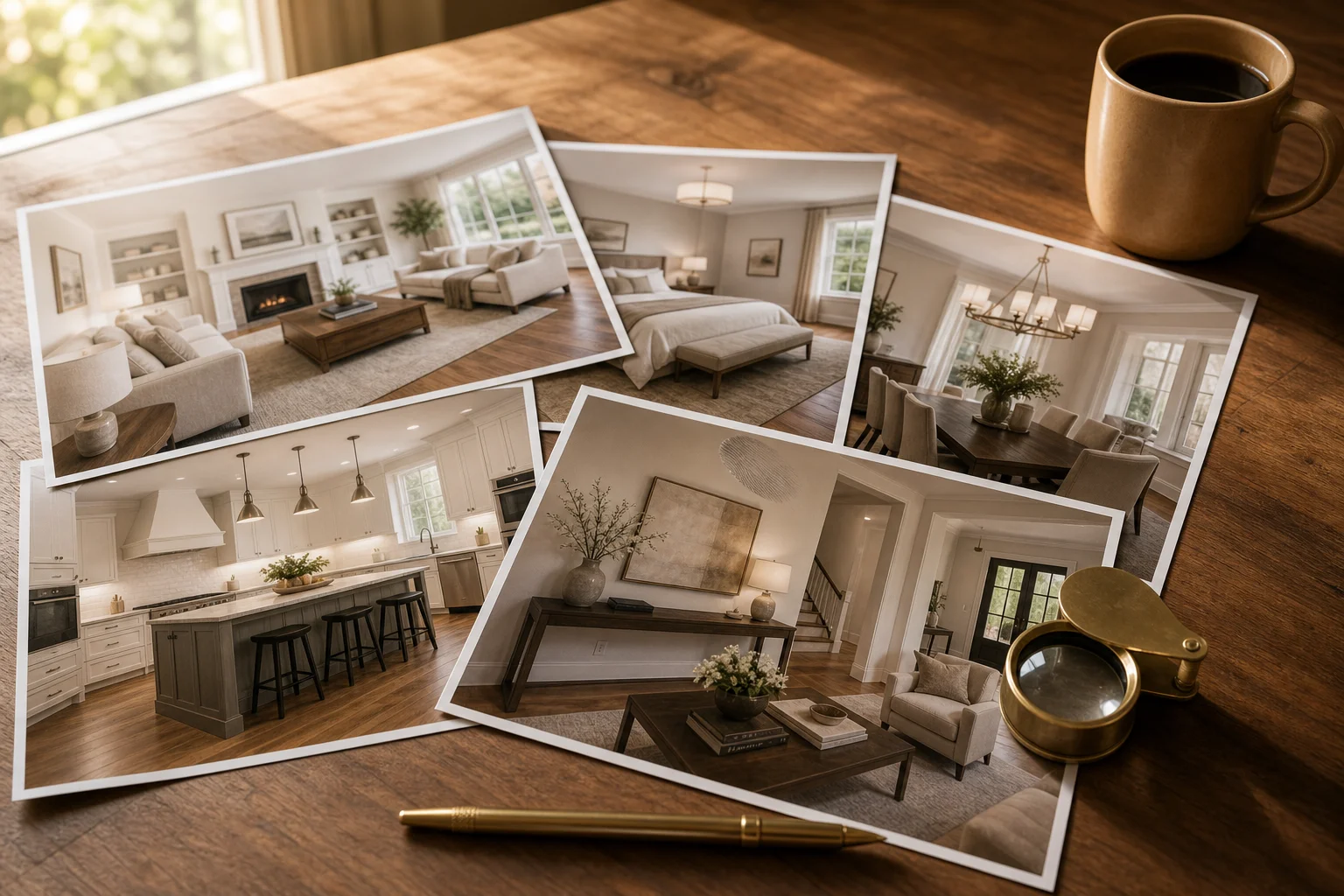
Virtual Staging Photos: How to Get Listing-Ready Shots
What virtual staging photos are, how to get great ones, and the MLS disclosure rules — a practical 2026 guide for agents staging their own listings.