
AI Virtual Staging for Photographers
Stage listing photos in seconds and deliver them through your existing client workflow.
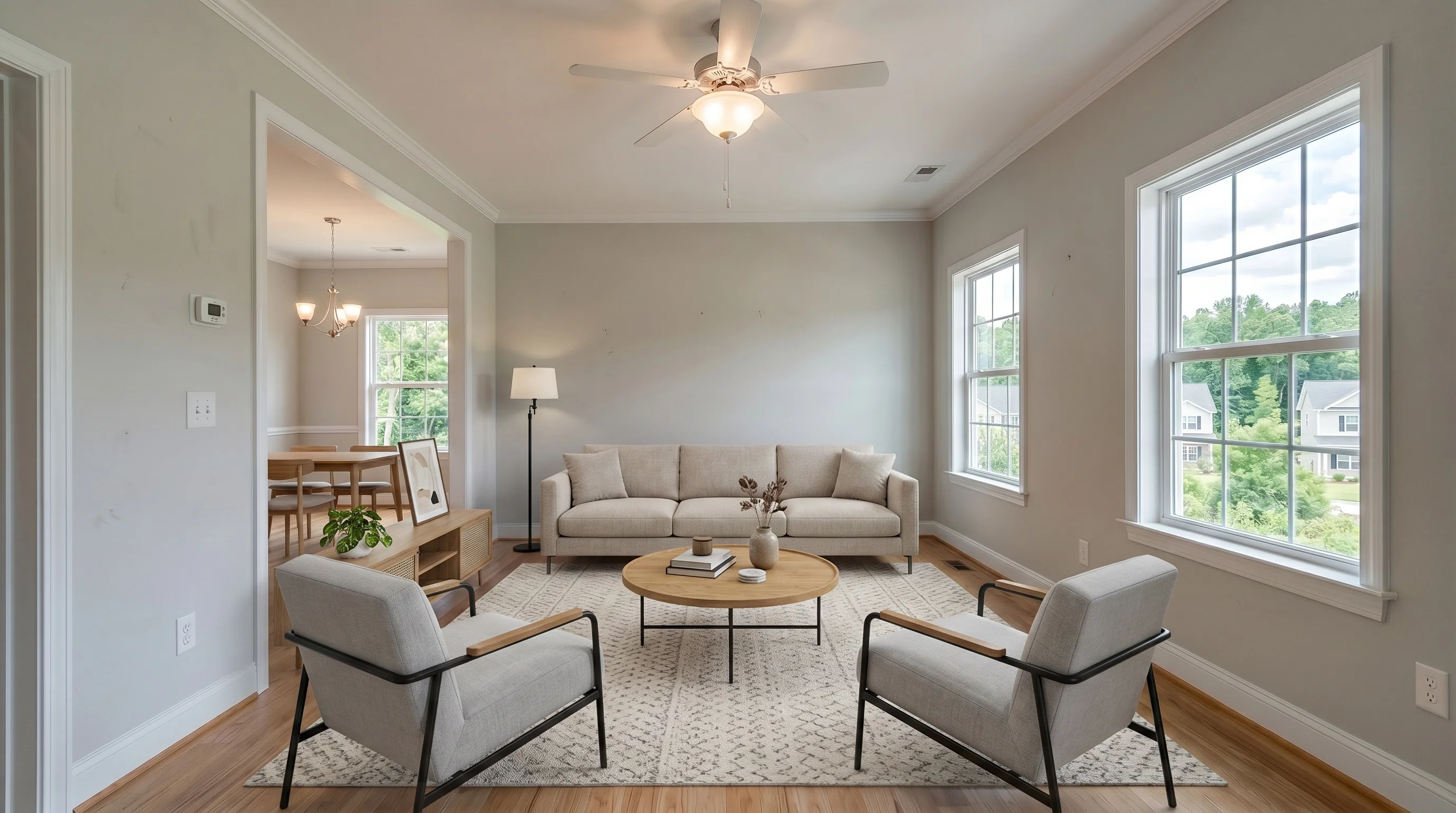 BeforeModern
Product details and workflow guidance reviewed August 3, 2026 by Evan Ye, founder of VirtualStaging.tools. This page describes our own product. AI output varies, and the workflow guidance below is not a controlled quality study, legal opinion, or income guarantee.
Is Self-Service AI Right for This Client Job?
| Client requirement | Good fit for self-service AI | Consider a human editor |
|---|---|---|
| Source photo | Clear, well-lit vacant room with visible boundaries and a standard residential layout | Mirrors, complex glass, hidden damage, severe shadows, or unclear room geometry |
| Creative brief | A credible furniture concept in a common style for selected marketing photos | Exact furniture brands, detailed art direction, or a luxury editorial brief |
| Number of angles | One primary angle per room, reviewed and approved independently | Several views that must show identical furniture, decor, and placement |
| Editing scope | Adding furniture after your normal color, exposure, perspective, and window work is finished | RAW processing, HDR blending, window pulls, compositing, or full-gallery retouching |
| Client expectation | Fast concepts with a clear revision limit and photographer quality control | A guaranteed brief, named human reviewer, or extensive bespoke revisions |
| Deadline | A same-day draft for selected rooms, followed by your own review | A high-risk listing where accountability matters more than turnaround |
Inspect Results Across Common Listing Rooms
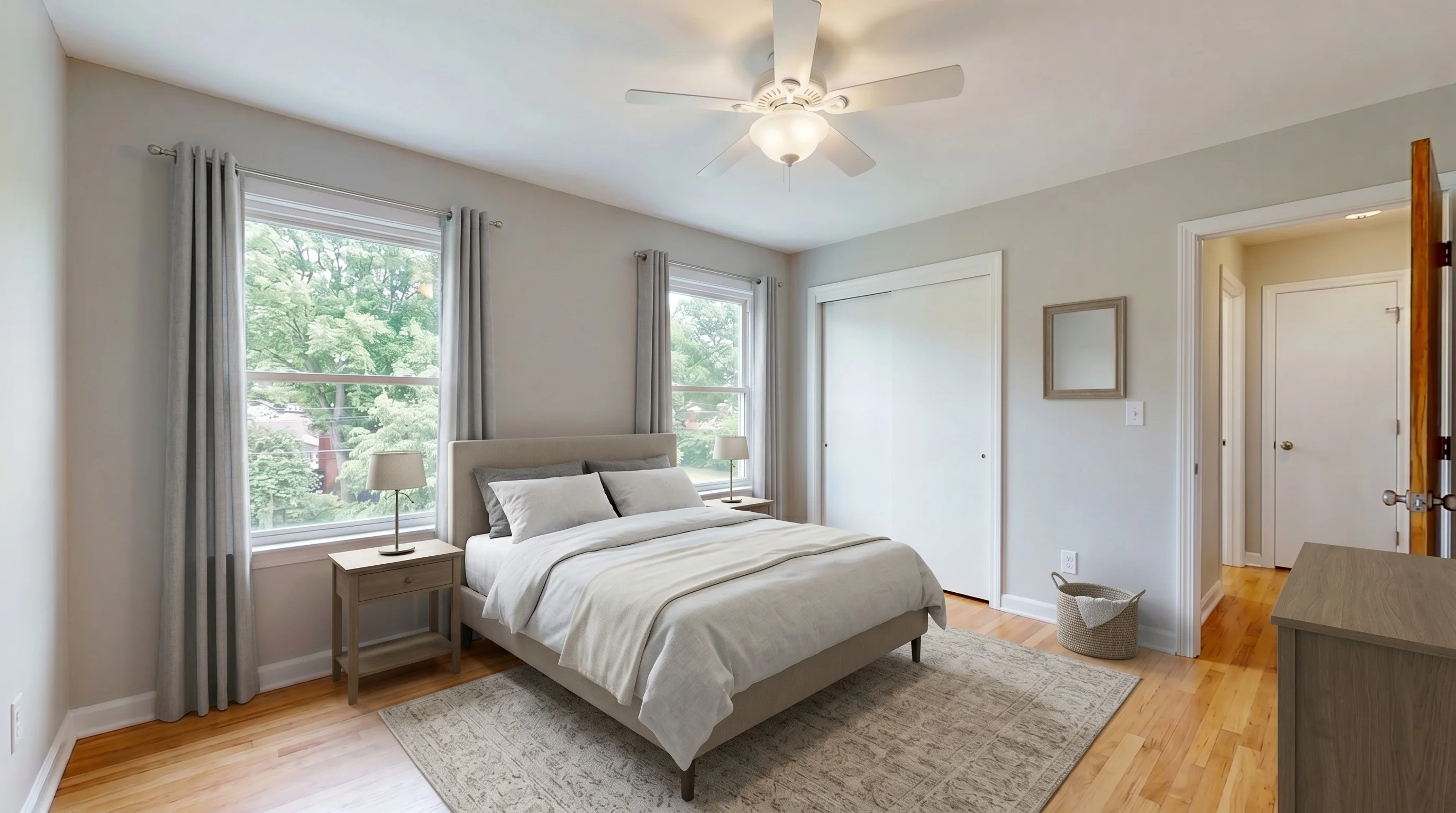
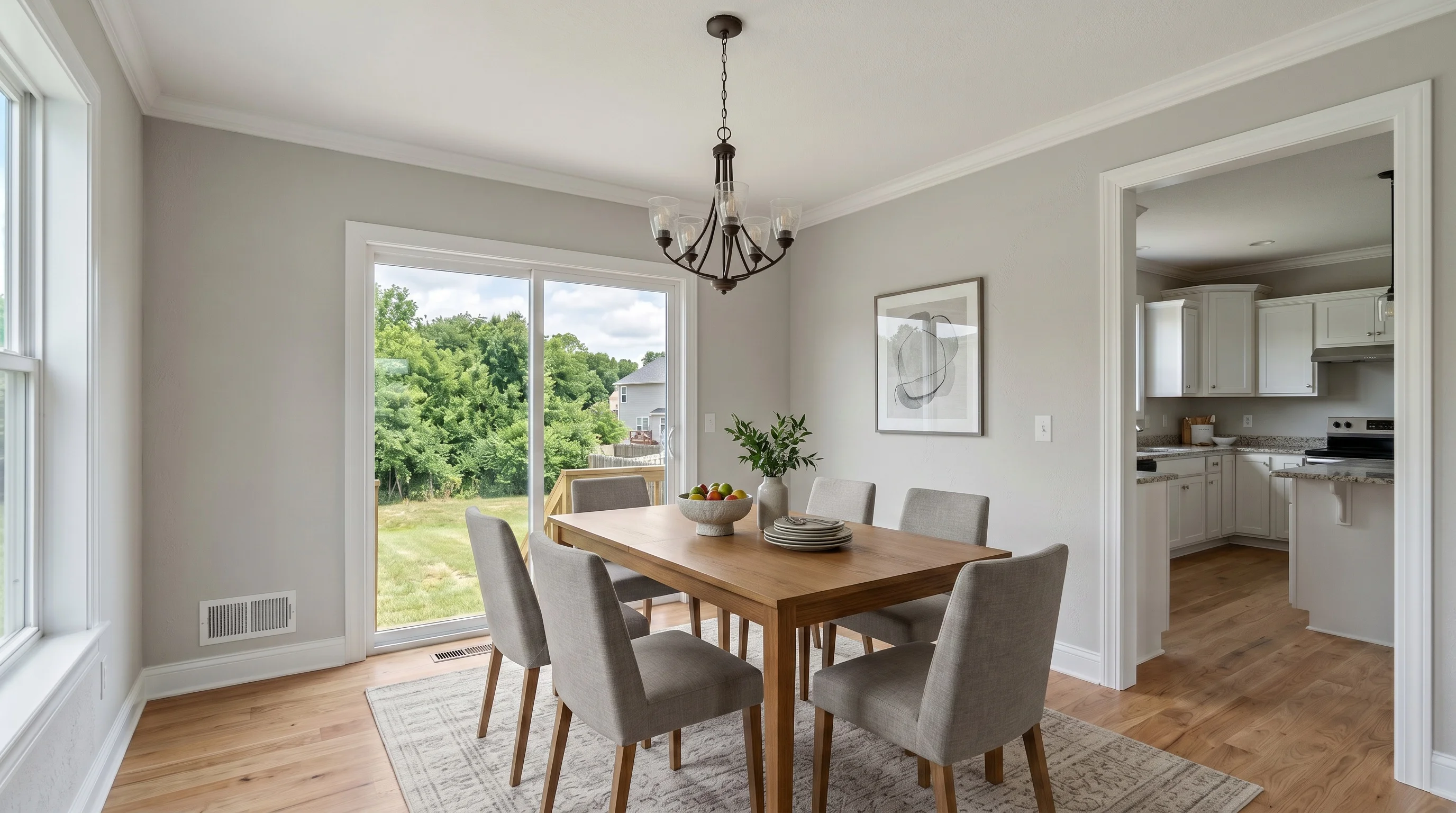
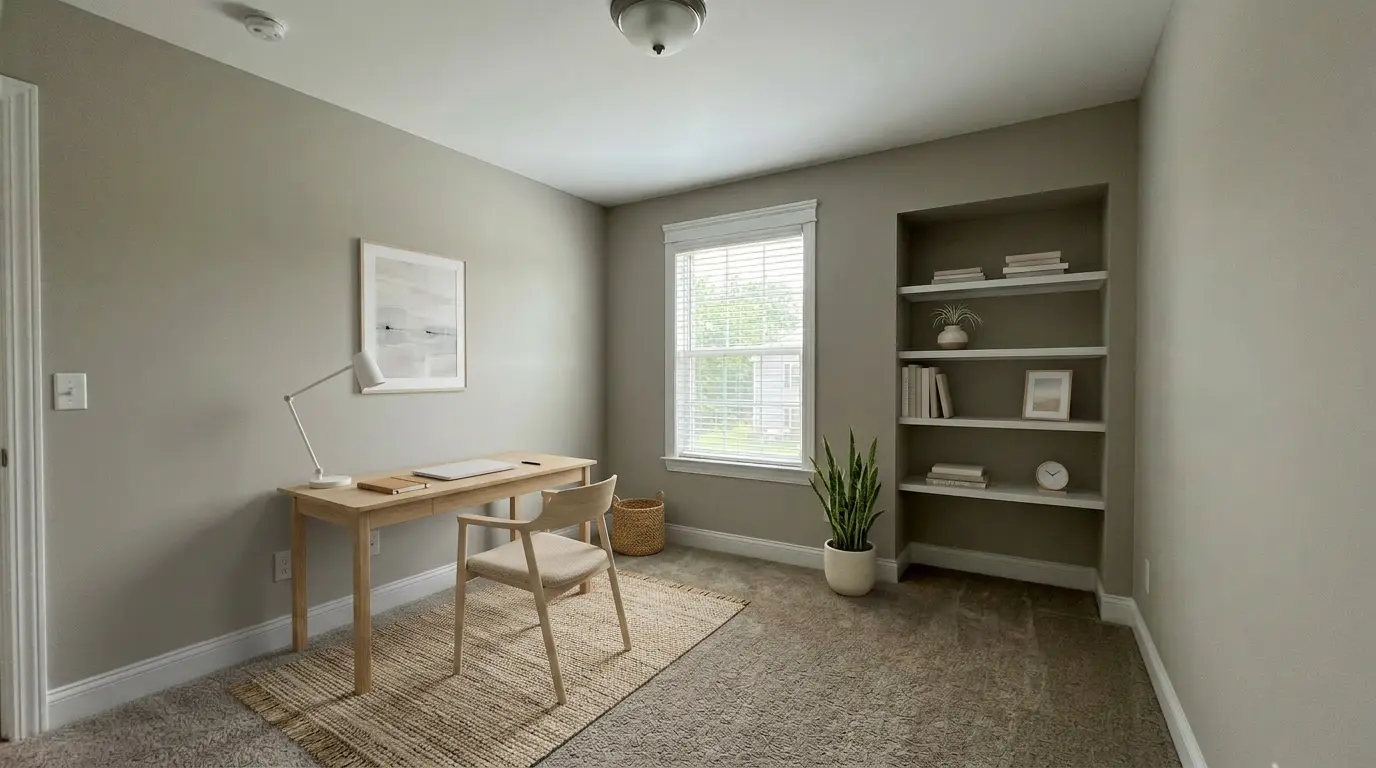
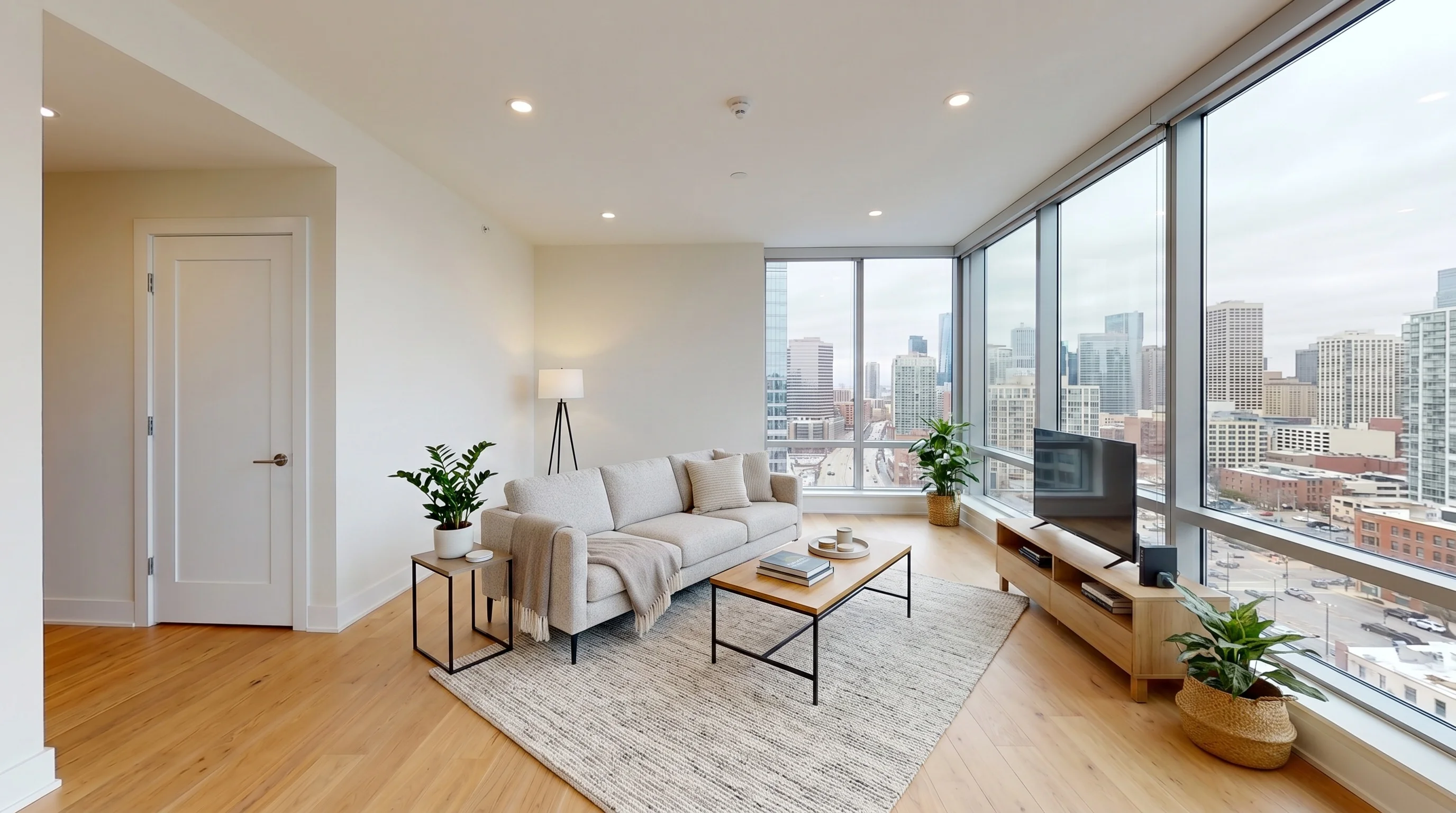
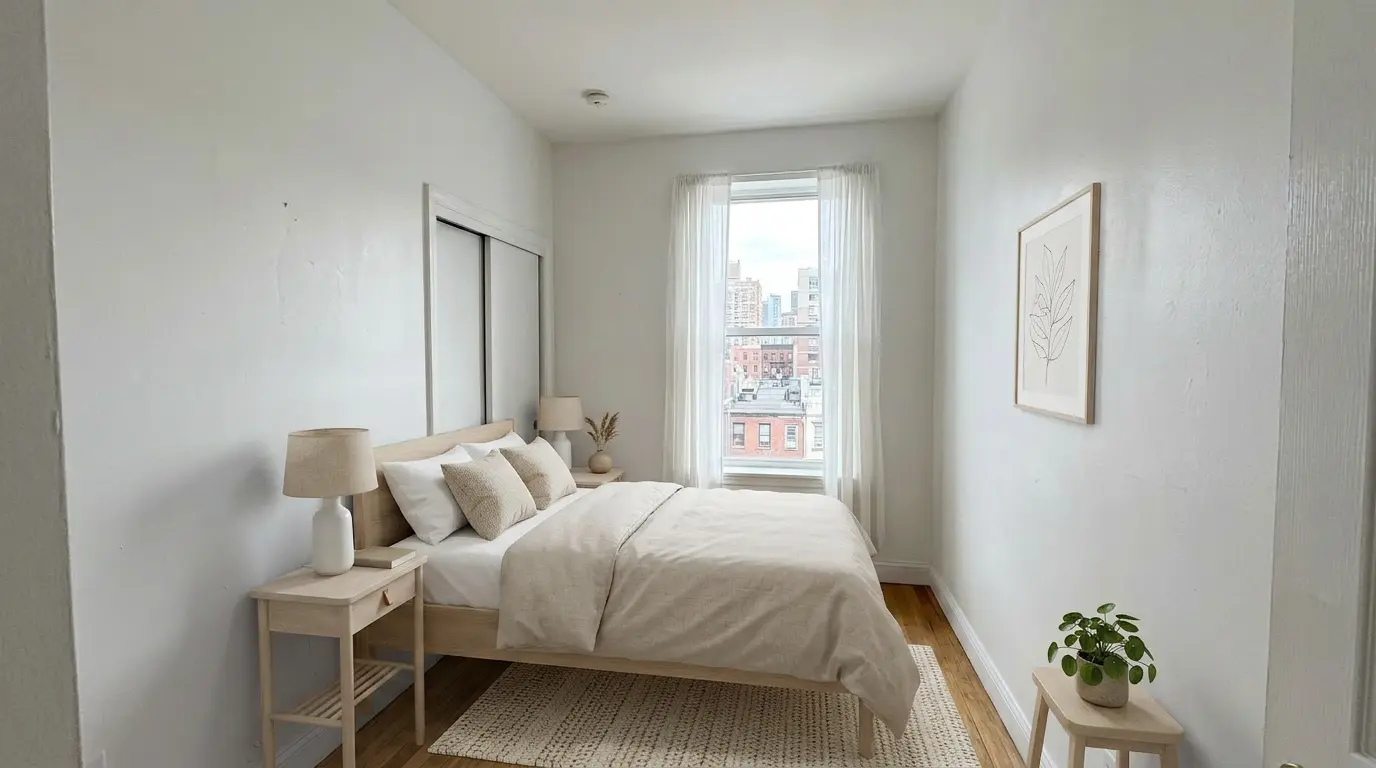
These examples show the type of staged concept the product can create for living rooms, bedrooms, dining areas, and home offices. They are examples—not a guarantee that every client photo will produce the same result.
Add a Staging Deliverable Without Replacing Your Editing Workflow
Virtual staging begins after the listing photo is finished. The photographer still owns image selection, quality control, client communication, and delivery.
Stage Selected Client Photos
Choose the rooms that need help explaining scale or purpose instead of promising that every photo in a shoot should be staged.
Create a First Concept Quickly
A typical single-image generation takes about 30 seconds, plus the time needed for review, regeneration, and file preparation.
Compare More Than One Style
Generate alternatives when the first style does not fit the property, while keeping a defined revision policy and checking current credit rules.
Deliver Through Your Own Gallery
Use paid downloads in the gallery, Drive, Dropbox, or client portal your clients already know.
Keep the Agent Out of the Tool
Create, review, and deliver finished files yourself. Your client does not need a VirtualStaging.tools login unless they want direct control.
Review Before Delivery
The workflow is designed to preserve the room, but AI output is not a guarantee. Reject changes that could misrepresent the property.
Build the Add-On Price from the Work You Actually Perform
A profitable service depends on your own volume, acceptance rate, review time, and client expectations. Use a cost model instead of copying a universal markup claim.
Test Representative Client Photos Before You Add the Service
Plans and quotas stay in sync with the main pricing page.
Self-Service AI vs a Human Virtual Staging Service
| Decision | Self-service AI | Human-directed service |
|---|---|---|
| Best use | Selected standard rooms, fast first concepts, and repeatable common styles | Luxury briefs, unusual architecture, exact references, and complex composites |
| Turnaround | Usually seconds per generation, plus photographer review and revisions | Usually an editing queue with a stated service turnaround |
| Creative control | Choose room and style, generate alternatives, and select the strongest truthful result | Send a detailed brief and communicate revisions to a human editor |
| Multi-angle consistency | Must be checked independently and may vary between generations | Better fit when several views must match furniture and placement exactly |
| Quality control | The photographer performs the final technical and truthfulness review | The provider may review the edit, but the photographer and agent should still verify it |
| Cost model | Tool credits plus your production time and rejected outputs | Per-image or per-project editing fees plus revision terms |
Where Virtual Staging Fits After Post-Production
Treat staging as a controlled derivative of your final listing photo—not a replacement for photography or professional real estate photo editing.
Prepare and Deliver Virtually Staged Client Photos
Generation is the fast part. Selection, review, approval, and disclosure are what make the deliverable usable.
Choose Suitable Final Photos
Start with final edited images of clear vacant rooms, or inspect an occupied-to-vacant edit before adding furniture.
Generate and Review Each Concept
Choose the room and style, generate the result, and reject changes to structure, condition, views, defects, or realistic scale.
Deliver the Complete Handoff
Provide the original, staged derivative, clear file names, client approval, and a reminder to follow current disclosure rules.
Six Checks Before a Staged Image Reaches the Agent
Prompts and product safeguards reduce risk, but they do not replace a photographer’s visual inspection.
What Studio-Branded Delivery Means Here
You can present the finished files as part of your photography package, but this is not the same as a custom white-label software platform.
Deliver the Rights and Publishing Context with the Image
Photographers control the file handoff. Agents, brokerages, MLS organizations, portals, and state law control how altered listing images may be published.
Use the related tools and guidance when the source photo needs more than furniture added to an already vacant room.
Test the Workflow Before You Sell It
Try 3 free photos on representative client work. Measure result quality, review time, and revision frequency before adding virtual staging to your standard package.
Stage 3 Photos Free