Virtual staging has moved from novelty to standard practice in residential real estate. In 2026, agents who know how to use it — and when to recommend it — win more listings, spend less on pre-sale preparation, and close faster.
This guide covers everything an agent needs: the ROI case, the client conversation, the disclosure rules, and the workflow from vacant listing to live MLS photos.
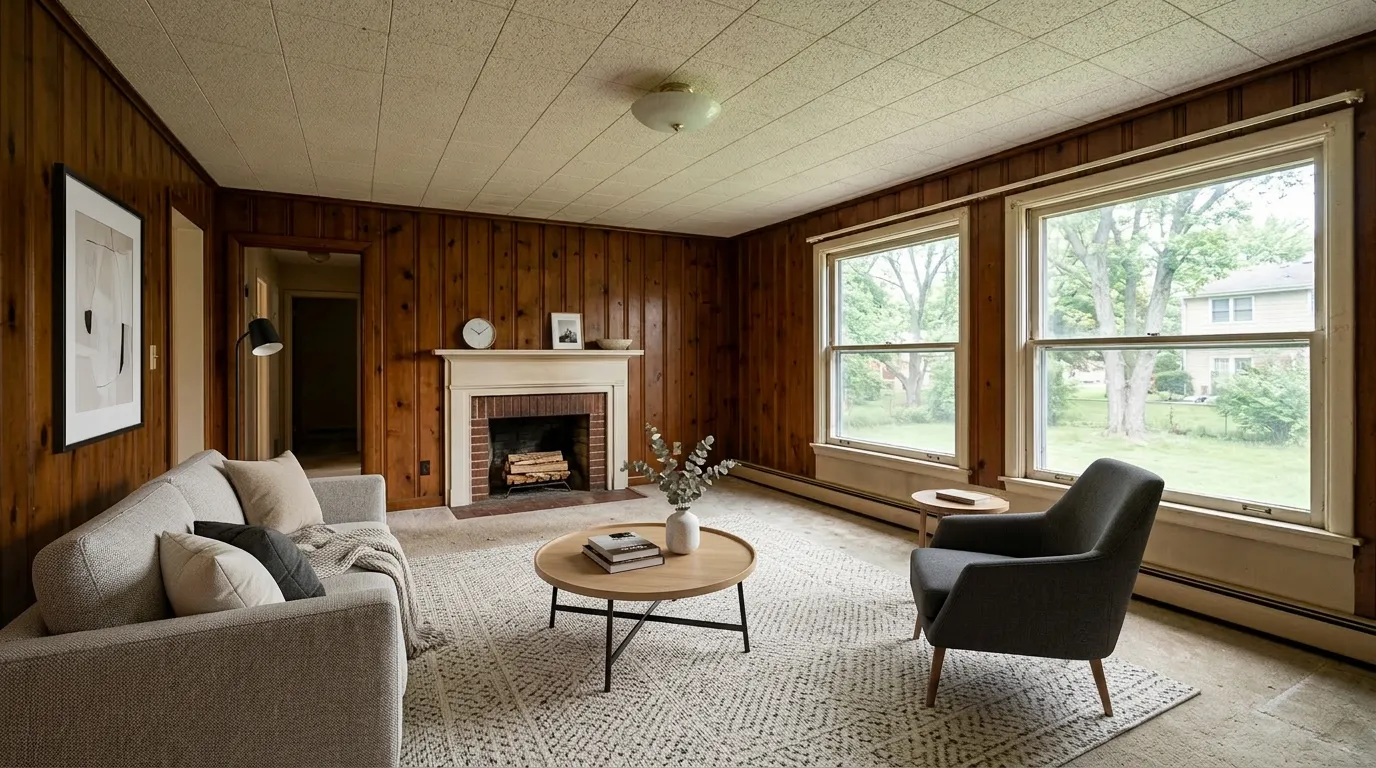
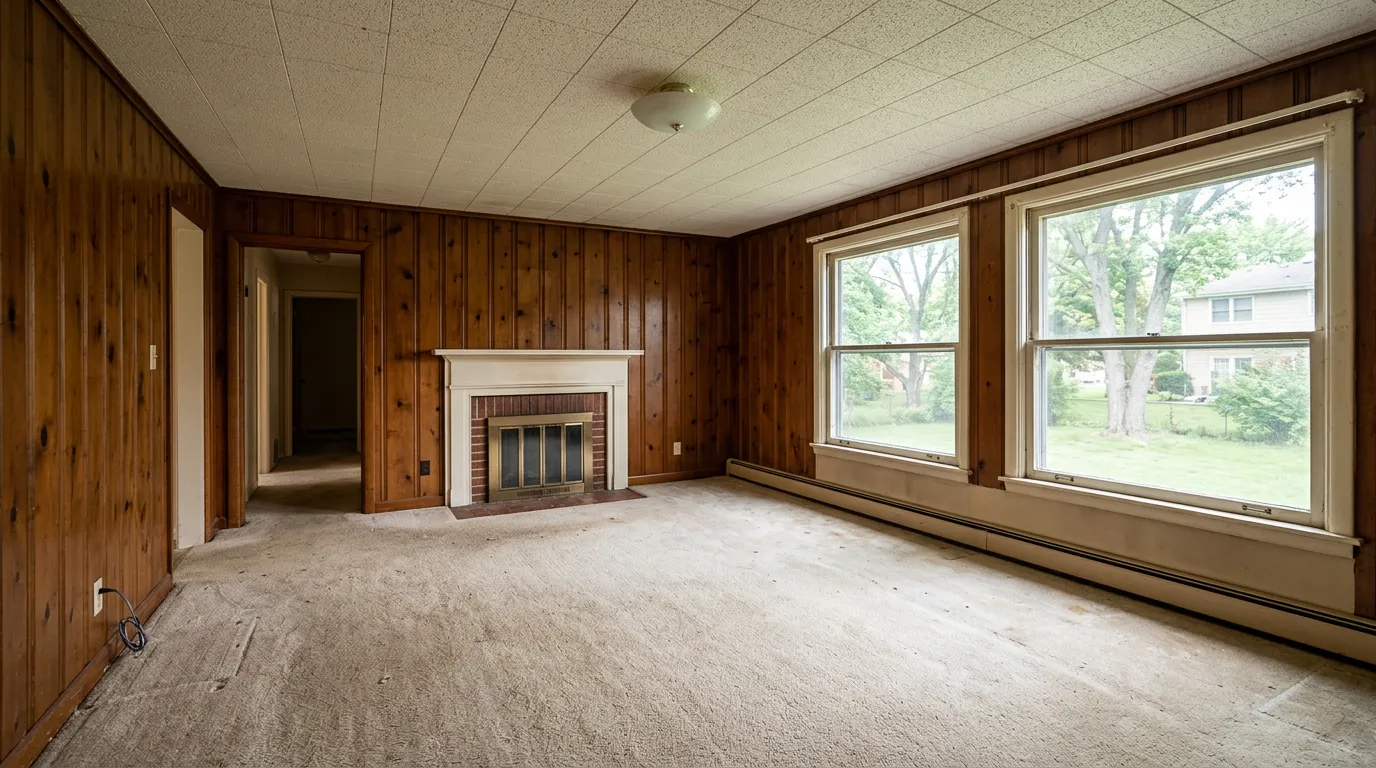
What Virtual Staging Actually Means for a Listing
Virtual staging is the process of digitally furnishing and decorating listing photos using AI or design software. The physical property stays exactly as-is. What changes is the photograph.
For an agent, the practical output is: you upload a photo of an empty or cluttered room, select a style, and receive a fully furnished version within minutes. That image goes into your MLS listing, your marketing materials, and your client presentations.
It is not the same as physically staging the home — the buyer will see an empty or differently furnished space on their in-person showing. This distinction matters legally (see disclosure below) and practically (buyer expectations need to be managed).
The ROI Case: Why Agents Are Adopting It
The business case for virtual staging comes down to three numbers:
Cost: Physical staging for a vacant home runs $2,000–$5,000 for a 90-day contract, with monthly renewals if the property sits. Virtual staging costs $15–50 per image, one time, regardless of how long the listing is active.
Speed: 95% of buyers search listings online before scheduling a showing. A furnished listing photo generates more clicks, more saves, and more showing requests than an empty room photo of the same space. Properties with staged photos spend significantly fewer days on market compared to unstaged listings — for the actual NAR numbers behind this (and why "73% faster" is vendor math), see does virtual staging help sell a house.
Versatility: Virtual staging lets you show multiple design styles for the same room — a modern version and a Farmhouse version of the same living room, for example — which can broaden buyer appeal without additional cost.
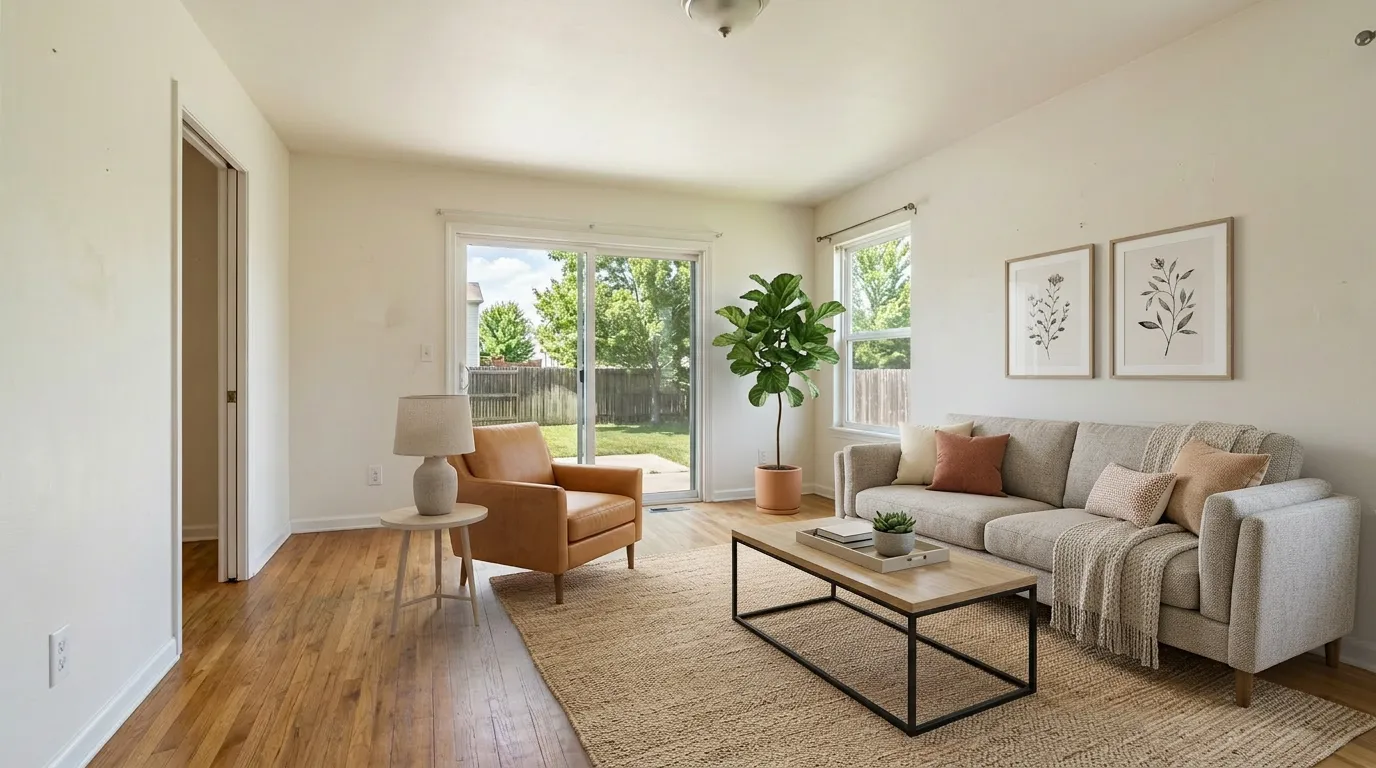
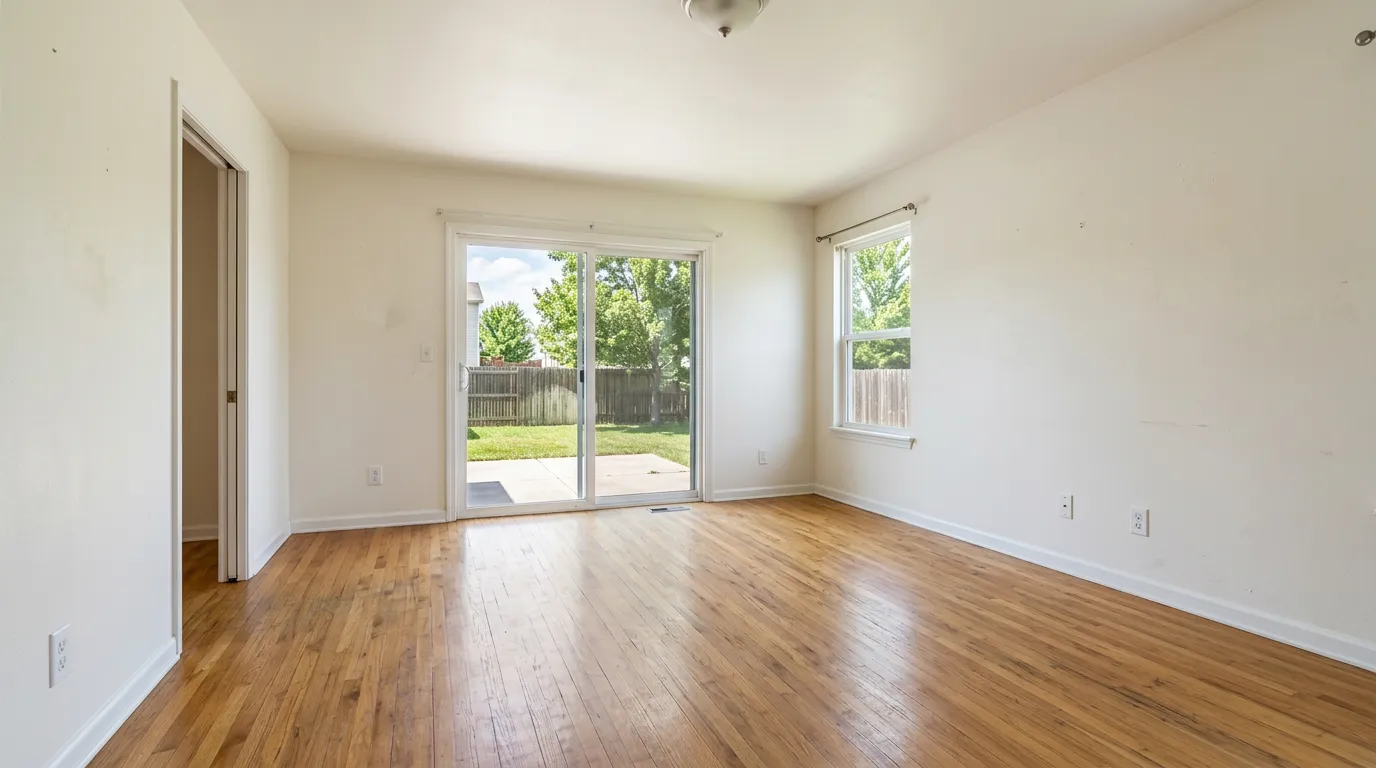
Virtual vs. Traditional Staging: The Real Decision Framework
Virtual staging is not always the right answer. Here is how to think about it:
Use virtual staging when:
- The property is vacant and physical staging rental costs would erode the seller's margin
- The listing price is under $600K and traditional staging ROI is harder to justify
- You need listing photos within 24–48 hours of signing
- The property is in a market with strong online search activity (urban, suburban)
- The seller wants to show multiple style options to broaden buyer demographics
Use traditional staging when:
- The property has structural or layout issues that benefit from professional furniture placement to minimize them
- Luxury listings ($1M+) where buyers expect to see real furniture and staging quality signals price point
- Open houses are a primary sales driver and you need the physical space to look lived-in
- The listing will be on market for 60+ days and buyer walk-through experience is central to the strategy
The hybrid approach is increasingly common: virtually stage the listing photos for the MLS and online presence, then do a minimal physical stage (entry, living room only) for open houses. This cuts physical staging costs by 60–70% while maintaining the in-person experience.
How to Prepare a Property for Virtual Staging Photos
The quality of the final staged image depends heavily on the source photo. AI virtual staging can add furniture and light, but it cannot fix a poorly composed or underexposed shot. These five steps happen before the photographer arrives:
1. Clear every surface and remove personal items Personal photos, decorative clutter, kitchen countertop appliances, and bathroom toiletries all stay in the final staged image unless explicitly removed. An empty, clean room gives the AI (and the buyer) a clean canvas. Have the seller clear the space as if they were moving out.
2. Remove dated or bulky furniture if possible Virtual staging tools work best on empty rooms. If the home is owner-occupied and the seller cannot temporarily remove furniture, ask whether the main rooms can be cleared of at least the largest pieces. Most AI tools offer a declutter or furniture removal feature, but starting from empty produces consistently better results.
3. Maximize natural light Open every blind, curtain, and shutter before the shoot. Turn off overhead lighting that creates a warm orange cast — natural light photographs more cleanly. Schedule the shoot during the brightest part of the day for each room's orientation.
4. Shoot from corners at chest height A camera positioned in the corner of a room at about 4–5 feet high captures the widest view of the space and gives virtual staging AI the geometry it needs to place furniture in correct perspective. Eye-level shots tend to foreshorten rooms and make spaces look smaller.
5. Shoot at maximum resolution AI staging algorithms work best with high-resolution inputs. Make sure the photographer is shooting RAW or the highest JPEG setting, and deliver full-resolution files (not web-compressed) to the virtual staging tool. The output is only as sharp as the input.
How to Integrate Virtual Staging Into Your Listing Workflow
A practical workflow from listing agreement to live MLS photos:
1. Photo shoot first Shoot the property with a professional photographer as normal. Clean, empty rooms photograph better than cluttered ones — have the seller clear personal items. Do not arrange temporary furniture for the shoot with the intent to virtual stage over it; the AI works best with clean empty rooms.
2. Select which rooms to stage Not every room needs virtual staging. Prioritize: living room, primary bedroom, dining room. Secondary bedrooms, bathrooms, and kitchens typically do not need staging — their functionality is self-evident.
3. Choose a style that matches the neighborhood Match the staging style to the buyer profile for the area. Coastal and Farmhouse work well in suburban family markets. Modern and Contemporary perform in urban and younger buyer markets. Avoid styles that clash with the home's architecture — a Scandinavian modern stage in a Victorian home creates cognitive dissonance.
4. Review the output before publishing Always review staged images before they go live. Check that walls, windows, floors, and structural elements look exactly as they do in the original photo. Any distortion in the architecture is a red flag — good virtual staging tools preserve the original structure precisely.
5. Include unstaged originals in your records Keep the original unedited photos on file. This is important for disclosure compliance and for your own protection if a buyer disputes what they saw in the listing.
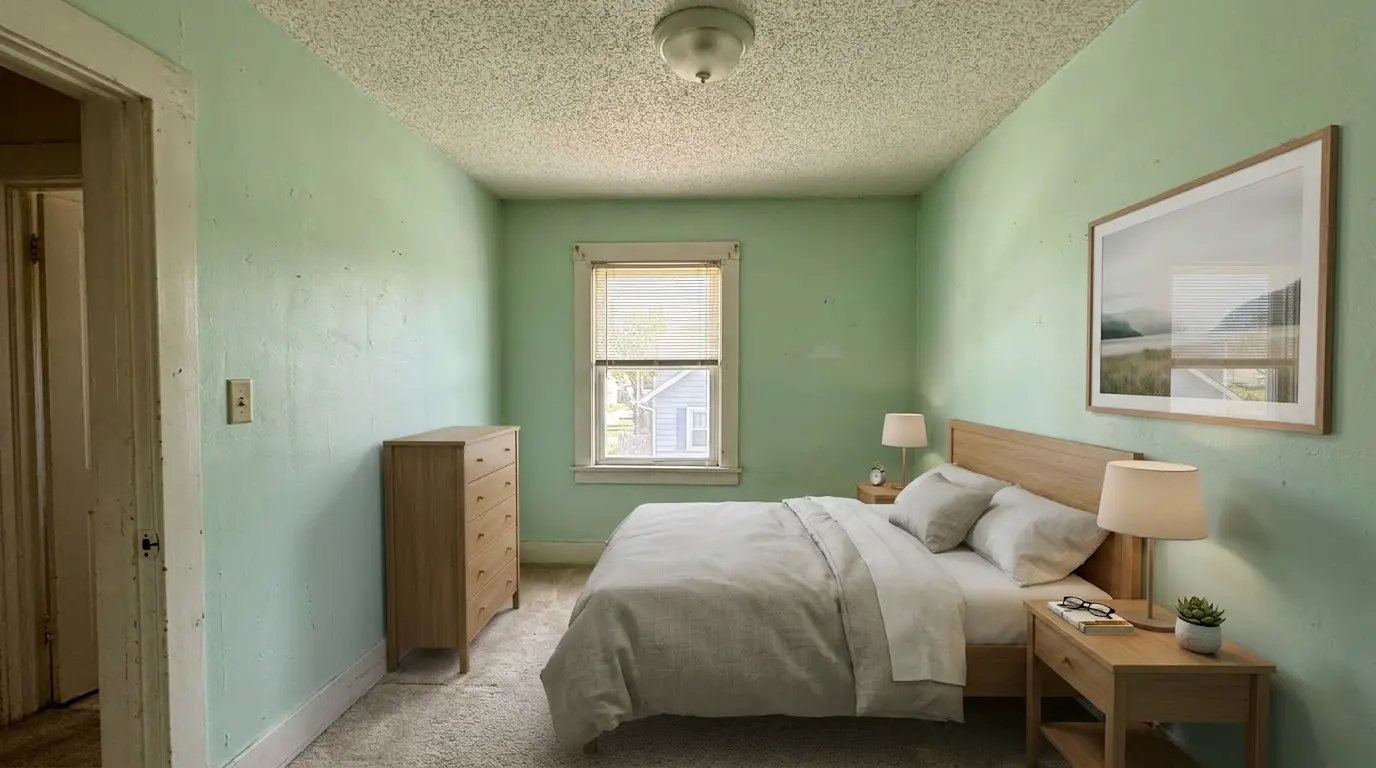
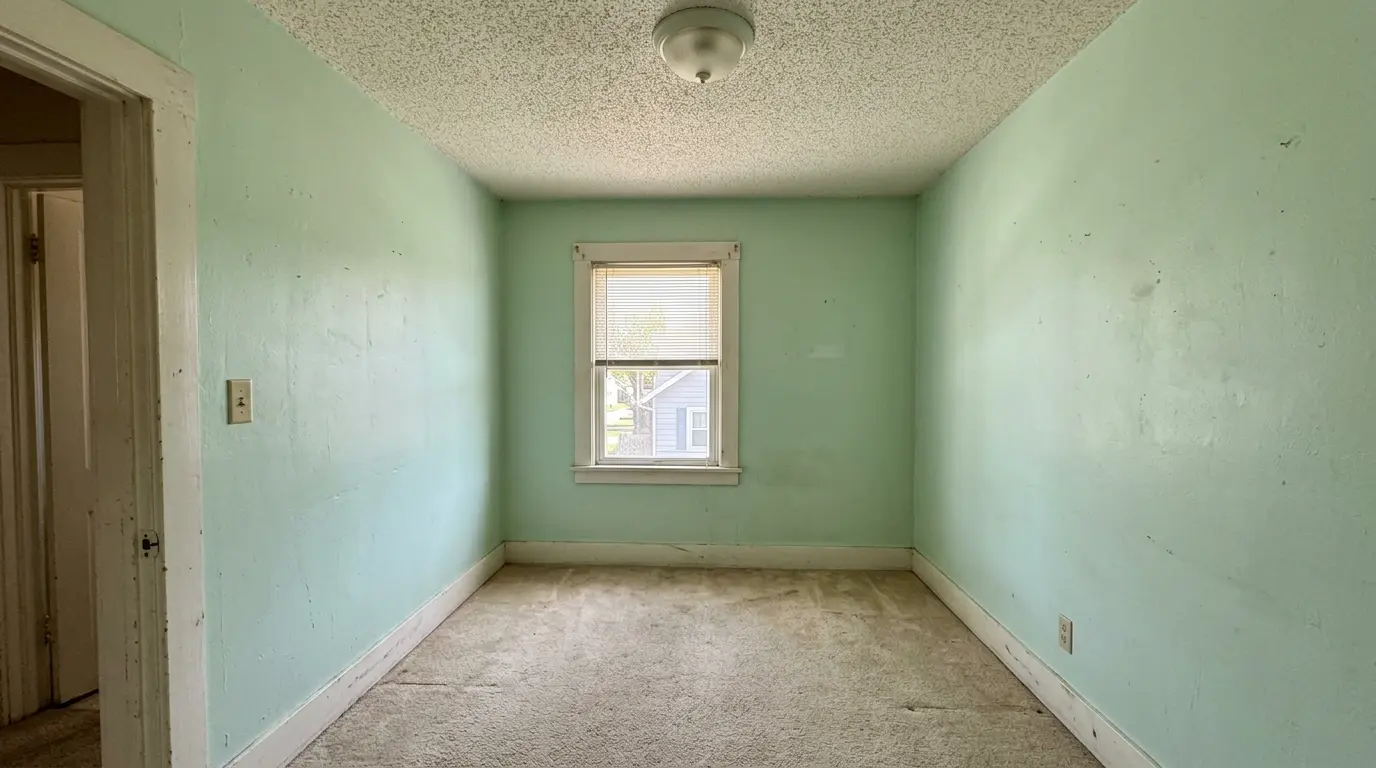
Choosing the Right Style for Your Listing
Style selection is where most agents leave performance on the table. The wrong style — even a beautifully executed one — can narrow your buyer pool instead of expanding it. The right style makes buyers feel like the home was built for them.
Use this as your starting framework:
| Style | Best property fit | Target buyer |
|---|---|---|
| Transitional | Any property type, broadest architectural range | Mixed demographics, highest versatility — use when unsure |
| Farmhouse | Single-family suburban, traditional architecture, wood floors | Families, move-up buyers, suburban markets |
| Modern | Urban condos, open floor plans, new construction | Young professionals, design-forward buyers |
| Coastal | Beach-adjacent, light-filled rooms, open layouts | Vacation home buyers, retirees, sunbelt markets |
| Scandinavian | Smaller spaces, apartments, minimalist architecture | Younger buyers, urban and college-town markets |
| Luxury | High-end properties $700K+, formal dining rooms, large primary suites | Affluent buyers, executive relocation, international buyers |
Practical rules:
- When in doubt, choose Transitional — it has the widest buyer appeal and rarely conflicts with a home's architecture.
- Match the style to the neighborhood price point. Luxury staging in a $350K property creates a mismatch that buyers notice; Farmhouse in a downtown high-rise reads as incongruous.
- Avoid staging a property in the style the seller personally likes. The goal is to appeal to the statistical buyer for that price point and location, not to the seller's taste.
- If the property has a distinctive architectural character (mid-century modern, Victorian, craftsman), match the staging style to that character rather than defaulting to the trending style of the moment.
Virtual Staging Disclosure: What Agents Are Required to Do
This is the most important compliance issue around virtual staging, and the one most agents get wrong by under-disclosing rather than over-disclosing.
The core rule: Virtually staged photos must be clearly labeled as such in the MLS listing and any marketing materials. Buyers must know they are looking at a digitally altered image, not a photograph of how the home currently looks.
MLS requirements: Most MLS systems require a notation in the photo caption or listing remarks when a photo has been virtually staged. The exact language varies by board, but "virtually staged" or "digitally staged" in the caption is the standard. Check your local MLS rules — some boards have specific requirements about label placement and font size.
Marketing materials: Any printed flyer, online ad, or social post using a virtually staged photo should carry the same disclosure. Omitting it in marketing but including it in MLS does not provide adequate protection.
What disclosure does NOT cover: Virtual staging disclosure is about digital furniture and décor. It is separate from the seller's disclosure obligations regarding physical condition — a virtual stage on top of a photo cannot remove a disclosure obligation for a leaking roof or structural issue.
The language to use: "Photo virtually staged for illustrative purposes. Property is currently vacant/unfurnished." This covers both the digital alteration and sets accurate buyer expectations for the showing.
Agents who handle disclosure correctly build more buyer trust, not less — buyers appreciate the transparency and typically still respond well to the visual presentation.
How to Pitch Virtual Staging to Sellers
The seller conversation about virtual staging often gets derailed when agents frame it incorrectly. Two pitfalls:
Pitfall 1: Pitching it as cost-cutting. Sellers hear "we're doing virtual staging instead of real staging" as "we're cutting corners." Frame it as a listing strategy choice, not a budget reduction.
Pitfall 2: Overpromising the result. Virtual staging can significantly improve online click-through and showing requests. It does not guarantee a higher sale price. Do not sell it as a price premium tool — sell it as a listing velocity tool.
The conversation that works:
"For listing photos, I recommend virtual staging for the main living areas. Here's why: 95% of buyers are filtering listings online before they ever request a showing. Empty rooms look smaller and are harder to emotionally connect with. Staged rooms in your listing photos will generate more clicks and more showing requests — which gives us more offers to work with. The photos will be clearly labeled as virtually staged, which is standard practice and expected by buyers. We'll show them the property as-is at the showing."
Sellers who understand the logic almost always agree. The key is connecting the decision to their primary goal — getting an offer — rather than to aesthetics.
Which Listings Benefit Most From Virtual Staging
Not all listings see the same return. The highest-impact scenarios:
Vacant investment properties: Investors and landlords selling vacant rental properties almost always benefit from virtual staging. Empty investment properties tend to look institutional — virtual staging makes them feel like homes and broadens the buyer pool to include owner-occupants. (Commercial spaces — office, retail, restaurant — follow different rules; see our commercial virtual staging guide.)
Dated but structurally sound homes: A home with original 1980s décor but good bones is a strong virtual staging candidate. The stage lets buyers see past the décor to the space's potential, which is harder to communicate in person.
New construction without model units: Developers selling multiple units in a building or community who cannot physically stage every unit use virtual staging to differentiate floor plans and show buyers how the space can look.
Smaller spaces: Rooms under 200 square feet are significantly harder for buyers to visualize furnished. Virtual staging helps buyers understand traffic flow and furniture fit — reducing the "this room is too small" objection.
Relocating sellers who have already moved: When the seller has moved out and the home is vacant, traditional staging requires significant coordination and cost. Virtual staging handles it in hours.
Common Mistakes Agents Make With Virtual Staging
Staging over furnished rooms: Virtual staging tools work best on empty rooms. Trying to stage over existing furniture creates cluttered, unrealistic results. Have sellers clear the room or use the declutter feature if available.
Choosing the wrong style: Matching staging style to the property and market is as important as the staging itself. An industrial loft-style stage in a traditional suburban colonial confuses buyers rather than helping them.
Not reviewing the output: AI-generated images occasionally distort architectural elements. An agent who publishes a staged image without reviewing it risks showing a room where a wall is slightly off or a window is misshapen. Always review before publishing.
Using staged photos as the primary hero image: Many MLS systems and portals use the first photo as the hero image for search results. Make sure your first image (typically exterior) is a real photo. Lead with staged interior photos from the second image onward.
Forgetting to disclose: Under-disclosure is the most common and most serious mistake. The short-term convenience of skipping the disclosure note is not worth the risk of a buyer complaint, a board complaint, or worse.
FAQ
Does virtual staging increase sale price?
The data on sale price premium is mixed — the more consistent finding is that staged listings sell faster, not necessarily for more. Faster sales often translate to better outcomes (fewer price reductions, less carrying cost), but virtual staging should not be marketed to sellers as a guaranteed price premium tool.
How long does virtual staging take?
With AI-based tools, turnaround is typically minutes to a few hours per image. Professional virtual staging services using human designers can take 24–72 hours. For most listing workflows, same-day turnaround is achievable with AI tools.
Can I use virtually staged photos on Zillow and Realtor.com?
Yes, with disclosure. Both platforms allow virtually staged photos when the listing includes appropriate disclosure. Zillow requires staged photos to be labeled. Check each platform's current photo guidelines, as these policies are updated periodically.
What is the difference between virtual staging and virtual renovation?
Virtual staging adds furniture and décor to an empty or furnished room. Virtual renovation digitally alters the physical structure — changing flooring, paint color, cabinet finishes, or removing walls. Virtual renovation has different disclosure requirements because it represents physical changes the buyer would need to make. They are separate services.
Do buyers care that a listing is virtually staged?
Buyer research consistently shows that most buyers understand and accept virtual staging when it is disclosed. The concern is not the virtual staging itself — it is misrepresentation. Buyers who arrive at a showing and find an empty room matching a staged photo are generally fine with it as long as the listing was clearly labeled.
How many rooms should I virtually stage?
For most listings, three rooms: living room, primary bedroom, and dining room. Staging more than three rooms rarely produces proportional return, and secondary rooms (office, laundry, bathrooms) typically do not benefit enough to justify the cost.
Is virtual staging allowed in my MLS?
Virtual staging is allowed in virtually all MLS systems, but with disclosure requirements that vary by board. Contact your MLS or board directly if you are unsure of the specific labeling requirements in your market.
What should I tell buyers when they arrive at a showing and the property is empty?
Set expectations in advance. In your showing confirmation message or when scheduling, note: "The listing photos include virtual staging — the property is currently vacant. Bring your imagination, the rooms are well-sized." Buyers who are pre-informed arrive with the right expectations and do not feel misled.
Can virtual staging be used on an occupied or furnished home?
Yes. Most AI virtual staging tools offer a declutter or furniture removal step that digitally empties the room first, then re-stages it. This is particularly useful for occupied homes with dated furniture or heavy personal décor. The result is the same — a furnished listing photo in a chosen style — but the starting point is a furnished room rather than an empty one. Output quality is generally slightly lower than staging an empty room, but the difference is minimal with current AI tools.
What changes are prohibited in virtual staging?
Virtual staging has clear limits. Permitted: adding digital furniture, rugs, art, and décor. Not permitted: removing or obscuring structural defects (water damage, cracks, foundation issues), altering room dimensions to make a space appear larger than it is, adding architectural features that do not exist (windows, fireplaces, built-ins), or changing flooring, paint, or any physical element of the property. Changes to physical elements cross into virtual renovation territory and carry separate disclosure obligations. Any edit that would mislead a buyer about the actual condition or size of the property is prohibited under NAR Code of Ethics Article 12.
Should I include both the virtually staged photo and the original unstaged photo in the listing?
Yes, and it is increasingly recommended by MLS boards and NAR guidance. Including the original empty photo alongside the virtually staged version gives buyers full transparency and prevents showings where buyers feel surprised or misled. The standard practice is to pair each staged photo with its unstaged original — either in adjacent listing positions or in an alternating sequence. Some MLS systems are beginning to require this; even where it is not yet mandatory, it is the disclosure standard that protects agents most effectively.
What are the penalties for failing to disclose virtual staging in an MLS listing?
Penalties vary by MLS board but typically include fines ranging from $500 to $5,000 per violation for a first offense, with escalating penalties for repeat violations. Beyond MLS fines, agents can face complaints to their state real estate board, which can result in license suspension or revocation in serious cases. Buyer lawsuits for misrepresentation are a separate risk, particularly if a buyer can demonstrate they made a purchase decision based on a materially misleading photo. The financial and reputational risk of non-disclosure far exceeds the minor inconvenience of adding a caption.
Is virtual staging ethical under NAR guidelines?
Yes, when properly disclosed. NAR Code of Ethics Article 12 requires that agents present a true picture in their advertising and representations. Virtual staging meets this standard when photos are clearly labeled as digitally staged and do not alter the physical condition, dimensions, or structural features of the property. The NAR has issued guidance explicitly permitting virtual staging with appropriate disclosure. What is not permitted is using virtual staging to conceal defects, misrepresent room sizes, or create a misleading impression of the property's actual condition.
More from the blog
Related reading
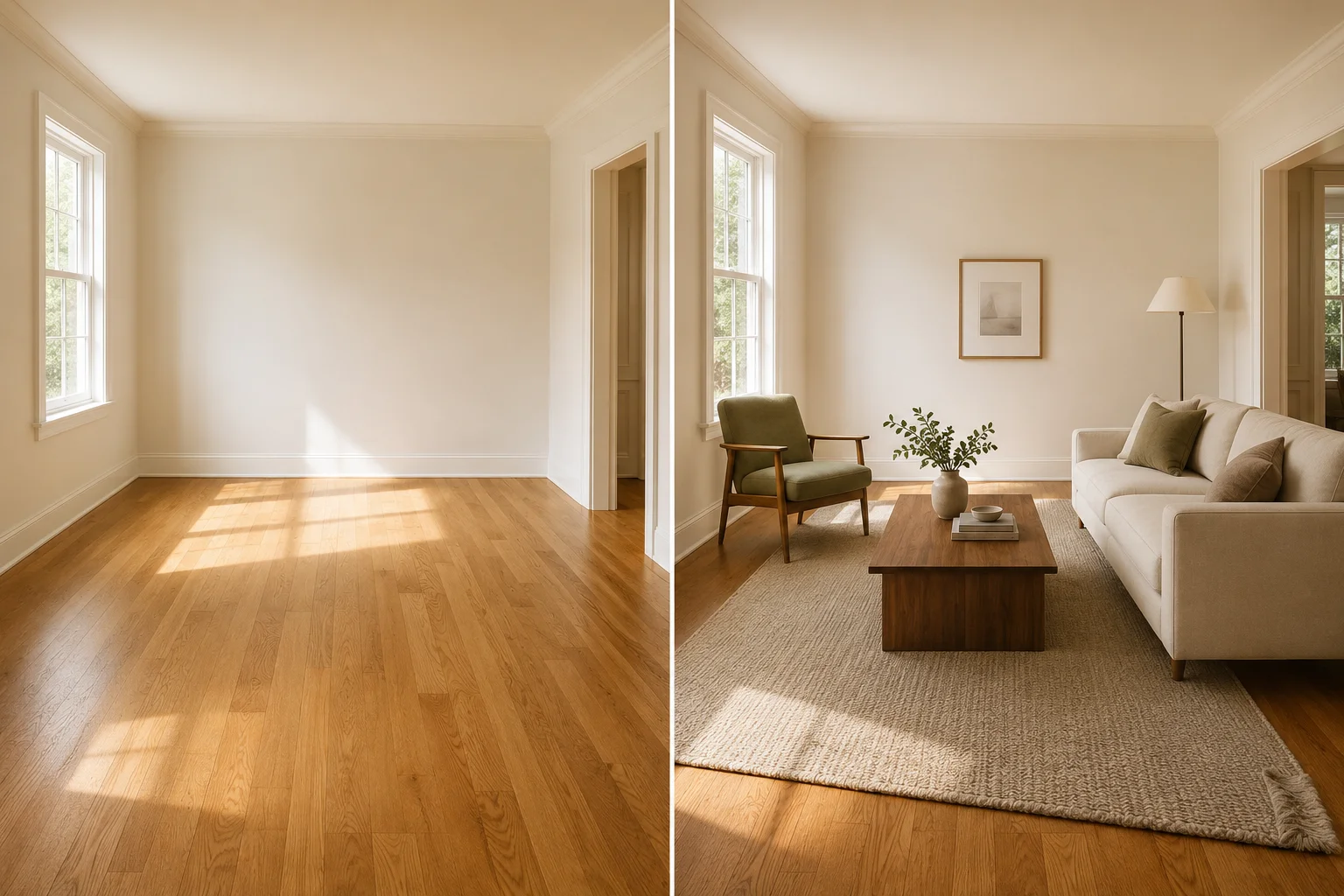
Virtual Furniture Staging: Real Examples, Costs & How-To
See realistic virtual furniture staging before-and-afters for listing photos, plus cost, disclosure, and a quality check for scale, light, shadows, and structure.

Virtual Twilight Photo Editing for Real Estate
Virtual twilight photo editing converts daytime exteriors to golden-hour shots — what it changes, when to skip it, and a pre-publish check before MLS.
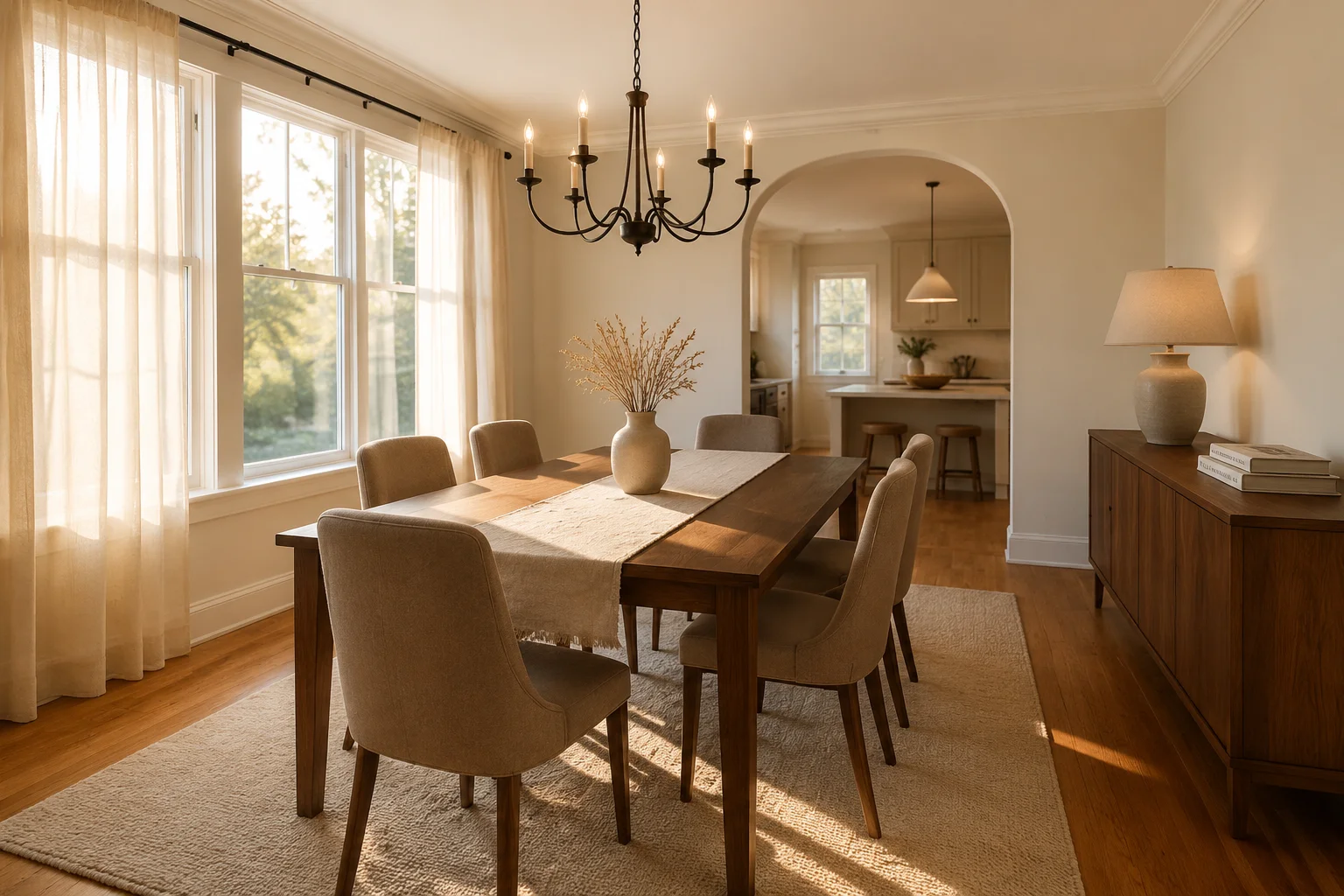
Virtual Staging for Dining Rooms: Layouts, Styles, Costs
How to virtually stage a dining room: 4 layouts, 8 styles, pro stager rules, costs vs traditional staging, and what buyers spot in 10 seconds.