Virtual staging is the process of digitally adding furniture, decor, and lifestyle details to a photo of an empty or outdated room — so buyers see the space's potential without paying for physical staging.
In 2026, most virtual staging happens in seconds via AI. A generation that cost $30 and took 48 hours in 2022 now costs under $1 and takes 30 seconds. This guide walks a solo listing agent through what it actually is, how MLS rules apply, and how to decide whether to use it on your next listing.
Quick Definition
Virtual staging = using software (traditionally a graphic designer, increasingly AI) to add furniture and decor to photos of empty or unflatteringly furnished rooms, producing MLS-ready images that show buyers how the space can be used.
It is not:
- Real staging (physically moving furniture into the home)
- Photo retouching (color correction, lighting fixes)
- 3D rendering (generating images from floor plans, no real photo input)
Virtual staging starts with your real listing photo. The goal is to make the real space easier to imagine living in.
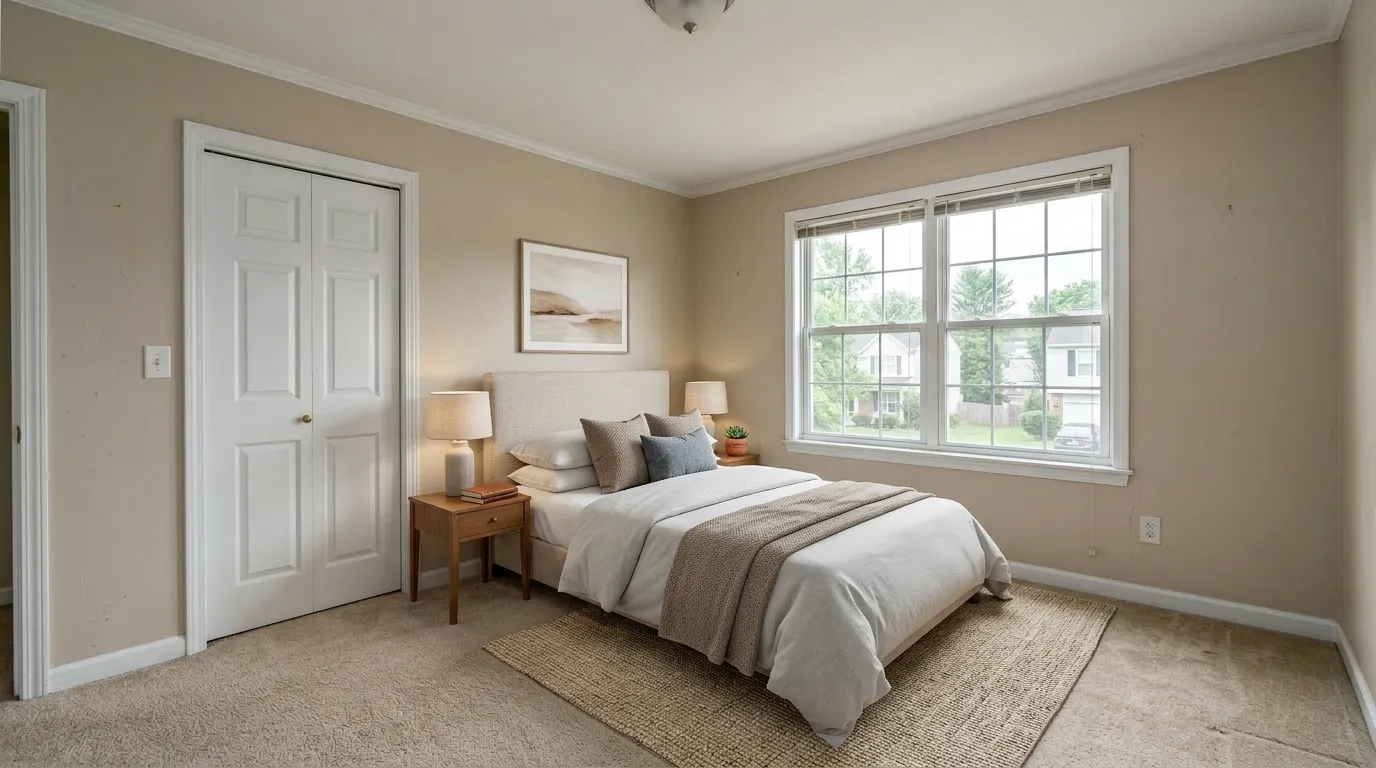 BeforeAfter
Why Agents Use It in 2026
Empty rooms photograph badly. Buyers scrolling MLS on their phone swipe past empty-room listings faster than staged ones. National Association of Realtors data historically showed staged homes sold faster and at higher prices — but physical staging runs $1,500–$4,000+ per property.
Virtual staging is what every solo agent said they wanted: staged-listing results at a cost that doesn't eat commission. In 2026, the math for a $400k listing looks like this:
| Approach | Typical cost | Typical time to delivery |
|---|---|---|
| Physical staging | $1,500 – $4,000 | 3–10 days, furniture rental 1–3 months |
| Traditional virtual staging (human designer) | $24–$50 per photo | 24–48 hours |
| AI virtual staging (2026) | $0.30–$1.00 per photo | 30 seconds |
A 20-photo listing with AI virtual staging costs less than a single bathroom fixture upgrade.
How AI Virtual Staging Actually Works
When you upload a photo to a tool like VirtualStaging.tools:
- Room detection — the AI identifies the room type (bedroom, kitchen, living room, etc.) and the architectural boundaries: walls, windows, floors, fixtures.
- Style selection — you pick a design style (Modern, Scandinavian, Coastal, Farmhouse, etc.) and, optionally, a target buyer persona.
- Furniture generation — the model generates furniture and decor that fits the room's scale, lighting, and geometry. Good models preserve walls, windows, and floor geometry; they do not "remodel" the space.
- Output — a new photo at 2K resolution or higher, with commercial license attached, ready for MLS upload.
Modern AI virtual staging uses diffusion models fine-tuned on real estate imagery. The best implementations apply structural constraints so the AI cannot accidentally move a window or replace hardwood with tile — critical for honest listing photos.
A common weakness of less-disciplined tools: the same room photographed from a different angle gets different furniture. If you shoot 2–3 angles per room, ask any vendor how they handle multi-angle consistency before committing.
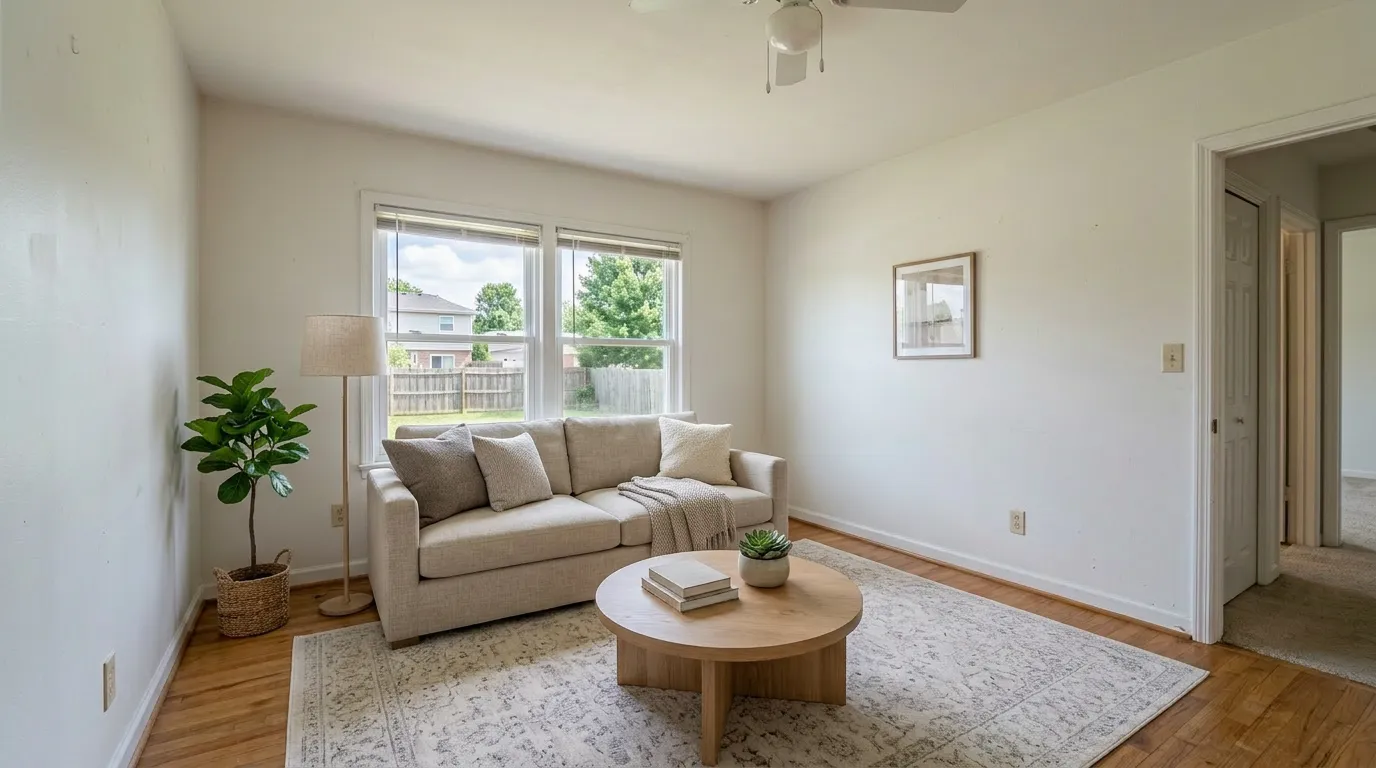
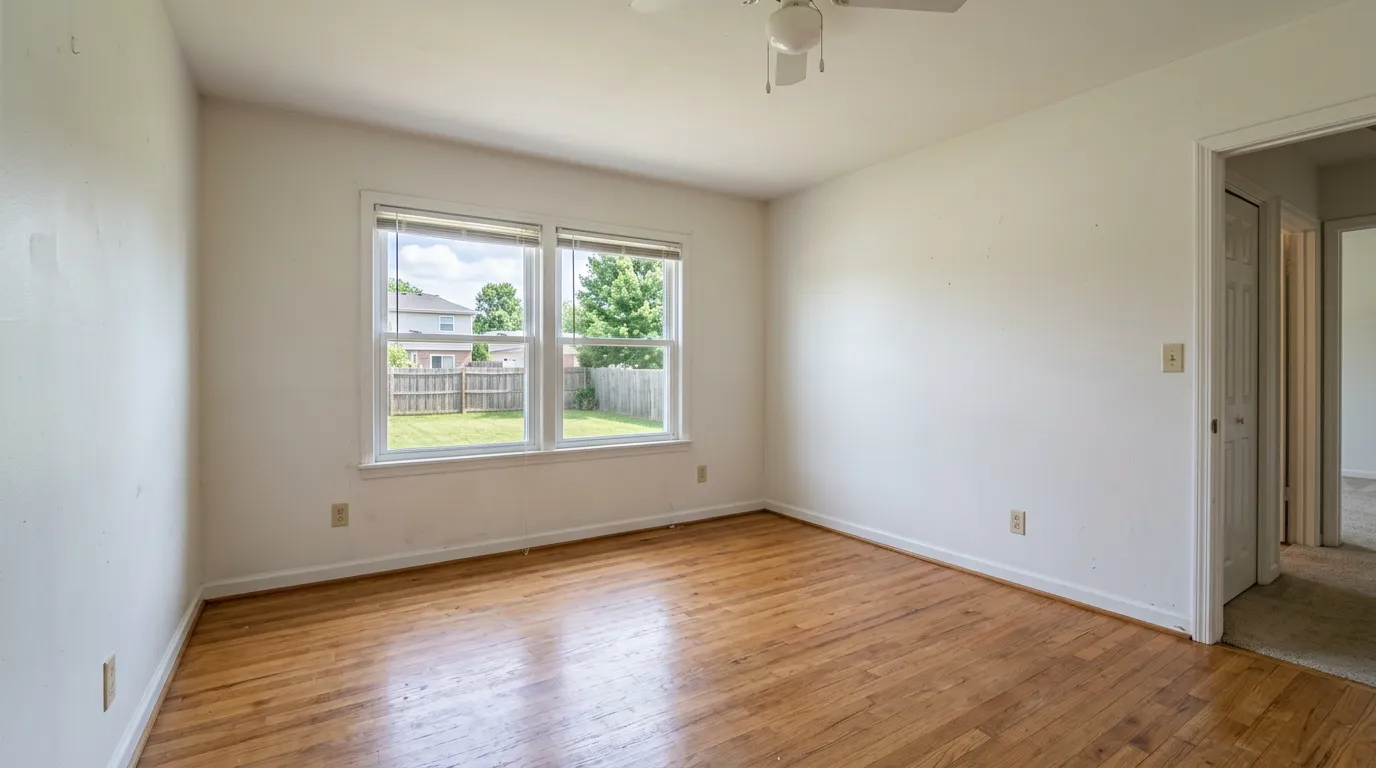
How to tell if AI staging is good enough for MLS
Run a three-point check before you upload any staged photo. This applies to every vendor in 2026, ours included:
- Contact shadows. Do chair legs, bed legs, and sofa feet cast realistic shadows where they meet the floor? Floating furniture is the #1 tell of weak AI.
- Scale. Is the bed actually the right size for the room? A master-bedroom photo with a queen bed rendered as a twin (or an oversized king in a 10×11) breaks trust the moment the buyer walks in. Compare furniture to fixed reference points like windows, door frames, and baseboards.
- Surface texture. Do rugs have fabric texture? Do cushions read as cushions, not printed graphics? Cheap models flatten textiles into stickers.
If the output fails any of these three, regenerate with a different style or pick a different tool. For MLS use, don't settle.
Can't I Just Use ChatGPT or Gemini?
It's the first reflex of a savvy agent in 2026 — the underlying diffusion models are capable, and $20/month of ChatGPT Plus or Gemini Advanced can, for a one-off photo, produce an image a casual buyer wouldn't flag.
For a production realtor workflow, general-purpose AI falls short on four things that specifically matter for MLS use:
- Structure preservation. General chat AI cheerfully "improves" your listing — moving a window, changing hardwood to tile, adding a ceiling beam that isn't there. That crosses into misrepresentation. Dedicated virtual staging tools lock walls, windows, floors, and fixtures by design.
- MLS disclosure export. You need a paired "virtually staged" watermark, a matched original file, and disclosure-compliant output sizes. ChatGPT gives you one image. You still have to build the disclosure layer yourself.
- Multi-angle consistency. Shoot the same living room from two angles, ask ChatGPT to stage both, and you'll get two different sofas on different walls. Real estate tools track furniture state across photos.
- Style libraries tuned for real estate. General models default to "magazine cover" or "cinematic scene." Real-estate-tuned models default to believable listing photos, with the right furniture density and lighting for MLS.
Honest bottom line: if you list less than one property a month and you have a good eye for shadow and scale, ChatGPT is a reasonable free-tier substitute. If you're doing volume — or your broker cares about compliance — a dedicated tool earns its subscription in month one.
Virtual Staging vs. Traditional Staging — 2026 Comparison
| AI Virtual Staging | Traditional Virtual Staging | Physical Staging | |
|---|---|---|---|
| Cost per listing (20 photos) | $6–$20 | $480–$1,000 | $1,500–$4,000+ |
| Time to delivery | 30 seconds | 24–48 hours | Days for setup, months of rental |
| Scale | Unlimited | Designer bandwidth limited | Furniture warehouse limited |
| Flexibility | Instant restyle | New order ($$) | Re-stage day |
| Buyer experience | Sees potential, has to walk empty space | Sees potential, has to walk empty space | Walks a physically staged space |
AI virtual staging doesn't replace physical staging for luxury listings where buyers expect staged walk-throughs. But for 90% of MLS listings under $1M, it's the honest answer.
MLS Disclosure Rules — The Part Every Agent Must Know
Staged photos must be disclosed as virtually staged. This is a NAR and nearly every local MLS rule in 2026. Non-compliance is the main legal risk new virtual staging users run into.
What "disclosure" means in practice
You need to indicate, in the listing itself, that one or more photos are virtually staged. Common methods:
- In listing remarks: "Some photos virtually staged to show the home's potential."
- As an image caption: "[Virtually staged]" on each staged image.
- Both (recommended — belt and suspenders).
Some MLSes require specific language. Check your local rules.
State-specific rules you cannot skip (2026)
Disclosure standards tightened sharply in 2026. The biggest change:
California — Assembly Bill 723 (effective January 1, 2026). AB 723 amended the Business and Professions Code (§10140.8) to require that any digitally altered real-estate listing image — which explicitly includes virtually staged photos, added or removed furniture, fixture and flooring changes, hardscape or landscape edits, and paint-color changes — carry a conspicuous disclosure that the image has been altered, and make the unaltered original image accessible. The statute permits compliance via either (a) posting the unaltered image alongside the altered one, or (b) a link, URL, or QR code pointing to a publicly accessible page that clearly identifies the original.
What the law specifically exempts: lighting, sharpening, white balance, color correction, angle, straightening, cropping, and exposure adjustments that do not change the property's condition. Standard photo editing is fine.
What this means in practice: Most California MLSes — including CRMLS, SDMLS, and Bay East — have tightened the statutory link-or-paired-image option down to paired-image placement required: the original must appear immediately before or after the altered image in the listing view. A link alone is not enough to satisfy those MLSes, even if it satisfies AB 723 on its own.
Willful violations fall under the California Real Estate Law and can be prosecuted as a misdemeanor — this is a licensing-law risk, not just an MLS-rule risk. On paper, it's the same scale of exposure as any other serious listing misrepresentation.
Other states to watch: New York, Massachusetts, and Florida have seen similar disclosure bills introduced in 2025–2026. Florida explicitly referenced AB 723 in its committee memo. Expect the paired-image pattern to spread by 2027; if you list nationally, adopt the California workflow everywhere — it's already the highest bar and it will only tighten.
Workflow tip: Pick a virtual staging tool that exports the original and the staged version as a labeled pair in a single click. Doing it manually in Photoshop for a 20-photo listing eats an hour per listing you won't get back.
Getting disclosure right
The best virtual staging tools ship a disclosure helper that generates the compliant text for your remarks and captions. VirtualStaging.tools includes a one-click MLS Disclosure Helper in every plan — it's the main reason we invest in MLS compliance tooling where our AI-only competitors don't.
What "not disclosed" risk looks like
- MLS policy violations — fines, listing takedowns.
- Misrepresentation claims — if a buyer walks the empty property expecting furniture, that's a problem.
- Personal liability if the listing was materially misleading.
Disclosed staging is safe. Undisclosed staging is a career-risk decision.
Can It Stage Occupied Rooms? (Yes — Here's How)
A common misconception: virtual staging only works on empty rooms. In 2026, most serious tools handle occupied rooms too — they remove the existing furniture and replace it with staged pieces. Clearing a room is part of AI real estate photo editing, which pairs decluttering with staging and twilight conversion in one workflow.
Typical use cases:
- Dated decor. 1980s floral wallpaper and heavy oak furniture, restyled to modern neutral. The buyer sees potential, not the seller's taste.
- Cluttered rooms. Personal items, kids' toys, partially packed boxes — digitally cleaned.
- Seller-still-living. Same listing photo turned into both "current state" (for honest context) and "staged potential" (for marketing).
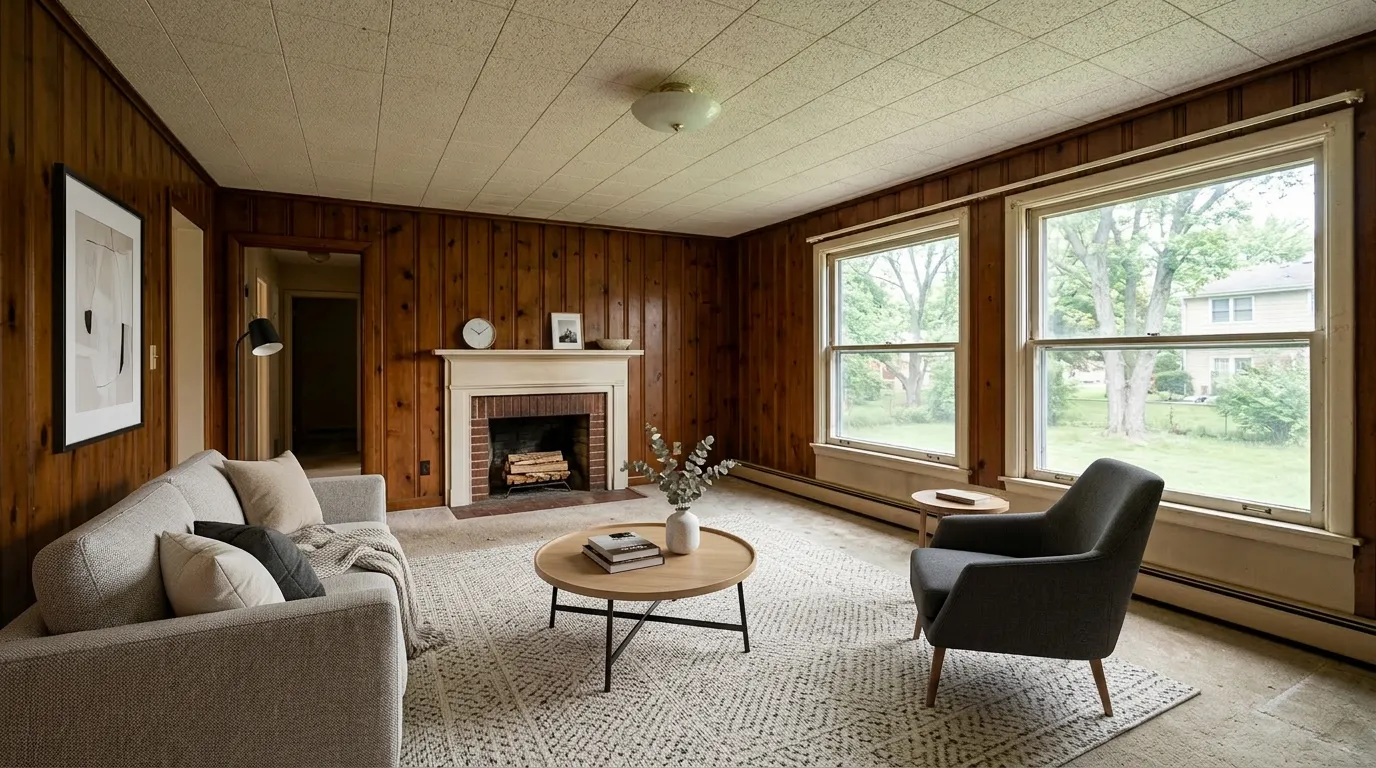
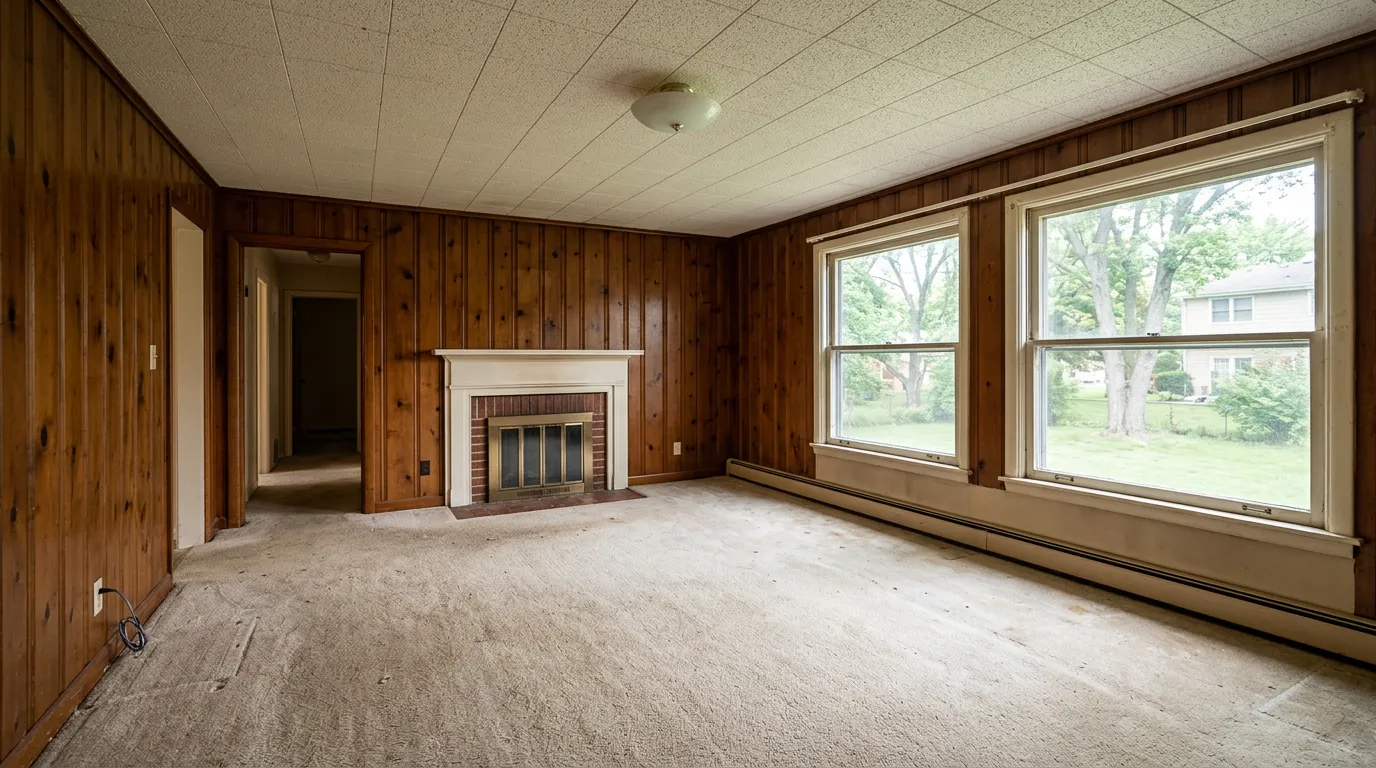
Two things to verify before you subscribe:
- Is de-clutter / furniture removal included, or an extra charge? Some vendors treat object removal as a paid add-on — $20–$99 on top of the stage itself — and don't disclose it until you're mid-workflow. Ask before you pay.
- Does the AI actually remove everything? Reddit and Trustpilot are full of complaints about tools leaving half the clutter in place. Run one test with a messy photo before you commit a month's listings.
For occupied-room staging, MLS disclosure is the same as empty-room: it's an altered image, label it as such, and in California pair the original. The disclosure obligation doesn't change just because the room wasn't empty.
When Virtual Staging Is the Right Answer
Use virtual staging when:
- The property is empty and you need buyers to imagine furniture scale.
- The property is dated (e.g., old wallpaper, 80s kitchen) and a fresh style communicates potential.
- You're listing below $1M where physical staging doesn't pencil out.
- You need the listing up today — same-day shoots, same-day MLS.
- You're doing volume and need photographic consistency across multiple listings.
Avoid virtual staging when:
- The listing is luxury tier ($2M+) where buyers expect a physically staged walkthrough.
- The property has severe structural issues that shouldn't be glossed over.
- Your buyers will walk the empty space first and feel deceived.
This guide covers residential listings. Staging a vacant office, retail bay, or restaurant is a different discipline — different furniture libraries, disclosure norms, and providers — which we break down in our commercial virtual staging guide.
What Does Virtual Staging Cost in 2026?
Per-photo pricing (market benchmark 2026-04):
- AI virtual staging: $0.30–$1.00
- Traditional virtual staging (human designer): $24–$50
- Rush / specialty traditional: $75+
Per-listing pricing (20 photos, typical mid-market listing):
- AI virtual staging: $6–$20
- Traditional virtual staging: $480–$1,000
Per-month subscription pricing is where AI staging got dramatically cheaper:
- 20–36 photos/month: $13–$25 (Standard plans)
- 60–108 photos/month: $39–$65 (Professional plans)
- 150–300 photos/month: $69–$127 (Business / Agency plans)
For a solo agent doing 1–3 listings per month, a $13–$25 Standard subscription covers the full photography need with room left for regeneration. See our full virtual staging cost breakdown for the per-photo, per-listing, and subscription math.
How Long Does Virtual Staging Take?
| Tool category | Typical turnaround |
|---|---|
| AI virtual staging | 10 seconds – 1 minute per photo |
| Traditional virtual staging (human designer) | 24–48 hours |
| Rush traditional | 12 hours, surcharge applies |
In a same-day listing workflow — photograph in the morning, upload to MLS by afternoon — AI virtual staging is the only option that makes the clock work.
Frequently Asked Questions
Is virtual staging dishonest or fake?
It's dishonest only if you don't disclose it. Disclosed virtual staging shows the buyer a realistic design possibility — same ethical basis as physical staging, which has been standard marketing practice for decades. Undisclosed staging, or staging that alters real structural features (window placement, floor material, room geometry), is misrepresentation. In 2026, diffusion-based models with structural constraints produce output that is visually indistinguishable from traditional designer staging in most rooms side-by-side.
Is virtual staging legal in 2026?
Yes, everywhere in the US, as long as you disclose per NAR Code of Ethics Article 12 and your local MLS rules. California's AB 723 (effective January 1, 2026) tightens disclosure to require a conspicuous label plus either a paired original image or a link to the unaltered version. See the MLS Disclosure Rules section above for state-specific detail.
Do I have to disclose virtually staged photos?
Yes. Every credible MLS requires it. The practical disclosure pattern: one line in your listing remarks ("Some photos virtually staged to show the home's potential"), a visible caption on each staged image, and — in California — the unaltered original placed immediately before or after each staged photo in the listing view. Getting this right protects both your license and buyer trust.
How much does virtual staging cost in 2026?
AI-based virtual staging runs $0.30–$1.00 per photo, typically packaged in subscriptions at $19–$25/month for 20–36 photos. Traditional human-designer staging runs $24–$50 per photo with 24–48 hour turnaround. For a solo agent doing 1–3 listings a month, a Standard AI subscription covers the full photography need with room for re-rolls. See the Cost section above for full pricing ranges.
Can virtual staging work on occupied rooms?
Yes. Most 2026 tools can remove existing furniture and replace it with staged pieces — useful for dated decor, cluttered listings, or sellers still living in the home. Verify before you subscribe that your tool includes furniture removal in its base plan (some vendors charge an extra $20–$99 per photo for it) and that it actually removes everything the first time. See the Occupied Rooms section above.
Do I need technical skills to use virtual staging?
No. The standard flow is upload photo → pick style → download. Non-technical agents typically stage their first listing in under five minutes. If a tool requires you to draw masks, tweak prompts, or manually place furniture, it's a generation behind the 2026 norm.
What's the difference between virtual staging and 3D rendering?
Virtual staging starts from your real listing photo and adds furniture on top of the actual room. 3D rendering generates an entirely new image from floor plans or blueprints — no real photo is involved. Rendering shows an architect's vision; virtual staging shows your actual space with different furniture in it. For resale listings, you want staging. For pre-construction or spec homes, rendering.
Can I use ChatGPT or Gemini instead of a virtual staging tool?
For one-off images, yes — the underlying diffusion models are capable. For a production realtor workflow, general-purpose chat AI lacks structure preservation (it will move your windows), MLS-ready disclosure export, multi-angle consistency across multiple photos of the same room, and a style library tuned for real-estate imagery. See the dedicated "Can't I Just Use ChatGPT or Gemini?" section above.
Is Virtual Staging Worth It for Individual Realtors in 2026?
For most solo agents in 2026, the answer is yes, for these reasons:
- Commission protection — at under $1/photo, virtual staging costs less than a paperwork stamp. It can't not pencil out.
- Time compression — the 30-second turnaround fits a same-day listing cadence, which directly impacts your go-to-market speed.
- Marketing parity — buyers scrolling Zillow on their phone expect staged listings. Empty-room listings lose the swipe war.
- Inventory flexibility — you can show a room as "young family," "executive office," or "retiree living" depending on your likely buyer profile.
The honest caveat: if you list exclusively luxury, or your buyers always walk empty space first, the ROI is less obvious.
Getting Started
- Pick a tool. Our honest comparison of top tools is in our Best Virtual Staging Software for Realtors 2026 guide.
- Test on one listing. Most vendors offer free trials. Ours is 3 photos lifetime free (no credit card).
- Integrate MLS disclosure into your listing template. Copy the disclaimer into your standard remarks so you don't forget.
- Stage your first property. Upload 5–10 of your best empty-room shots, pick the style most likely to match your target buyer, download, upload to MLS with disclosure.
Try virtual staging free on VirtualStaging.tools — 3 photos, no credit card. See if a same-day staged listing changes your workflow before committing to anything.
More from the blog
Related reading
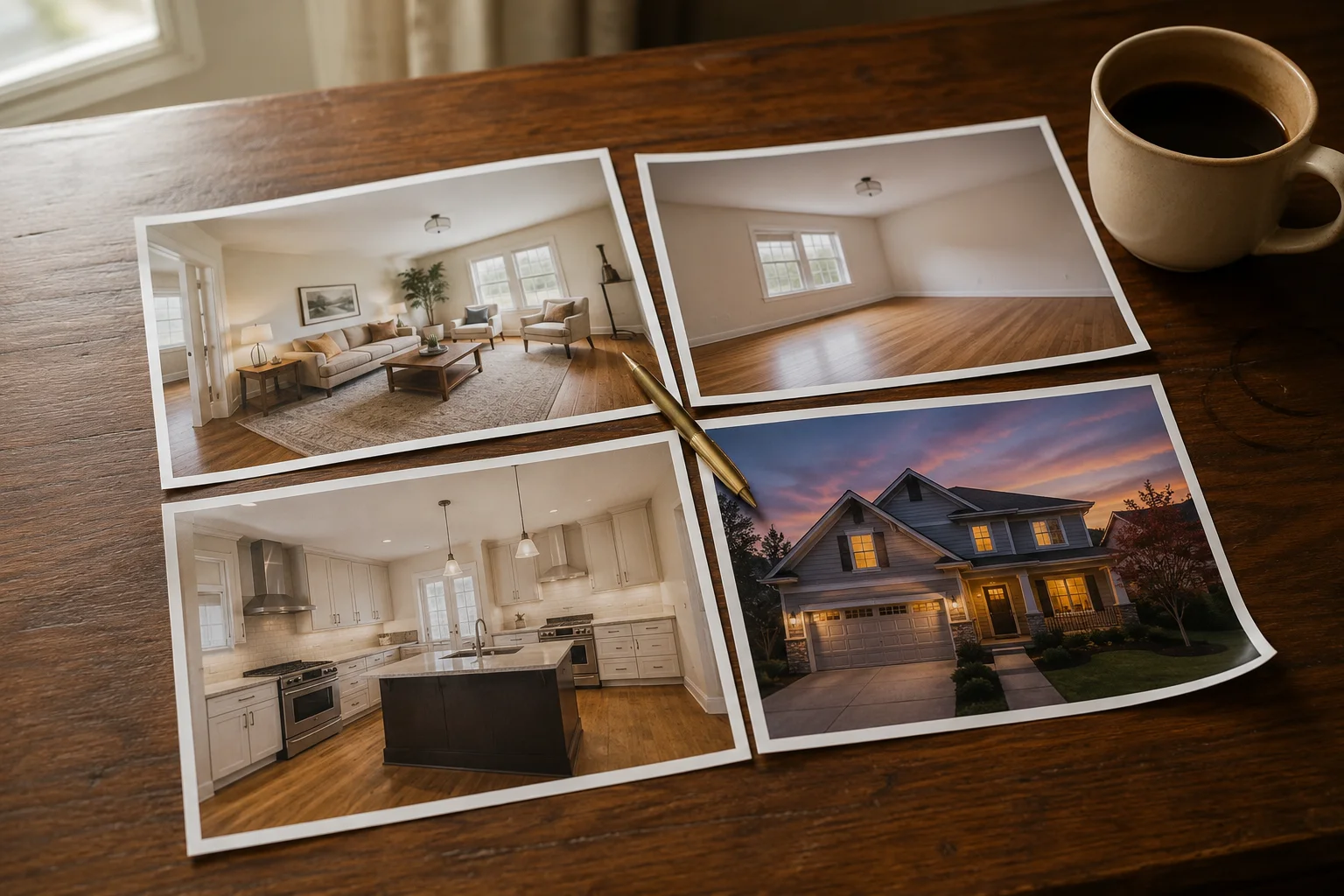
Virtual Staging vs Furniture Removal vs Renovation vs Twilight: Which Tool Do You Need?
Four AI real estate photo tools solve four different problems. A decision guide for which one your listing photo actually needs — and when to skip editing entirely.
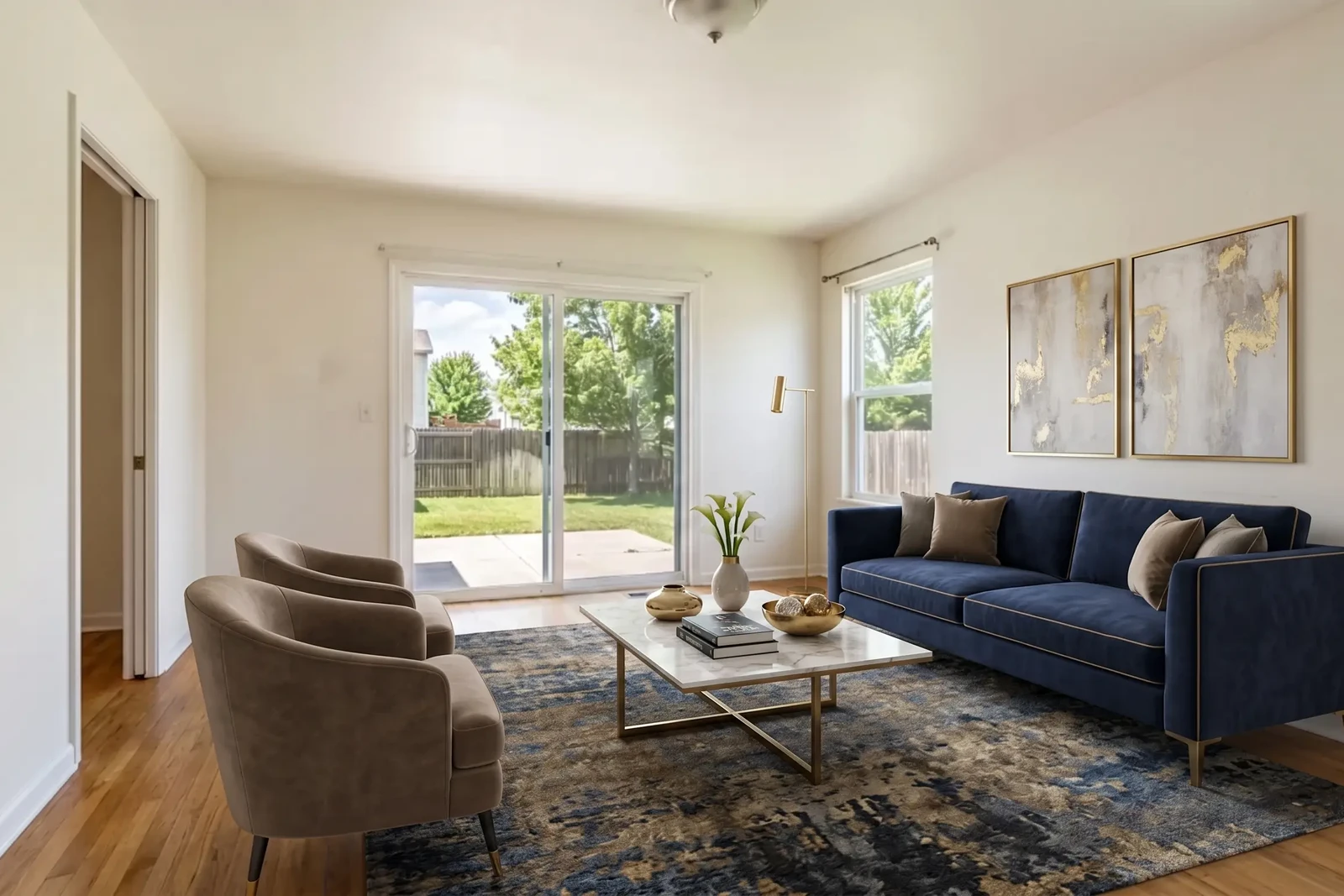
Virtual Staging in Real Estate: The Agent's ROI Guide for 2026
How real estate agents use virtual staging to sell listings faster, reduce costs, and win more clients — with disclosure requirements, workflow tips, and ROI data.

Why Your AI Virtual Staging Looks Fake (and How to Fix It)
Seven reasons AI virtual staging looks fake — scale, shadows, perspective, style mismatch — with a fix for each and when to regenerate vs. switch photos.