Best Free Virtual Staging App

Stage 3 listing photos free — no credit card, no countdown. Test the real AI quality on your own photo before you pay a cent.
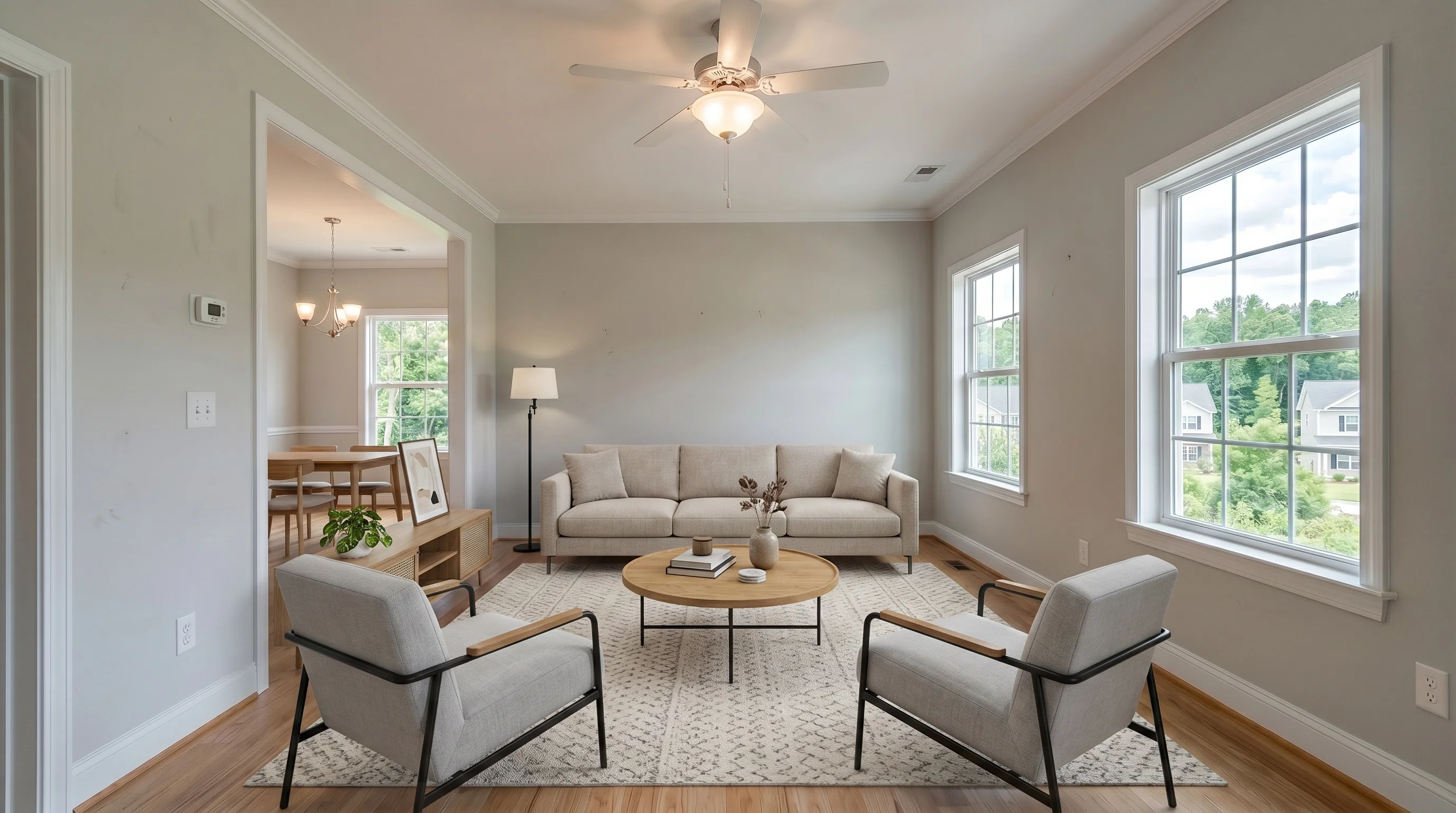
Same living room virtually staged in modern style with a free virtual staging app
Empty suburban living room before free virtual staging
BeforeModern
Before — vacant listing photoAfter — staged free in 30 seconds
The honest version

What "Free" Actually Means

Every staging app advertises a free option, but "free" means something different at each one. Here is what you actually get before you hand over a card — verified from each vendor's own pages, June 2026. We mark anything a vendor does not state as "not stated" rather than guess.

Free image count is not the whole story
ReimagineHome and Styldod give about 5 free credits; VirtualStaging.tools gives 3; ApplyDesign stages your first image free. But a watermarked image you cannot publish is worth less than a clean one you can test on a real listing. Count second, usability first.
Watermarks are the most common catch
Collov and VirtualStagingAI both watermark their free output. VirtualStaging.tools watermarks free images too and removes it on upgrade — the free tier is there to test quality, not to publish. The honest question is whether the unwatermarked, paid result is good, because that is what goes on the listing.
Commercial-use limits can quietly block MLS
Some free tiers grant no commercial license — preview only. Pedra free tool explicitly bars commercial (MLS/Zillow) use. A "free" image you are not licensed to put on a listing does not actually help you sell the house.
"Free trial" usually means one-time
Most free offers vanish after the first batch. A standing free tier — like 3 photos with no card and no countdown — lets you come back and test a new listing whenever you need to, instead of burning your one shot on a demo.
Side by side

Free Tiers Compared

ToolFree imagesWatermarkCard requiredCommercial use
VirtualStaging.tools3, lifetime (no countdown)Yes on free, removed on upgradeNoLicense on paid plans
ReimagineHome / Styldod~5 free creditsNot statedNoNot stated
Collov~5, one-time trialYesNoNot stated
VirtualStagingAI~3, one batchYesNoNot stated
ApplyDesignFirst image freeNot statedNoNot stated
Pedra (free tool)1 per 24 hoursNot statedYesBarred on free tool
Swipe to compare columns →
Why agents stay

Why VirtualStaging.tools Is the Free App Agents Keep

The keyword is 'free,' but the real test is whether the output is honest enough to put on a listing. That is where most cheap tools fail and where we built our product.

3 Free, No Card, No Countdown

Stage 3 photos free with no credit card and no time limit. Come back and test a new listing whenever you need to instead of burning a one-time trial.

Structure Lock — Walls Stay Real

The AI adds furniture without altering your walls, windows, floors, or room dimensions. The #1 realtor complaint about AI staging is rooms getting redrawn — structure lock prevents it.

True-to-Scale Furniture

Furniture is sized to the room, not shrunk to make a space look bigger. Buyers sense fakery instantly; honest scale keeps your listing credible at the showing.

MLS-Ready in About 30 Seconds

Upload from your phone between showings and download a high-resolution staged image. No designers, no scheduling, no software to learn.

Test Multiple Styles Instantly

Stage the same room in modern, farmhouse, Scandinavian, or coastal with one click. Match the look to your target buyer before you commit to a plan.

Commercial License on Paid Plans

Upgrade and the watermark comes off with a commercial license cleared for MLS, Zillow, Realtor.com, social, and print — the images you actually publish are clean and licensed.

Judge it yourself

See the Quality Before You Pay

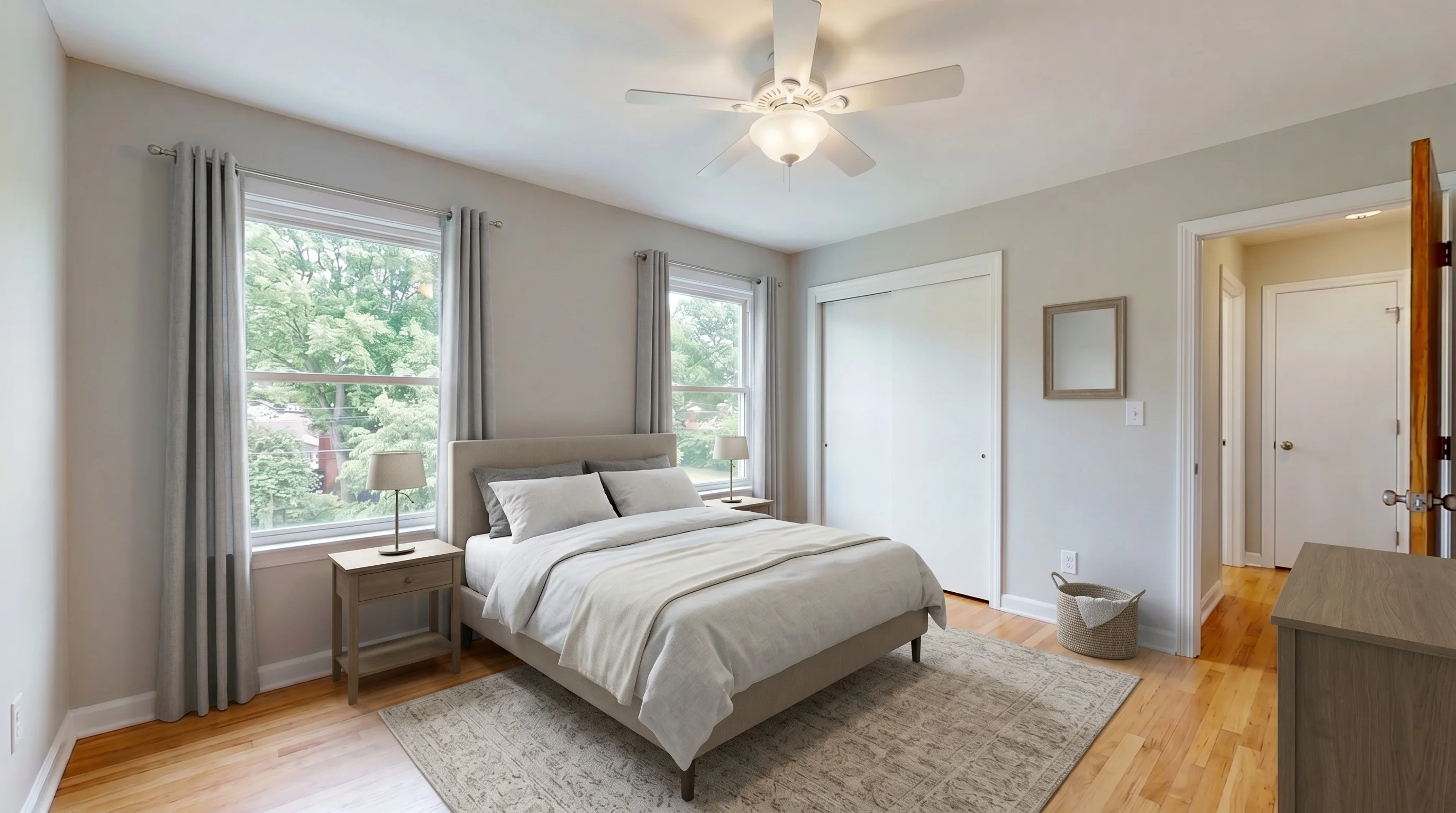
A free tier is only useful if the output is good. These are real AI results across living rooms, bedrooms, dining rooms, and home offices — judge the quality here, then generate your own free sample on a listing you actually have.
Bright Suburban Living staged in Modern style
Living RoomModern
Suburban Master Bedroom staged in Modern style
BedroomModern
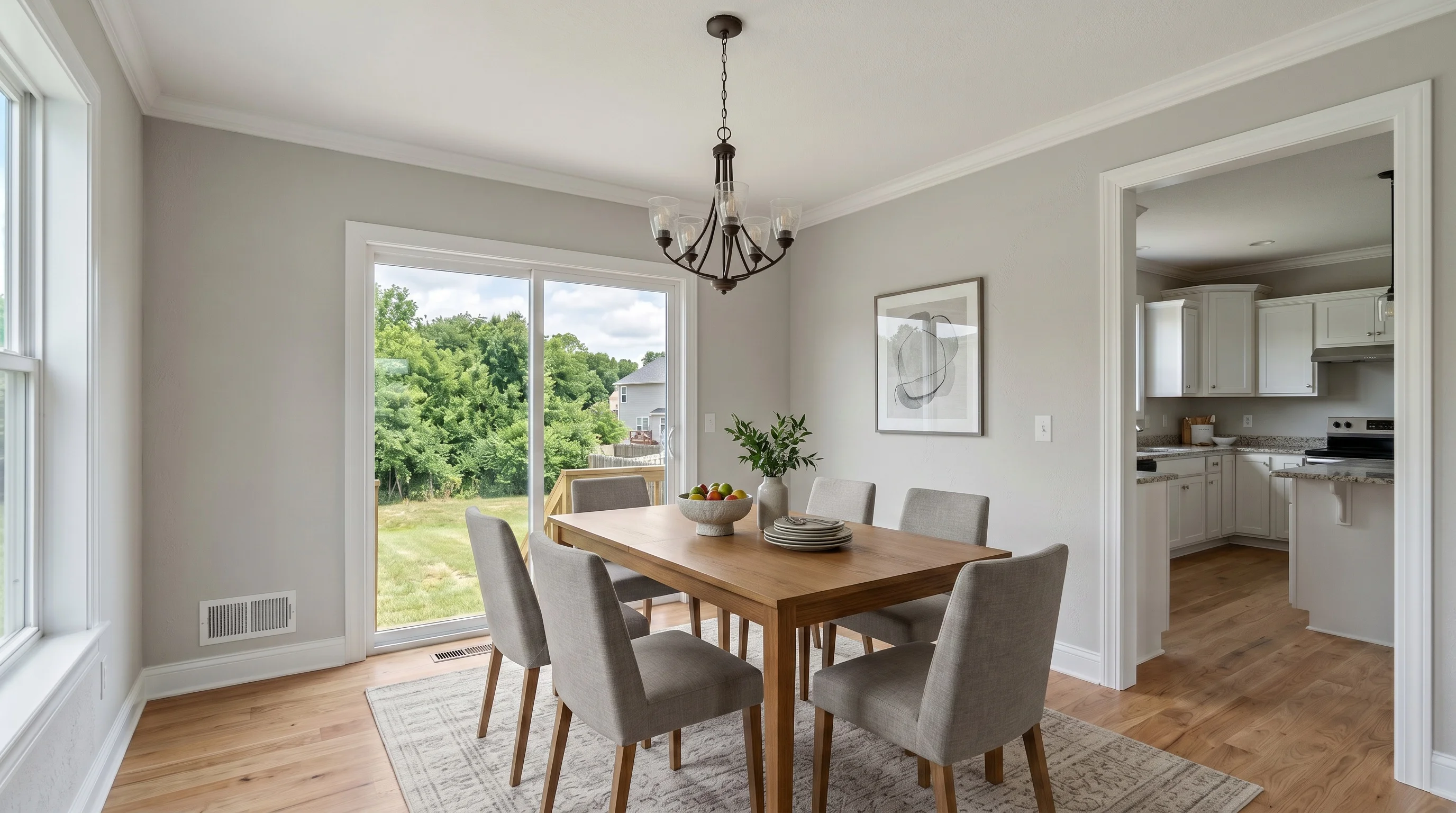
Suburban Dining Room staged in Modern style
Dining RoomModern
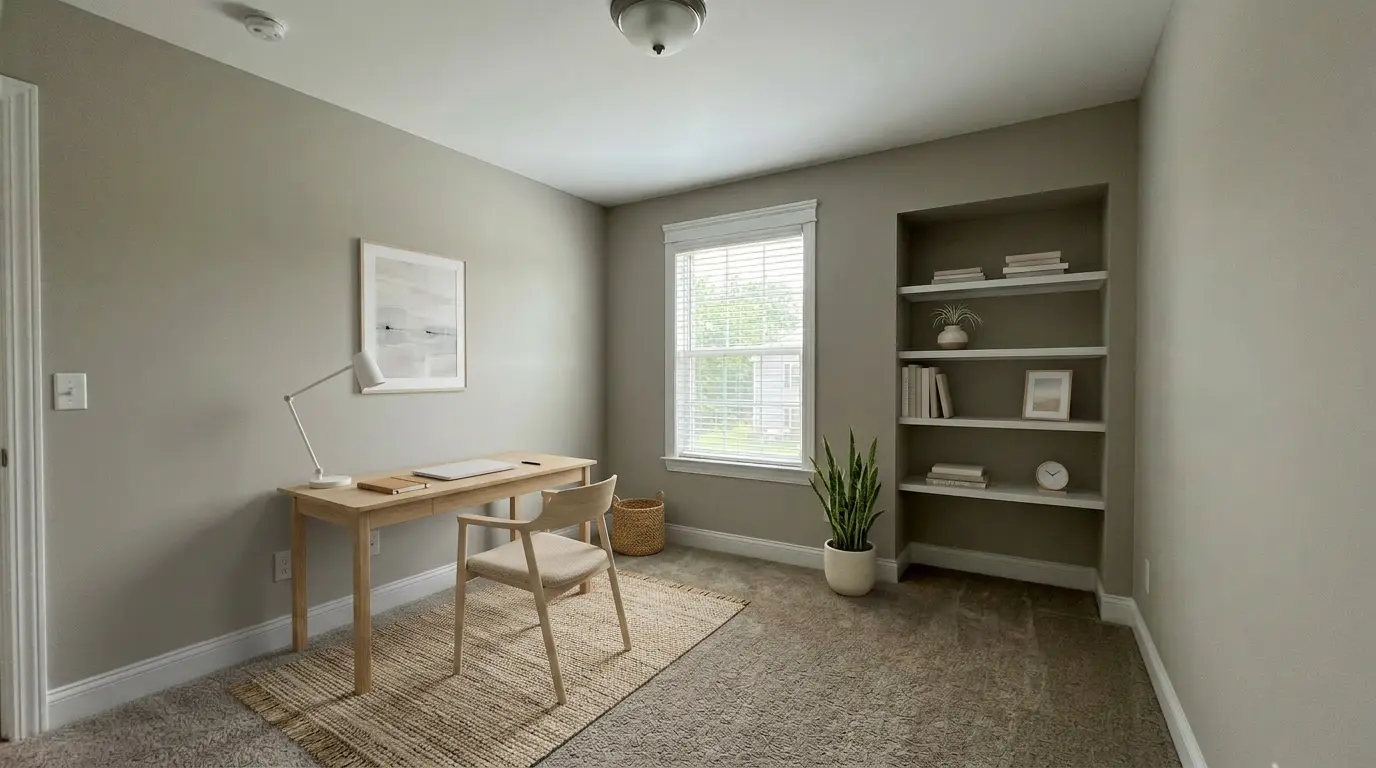
Suburban Home Office staged in Scandinavian style
Home OfficeScandinavian
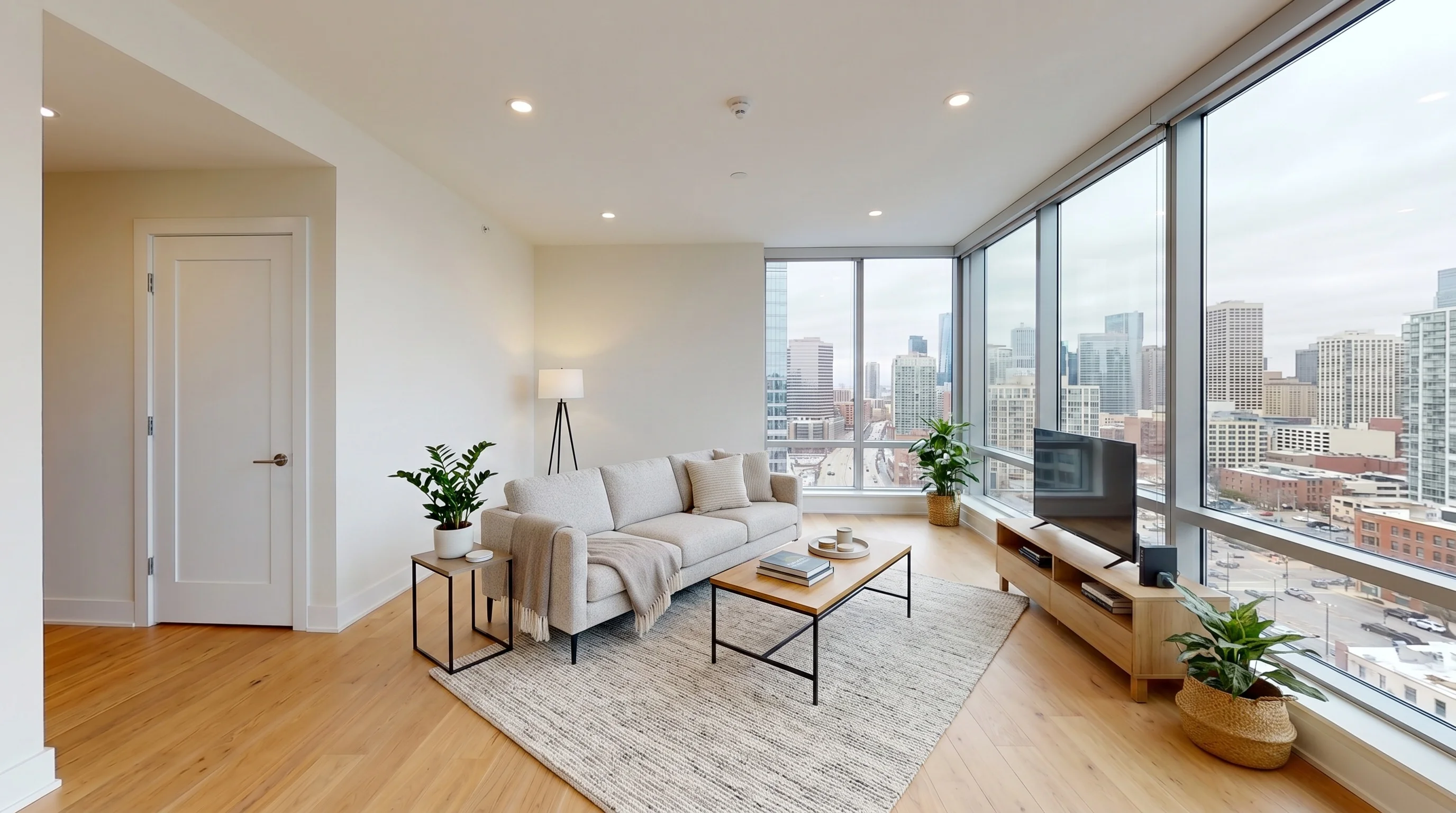
Urban High-Rise Living staged in Modern style
Living RoomModern
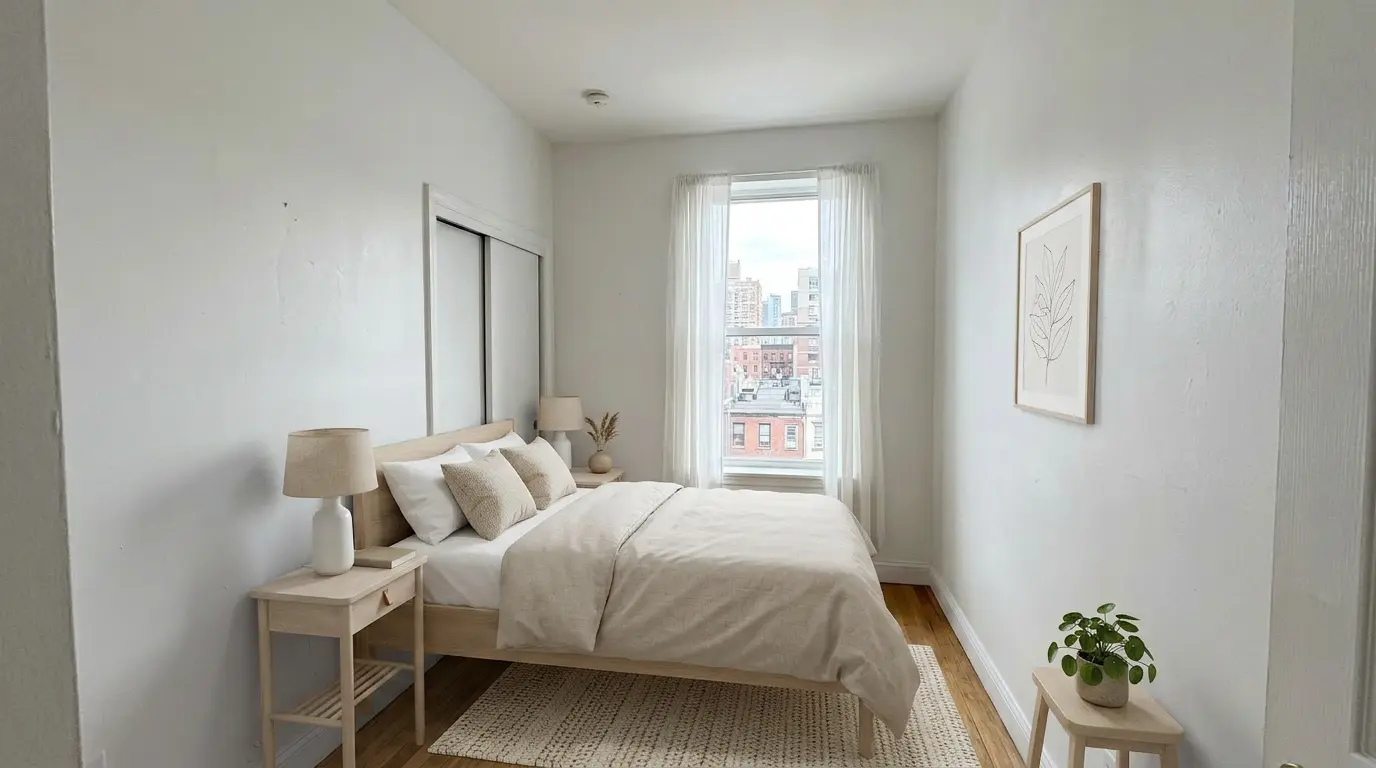
Urban Bedroom Retreat staged in Scandinavian style
BedroomScandinavian
Read this first

Where Free Virtual Staging Apps Go Wrong

Agents on r/realtors and r/RealEstatePhotography overwhelmingly complain about one thing — not price, but dishonest output. Knowing the failure modes tells you what to check in any free app.

It redraws the room
The loudest complaint: AI that removes windows, changes finishes, or invents renovations that do not exist. That is misrepresentation, not staging. A staging tool should furnish your photo, not rebuild it.
It fakes the scale
Cheap tools shrink a sofa to fit a wall, making rooms look bigger than they are. Buyers cannot always name it, but they feel that something is off — and they remember it at the showing.
It looks great in the demo, then fails on your photo
A common warning from agents: the sample images look perfect, but your own awkward-lit, narrow-room photo comes back with furniture in the doorway. Always test a free tool on your worst photo, not the cleanest one.
It hides the real cost in watermarks and licenses
Free output you cannot publish is a preview, not a deliverable. Check the watermark, the credit-card requirement, and the commercial-use terms before you build a workflow around any free tool.
Compliance

Is Free Virtual Staging Allowed on the MLS?

Free vs paid does not change the rules — disclosure does. Virtually staged photos are generally accepted when the edit is clearly disclosed and the property is not misrepresented. Local MLS and brokerage rules vary, so confirm yours.

Disclose the edit
Label virtually staged photos clearly in the caption, remarks, or image where your MLS requires it. The disclosure rule is the same whether the staging was free, paid, AI, or done by a human.
Do not change the property
Add furniture, not fictional renovations. Keep walls, windows, flooring, and fixtures exactly as they are — structure lock helps here. Altering permanent features to hide defects crosses into misrepresentation.
Keep the original photo
Save the unedited image. Some MLSs require the original alongside the staged version, and it lets you answer buyer questions transparently. A good best practice regardless of local rules.
How it works

Stage Your First Photo Free in Three Steps

No card, no software to install. Your first 3 photos are on us.

01

Upload an Empty-Room Photo

Take a bright, wide shot of a vacant or under-furnished room — a smartphone photo works. Upload it directly, no account setup hurdles.

02

Pick a Style

Choose modern, farmhouse, Scandinavian, coastal, or more. The AI furnishes the room to scale in about 30 seconds, keeping your walls and windows intact.

03

Download and Decide

Download your free staged image and judge the quality on your own listing. Upgrade only when you want watermark-free, commercially licensed output.

Pricing

Start free, upgrade only when you publish

The free tier is for testing real quality on a real photo. Upgrade when you need clean, licensed images on a live listing.

Free
$0/forever
3 stagings · watermarked

Test the same AI on your own listing before paying.

Stage 3 free
Standard
$25/mo
36 photos · ~$0.69 each

Best for solo agents doing 1–3 listings per month.

Start standard
Professional
$59/mo
84 photos · ~$0.70 each

Steady listing volume with priority generation.

See professional
Keep reading

Go deeper on free staging, costs, and the realtor workflow.

Stage Your First Listing Photo Free

Start with 3 free stagings — no credit card, no countdown. Upgrade to Standard at $25/mo for 36 photos, watermark-free output, and a full commercial license.

Stage 3 Free — No Card
No credit cardNo countdownMLS-ready on upgrade
FAQ

Free Virtual Staging FAQ

Yes, but read the fine print. A few tools give you a real free tier — VirtualStaging.tools offers 3 staged photos free with no credit card and no time limit. Others give a one-time trial of 1–5 images, and several "free" tools watermark the output or bar commercial (MLS) use. Always check how many images you get, whether they are watermarked, and whether you can legally use them on a listing before you rely on a tool.
Upload an empty-room photo to a free AI staging tool, pick a furniture style, and download the result. With VirtualStaging.tools you can do this in about 30 seconds for your first 3 photos with no card required. Use a bright, wide shot with visible corners for the most realistic result — awkward lighting and narrow rooms are where cheaper tools fall apart.
It varies by tool. VirtualStaging.tools gives 3 free staged photos for life. ReimagineHome and Styldod offer around 5 free credits, Collov and VirtualStagingAI offer a one-time batch of about 3–5 (watermarked), and ApplyDesign stages your first image free. "More free images" is not the whole story — a watermarked image you cannot publish is worth less than a clean one you can test on a real listing.
Many do. On a free tier, watermarks are the most common catch — Collov and VirtualStagingAI both watermark free output, for example. VirtualStaging.tools watermarks free-tier images too, and removes the watermark when you upgrade. The point of a free tier is to test the actual AI quality on your own photo before paying; you publish clean images once you are on a paid plan.
ChatGPT can generate a furnished room image from a prompt, but it is not built for virtual staging. It struggles to keep your actual walls, windows, and room dimensions intact — it tends to redraw the room rather than furnish your photo. For listings that has to pass MLS review, use a dedicated tool with structure lock that adds furniture without altering the property itself.
Canva has an AI interior-design feature that restyles rooms, but like ChatGPT it is a general design tool, not a real estate staging app. It can change finishes, walls, and layout in ways that misrepresent a property — risky for an MLS listing. A purpose-built staging tool keeps the structure locked and only adds furniture, which is what disclosure rules and buyers expect.
Yes — that is exactly what a self-serve app is for. You do not need design skills or software experience. Upload the photo, choose a style, and the AI handles furniture selection, placement, scale, and lighting. Most solo agents stage their own listings between showings from their phone, then download MLS-ready images directly.
The staging quality can be, as long as the tool keeps your walls, windows, and dimensions accurate and you disclose the edit. The usual blocker is not quality — it is the watermark and commercial-use limits on free tiers. Free output is for testing; once you upgrade you get clean, full-resolution images with a commercial license that you can publish on MLS, Zillow, and Realtor.com.
It depends on the tool. Most "free" offers are one-time trials that disappear after a few images. VirtualStaging.tools free tier is 3 staged photos that stay free with no card and no countdown — a standing way to test before you commit. If you stage more than a couple of listings a month, a paid plan ($25/mo for 36 photos) is cheaper per image than buying credits piecemeal.
The three common catches are watermarks on the output, a credit card required up front, and commercial-use restrictions that quietly forbid putting the image on a real listing (Pedra free tool bars MLS use, for example). A quieter catch is quality: many tools look great in the demo and fall apart on your own photos — change scale, shrink furniture, or alter walls. Test any free tool on your worst listing photo, not the cleanest one.
Not always — check each tool. Some free tiers grant no commercial license, which means the image is for preview only and cannot legally go on a listing. VirtualStaging.tools includes a commercial license once you are on a paid plan, so the photos you publish are cleared for MLS, Zillow, social, and print. When in doubt, confirm the license before you list.
Many do. Most trials that require a credit card convert to a paid — often annual — plan if you don't cancel before the trial ends, and review pages of major staging vendors are full of complaints about exactly this pattern. Read the cancellation flow before entering a card, or evaluate on free tiers that don't require a card at all.
It can — and that photo then cannot legally be a "virtually staged" listing image, because disclosure rules cover added furniture and decor, not altered architecture. Test before you commit: generate 2–3 versions of the same photo and compare against the original. If walls, windows, doors, or floor differ across outputs, the model is hallucinating — switch to a tool with stronger layout locks. Dedicated staging tools hold layout far better than general-purpose AI like ChatGPT or Gemini.