Homestyler alternative

Homestyler Virtual Staging: Honest Review + AI Alternative

A balanced look at Homestyler's real pricing, verified App Store and Capterra ratings, and where a listing-built AI staging tool fits better than a DIY 3D design app. 3 free photos, no credit card.
3 free photosNo credit cardCommercial license included
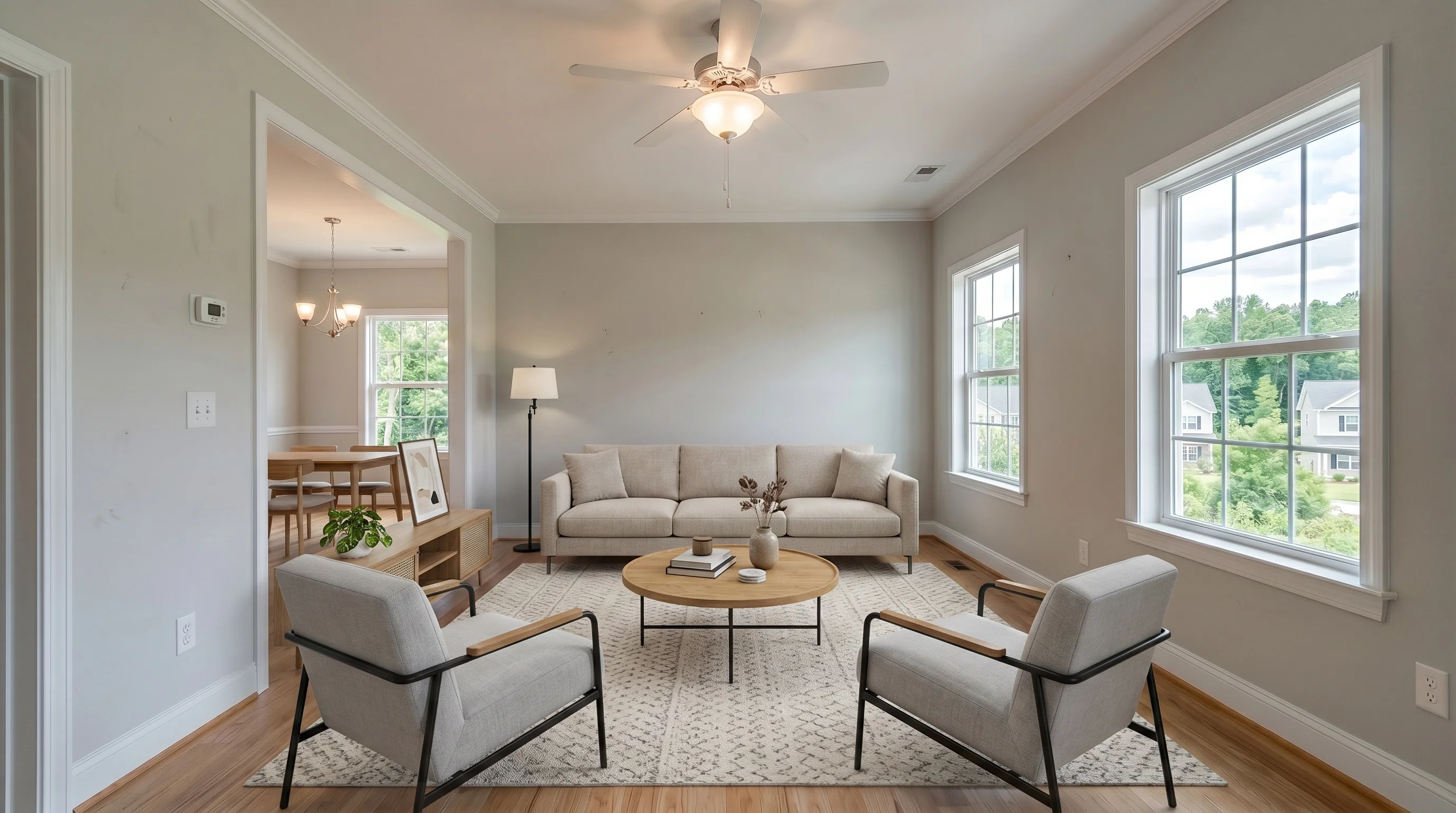
Suburban living room virtually staged in modern style in 30 seconds
Empty suburban living room before AI virtual staging
BeforeModern
Before — vacant listing photoAfter — staged in 30 seconds (VirtualStaging.tools sample, not Homestyler)
First, the honest framing

Homestyler Is a Design Tool — Not a Listing-Staging Service

This is the single most important thing to understand before comparing prices. Homestyler and VirtualStaging.tools solve different jobs, and picking the wrong category costs you time.

Homestyler: you design the space
Homestyler is a 3D floor planner and interior-design studio. You build a room or floor plan, drag furniture from a 100,000+ model catalog, and render it — or use its newer AI credits. Its 5,600+ App Store ratings come overwhelmingly from homeowners, students, and designers planning spaces, not from listing agents.
VirtualStaging.tools: the listing gets staged for you
You upload one empty-room photo and get an MLS-ready staged image in about 30 seconds — no floor plan, no furniture placement, no render queue. The architecture stays locked and the output ships with a disclosure pair and a commercial license.
Why the distinction decides your choice
If you enjoy designing and want control over every object, Homestyler's depth is a feature. If you have ten vacant listings to photograph this week, that depth is friction. Compare the two on the job you actually have, not on sticker price alone.
Quality samples

AI Virtual Staging — See the Quality, Every Room

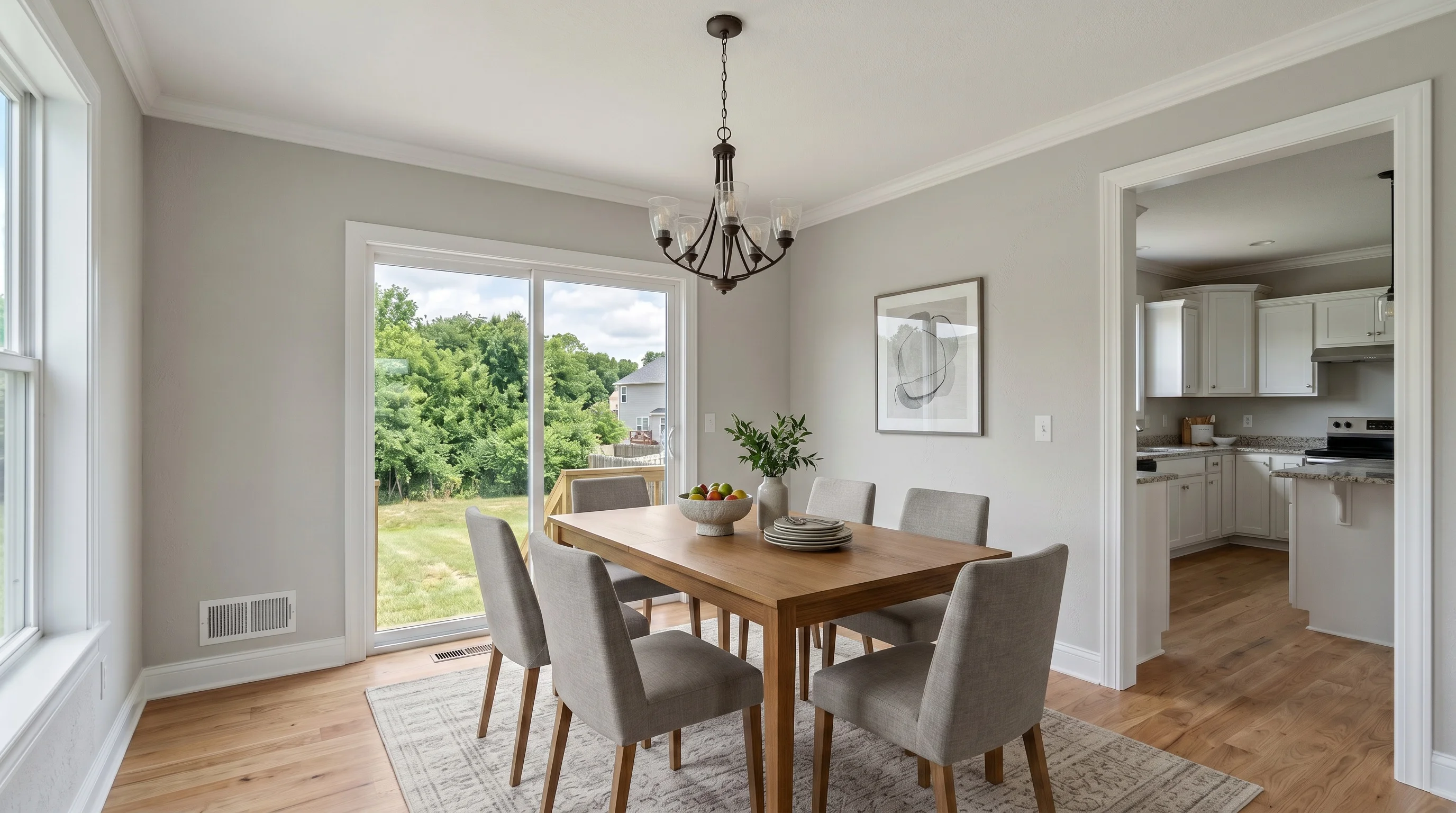
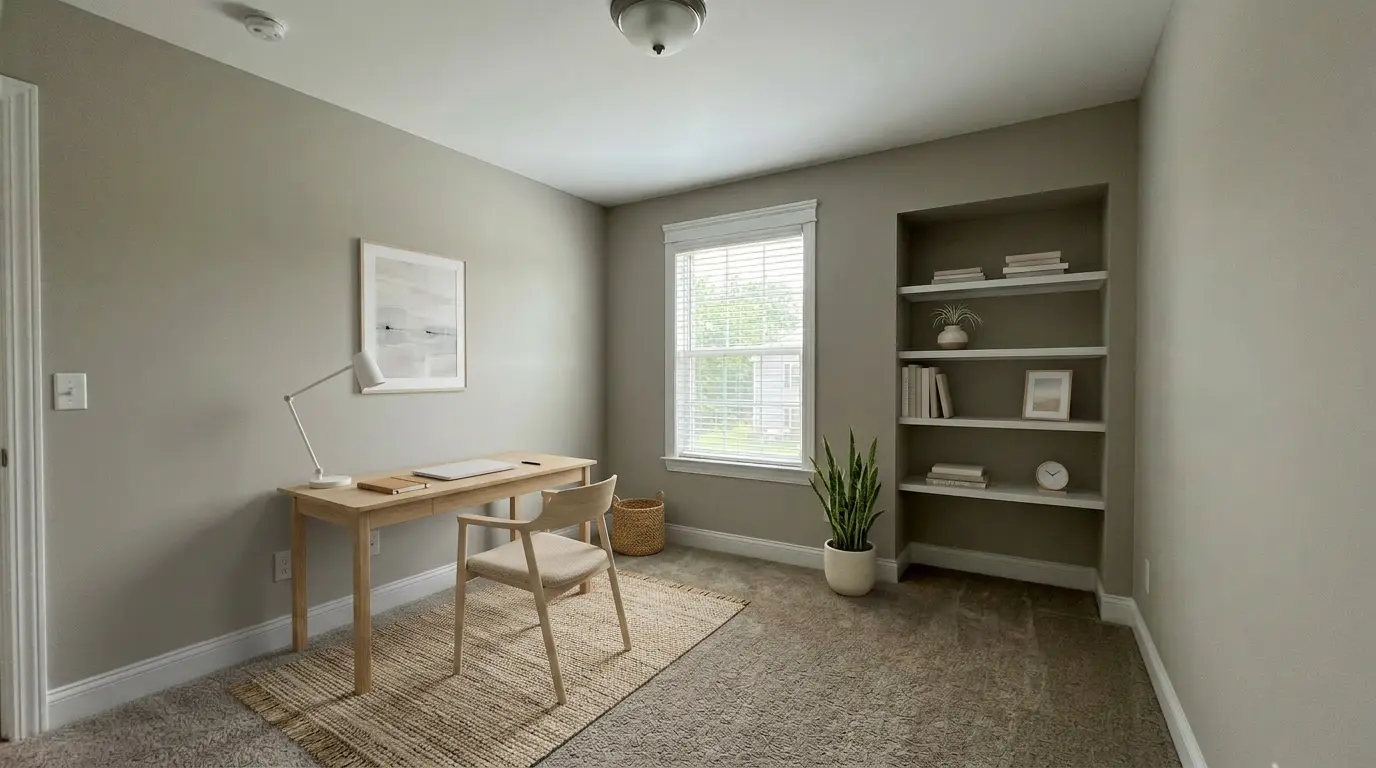
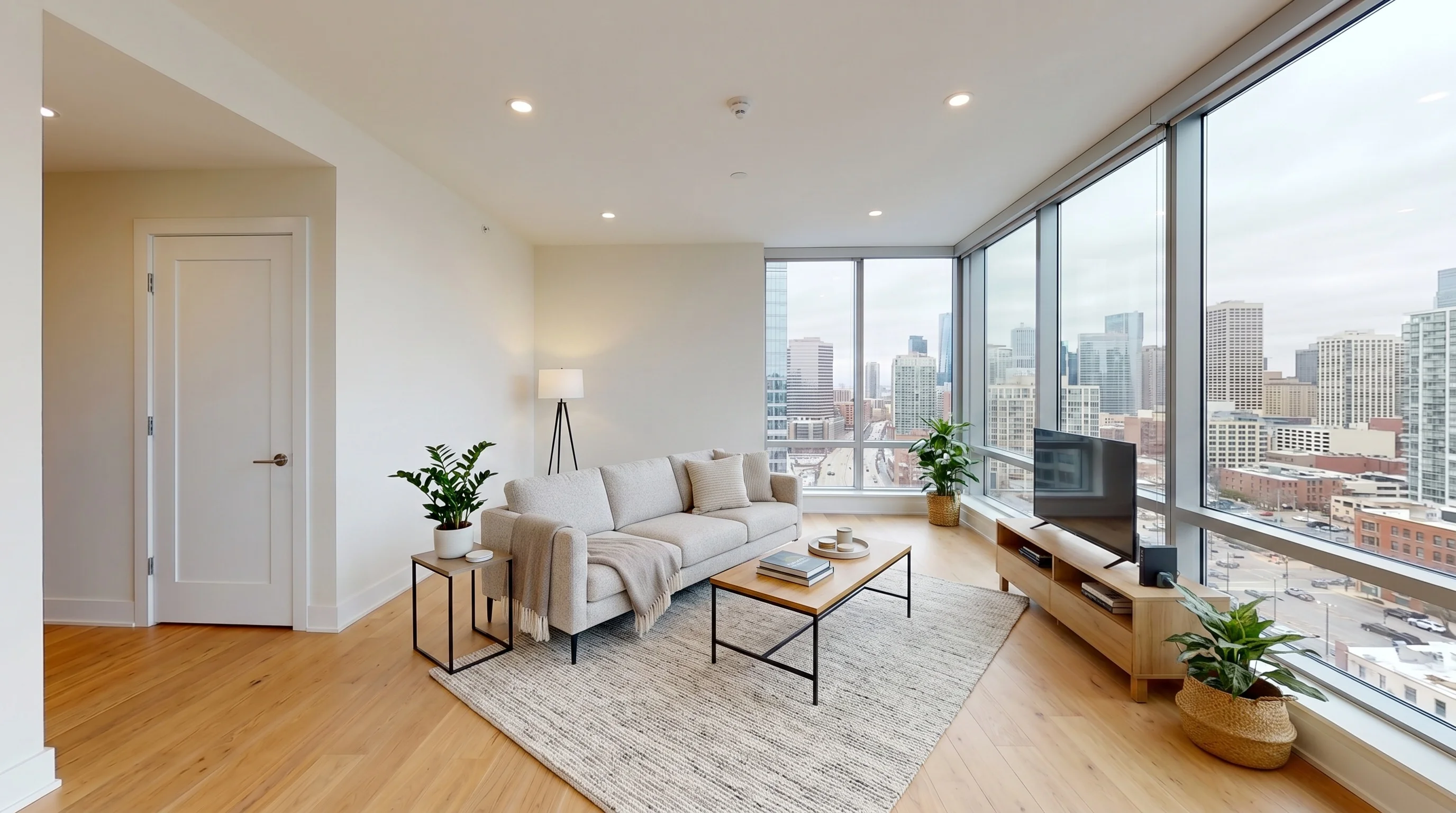
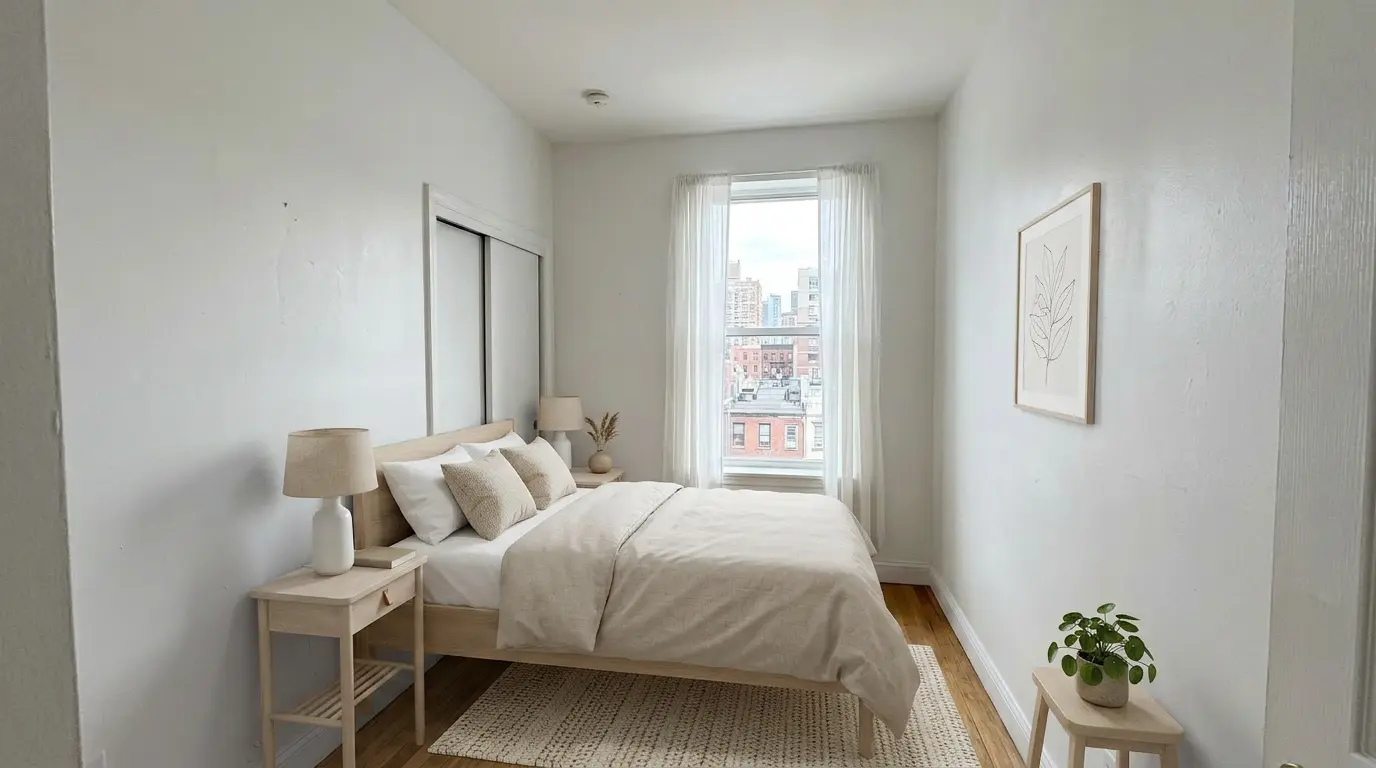
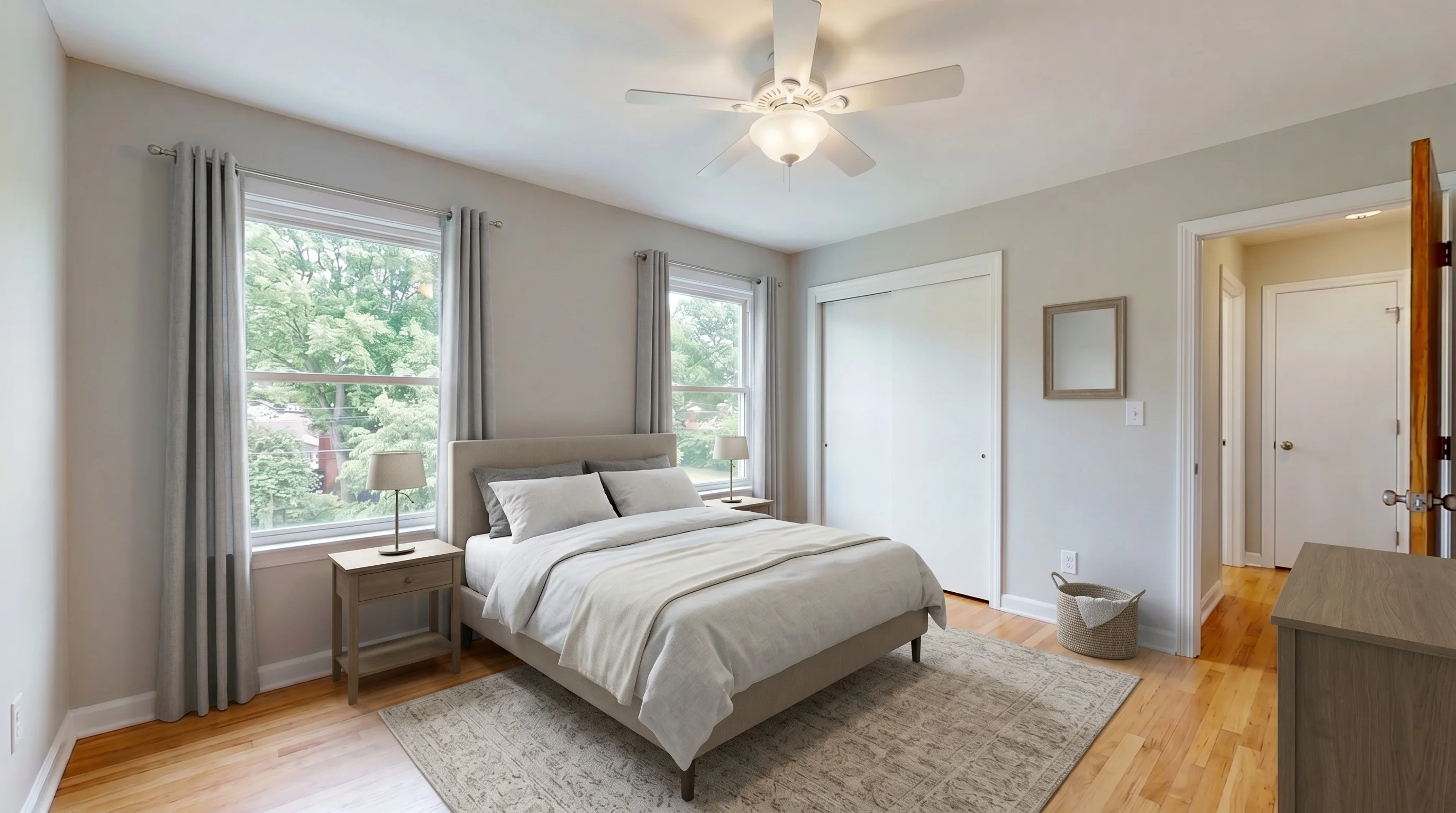
Homestyler shows a broad 3D-design gallery aimed at people planning spaces. Here is what our AI produces from a single listing photo in about 30 seconds — living rooms, bedrooms, dining areas, home offices. Judge the quality, then generate your own free sample.
Bright Suburban Living staged in Modern style
Living RoomModern
Suburban Master Bedroom staged in Modern style
BedroomModern
Suburban Dining Room staged in Modern style
Dining RoomModern
Suburban Home Office staged in Scandinavian style
Home OfficeScandinavian
Urban High-Rise Living staged in Modern style
Living RoomModern
Urban Bedroom Retreat staged in Scandinavian style
BedroomScandinavian
User feedback

What Real Homestyler Users Say

Homestyler has a large consumer review base and a thin business-software one. We quote both sides straight — the praise is real, and so is the friction for listing work. Ratings retrieved July 11, 2026.

4.4/5 from ~5,600 App Store ratings
On consumer signal, Homestyler is genuinely strong: about 4.4/5 from ~5,600 US App Store ratings for its "AI Room Planner" app. Reviewers love the intuitive interface, the huge free furniture library, and that you can do a lot without a subscription. It is a large, capable, well-liked design tool.
Capterra 4.8/5 — but only 6 reviews
On Capterra, Homestyler averages 4.8/5, with ease of use 4.8, features 4.7, and value 4.6. The catch is volume: that average rests on just 6 reviews, and G2 lists the product with 0 reviews — almost no working-agent footprint.
Free renders are watermarked and capped at 1K
The free plan is generous for design but not for listings: renders carry a Homestyler watermark, top out at 1K resolution, and 4K must be purchased each time. To publish a clean listing image you have to upgrade past the free tier.
Learning curve and paywalled output
Common complaints center on the time it takes to master the 3D tools, occasional bugs and slow renders, and high-resolution output gated behind a paid plan. Great control if you want it; a hurdle if you just need a listing photo staged quickly.
Side by side

Homestyler vs VirtualStaging.tools — Verified Specs

FeatureHomestylerVirtualStaging.tools
Primary job3D interior design & floor planning (DIY)Staging real estate listing photos
Core workflowBuild a room / floor plan and place furniture, or use AI creditsUpload an empty-room photo → AI-staged image, no design work
TurnaroundDepends on you — modeling and rendering take time~30 seconds per photo, every plan
Free tierUnlimited 1K renders, 100k+ models — but watermarked, no stated commercial license3 free photos, lifetime, no card, full commercial use, listing-ready
Starting priceFree Basic; Pro+ $6.8/mo (removes watermark, 180 AI credits); Master+ $11.8/mo$25/mo for 36 photos (~$0.69/photo); $19/mo billed annually
4K / high-res outputPurchased per render on free; unlimited 4K only on Master+Full-resolution on every paid plan, no per-render fee
MLS disclosure helperNot offered — no disclosure or listing-license guidanceOne-click helper on every plan (badge text + paired original)
Architecture lockYou control the model; AI path has no stated structure lockPipeline constrained to furniture — walls, floors, windows held constant
Review footprintApp Store 4.4/5 (~5,600); Capterra 4.8/5 (6); G2 0 reviewsn/a — newer product, no public review aggregator yet
Best forHomeowners & designers planning a space from scratchAgents & photographers staging listings for the MLS
Swipe to compare columns →
Cost math

The Math: Cheap Sticker Price vs Cost Per Listing-Ready Image

Homestyler's sticker price is low — we won't pretend otherwise. The number that matters for an agent is what one clean, licensed, MLS-ready image actually costs. Figures verified July 11, 2026.

Homestyler: free to design, but not free to publish
The free plan renders unlimited 1K images — watermarked, no stated commercial license. To publish a listing image you need Pro+ ($6.8/mo) to remove the watermark, plus AI credits or manual modeling time. The site does not state how many credits one AI staging consumes, so a true cost-per-image is not published — verify before relying on it.
VirtualStaging.tools: $25/mo ÷ 36 photos = ~$0.69/photo
Higher sticker than a hobbyist design subscription, but every photo is full-resolution, watermark-free, commercially licensed, and MLS-ready on the first upload — no modeling, no per-render 4K fee, no credit-consumption guesswork.
Forecastable cost beats cheap-but-fuzzy
For designing your own home, Homestyler's low price is unbeatable. For running listings, a fixed per-photo cost you can budget against is worth more than a cheap subscription whose real cost-per-listing-image depends on credits, renders, and upgrades. Price the job, not the sticker.
Honest split

Homestyler's Strengths — and Where a Listing Tool Wins

Three things Homestyler genuinely does better than any staging tool, and three places a purpose-built listing tool takes the lead.

✅ Homestyler: True 3D design from scratch

Full floor planning, room modeling, and layout from a blank canvas — something a photo-to-photo staging tool does not do at all. If you need to design a space, not just stage a photo, Homestyler is in a different, more powerful league.

✅ Homestyler: 100,000+ models & AR preview

A massive free furniture and materials catalog plus AR preview of 1M+ real products — genuinely useful for homeowners choosing furniture they will actually buy, or designers exploring options. Free to use, no subscription required for the basics.

✅ Homestyler: Huge, happy consumer base

About 5,600 App Store ratings at 4.4/5 reflect a large, satisfied community of hobbyist and professional designers. For learning interior design or planning a renovation, that track record is real and earned.

⚡ Listing tool: MLS disclosure built in

VirtualStaging.tools ships a one-click disclosure helper — badge text plus the paired unaltered original — on every plan. Homestyler offers no disclosure or listing-compliance guidance, so with it that responsibility is entirely yours.

⚡ Listing tool: Photo in, staged image out

No floor plan, no furniture placement, no render queue. Upload an empty-room photo and get a staged, full-resolution, watermark-free result in about 30 seconds — the exact step Homestyler asks you to do yourself.

⚡ Listing tool: Licensed & listing-ready

Full commercial use is explicit on every plan, including the 3-photo free tier, and output is sized and formatted for the MLS. No watermark to remove, no per-render 4K fee, no ambiguity about whether you can publish it.

MLS compliance

Will AI-Staged Photos Pass MLS Review?

The realtor's real objection to any AI staging tool. Here is the honest answer — it applies to Homestyler, to us, and to every tool.

Keep the architecture unchanged
Staging adds furniture; it must not move walls, swap floors, delete windows, or repaint. If a tool alters the room itself, you have published a misrepresentation regardless of intent. VirtualStaging.tools locks the structure; in a free-form 3D tool like Homestyler, you are responsible for keeping the room faithful to the real space.
Disclose the edit
NAR Standard of Practice 12-10 (January 2026) plus state laws require disclosing any digitally altered photo. The rule is the same for human, 3D, and AI edits. A caption, image label, or remarks line is enough on most MLSes — but it is mandatory, not optional. Homestyler provides no disclosure tooling.
Keep the original
California and a growing list of states require the unaltered original to appear next to the staged version. VirtualStaging.tools exports the pair automatically; with Homestyler you must retain and post the original photo yourself.
When to stay

When Homestyler Is the Right Choice

A purpose-built listing tool is not the universal answer. Homestyler's depth genuinely fits several jobs far better than we do.

Designing or renovating your own home
If you are planning a real renovation, laying out a floor plan, or choosing furniture you will actually buy, Homestyler's 3D studio and AR preview are built exactly for that — and mostly free. Listing tools are not; they optimize for MLS-ready photos, not design exploration.
You want full control over every object
Homestyler lets you place, resize, and swap individual pieces and see the room in true 3D. If that control is the point, a one-click photo stager will feel limiting. Different tools for different intentions.
Learning or teaching interior design
Its huge free library, gentle entry point, and large community make Homestyler a great place to learn design. That is a real, valuable use case that has nothing to do with listing compliance.
Budget is everything and you enjoy the work
If a near-free subscription matters most and you like doing the design yourself, Homestyler is hard to beat on price. Just budget the time — and remember free outputs are watermarked and not stated for commercial use.
How it works

Stage Your First Listing in Three Steps

The fastest way to compare is a real listing photo on the free tier — no credit card, no 3D modeling, full commercial use.

01

Upload a Listing Photo

Drag and drop a photo of an empty or under-furnished room. iPhone photos work. No floor plan to build, no format conversion, no batch setup.

02

Pick a Style

Choose from modern, farmhouse, Scandinavian, traditional, and more. Switch styles in seconds — the room architecture stays exactly as photographed.

03

Download in 30 Seconds

MLS-ready, full-resolution staged photo with the disclosure pair ready to go. Free tier outputs are watermarked; paid plans are watermark-free with full commercial license.

For teams

Staging for a Brokerage or Team?

High listing volume outgrows both DIY design tools and per-credit AI fast. If you run staging for a team, there is a simpler path than everyone learning a 3D editor.

Volume outgrows modeling and credits
Once a team is staging dozens of listings a month, the cheapest design subscription stops mattering — shared seats, predictable per-photo billing, and consistent MLS-ready output across agents do. That is a plan conversation, not a credit purchase.
Talk to us about a team plan
We can set up shared volume, one invoice, and consistent MLS-compliant output across your agents. Tell us your monthly listing count and we will size the right plan.
More ways to compare

Not the right comparison? Browse focused pages that show how the tool fits other workflows.

Try the Homestyler Alternative — Free, No Card

Skip the 3D modeling. Upload a listing photo and get an MLS-ready staged image in 30 seconds, disclosure pair included. 3 free photos to start. Upgrade to $25/mo for 36 photos with full commercial license when you're ready.

Start with 3 Free Photos
Same AI pipeline on free and paid plansCommercial license includedNo credit card to start
Sources

Sources & Methodology

Facts on this page were verified July 11, 2026 against primary sources. We refresh competitor pricing checks every 90 days; this page's next refresh is October 2026.

Homestyler pricing, free tier, watermark, 4K
Sourced from the live pricing page at homestyler.com/pricing (July 11, 2026): free Basic with unlimited 1K renders, 100,000+ models, watermarked output, 4K purchased per render; Pro+ from $6.8/mo (watermark removal, 75 2K/4K renders, 180 AI credits); Master+ from $11.8/mo (unlimited 4K, 380 AI credits); Team $19.9/seat/mo. Third-party aggregators cite older, lower figures ($3.9–$9.9); we used the live page.
Ratings and review counts
Apple App Store "Homestyler-AI Room Planner" 4.4/5 from ~5,600 US ratings; Capterra 4.8/5 from 6 reviews (ease 4.8, customer service 4.6, features 4.7, value 4.6); G2 product page with 0 reviews. All retrieved July 11, 2026.
Workflow and staging positioning
Homestyler's own materials describe both a manual 3D floor-planning workflow and an AI path that can start from an empty-room photo; the App Store tagline is 'Create pro-level 3D floor plans, preview 1M+ real furniture in AR.' We characterize it as a design tool first because that is how the product and its consumer review base present it.
Unverified items flagged on-page
Where a Homestyler detail could not be verified — the exact AI-credit cost of one staging, free-tier commercial-use terms, Trustpilot score — this page says 'verify' or 'not stated' rather than inventing a value. If you spot a stale claim, contact us and we will correct it.
FAQ

Homestyler vs VirtualStaging.tools FAQ

Homestyler (homestyler.com) is a cloud-based 3D interior design and floor-planning tool with an enormous consumer following — its 'Homestyler-AI Room Planner' app holds a 4.4/5 rating from about 5,600 App Store ratings (verified July 11, 2026). It uses a freemium model: the free Basic plan gives unlimited 1K renders and 100,000+ free 3D models, but outputs carry a Homestyler watermark, 4K renders must be purchased each time, and custom uploads are locked. Paid individual plans are Pro+ from $6.8/month (watermark removal, 75 2K/4K renders, 180 AI credits) and Master+ from $11.8/month (unlimited 4K, 380 AI credits); Team is $19.9/seat/month. Note that third-party aggregators list older, lower numbers ($3.9–$9.9) — we used the live pricing page.
Both, but its DNA is manual 3D. Homestyler started as — and is still marketed as — a 3D floor planner: you build a room or floor plan and drag furniture from a huge catalog, then render it. Its App Store tagline is 'Create pro-level 3D floor plans, preview 1M+ real furniture in AR.' It has since added AI features billed via monthly 'AI credits,' and its own blog describes an AI path that starts from an empty-room photo. So you can go the AI route, but the product is a design studio first and a photo-to-staged-image service second — the opposite of a tool built only to stage listing photos.
Different category. Homestyler is a DIY design tool for people planning a space — homeowners, students, and designers building rooms from scratch. VirtualStaging.tools is built only for real estate listings: you upload an empty-room photo and get an MLS-ready staged image in about 30 seconds, with the architecture locked (walls, floors, windows unchanged), a one-click MLS disclosure helper, and full commercial licensing on every plan including the free tier. With Homestyler you are the designer; with a listing tool the job is done for you and licensed for the MLS.
Homestyler's free Basic plan is genuinely generous for design — unlimited 1K renders and 100,000+ models with no time limit. But free renders carry a Homestyler watermark, top out at 1K resolution, and the site does not state a commercial-use license for the free tier, so a free Homestyler render is not listing-ready without upgrading. VirtualStaging.tools gives 3 free photos, lifetime, with no watermark restriction on the license and full commercial (MLS) use spelled out — you can publish a free-tier output to a real listing.
It depends on the audience. On the consumer side the signal is strong: about 4.4/5 from ~5,600 US App Store ratings (July 11, 2026). On the business-software side it is thin: Capterra shows 4.8/5 but from only 6 reviews, and G2 has a product page with 0 reviews. That split is the story — Homestyler is loved by a large base of hobbyist and homeowner designers, but has almost no reviewer footprint among working listing agents, which is who a staging tool is really for.
It can stage a room, but it is not purpose-built for listings. To get a clean, high-resolution, commercially licensed listing image you either build the room in 3D (slower than a photo upload) or spend monthly AI credits, and then upgrade past the free tier to remove the watermark and unlock 4K. There is no MLS disclosure helper and no stated architecture lock for the AI path. For a busy agent staging vacant listings, that is more steps and more compliance risk than a tool designed for exactly that job.
Only if you disclose them — and disclosure is on you. Any digitally altered listing photo must be disclosed under NAR Standard of Practice 12-10 (effective January 2026) and a growing list of state laws; California requires the unaltered original to appear alongside the staged version. Homestyler's site contains no MLS-compliance, disclosure, or listing-license guidance. VirtualStaging.tools ships a one-click disclosure helper that generates the badge text and keeps the original paired, so compliance is built into the workflow rather than left to you.
Hard to compare directly, and that is the point. Homestyler bills by subscription plus 'AI credits' and per-render 4K purchases, not by staged listing photo — and the site does not clearly state how many credits one AI staging consumes, so a true per-image cost is not published (verify before relying on it). VirtualStaging.tools is $25/month for 36 photos (about $0.69 per photo, watermark-free, commercially licensed), or $19/month billed annually. If your goal is a predictable cost per MLS-ready image, the listing tool's pricing is the one you can actually forecast.
Choose Homestyler when the job is design, not listing photos: planning a renovation, laying out a floor plan from scratch, previewing real furniture in AR before you buy it, or teaching and learning interior design. Its free 3D studio and 100,000+ model library are excellent for that, and its huge user base reflects real quality for those use cases. For staging vacant or occupied resale listings for the MLS, the purpose-built tool removes steps Homestyler was never designed to remove.
The most-cited friction in reviews is the learning curve and paywalled output: the free version limits functionality, high-resolution and watermark-free renders require a paid plan, and users report occasional bugs, crashes, and slow renders. Because it is a full design tool, getting a polished result takes real time and skill — great if you want that control, a hurdle if you just need a listing photo staged fast. A single-purpose staging tool trades that flexibility for speed and a one-click result.
Yes. This page includes a gallery of AI-staged rooms — living rooms, bedrooms, dining areas, home offices — produced by VirtualStaging.tools in about 30 seconds each, so you can judge output quality before spending anything. The free tier then gives you 3 full-resolution staged photos with no credit card, so you can test the AI on your own real listing photo rather than a curated portfolio.