
REimagineHome Virtual Staging: Honest Review + AI Alternative
A balanced look at REimagineHome's real pricing, verified Trustpilot and App Store ratings, and where a listing-built AI staging tool fits better. 3 free photos, no credit card.
 BeforeModern
AI Virtual Staging — See the Quality, Every Room
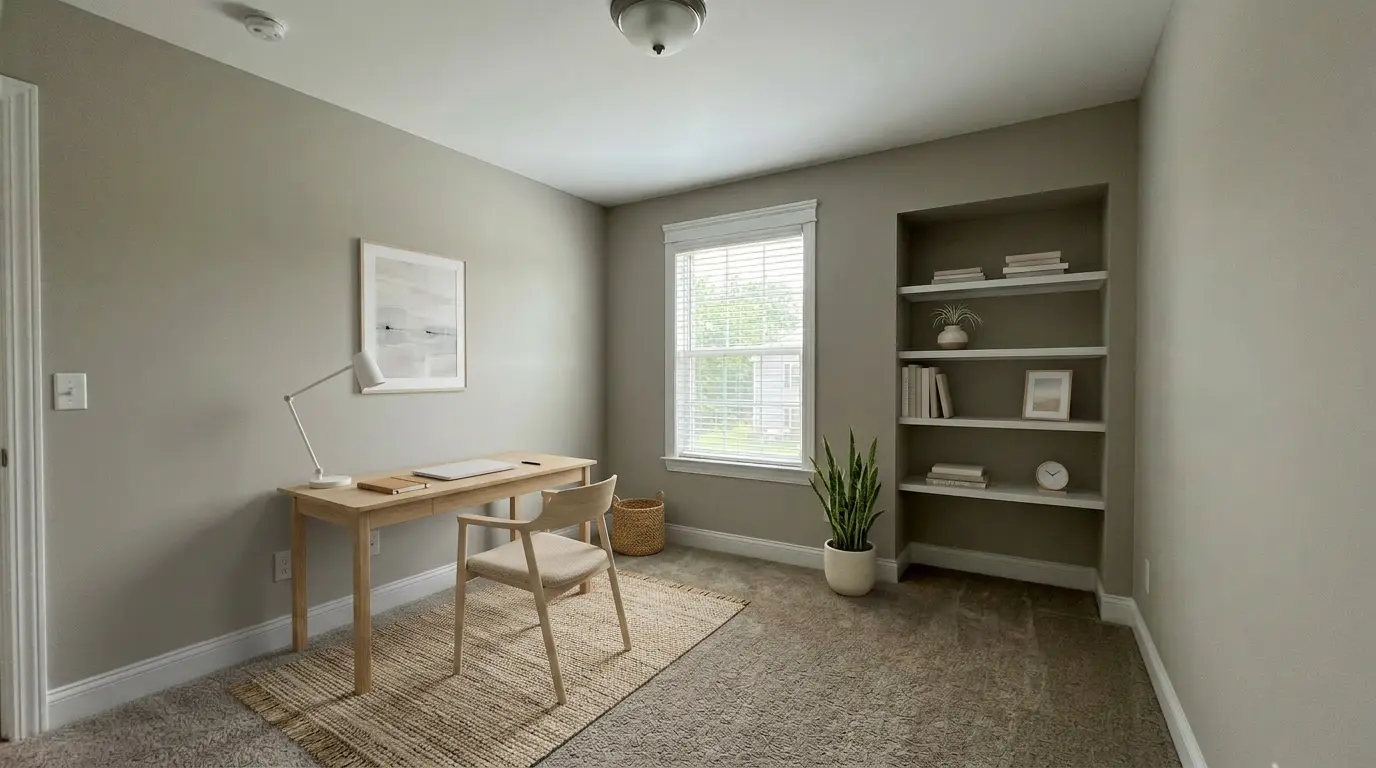
REimagineHome shows a broad design gallery aimed at homeowners and designers. Here is what our AI produces for listing photos in about 30 seconds — living rooms, bedrooms, dining areas, home offices. Judge the quality, then generate your own free sample.




What Real REimagineHome Users Say
REimagineHome has limited third-party review presence — no Capterra listing and no G2 reviews. The verified signal is Trustpilot (3.4/5, 1 review) and the US App Store (3.2/5, 51 ratings), retrieved July 10, 2026. We quote it straight, praise and friction both.
REimagineHome vs VirtualStaging.tools — Verified Specs
| Feature | REimagineHome | VirtualStaging.tools |
|---|---|---|
| Staging method | AI-generated (optional paid human "Expert Services") | AI-generated by machine learning model |
| Built for | Homeowners, designers, and agents (broad interior design) | Real estate listings — agents, photographers, teams |
| Turnaround per photo | 2–5 minutes | Typically about 30 seconds; complex rooms or queue conditions can take longer |
| Free tier | 5 free designs; watermark / commercial terms not stated — verify | 3 free photos, lifetime, no card, full commercial use |
| Starting price | $19/mo Essential (30 credits, no high-res); $36/mo Pro (200 credits) | $25/month or $156/year; 36 credits released monthly |
| MLS disclosure helper | Not advertised — paired export and remarks are on you | One-click helper on every plan (badge text + paired original) |
| Architecture lock | Has a "structure lock" feature; prompt-following flagged as inconsistent | Pipeline constrained to furniture — walls, floors, windows held constant |
| Third-party rating | Trustpilot 3.4/5 (1 review); App Store 3.2/5 (51); G2 no reviews | n/a — newer product, no public review aggregator yet |
| Revisions | Roughly 1 revision per credit — retries consume your budget | Regenerate within the per-photo version limit; re-rolling the same photo uses no additional photo allowance |
| Best for | Redesigning your own home, exterior/landscaping, shoppable products | Staging vacant or occupied resale listings for the MLS |
The Math: Sticker Price vs Cost Per Usable Image
REimagineHome is price-competitive on sticker — we won't pretend otherwise. The real number is what one usable listing image costs after retries. Figures verified July 10, 2026.
REimagineHome's Strengths — and Where a Listing Tool Wins
An honest split: 3 things REimagineHome genuinely does well, and 3 places a purpose-built listing tool takes the lead.
✅ REimagineHome: Broadest AI design scope
Interior redesign, exterior and landscaping, furnished-room restyling, even commercial spaces — a wider canvas than staging-only tools. HousingWire rated its furniture removal best in their testing.
✅ REimagineHome: Shoppable real products
It can design with real products available in your area and budget — genuinely useful if you are decorating your own home and plan to actually buy the furniture. A homeowner feature, not a listing feature.
✅ REimagineHome: Big style and use-case range
A wide style library and many use cases beyond staging. If you want one tool to explore lots of design directions for a renovation, its breadth is a real advantage over a focused staging tool.
⚡ Listing tool: MLS disclosure built in
VirtualStaging.tools ships a one-click disclosure helper — badge text plus the paired unaltered original — on every plan. REimagineHome does not advertise one, so compliance assembly is manual. For agents, this is the biggest workflow gap.
⚡ Listing tool: Reliable architecture lock
The pipeline is set up to add furniture only, and to leave walls, floors, windows, and paint alone. It is a constraint, not a guarantee, so compare each result against the original before you publish.
⚡ Listing tool: Built for the agent workflow
Free-tier commercial use is explicit, and the whole workflow assumes resale listing photos rather than homeowner redecorating. Compare each result with the original and apply the disclosure and platform rules before publishing.
Will AI-Staged Photos Pass MLS Review?
The realtor's real objection to any AI staging tool. Here is the honest answer — it applies to REimagineHome, to us, and to every tool.
When REimagineHome Might Still Be the Right Choice
A purpose-built listing tool is not the universal answer. REimagineHome's breadth genuinely fits several jobs better.
Stage Your First Listing in Three Steps
The fastest way to compare is a real listing photo on the free tier — no credit card, full commercial use.
Upload a Listing Photo
Drag and drop a photo of an empty or under-furnished room. JPG, PNG or WebP (iPhone HEIC needs converting first). No batch setup needed.
Pick a Style
Choose from modern, farmhouse, Scandinavian, traditional, and more. Switch styles in seconds — the staging is constrained to leave the room architecture alone.
Typically ready to review in about 30 seconds
Download a high-resolution staged photo with its disclosure pair, compare it with the original, and apply the rules that govern your listing. Free-tier outputs are watermarked but carry the same commercial license; paid plans are watermark-free.
Staging for a Brokerage or Team?
High listing volume outgrows per-credit design tools fast. If you run staging for a team, there is a simpler path than everyone buying seats.
Not the right comparison? Browse focused pages that show how the tool fits other workflows.
Try the REimagineHome Alternative — Free, No Card
Stage your next listing with a result typically ready to review in about 30 seconds and an MLS disclosure pair included. Complex rooms or queue conditions can take longer. 3 free photos to start.
Start with 3 Free PhotosSources & Methodology
Facts on this page were verified July 10, 2026 against primary sources. We refresh competitor pricing checks every 90 days; this page's next refresh is October 2026.