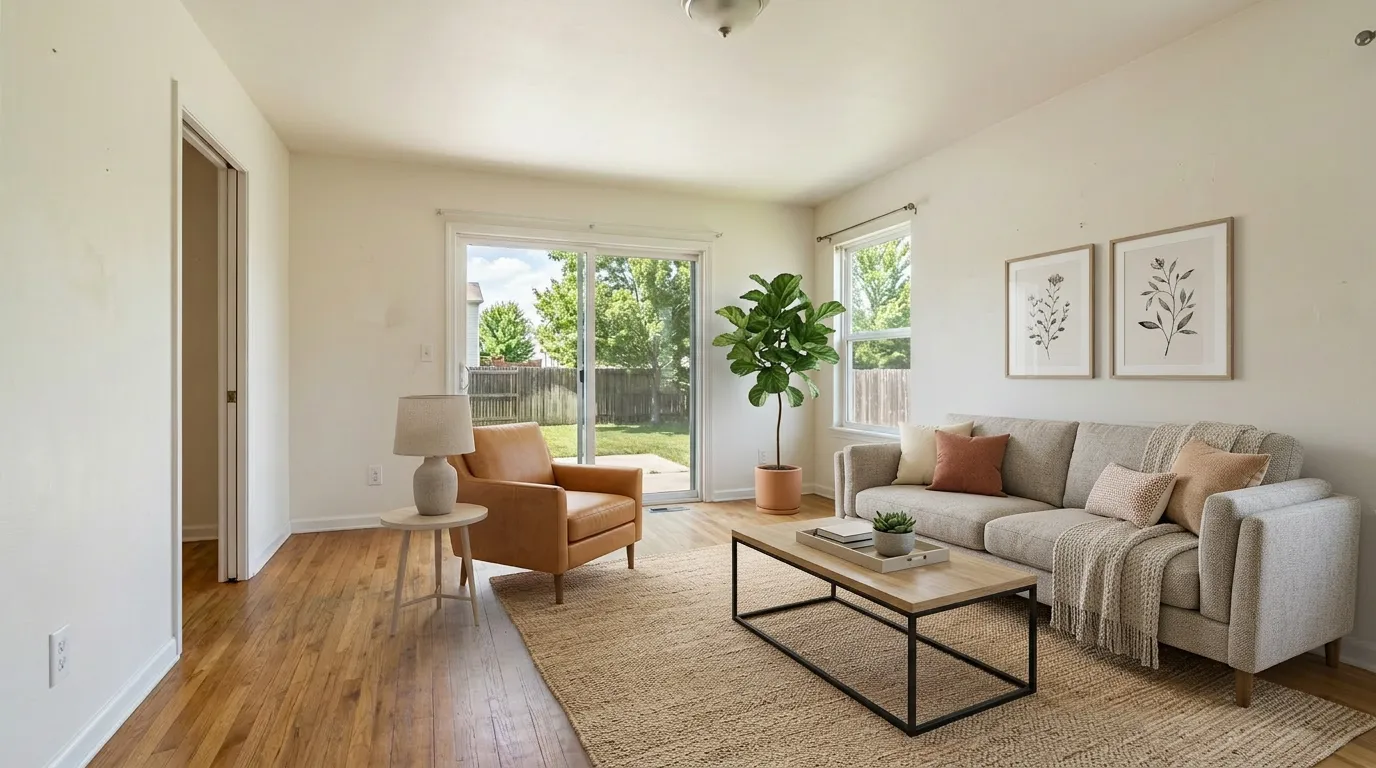
 BeforeAfter
A virtual staging app is software that turns an empty listing photo into a furnished one — typically in 30 seconds, using AI. The confusing part in 2026 is what the word "app" means. Some are native iOS or Android apps you install from the App Store. Most are web apps that run in any browser, including the one on your phone. A few are hybrid Progressive Web Apps that install like a native app but run on web tech underneath.
For a solo agent, the practical question isn't "native or web?" — it's "which tool actually fits the way I list properties, and which one won't get me in trouble under the new disclosure rules?" This guide covers what the different app types are good for, which ones are genuinely free, the per-month cost math at 1, 2, and 4 listings, the failure modes buyers are starting to spot, and the MLS / AB 723 compliance line that changed in January 2026.
Native app, web app, hybrid: why it matters
The three categories produce noticeably different experiences when you're staging a listing photo on the way to a showing.
| App type | What it is | Examples in this category |
|---|---|---|
| Native mobile app | Installed from App Store / Google Play; runs offline-capable code on your device | REimagineHome iOS/Android, Collov iOS, Coohom mobile, Planner 5D mobile |
| Web app (browser-based) | Runs in Safari/Chrome on any device; nothing to install; works on phone, laptop, iPad equally | VirtualStaging.tools, VSAI, ApplyDesign, Stagently, AI HomeDesign |
| Hybrid / PWA | A web app you can "install" to your home screen for app-like feel, but underneath it's still a browser | A subset of the web apps above support this on iOS and Android |
Why this matters: a native app gives you camera-roll-style integration, push notifications when a job finishes, and offline drafts. A web app gives you full-resolution exports, the same workflow on every device you own, and instant updates without an App Store review cycle. For real-estate listing work — where the final photo lives on MLS, Zillow, and your laptop's listing-photo folder — the web-app advantages tend to outweigh the native-app advantages once you ship more than one listing a month.
The exception: native apps shine on the input side. Take the photo, stage it, share it — all without leaving your phone. If your workflow is "shoot, stage, send to seller in 90 seconds," a native app's camera-to-export pipeline is genuinely faster.
One quiet risk to know about: native staging apps built primarily on top of generative AI are subject to Apple's and Google's evolving generative-AI policies. Apps have been pulled or had features removed mid-quarter when policies update. Web apps are immune to this — the URL works regardless of App Store decisions.
What you'd actually use a virtual staging app for
The use cases break down cleanly by how much polish the output needs.
1. Quick mockup for a listing conversation. You're at a vacant property with a seller who can't picture the empty living room as furnished. You take a phone photo, stage it on your phone, and typically have a result to review in about 30 seconds; complex rooms or queue conditions can take longer. Mobile-first apps reduce the friction of switching devices and re-sharing.
2. Listing photo ready for review and disclosure. You're back at your desk with the photographer's deliverable — a 4K wide-angle shot taken with a real camera. You need a clean staged version with disclosure. This is desktop-and-web-app territory. The phone camera roll's compressed JPEG isn't the file you want on Zillow. Use the photographer's original through a web app, export at full resolution, and add the required "Virtually Staged" disclosure.
3. Style exploration before a photo shoot. You're prepping a listing strategy and want to test whether Farmhouse, Coastal, or Contemporary best fits the home. Iterate fast — generate 4–6 versions, compare them side by side. Web apps with multi-style batch features are stronger here than mobile-first tools.
4. Object removal and restage on occupied homes. The seller is still living in the home and the rooms have dated decor. You need to remove existing furniture and add staged pieces. This is the workflow most native mobile staging apps handle worst — they're optimized for empty-room input. Web apps with explicit "occupied room" modes do this cleanly.
If you're a solo agent listing 1–4 properties a month, you'll do all four flows in any given month. The tool that wins is whichever one you can do all four of these in without learning four different interfaces.
The 2026 app landscape
Here's the honest read on what's available, organized by app type and what each is genuinely good at. For deeper feature-level comparison, see our AI virtual staging comparison and best virtual staging software guides.
| Tool | App type | Free option | Best for | Watch out for |
|---|---|---|---|---|
| VirtualStaging.tools | Web app (PWA-installable) | 3 lifetime, no card, commercial license | Solo agents who do listing work on both phone and laptop | Free tier is lifetime, not monthly — for ongoing volume you upgrade |
| VSAI | Web app | None — paid only | High-volume teams comfortable with annual billing | Recent pricing changes burned long-time users on Reddit; auto-renewal complaints — read the cancel screen first |
| ApplyDesign | Web app | 1 image | Photographers who want manual furniture placement | Pay-per-coin only ($10/coin, drops to $7 at 20+); no monthly plan |
| REimagineHome | Native iOS + Android + Web | 3 designs lifetime, watermark-free, no card | Mobile-first staging at the property | "Essential" $14 plan limits you to legacy tools; conversational AI is locked behind $99 Pro |
| Collov AI | Native iOS + Web | 5 trial images, watermarked, no commercial license | iOS-first agents who want App Store integration | Reddit users specifically warn about Collov changing wall finishes and structure — verify on your own photos before paying |
| Stagently | Web app | 5/month recurring, no card | Steady low-volume use without commitment | Newer brand; verify quality during the credit window; free-tier watermark policy not disclosed on the page |
| Box Brownie | Web (human-edited service) | None — paid only | Tricky rooms where AI keeps failing; quality is the priority | $24/image base, longer turnaround (24h+); the cheapest option per usable photo on hard rooms |
| Coohom / Planner 5D | Native iOS + Android | Free tier available | 3D room planning, not photo staging | Output reads as "rendered," not "photographed" — fine for client convos, less convincing for MLS |
| ChatGPT / Gemini DIY | Native + Web | Plan-included | One-off DIY tests | Layout integrity is poor without explicit prompt locks; commercial license depends on each vendor's ToS |
Two patterns worth noticing: most tools that claim to be a "virtual staging app" are web apps, and most native mobile apps in this category have weaker free tiers than their web-app peers. If you specifically need a native iOS or Android experience, REimagineHome and Collov are the closest fits — but for MLS-grade output you'll likely still bounce to a desktop browser when the listing goes live.
Free virtual staging apps: the honest list
If you're filtering for genuinely free apps that produce MLS-usable output for a solo agent in 2026, the realistic shortlist is:
VirtualStaging.tools — 3 photos lifetime, no credit card, commercial license included. Web app on every device, installable as PWA on phone. Free tier exists to let you test on your own listing photos before you commit. Watermarked free output; clean exports on paid plans.
REimagineHome — 3 designs lifetime, watermark-free, no credit card. Native iOS + Android + web. The most generous mobile-first free tier in the category as of mid-2026. After the 3 free designs, the cheapest paid plan is Essential at $14/mo (legacy tools only).
Stagently — 5 photos/month recurring, no credit card. Web app. Useful for steady very-low-volume use. Newer brand; do a quality test during your first credit window. Free-tier watermark behavior isn't documented on the pricing page — verify before you upload.
Collov AI — 5 trial images, watermarked, no commercial license. Web + native iOS. Useful for evaluation only — without a commercial license, free outputs cannot legally appear on a paid MLS listing.
ApplyDesign — 1 image trial. Web app. One-shot evaluation only.
Why most listicle round-ups dodge this question: stacking the actual free-tier terms side by side reveals that "free" usually means "watermarked," "not for commercial use," or "$X coin trial" — and the writers don't want to look like they're trashing affiliate partners. The shortlist above is just the four web-or-mobile apps where a US solo agent can produce a usable MLS image, with a commercial license, without entering a credit card. For the full breakdown of what "free" actually means in this market, see our free virtual staging guide.
Solo agent volume math: which app actually wins at 1, 2, 4 listings a month
The list-price-per-photo number every staging app advertises hides the only number that matters: what does your typical month cost? Solo agents listing 1–4 properties a month with 6–8 staged photos each have a narrow band of monthly demand — and the right plan jumps around inside that band depending on regen ratio, redo frequency, and whether you'll commit to annual billing.
Here's the realistic monthly cost at three common volumes, based on each tool's lowest paid plan as of May 2026:
| Photos/month | Best free strategy | Cheapest paid (monthly) | Cheapest paid (annual prepay) |
|---|---|---|---|
| 6 (1 listing) | VirtualStaging.tools 3 lifetime + REimagineHome 3 lifetime = 6 free, one-shot | REimagineHome Essential $14 (30 credits) | VirtualStaging.tools $156/year; 36 credits released monthly |
| 12 (2 listings) | None — both free tiers are exhausted | Collov Standard $19 (60 credits, $0.32/photo) | Stagently Starter $29 with annual 40% off |
| 24 (4 listings) | None | Stagently Starter $29 (100/mo, $0.29/photo) | Annual prepay almost always wins; VST.tools $156/yr or Stagently equivalent |
Three honest break-evens to remember: below 6 photos/month, the free tiers stitch into a real workflow for $0; between 6 and 30 photos/month, REimagineHome Essential at $14 or our $156/year Standard plan is the cheapest meaningful tier; above 30 photos/month, every tool's annual billing beats monthly by 20–40%. Annual billing does not change Standard's 36-credit monthly allowance, and unused monthly subscription credits do not roll over.
Two costs that don't show up on the pricing page but do show up in your real spend: regeneration credits (you'll often run an image 3–5 times before you have one you'd put on Zillow) and revision fees on human-stager services like Box Brownie. For pure AI tools, build a 3× multiplier into your monthly photo math; for human services, build a 1.2× multiplier. More on the regen-roulette cost below.
The mobile staging workflow that actually works
If you want to use a virtual staging app from your phone — at the listing site, between showings, on your way back to the office — the workflow that holds up for solo agents:
- Shoot the room with your phone camera, eye-level, wide-angle, lights on, blinds open. Phone photos are good enough for a seller-facing mockup. They are not good enough for the MLS hero photo. Don't try to make them double duty.
- Open the staging app — web or native — and upload directly from camera roll. All the major web apps support this on iOS Safari and Android Chrome, including PWAs.
- Pick one style, generate, review. On a phone-screen review, focus on the obvious: is the furniture scaled to the room? Are walls/windows/floor unchanged? Is the lighting direction consistent with the original photo?
- Share or save. Send to the seller via text or email; save to your CRM listing folder; upload directly to a draft MLS listing if you're already at your laptop.
- Re-do for the listing photo with the photographer's original. When you're back at your desk and the real-camera shoot is in, run the same room through the same app at full resolution. Add the "Virtually Staged" disclosure. That's the version that goes on MLS.
Two technical gotchas to watch on mobile-only flows: most apps cap mobile exports at 1080p–2K to manage data, even when they advertise "full resolution," so the listing-photographer's 4–6K original needs to go through the laptop browser anyway. And most apps strip EXIF on upload, which means any orientation metadata your phone wrote can get lost — preview the staged image in the app before you save, not just after.
The mistake most agents make on mobile is trying to skip step 5 — using the on-site phone-camera staged photo as the listing photo. Phone JPEGs compress badly, look soft on Zillow's hero crop, and will get you a "low quality photos" comment on Reddit at best, an MLS rejection at worst.
What separates a good virtual staging app from a bad one on mobile
Five things to check on the actual phone screen, not the app's marketing page:
Camera-roll integration. Can you upload from photos in two taps, or does the app force you to a clunky internal browser? On iOS, a properly built web app uses the native iOS photo picker; native apps integrate even more directly.
Style preview at thumbnail size. A staged photo looks different on a 4K monitor than on a 6.7" screen. Apps that show you a thumbnail-sized preview before generating help you avoid the styles that look fine on desktop but compress to mush on a buyer's phone in the Zillow feed.
Full-resolution export from mobile. Some apps export at lower resolution from mobile and force you to re-export on desktop for full quality. If the app does this, your phone-staged photo can't be the MLS photo regardless — see the workflow above.
Layout integrity on phone-camera input. Phone wide-angle has more distortion than DSLR wide-angle. AI models trained primarily on DSLR data sometimes hallucinate corrections on phone input — straightening windows that aren't actually crooked, or "fixing" lens distortion in ways that move walls. Test on your own phone photos before you trust the tool with a listing.
MLS disclosure helper. If the app generates a "Virtually Staged" caption, paired-image export, and copy-pasteable disclosure remarks, you save real time on every listing. If it doesn't, you're adding the disclosure manually in your MLS portal — which most agents forget on at least one listing per quarter, with real liability exposure under California's AB 723.
The 6 "tells" buyers spot in a bad virtually-staged photo
The honest part of this market that listicle reviews don't tell you: buyers and other agents are getting better at spotting AI-staged photos, and a bad one actively hurts your listing. Realtors on r/realtors and r/RealEstatePhotography have been compiling failure modes in detail — here are the six that show up most often, with the language Realtors actually use.
1. Floating furniture and broken shadows. Sofas that don't quite touch the floor, rugs floating a half-inch above the carpet, lamp shadows pointing the wrong direction. "The furniture looks like it's floating, or furniture pieces that obviously wouldn't fit in a space are crammed there virtually, or it looks like a video game," one agent on r/realtors put it. Even subtle shadow direction errors register subliminally — buyers feel "off" without being able to name why.
2. The "blue velvet chair" tell — style monoculture. AI staging tools draw from a narrow training set of stock furniture, and the same handful of pieces show up across listings. "You can tell it's virtually staged at first glance because it uses the same type of furniture in every room, especially those blue velvet chairs," one r/RealEstatePhotography commenter wrote. If the buyer has scrolled through 20 listings on Zillow, they've seen your sofa before.
3. Furniture that wouldn't physically fit (the scale lie). This is the single most-cited complaint from agents themselves. "It lies about how much furniture can fit in a room and lies about size in room," a top-1% commenter on r/realtors wrote. AI staging models default to "this room is bigger than it looks" because that produces magazine-style images — but on the showing, the buyer notices the gap between photo and reality, and most won't ask to see the room twice.
4. Vanishing fixtures. Thermostats, light switches, electrical outlets, vents, smoke detectors — small wall-mounted items the AI doesn't know to preserve. "It's the little things though — like where did the thermostat and light switch go?" one Realtor noted. Once you start looking, you see it everywhere; once a buyer notices it on one wall, they spot it across the listing.
5. Walls, windows, and doors that subtly moved. The biggest structural failure mode of pure-AI tools. "AI keeps moving the windows around" is how one r/RealEstatePhotography commenter described it; another saw windows moved and ceilings raised in tools that claimed to preserve structure. Under California's AB 723 (effective Jan 1, 2026), this isn't just embarrassing — moved windows or altered floor plans are exactly the kind of "digitally altered image" the law now requires you to disclose with a link to the unaltered original. Covered in the compliance section below.
6. Multi-angle inconsistency. Stage the same living room from two angles and the AI gives you two different sofas. This is the #1 unsolved technical problem in the category, and it gets its own section next.
How to QA against this list before you upload to MLS: open the staged photo full-screen on a 4K monitor, then on your phone. Walk the perimeter mentally. Check every wall for missing fixtures. Compare the "before" to the "after" — if windows moved, doors changed size, or the floor swapped from oak to walnut, reject the generation and run it again.
Multi-angle consistency: the unsolved problem (and the working compromise)
The hardest gap between "AI-staged photo on a marketing page" and "AI-staged photos for an actual listing" is consistency across angles. A bedroom listing typically has two photos — a wide angle from the door, and a closer shot of the bed wall. Stage both with any AI tool released by mid-2026 and you'll get two different beds. "As far as I know, NO AI tool can stage the same room from different angles with 100% consistency using the exact same furniture and layout," one r/RealEstatePhotography commenter put it, and that lines up with hands-on testing across major vendors.
Why it's hard: the AI models work from a single image at a time. They don't carry "this is the same room as the photo I just generated" state between calls. Vendors building multi-angle features (Collov is the most active here) typically work by re-running the same model with the same prompt — which produces similar furniture, but not the same furniture.
The working compromise experienced Realtors converge on: stage one strong "hero" shot per key space, leave secondary angles empty, and label clearly. Your 6-photo listing then looks like: living room hero (staged), living room secondary (empty or omitted), master bedroom hero (staged), master secondary (empty), kitchen (empty — no staging needed), backyard (empty).
This wins three ways. It sidesteps the multi-angle inconsistency problem entirely. It gives buyers an honest "before" reference for any staged shot. And under AB 723's reasonable-conspicuousness standard, paired empty/staged photos in the same gallery make disclosure trivial — the unaltered version lives one card away.
Avoid the pattern Realtors complain about most on Reddit: scattering staged and unstaged photos in random order across a 20-photo MLS gallery. "Some rooms are seen twice, some aren't. Sometimes the staging photos aren't in order. I have now started to skip past any property that is using virtual staging," one agent on r/realtors wrote. Order matters: pair every staged photo with its unstaged counterpart, in adjacent gallery slots.
The hidden cost: regeneration roulette
A staging tool's advertised per-image cost is the price of one generation. The number that matters for your real spend is the price of one generation that's good enough to use on Zillow — and that's usually 3 to 8 generations on AI tools, especially on rooms with awkward angles, mixed lighting, or unusual layouts. "Basically rolling a dice and waiting for something you can use," one r/RealEstatePhotography commenter described the workflow.
A worked example: VSAI's annual Basic tier is around $2.67 per credit ($16/mo billed yearly, ~6 credits). If you need 5 generations to find one acceptable image — common for kitchens and bathrooms — your actual cost per usable photo is closer to $13. Stagently's $0.29 advertised per-photo cost becomes $1.45 at the same regen ratio. Box Brownie at $24 per image looks expensive next to AI tools, but each image is human-edited and arrives ready to use — at 1× multiplier, it can quietly become the cheapest option per usable photo on tricky rooms. (We run the full Box Brownie vs VirtualStaging.tools cost comparison if you want the side-by-side.)
Four product features that meaningfully reduce regeneration roulette, in priority order:
- Layout integrity lock — the model is constrained to not move walls, windows, doors, floors, or fixtures. Cuts most "unusable" generations in half because the most common reject reason (moved structure) doesn't happen.
- Refine instead of regenerate — instead of rolling a fresh image, the tool lets you tell the AI "smaller sofa" or "swap rug for jute" and only the changed element regenerates.
- Regenerations that don't re-charge the same photo (up to 15 total versions per photo on paid plans) — moves the math from "credits per re-roll" to "your time." For high-touch listings, this can be cheaper than a credit-based plan even at a higher headline price.
- Prompt history — being able to recall what you asked for on a successful generation, and reuse it for the next listing. Sounds minor; saves real time.
If a tool you're evaluating doesn't have at least the first two, build a 3–5× cost multiplier into your per-photo math before signing up.
MLS disclosure and the 2026 compliance line: AB 723, NAR 12-10, and what virtual staging cannot legally fix
The legal landscape around AI-altered listing photos changed in 2026, and most Realtors haven't caught up. Two pieces matter for solo agents:
California AB 723 (effective January 1, 2026) — the first US state statute that directly regulates digitally altered real-estate listing photos. Authored by Assemblymember Pellerin, the law adds Business & Professions Code §10140.8 and applies to anyone marketing California property. Specifically:
- Any ad or promotional material containing a digitally altered image must carry a disclosure that the image is altered, plus a link, URL, or QR code to the unaltered original.
- The disclosure must be "reasonably conspicuous and located on or adjacent to the image." A footnote five rooms down the page does not satisfy this.
- "Digitally altered image" explicitly includes virtual staging that adds, removes, or changes furniture, fixtures, appliances, flooring, walls, paint, hardscape, landscape, façade, or floor plans. It also covers off-property elements visible from the property (a power line removed from a window view is in scope).
- Excluded: lighting, sharpening, white balance, color correction, angle, straightening, cropping, exposure — common photo editing adjustments that don't change what the property looks like.
- Penalty: violations are a misdemeanor under existing Real Estate Law, plus DRE's general unfair-practices authority. No fixed dollar fine — but enough teeth to motivate brokerage compliance teams.
NAR Code of Ethics Standard of Practice 12-10 (adopted 2007, amended 2018) — the national-level rule, and it predates AI staging rather than responding to it. Doesn't name virtual staging, but flatly prohibits "manipulating … listing and other content in any way that produces a deceptive or misleading result" and bans "misleading images." No prescribed caption format. Just the deceptive-result standard, which gives Boards of Realtors broad discretion in disciplinary cases.
Other states. As of mid-2026, only California has a virtual-staging-specific statute. New York's Department of State has issued warnings that AI-altered photos can violate existing deceptive-advertising rules. Wisconsin has a similar regime taking effect 2027. Texas and Florida have no dedicated bills, but existing deceptive-trade-practices statutes (Florida's FDUTPA, Texas's DTPA) have been enforced against altered listing photos before. Safe operating assumption: the AB 723 standard is becoming the de facto national norm.
The line virtual staging cannot legally cross. All of these are off-limits even with disclosure — they aren't "staging," they're property misrepresentation:
| Don't try to "virtually fix" | Why |
|---|---|
| Water stains on the ceiling | Hides material defect |
| Torn or stained carpet | Hides condition |
| Peeling wallpaper or paint | Hides condition |
| A non-functioning fireplace shown lit | Implies functionality you cannot deliver |
| Dead lawn or landscape | Hides condition / curb-appeal misrepresentation |
| A wall, window, or door that doesn't exist | Structural misrepresentation |
| A view from a window the actual room doesn't have | Off-property misrepresentation |
The Reddit thread on r/RealEstatePhotography is full of agents asking photographers to "just remove that water stain" — the photographers' response, almost universally, is "no, that's literally fraud." It is. Use virtual staging for what it's designed for: adding non-permanent decor to an empty or sparsely-furnished room, with disclosure and an unaltered counterpart photo in the same gallery.
A workable disclosure caption format that satisfies AB 723's reasonably-conspicuous test: "Virtually Staged — see Photo [N] for unaltered view of this room." Add it to the image caption in your MLS portal and in the property description. Most US MLS systems also accept a "Virtually Staged" overlay watermark on the image itself; if your tool offers one, use it.
If you list in California, build the disclosure into your default listing-prep checklist and keep the unaltered photo in the same gallery. If you list anywhere else, the same workflow protects you against the next state to follow CA's lead — and there will be more.
A note on Canva, ChatGPT, and Gemini as staging "apps"
Three general-purpose apps you may already pay for can do virtual staging in some form:
Canva added AI Interior Design tools that include a virtual staging mode. Useful for casual seller-facing mockups; typically lacks explicit commercial-listing license, AB 723 disclosure helper, and the layout integrity controls dedicated tools build in. Read Canva's ToS on AI-generated images for commercial use before using output on a paid MLS listing.
ChatGPT (GPT-4o image-to-image) and Gemini. Both can stage an empty room if you upload the photo and prompt explicitly. Strengths: free quota included with subscriptions you may already have; works from phone or desktop. Weaknesses: layout integrity is significantly worse than dedicated staging tools — without an explicit "do not change walls, windows, doors, or floor" prompt, both freely invent windows, swap floor finishes, and miss scale. "ChatGPT/DALL-E cannot add elements to an existing photo, it will 100% recreate the photo even if prompted to use the original," one r/RealEstatePhotography commenter explained. Multi-angle consistency is also poor — stage the same living room from two angles and you'll get two different sofas. Acceptable for one-off DIY tests; risky for a full listing.
Both also fail at floor plans. ChatGPT can sketch a rough room layout, but it cannot produce a to-scale floor plan. If that's what you need, use a dedicated tool like RoomSketcher or MagicPlan instead.
For solo agents who need the photo on a real listing, the dedicated tools are still the safer bet. For brainstorming and seller conversations, the general-purpose tools are a fine free option.
Frequently Asked Questions
What is a virtual staging app?
A virtual staging app is software — native mobile, web-based, or both — that uses AI to add furniture and decor to listing photos of empty rooms. In 2026, generation typically takes 30 seconds and costs $0.29–$6.50 per photo on entry plans depending on tier. Some apps install from the App Store or Google Play; most run in any browser, including your phone's browser, and can be saved to your home screen for app-like access.
Can AI actually stage a real photo, or does it generate a fake room?
Dedicated AI virtual staging apps work from your actual photo and are designed to add furniture while preserving walls, windows, doors, and floors. They still use generative models, so permanent details can change and every result needs comparison with the original. General image-generation tools can introduce even more drift because they regenerate the broader scene. For listing use, choose a workflow with explicit structural constraints, original-image comparison, and disclosure tools rather than treating any “layout lock” label as a guarantee.
What is the best virtual staging app?
For solo agents who need MLS-usable output, the strongest options in 2026 are VirtualStaging.tools (web app with installable PWA, 3 photos free with commercial license), VSAI (web app, paid only, watch billing terms), and ApplyDesign (web app, 1 free image). For mobile-first staging at the property, REimagineHome's native iOS/Android app is the closest fit. The "best" app depends on whether you need mobile-first capture or desktop-grade exports — most agents do both, which is why web apps with strong mobile support tend to win across the workflow.
Is there a free virtual staging app?
Yes — four meaningful options exist in 2026: VirtualStaging.tools (3 photos lifetime, no card, commercial license), REimagineHome (3 designs lifetime, watermark-free, no card), Stagently (5 photos/month recurring, no card), and ApplyDesign (1 image free trial). Collov offers 5 trial images but watermarks them and excludes commercial use. Most other "free" options in this category require a credit card and convert to paid plans automatically. For full details on what "free" means in virtual staging, see our free virtual staging guide.
Is virtual staging better than physical staging?
For most vacant listings under $1.5M, yes — on cost (virtual: $6–$20 per listing; physical: $1,500–$4,000+), turnaround (virtual: same day; physical: 1–2 weeks), and flexibility (test multiple styles on the same room). Physical staging still wins for high-end ($2M+) listings where buyers expect to see the actual space furnished, and for in-person showings where the empty room kills the showing. The compromise many agents use: virtual for the online listing photos, sparse physical staging (one accent piece per room) for showings.
How long does virtual staging take?
On AI tools, 15–60 seconds per photo for the generation itself; budget 3–5 minutes per photo if you regenerate to find one you'd actually use. On human-edited services like Box Brownie, 24 hours is the standard turnaround for the first version, plus revision cycles. End-to-end for a typical 6-photo listing: 30 minutes on a fast AI tool with a good first-pass; 2–3 days on a human-edited service.
Will buyers feel deceived by virtual staging?
They can, if the staged photos misrepresent the room. The recurring complaint on r/realtors and r/RealEstate is "bait and switch" — buyers walk into the empty room expecting what the photos showed and feel catfished. Two things prevent this: (1) keep AI staging on-task — non-permanent decor only, no structural changes, no defect cover-ups; (2) pair every staged photo with its unstaged counterpart in the gallery, in adjacent slots. Done well, virtual staging helps buyers visualize the space; done badly, it destroys showings.
Can I do virtual staging on my phone?
Yes. Both native mobile apps (REimagineHome, Collov) and web apps (VirtualStaging.tools, VSAI, ApplyDesign) work on iOS and Android. Phone-based staging is good for seller-facing mockups, on-site visualization, and quick conversations. For MLS listing photos, run the photographer's full-resolution original through the same app on a laptop — phone-camera JPEGs are not the file you want as the listing hero.
Do realtors use virtual staging apps?
Widely, yes. Virtual staging is mainstream for vacant listings under $1.5M, where the cost differential between virtual ($6–$20 per listing) and physical staging ($1,500–$4,000+) makes it standard practice. Most listing agents use a web-based staging app for the production photos and may use a mobile app on-site for seller conversations. See our agent ROI guide for the full case.
Are virtual staging apps free to use on real listings?
Only if three things are all true: (1) the free tier explicitly grants commercial license, (2) the export has no watermark, and (3) you add the required "Virtually Staged" disclosure in both the image caption and the MLS description. Most "free" tiers fail at least one of these. VirtualStaging.tools' and REimagineHome's free tiers include commercial license; Collov's does not. Check terms of service before you upload to MLS — and if you list in California, AB 723 disclosure is required regardless of the tool's tier.
Does Canva do virtual staging?
Canva added AI Interior Design tools that can stage empty rooms. They work for casual mockups and seller conversations. They typically lack explicit commercial-listing license, the AB 723 disclosure helper, and the layout integrity controls dedicated tools build in. Useful as a brainstorming layer; verify Canva's terms of service for AI-generated images on commercial listings before MLS use.
Can ChatGPT or Gemini replace a virtual staging app?
For one-off tests, yes. For production MLS use, no — without explicit prompt locks, both ChatGPT and Gemini freely change walls, windows, doors, and floor materials, which crosses into property misrepresentation under AB 723 and NAR 12-10. Multi-angle consistency is also poor; stage the same room from two angles and you'll get two different sofas. Dedicated virtual staging apps solve all three by design. If you list fewer than one property per quarter and have a good eye for spotting AI errors, a general-purpose AI is a reasonable starting point. Above that volume, the consistency and compliance features of a dedicated tool save more time than they cost.
What features should I look for in a virtual staging app?
Five features matter on real listings: (1) structural constraints plus review — the product should aim not to move walls, windows, doors, or floors and should make comparison with the original easy; (2) commercial license — the export must be legally usable on a listing, including any watermark condition; (3) MLS disclosure helper — auto-generated "Virtually Staged" caption, paired-image export, and copy-pasteable remarks language; (4) full-resolution export — at least 2K; (5) occupied-room mode — explicit support for removing existing furniture. Apps that ship all five reduce real workflow time, but none removes the agent's review and disclosure responsibility.
The bottom line
In 2026, a "virtual staging app" almost always means one of two things: a web app that runs in your browser on any device, or a native mobile app from the App Store. Web apps are the dominant production tool for solo agents because they handle full-resolution MLS exports, multi-room comparison, and disclosure compliance better than native apps. Native apps win on speed at the property — quick mockups during a seller conversation, photo-to-staged-photo in a single workflow without leaving your phone.
The honest recommendation for most solo agents listing 1–4 properties a month:
- Pick a web app with strong mobile support (installable as a PWA on iOS and Android), a layout-integrity lock, and a built-in disclosure helper.
- Test the free tier on three of your own listing photos before you enter a card. Run the QA checklist from the "6 tells" section above.
- Use the same app from phone for on-site mockups and from laptop for the production MLS photos. Stage one hero shot per key space; pair every staged photo with its unstaged counterpart in the gallery.
- If you list in California, build AB 723 disclosure into your listing-prep checklist now. Wherever else you list, same workflow protects you against the next state to follow.
If those four steps hold up, the per-listing cost ($6–$20 for a fully staged 20-photo listing) and the time saved can make virtual staging apps one of the highest-ROI tools in a solo agent's stack — provided every output is reviewed, disclosed as required, and kept on the right side of the structural-vs-decorative line.
Try VirtualStaging.tools free — 3 photos lifetime, no credit card, commercial license included. Works on iOS and Android via your browser; install to your home screen for an app-like feel. See pricing →
More from the blog
Related reading

Virtual Staging Photos: How to Get Listing-Ready Shots
What virtual staging photos are, how to get great ones, and the MLS disclosure rules — a practical 2026 guide for agents staging their own listings.
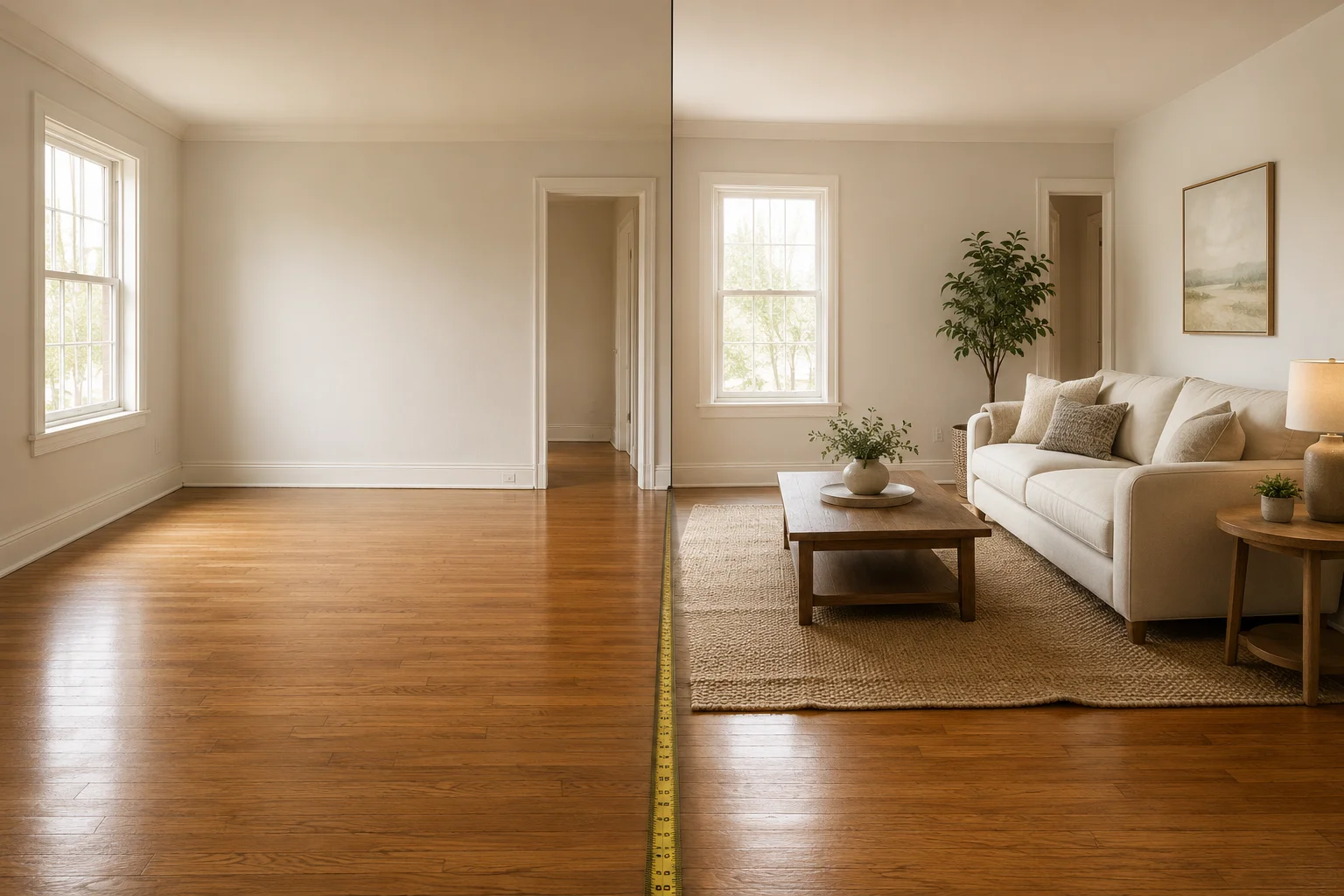
What Virtual Staging Should Never Change (Checklist)
A pre-MLS checklist for what AI virtual staging should never alter, and how to spot hallucinated details before you publish a listing photo.

Does Virtual Staging Help Sell a House? The Real Data
Does virtual staging help sell a house? NAR's 2025 data shows staging cuts days on market and lifts offers. Here's what's real and what's marketing hype.