Commercial virtual staging is digital furnishing of a vacant commercial photo — office, retail, restaurant, lobby — so brokers can show layout, capacity, and tenant fit-out potential without paying for an actual buildout. The audience, the failure modes, and the providers are very different from residential virtual staging. Most residential AI tools (including ours) do not stage commercial spaces well, and a broker who treats this as "the same thing but with cubicles instead of sofas" is going to ship images that look wrong.
This guide is for the listing broker, landlord rep, or property manager who has a vacant office floor, an empty retail bay, or a dark restaurant box, and is deciding whether to stage it virtually, who to use, and what it'll cost in 2026.
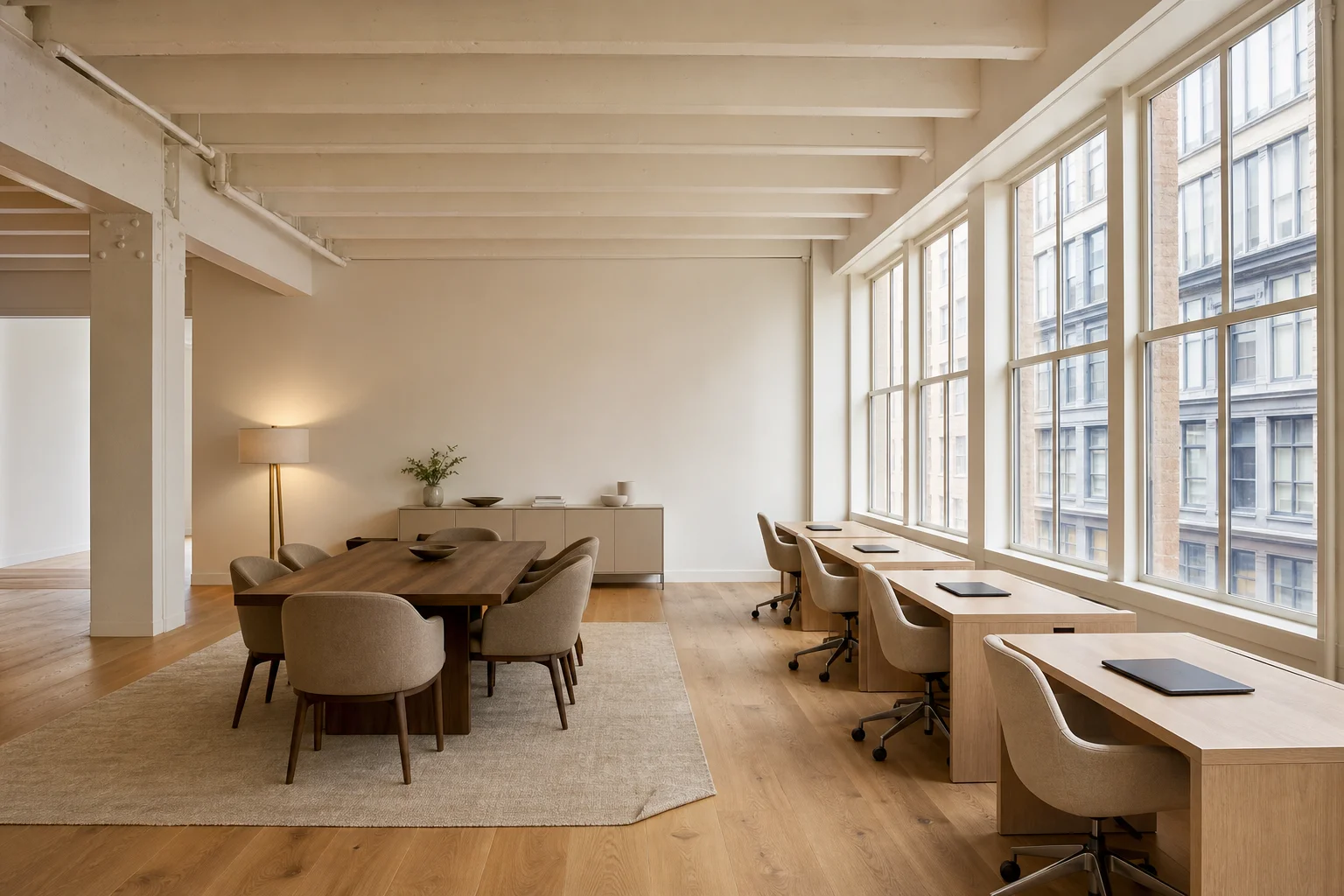
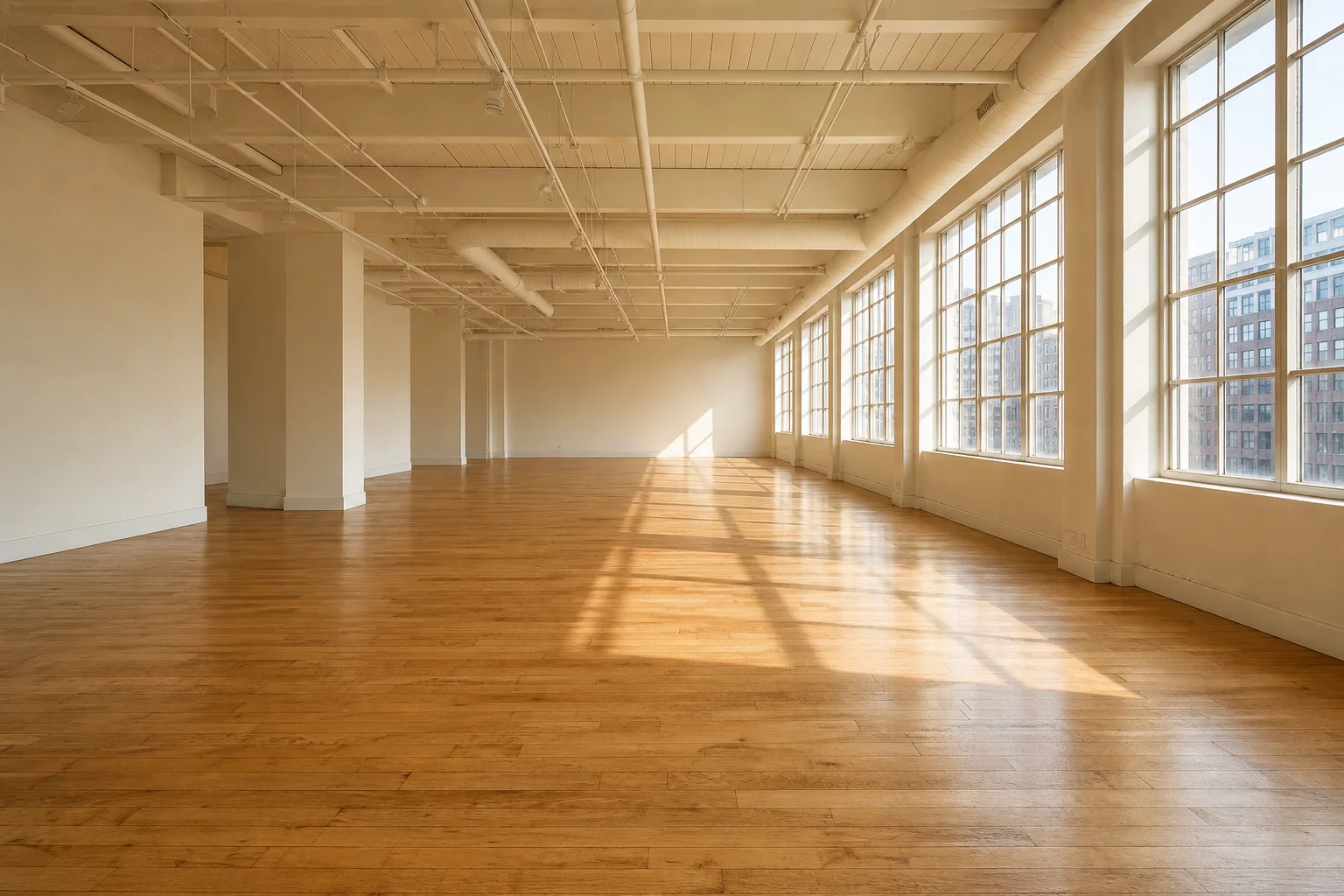
How commercial virtual staging differs from residential
The technique is the same: take a photo of an empty space, replace the floor and walls with rendered objects, output a marketing image. But every variable around that technique is different.
| Variable | Residential | Commercial |
|---|---|---|
| Furniture library | Sofas, beds, dining tables, art | Cubicles, conference tables, retail fixtures, banquettes, reception desks, hospital beds |
| Audience | Buyer (emotional, "can I see myself here") | Tenant / broker (analytical, "does the program fit") |
| Goal | Sell faster, higher offer | Lease faster, justify ask rent |
| Publication channel | MLS, Zillow, brokerage site | LoopNet, CoStar, broker deck, OM |
| Photo conventions | 18mm wide, eye-level, 3:2 | Often 12-14mm ultra-wide, sometimes 360 / Matterport, 16:9 or panoramic |
| Disclosure rules | MLS-specific, varies by state | None standardized — but misrepresentation rules still apply |
| Typical price per image | $15–$40 | $24–$90, higher for specialty (medical, hospitality) |
The mismatch most residential AI tools have is library — they were trained on a residential furniture catalog. Ask one to stage a 30-person open-plan office and it will either refuse or render cubicles that look like dining tables with monitors taped on. This is not a hallucination problem, it's a training-data problem, and it's why the provider list for commercial is mostly different from the provider list for residential even when the same company offers both (Styldod's commercial pricing — $24 — is a separate service from their $16 residential).
The commercial photo problem this actually solves
Commercial photos work when they exist — and they're where most of the buying decision happens. Industry coverage of Wall Street Journal reporting suggests prospective tenants and buyers spend roughly 60% of their time on a commercial listing page looking at the photos, not the text or specs. The National Association of REALTORS® Profile of Home Staging puts physical staging's effect at "81% of buyers' agents say it made it easier for a buyer to visualize the property" — that is residential data, but the visualization problem is harder on the commercial side, where fewer prospects can read a floor plan.
A vacant 4,000 sq ft office floor photographs as a beige rectangle with carpet seams and dropped-ceiling tiles. Even with a good wide-angle lens, a prospect cannot picture 18 cubicles, two conference rooms, a kitchenette, and a phone room from that photo. The two real options are:
- Show the empty floor and rely on the floor plan — this is the default. It's free, it's honest, and it loses tours because half of commercial tenants can't read floor plans.
- Stage one or two key images — usually the "open work area" hero and the "lobby" or "entry" — so the prospect can see one realistic furniture density and infer the rest.
Most commercial listings benefit from 2–4 staged images, not 20. Unlike a residential listing where every room needs a photo, a commercial listing usually needs one image proving "this open area takes 20 people comfortably" and one image showing "the reception zone reads as professional." Beyond that you're paying for diminishing returns.
Office, retail, restaurant, industrial — what changes per space type
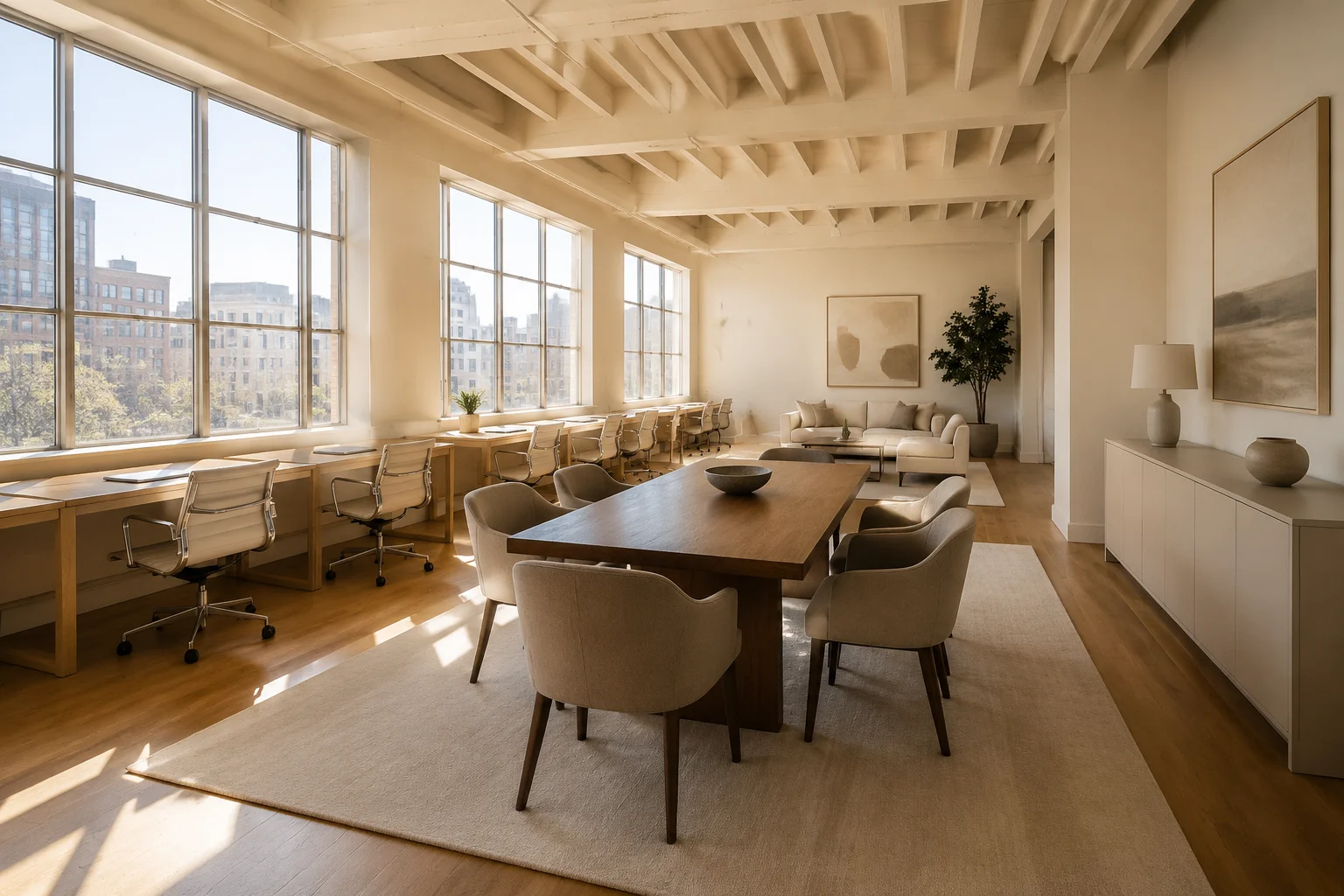
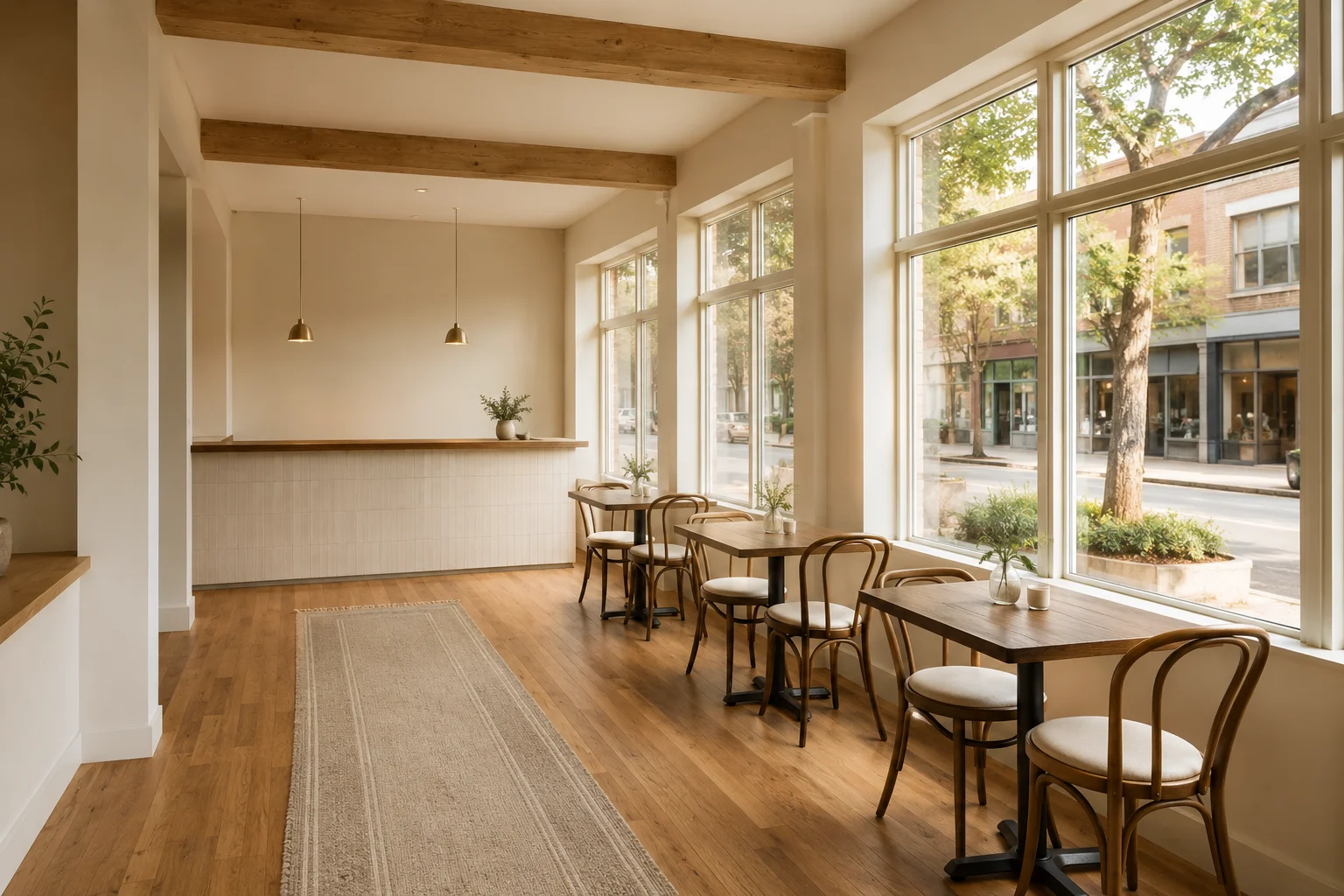
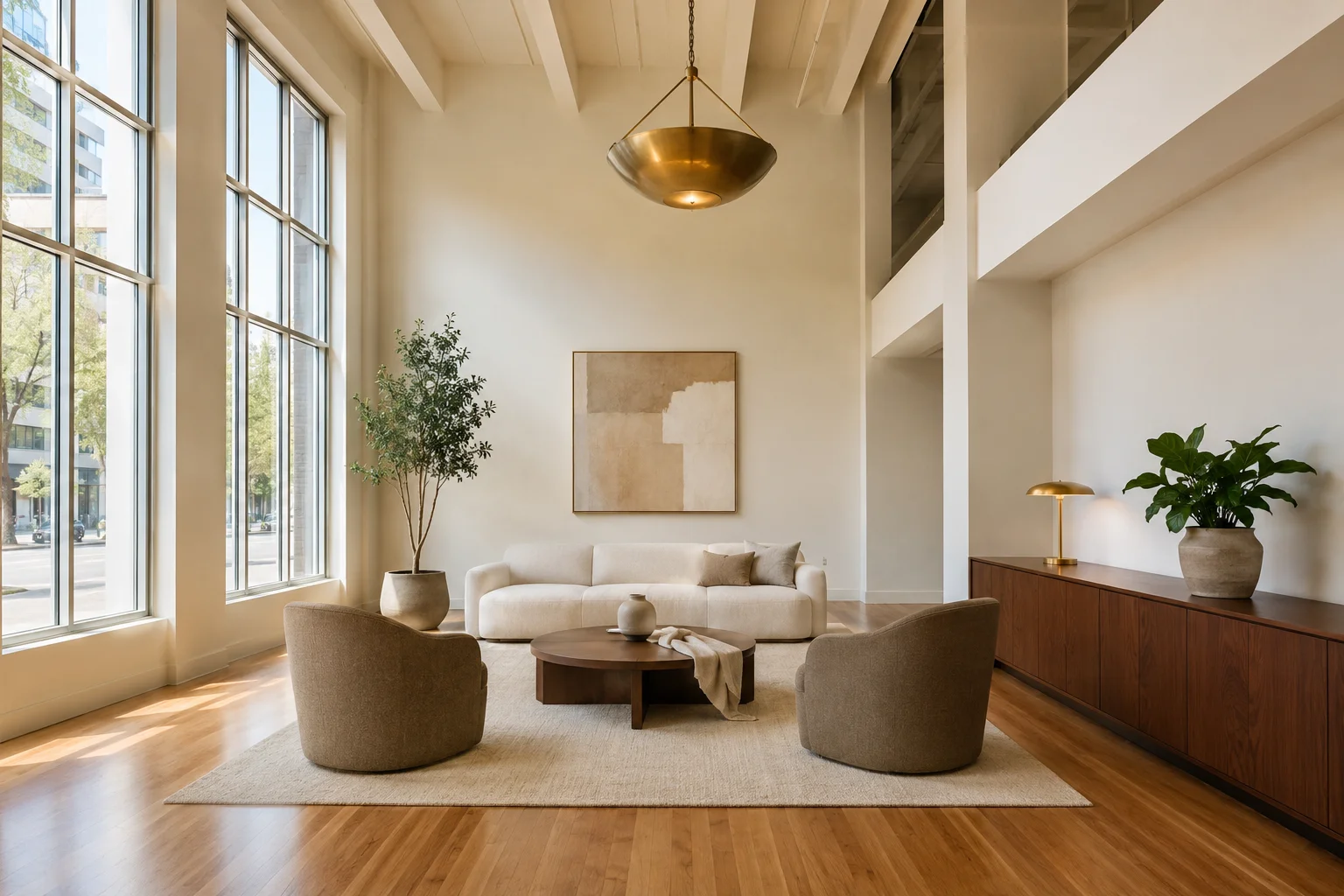
Office
The most-staged commercial category in 2026. Two sub-cases:
- Tenant rep marketing of a sublease — broker wants to show furniture density and program fit. Stage the open area + one conference room. Often AI handles this acceptably if the floor is rectangular and unobstructed.
- Landlord marketing of raw shell — landlord wants to show "imagine your buildout here." Harder. AI tools struggle because there are no walls yet, and the staged version has to communicate possibility without overselling a specific layout. This is where human-designer services (BoxBrownie, Stuccco) outperform.
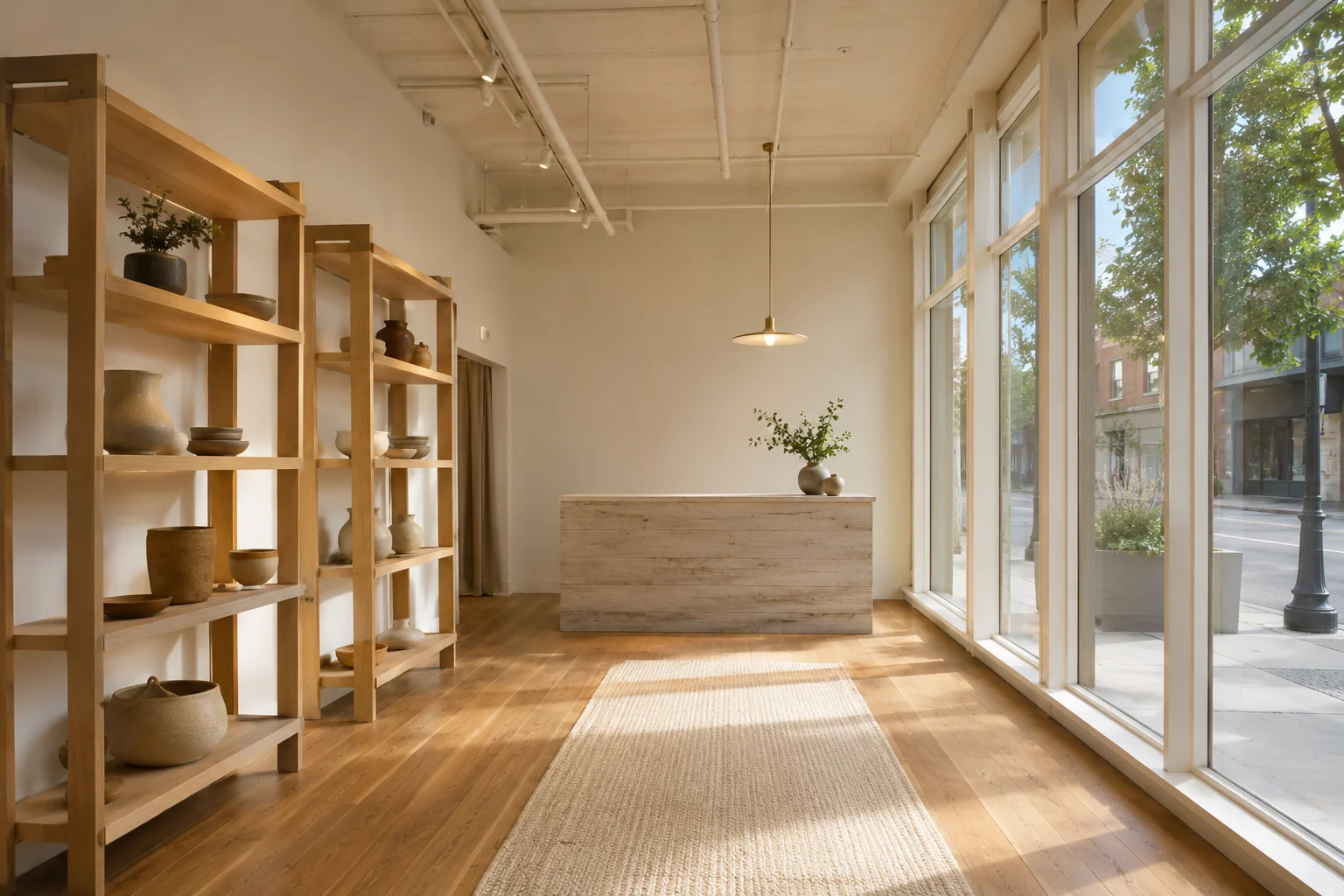
Retail
Hard. Retail virtual staging has to invent fixtures, point-of-sale, and merchandising that look like a real store but don't impersonate a specific brand. Most AI tools that advertise "retail" are pasting in generic shelving. Use a human-designer service for anything beyond a coffee-counter cafe.
Restaurant
Specialty. Restaurant staging has to communicate seating capacity (how many covers fits?), kitchen-line geometry, and bar configuration. Almost nobody does this well with AI alone. Specialists like CRE-focused human studios (or Styldod's hospitality category) are the realistic option.
Industrial / flex
Usually not worth staging. Industrial tenants underwrite on clear height, column spacing, dock count, and power — none of which a staged image clarifies. A clean photo of an empty box plus a labeled site plan beats a virtually staged image showing arbitrary pallet racking that says nothing about what the tenant would actually install.
Medical and lab
Specialty. Both have specific casework, plumbing, and HVAC implications that staging cannot honestly fake. Use a specialty CRE marketing studio, not an AI generalist.
The provider landscape in 2026
There are three buckets. Pick the bucket first, then the company.
Bucket 1 — AI-only SaaS that advertises a "commercial" mode
Examples: Stager Go, some configurations of AI HomeDesign, Virtual Staging AI (limited). Pricing typically $0.10–$5 per image, turnaround under a minute.
Use case: open-plan office that's rectangular, well-lit, and just needs "show me 12 desks." Past that, output gets weird fast — wrong scale, fixtures that don't exist in the real world, lighting that betrays the synthesis.
We make a residential AI tool ourselves and we still tell brokers: don't use a residential AI tool for commercial. It will under-deliver, you'll redo the listing with a provider that actually handles commercial, and you'll have paid twice.
Bucket 2 — Hybrid AI + human-designer services with explicit commercial tiers
Examples: Styldod ($24/image commercial), BoxBrownie (designer-edited, $24–$32 typical commercial range), Stuccco, VHT Studios.
Use case: most commercial listings. Turnaround 24–48 hours, a designer actually picks furniture from a commercial catalog, the result holds up on a broker deck and an OM. This is the default recommendation for a solo broker or landlord rep who occasionally has commercial inventory.
Bucket 3 — Specialty CRE marketing studios
Examples: FastOffice (office focus, 3D platform), HomeJab (residential + commercial), CAS Real Estate Solutions, Matterport partners for 360 staging.
Use case: Class A office, retail concepts, restaurant flips, multifamily lobbies and amenity spaces — the listings where the marketing budget is high and the brokerage needs more than a few staged stills. Pricing is bespoke, usually starts at the high end of bucket 2 and scales.
What commercial virtual staging costs in 2026
| Tier | Provider examples | Per-image price | What you get |
|---|---|---|---|
| AI-only | Stager Go, generalists | $0.10–$5 | Fast, generic, acceptable only for simple open-plan office |
| Hybrid commercial | Styldod, BoxBrownie, Stuccco | $24–$45 | Designer-curated, commercial furniture catalog, 24–48h |
| Specialty CRE | FastOffice, HomeJab, CRE marketing studios | $50–$150+ | Programmed layouts, 360 / Matterport support, brand-grade output |
| Restaurant / medical / lab | Hospitality + specialty studios | $90–$300+ | Subject-matter accurate, treated as marketing photography |
A typical small office sublease at $24–$40 per image × 3 images = roughly $70–$120 all-in for a basic commercial staging package. A landlord marketing a multi-floor Class B office building should expect closer to $300–$600 for a competent staged set including amenity floors.
For pricing context across the rest of the market, our broader guide on how much virtual staging costs in 2026 covers residential numbers in detail.
The ROI math is what makes that spend work. NAR's 2024 commentary on AI virtual staging reports staged listings achieving up to 36% faster time on market, 22% higher selling or rental prices, and 44% more qualified inquiries versus unstaged baselines (aggregated across residential and commercial use). On a commercial lease where landlord carry cost can run $20,000–$40,000 per month, a 30-day acceleration alone is multiples of any staging budget — even at the specialty tier.
Photography prerequisites before you commission
A staged image is bounded by the input photo. Pay $24 per image for staging and feed the vendor a phone snapshot under fluorescent ceiling light, and the output will look like a phone snapshot with extra furniture. The architectural photo is the larger budget item — usually $150–$400 per space — and it has to come first.
What a commercial staging vendor needs from you, at minimum:
- Minimum resolution 4000×3000 px (12 MP) so the rendered furniture can be sharpened convincingly. Below 8 MP, staged detail falls apart on a 4K Retina screen.
- Wide-angle but not ultra-wide. 14–16 mm equivalent (full-frame) is the standard CRE range. Wider than 12 mm distorts vertical lines and makes staged furniture look bowed.
- Tripod-level horizon. Vertical lines must be vertical. Slight tilt that you'd forgive on Instagram becomes "this room is leaning" once a conference table is rendered onto it.
- Even, natural lighting if possible. Late-morning or mid-afternoon ambient daylight, no flash. Fluorescent or mixed light makes staged shadows fight rendered shadows — prospects spot the mismatch.
- Bracketed exposure (HDR-source). Two or three exposures lets the vendor restore detail in both the window blow-out and the floor shadow. Single-exposure phone shots produce one of the two failure modes.
- Two angles per space, minimum. Hero corner 3/4 and a frontal one-point. The 3/4 is what stages well; the frontal helps the prospect spatially anchor.
- A clean floor. Move construction debris, broker signage, and contractor tools out of frame before shooting. A staged image with a forgotten ladder in the corner reads as careless.
- Power on, blinds open, lights tested. Empty commercial spaces often have main lighting off; turning it on for the shoot reveals ceiling height and finish.
For anything beyond a one-off, hire a commercial-real-estate photographer rather than the residential listing photographer your brokerage uses for homes. Different lenses, different lighting kit, different framing instincts.
A 7-step commercial virtual staging workflow
For a broker commissioning commercial staging for the first time (or for a residential broker handling a one-off CRE co-listing), this sequence covers the full path from vacant space to published listing.
- Walk the space and pick the 2–4 images to stage. Default: the hero corner of the largest open area, the reception or entry zone, one of the two visible conference rooms, and (for retail or restaurant) the front-of-house. Skip back-of-house, mechanical rooms, and bathrooms — they don't lease the space.
- Hire the photographer first. Brief them on the angle list from step 1 plus the prerequisites above (resolution, lens, HDR brackets, tripod). Budget $150–$400 for the shoot. Get RAW or full-resolution JPEGs back.
- Choose the vendor bucket. Simple open-plan office on a tight budget → AI-only tier. Most commercial listings → hybrid (Styldod / BoxBrownie / Stuccco). Restaurant, medical, Class A institutional → specialty studio. (See the provider landscape above.)
- Write a one-page brief for the vendor. Include: space type, target tenant profile, desired furniture style (modern / industrial / glam — match the building's age and class), seating or workstation count, and any "do not include" instructions (no branded fixtures, no impersonating an Apple Store, etc.). One paragraph is enough.
- Order with revisions explicit. Most hybrid vendors include 1–2 free revision rounds. Use them — first-pass furniture density is often off. Specify on the order: "show 12 workstations, not 6" or "remove the floor lamp."
- Caption every staged image before you publish. Use one of the disclosure caption templates in the LoopNet section below. Caption goes inside the image or directly under it in the OM image index.
- Publish to LoopNet, CoStar, or Crexi with the unstaged hero first. Staged images sit at positions 3–5 in the gallery. Floor plan stays adjacent. Avoid sending only staged images to a broker's email blast without context — that triggers the "the space doesn't sell itself" perception.
Total elapsed time for a 3-image package: roughly 5–8 business days end-to-end (1–2 days to schedule and shoot, 1–2 days to brief the vendor, 24–48 hours for staging turnaround, plus a revision round).
When to stage virtually, when to do nothing, when to actually build it out
Three real decisions:
- Stage virtually when the space is visually empty in a way that suppresses leasing inquiries — vacant office floors, dark restaurant boxes after a tenant move-out, retail bays with no fixtures. The staged photos should be honest enough that a prospect walking the space recognizes the geometry, just without furniture.
- Do nothing (use the floor plan + clean empty photos) when the tenant audience is sophisticated and underwrites on metrics rather than visuals — industrial, lab, life-science, large institutional office. A clear floor plan plus a well-lit empty photo beats a wrong staged image with a sophisticated tenant.
- Actually build it out (or pay for spec suites) when the asset is in lease-up and the landlord is competing on speed-to-occupancy. Spec suites still beat virtual staging when the actual market expects move-in-ready. Virtual staging cannot substitute for a real demising wall, real flooring, or real lighting upgrades — it can only show what those might look like before the landlord commits the capital.
Honest limitations
Things commercial virtual staging will not do well in 2026, and that no provider should claim otherwise:
- Ceiling reconfiguration. Dropped tiles vs exposed deck vs slatted wood is a real construction decision; AI staging can paint it but the prospect will not believe it.
- Specific brand fit-outs. You cannot stage an Apple Store, a Starbucks, or a Sweetgreen without breaching the brand. Generic-cafe is the most a serious commercial studio will offer.
- Mechanical / electrical realism. Power drops, data closets, HVAC zoning — none of this comes through staged images. Tenants who care will ask anyway.
- 3D walkthrough realism. Staged Matterport tours can render furniture, but the lighting often gives it away. For a real walkthrough that will not undercut credibility, use a specialty studio or wait for buildout.
- Replacing photography. A vacant photo lit by a phone in fluorescent ceiling light will produce a bad staged image no matter who you hire. Pay for the architectural photographer first, then stage.
Commercial virtual staging on LoopNet, CoStar, and broker decks
Unlike MLS, commercial publication platforms (LoopNet, CoStar, Crexi, the broker's own OM) have no centralized disclosure rule for virtually staged images. That does not make disclosure optional. The National Association of REALTORS® ties virtual-staging disclosure to Article 12 of its Code of Ethics — the requirement that REALTORS® be "honest and truthful in their real estate communications" and "present a true picture in their advertising, marketing, and other representations" — and its own staging guidance is explicit: "make sure listing photos that have been virtually staged are clearly labeled as such." That obligation does not stop at the residential MLS boundary. If you carry a REALTOR® designation, it applies to your LoopNet captions and your OM image pages too.
In practice, most CRE brokers caption staged images "Virtually staged — for representational purposes" inside the photo or in the OM's image index. State real estate licensing rules around misrepresentation still apply, and a few large brokerages have internal policies requiring the caption.
Practical convention in 2026:
- Hero image on LoopNet: clean empty shot or a clearly-real photo from a comparable buildout. Staged image follows in position 3–5 with a "virtually staged" caption.
- OM / pitch deck: one or two staged images mid-deck, captioned. Floor plan adjacent.
- Email blast to broker network: staged image acceptable as hook, with the caption visible.
Skip staging the hero image — brokers are sensitive about this, and a staged hero on LoopNet reads as "the space doesn't sell itself," which is the wrong tone for an institutional listing.
Disclosure caption templates
Copy-paste starting points. Pick one wording and use it consistently across the listing — mixing wordings reads as ad-hoc rather than policy.
Inside the image (corner overlay, white text on a translucent band, ~12 pt):
Virtually staged — for representational purposes onlyOM image-index caption (under the image, full sentence):
Image virtually staged. Furniture, fixtures, and finishes shown are illustrative and not currently installed in the space.LoopNet / CoStar gallery caption (terse, brokerage-internal style):
Virtually staged. Actual condition is vacant — see image 1.Email blast or pitch deck slide (longer, sets expectations for first-time prospects):
This rendering shows the space staged for a typical [office / retail / restaurant] fit-out. The actual space is currently vacant; specific buildout, furniture, and finishes are subject to the tenant's design.These are starting points, not legal templates — confirm with your brokerage's compliance officer or your state's licensing board if you operate in a heavily regulated market (e.g., New York, California, Florida).
How this fits next to residential AI tools
A solo realtor whose primary book is residential listings does not need a commercial virtual staging subscription. The two times you'd use one:
- You picked up a commercial co-listing as a referral and need three images for the OM. Hire a hybrid provider (Styldod or BoxBrownie) image-by-image. Don't subscribe to anything.
- You're transitioning into mixed-use or you rep a small landlord with rotating sublease inventory. A monthly retainer with a hybrid commercial provider makes sense at roughly 6+ images a month.
If your work is residential and a commercial listing is a one-off, treat it as a la carte. For a comparison of how residential providers stack up — and which ones offer credible commercial tiers as a side product — see our Best Virtual Staging Companies in 2026 review.
Frequently Asked Questions
Is virtual staging allowed in commercial real estate?
Yes. Unlike residential MLS, there is no centralized disclosure rule for commercial listings on LoopNet, CoStar, or Crexi. Most brokers caption staged images as "virtually staged" inside the photo or the OM image index, and a few large brokerages require it by internal policy. State real estate licensing misrepresentation rules still apply — staged images cannot imply construction or finishes the space does not have.
How much does commercial virtual staging cost?
Roughly $24–$45 per image for a hybrid AI-plus-designer service like Styldod or BoxBrownie, which is what most brokers use. AI-only tools advertise as low as $0.10–$5 per image but rarely produce commercial-grade output. Specialty CRE marketing studios for restaurant, medical, or Class A office work charge $90–$300+ per image. A typical small office sublease runs $70–$120 total for a 3-image basic package.
Can AI tools do commercial virtual staging?
Some can handle a rectangular, well-lit open-plan office reasonably well at the entry tier. Past that — retail fixtures, restaurant seating, lobby reception, medical casework — residential-trained AI tools produce wrong-scale or anachronistic output because their furniture libraries are residential. For anything beyond simple office, use a hybrid service with a designer in the loop.
What is the best commercial virtual staging company?
There's no single best — it depends on the space type. Styldod ($24/image) is the most common default for general commercial. BoxBrownie is preferred when designer judgment matters more than price. FastOffice and specialty CRE studios fit Class A office and marketing-heavy listings. For restaurants and medical, use a hospitality or specialty studio rather than a general provider.
Can virtual staging be used for office leasing?
Yes — office is the most-staged commercial category. The two highest-value images are usually the open work area (proving furniture density and program fit) and the reception or lobby zone. Skip staging the hero image on LoopNet, since prospects expect the lead photo to be a true representation of the space.
Should I virtually stage a retail space?
For a simple cafe, coffee counter, or boutique service business — yes, with a designer-edited service. For complex retail with branded fixtures, custom millwork, or specific point-of-sale geometry, the staged image rarely matches what a tenant will actually build, and a clean empty photo plus a flexible floor plan reads more honestly. Never stage with a competitor brand's fixtures or signage.
What about industrial and warehouse virtual staging?
Generally not worth it. Industrial tenants underwrite on clear height, column spacing, dock count, and power capacity — none of which a staged image clarifies. A clean empty photo plus a labeled site plan beats staged pallet racking that says nothing about what the tenant would install.
How long does commercial virtual staging take?
24–48 hours is standard for hybrid services like Styldod and BoxBrownie. Rush delivery within 24 hours is usually available at a premium. AI-only tools turn around in seconds to a minute but, as noted, only handle simple cases. Specialty CRE work for restaurant, hospitality, or branded office can take 3–5 business days.
Can commercial virtual staging substitute for a buildout?
No. Virtual staging shows what a buildout could look like, which can speed a leasing decision, but a tenant who needs move-in-ready space will still need the demising walls, flooring, lighting, and MEP work physically installed. Landlords in competitive lease-up markets often use staged images alongside actual spec suites — virtual staging supplements, it does not replace.
Do I need separate virtual staging providers for residential and commercial?
If commercial is occasional in your book — yes, hire a hybrid commercial service ad hoc per listing and keep your residential workflow separate. If commercial is a recurring part of your book at 6+ images per month, a retainer with a single hybrid provider that does both (Styldod, BoxBrownie, Stuccco) is more efficient than juggling two subscriptions.
More from the blog
Related reading
Virtual Staging Service: When to Hire vs Use AI
How virtual staging services work, what they cost, and when hiring a designer still beats doing it yourself with AI — an agent's 2026 comparison.
Virtual Staging Pay Per Photo vs Subscription (2026)
Pay per photo for virtual staging or subscribe? How pay-as-you-go, credit packs, and monthly plans compare — and when each is cheapest for you.

How Much Does Virtual Staging Cost? 2026 Price Guide
How much does virtual staging cost in 2026? Compare AI ($1–$5/photo), manual designer ($25–$75), and physical staging ($2,000+) — plus what's free.