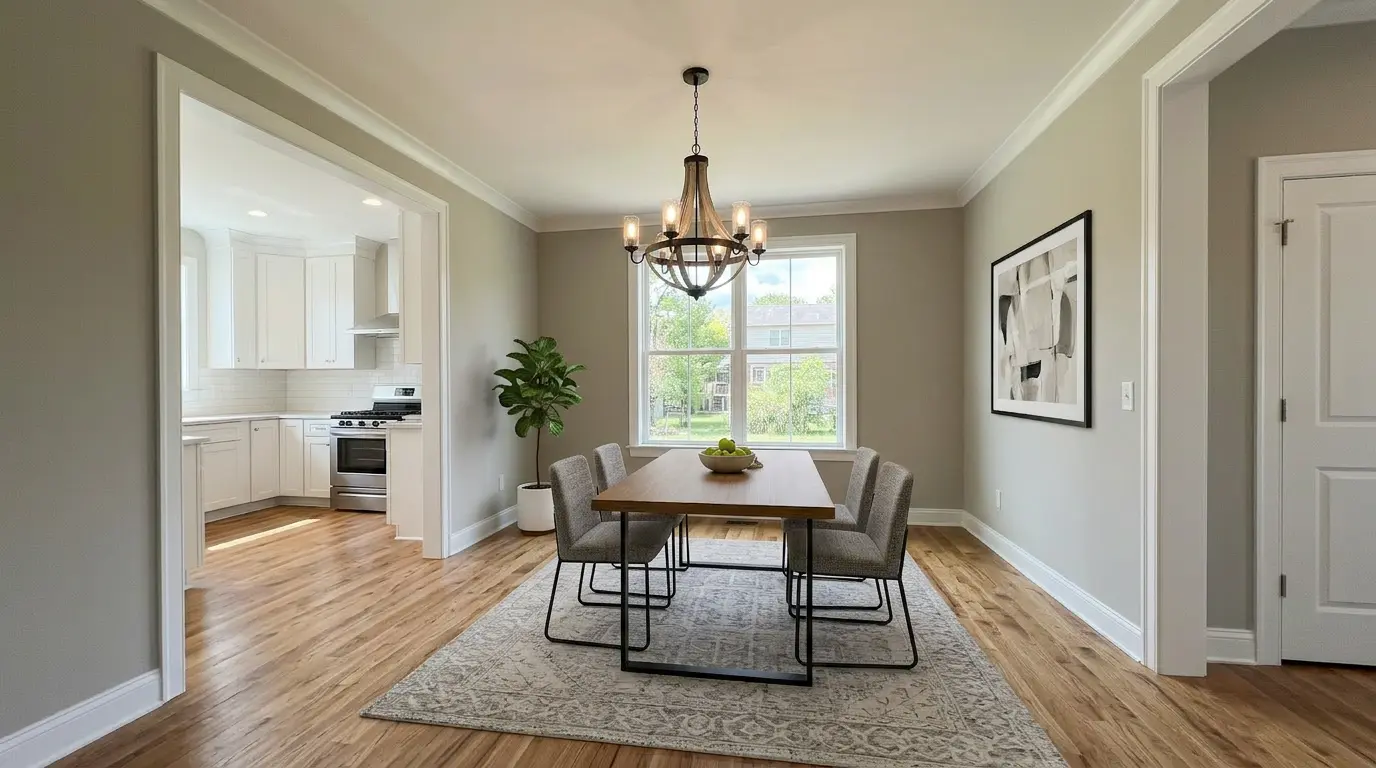
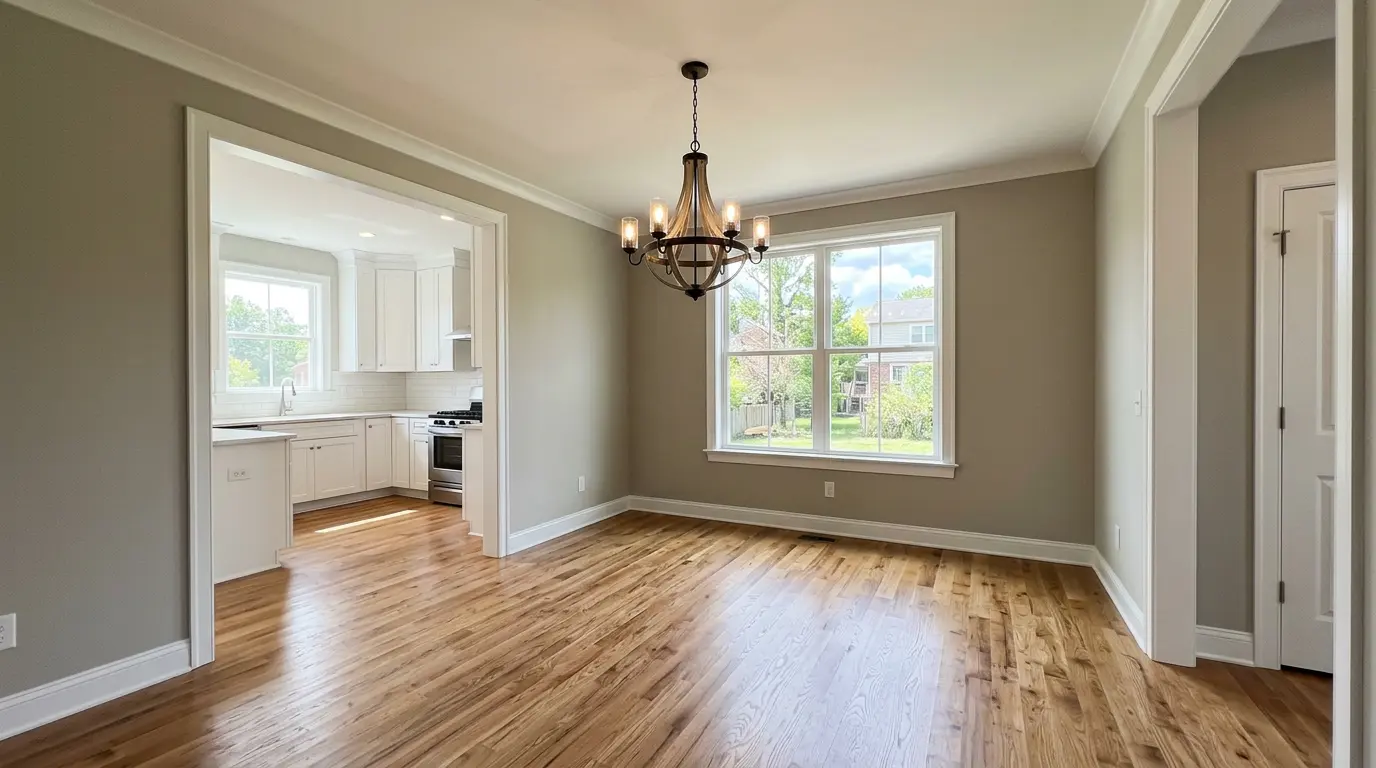
A vacant dining room is the room buyers struggle most to picture themselves in. Unlike a bedroom — where a bed and a nightstand make the function obvious — an empty dining room reads as a hallway with a chandelier. Virtual staging for dining rooms is the cheapest fix: a 6-seater in scale, a runner under the chandelier, two pieces of decor, and the room finally tells its story.
This guide is the practical version. Which layouts you'll actually photograph, which style matches which listing, the math vs. traditional staging, the pro rules AI skips, and the buyer-side mistakes that sink trust in the entire listing.
Why dining rooms get overlooked in listings
Most agents focus their virtual staging budget on the living room. That's reasonable — it's the highest-impact room in MLS thumbnails. But the dining room photo is usually the second-most-clicked image after the kitchen, and a vacant one actively hurts: it signals "wasted square footage" to buyers scrolling Zillow. A staged dining room photo answers two questions at once: how many people fit, and what kind of buyer this house is for.
Three patterns from real estate virtual staging work specifically:
- Formal dining → traditional or luxury signals "this is a family home for entertaining."
- Open-plan dining → contemporary or modern signals "young professional, urban-feel."
- Breakfast nook → casual coastal or scandinavian signals "everyday family living."
The wrong style makes the room look smaller. Which brings us to layouts.
The 4 dining room layouts you'll actually photograph
Empty dining rooms come in four shapes. Each one needs different staging logic.
1. Formal dining (separate room, dated finishes)
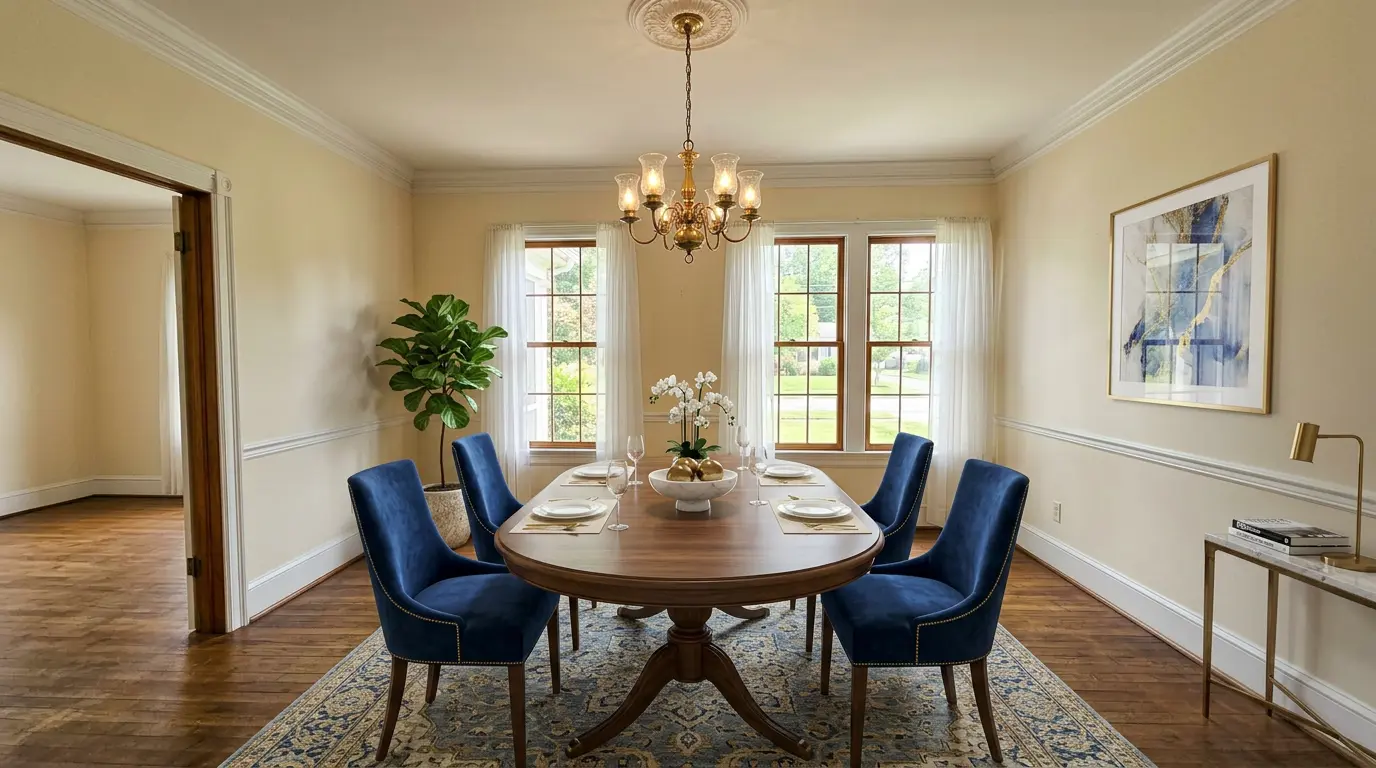
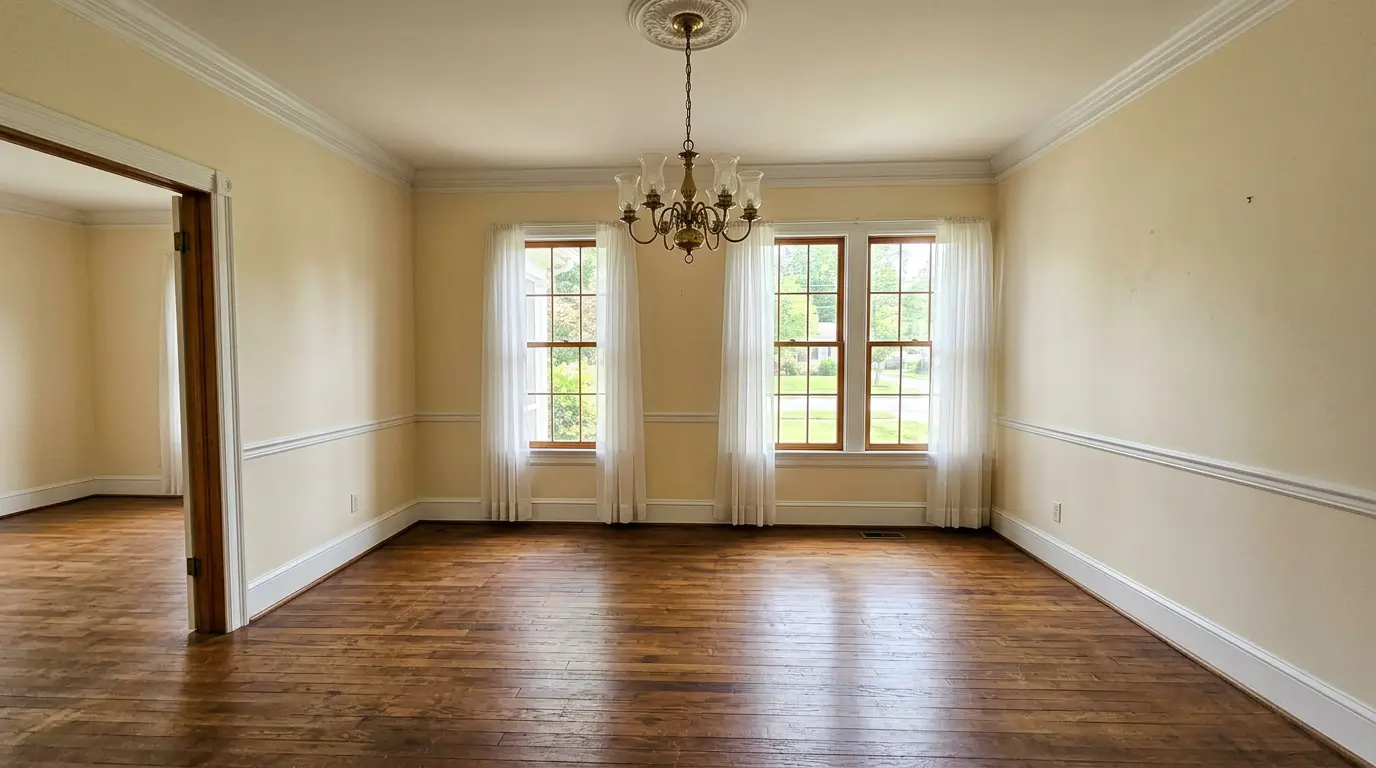
Older homes from the 80s–00s usually have a separate dining room with a tray ceiling and a chandelier centered over… nothing. Stage these with a 6- to 8-seat rectangular table, upholstered chairs, and a runner. Skip the buffet — it makes the room feel cluttered at MLS-thumbnail size. Luxury, traditional, or scandinavian styles photograph best here. Coastal works if the house already has white trim and bright windows.
2. Open-plan dining (no walls between kitchen and living)
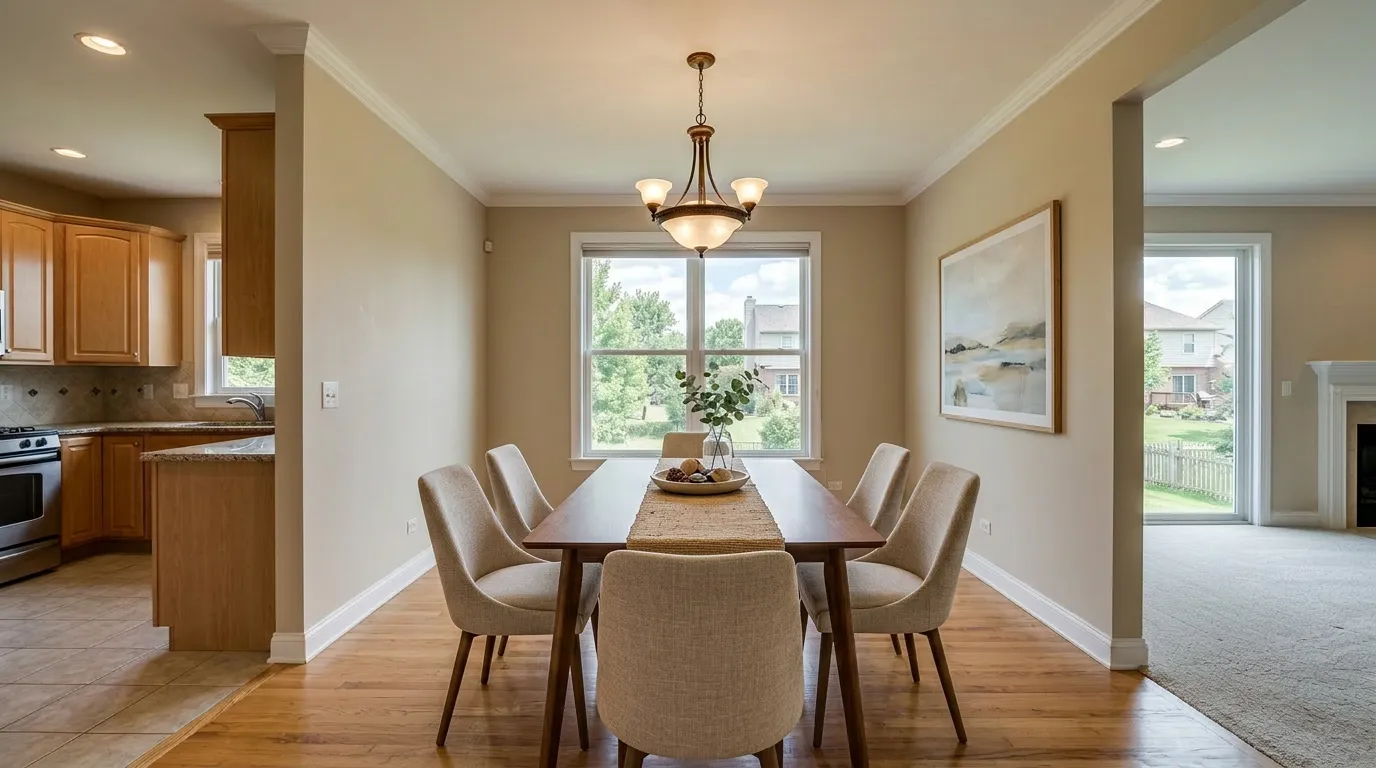
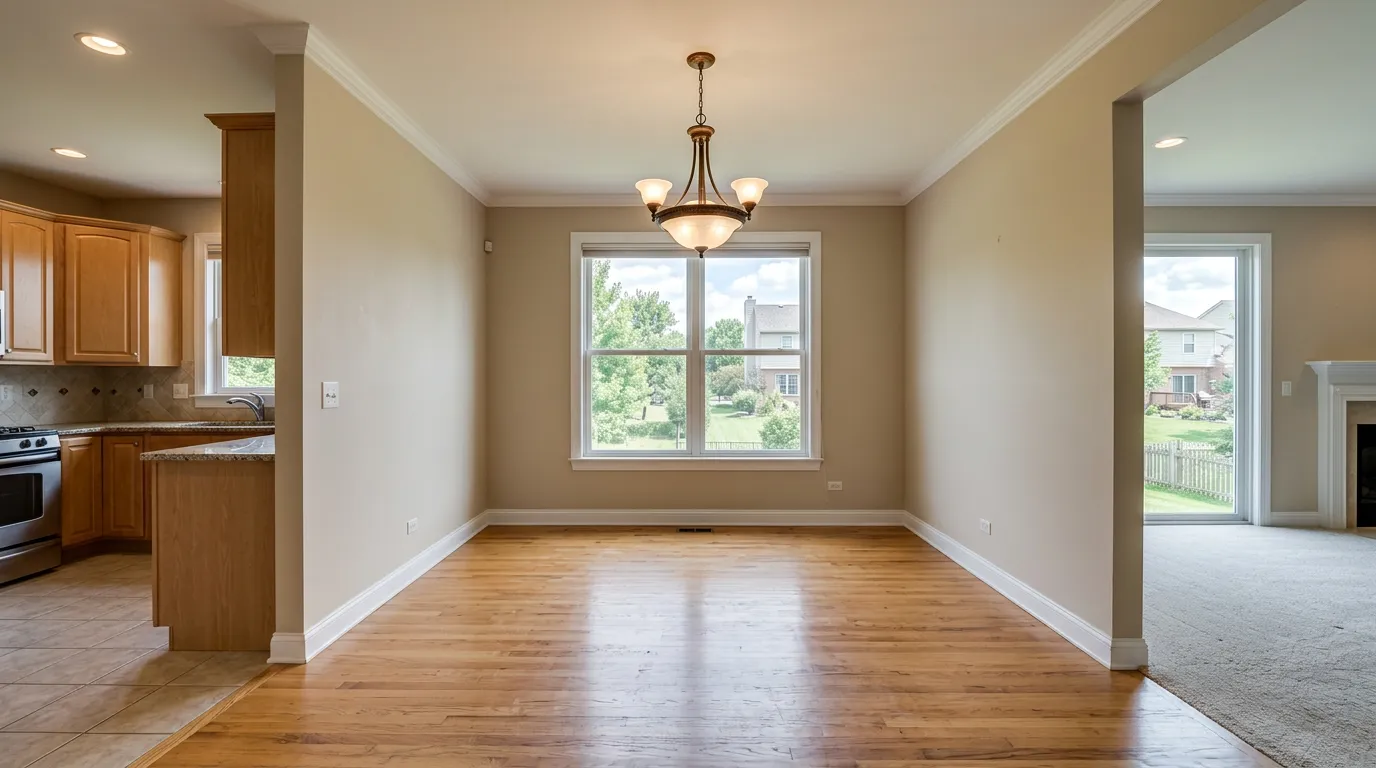
Open-plan dining rooms have a problem: the kitchen and living room are usually staged in a different style. A heavy traditional dining set will fight a modern kitchen. Match the kitchen — if it's white shaker cabinets and quartz, go contemporary or scandinavian. If the kitchen has dark cabinets, modern or industrial. Pendant lighting, if visible in the shot, is your style anchor.
3. Breakfast nook (small space adjacent to kitchen)
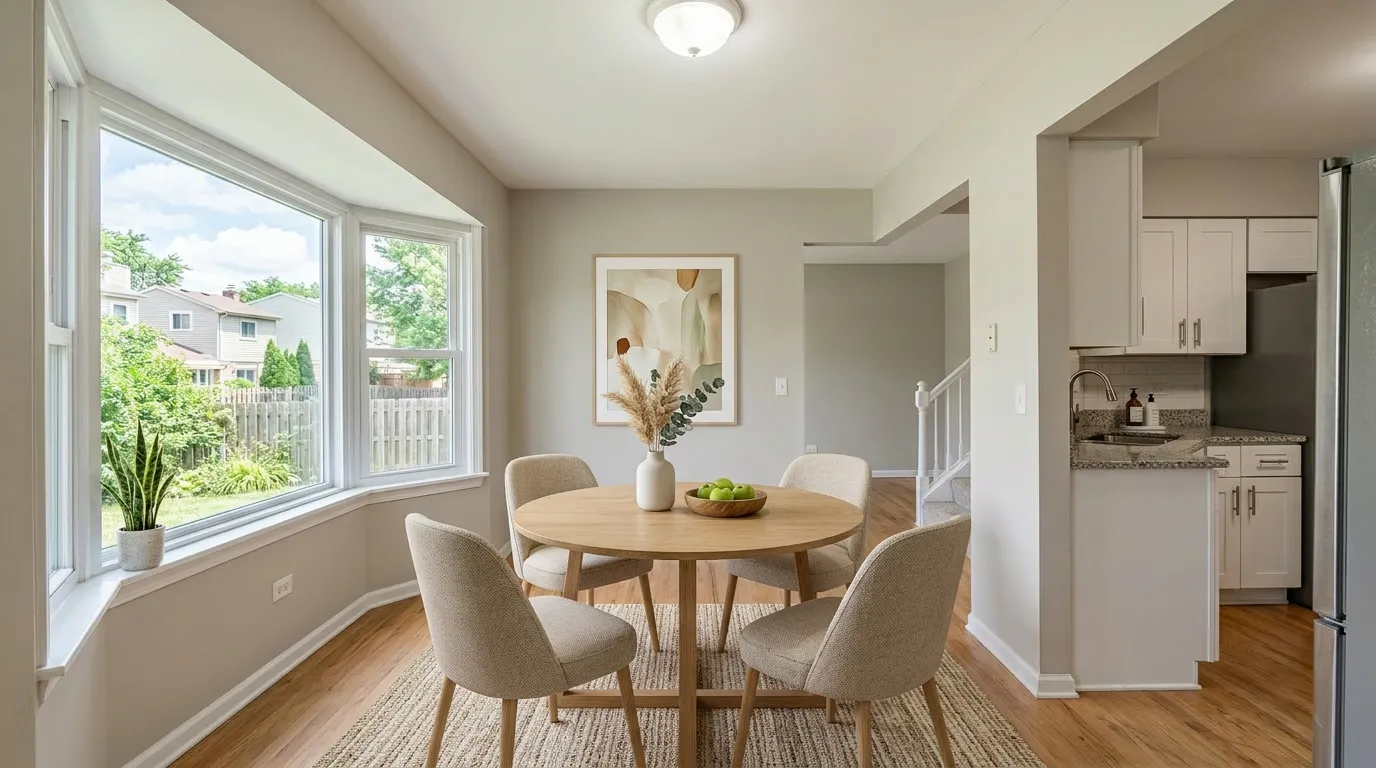
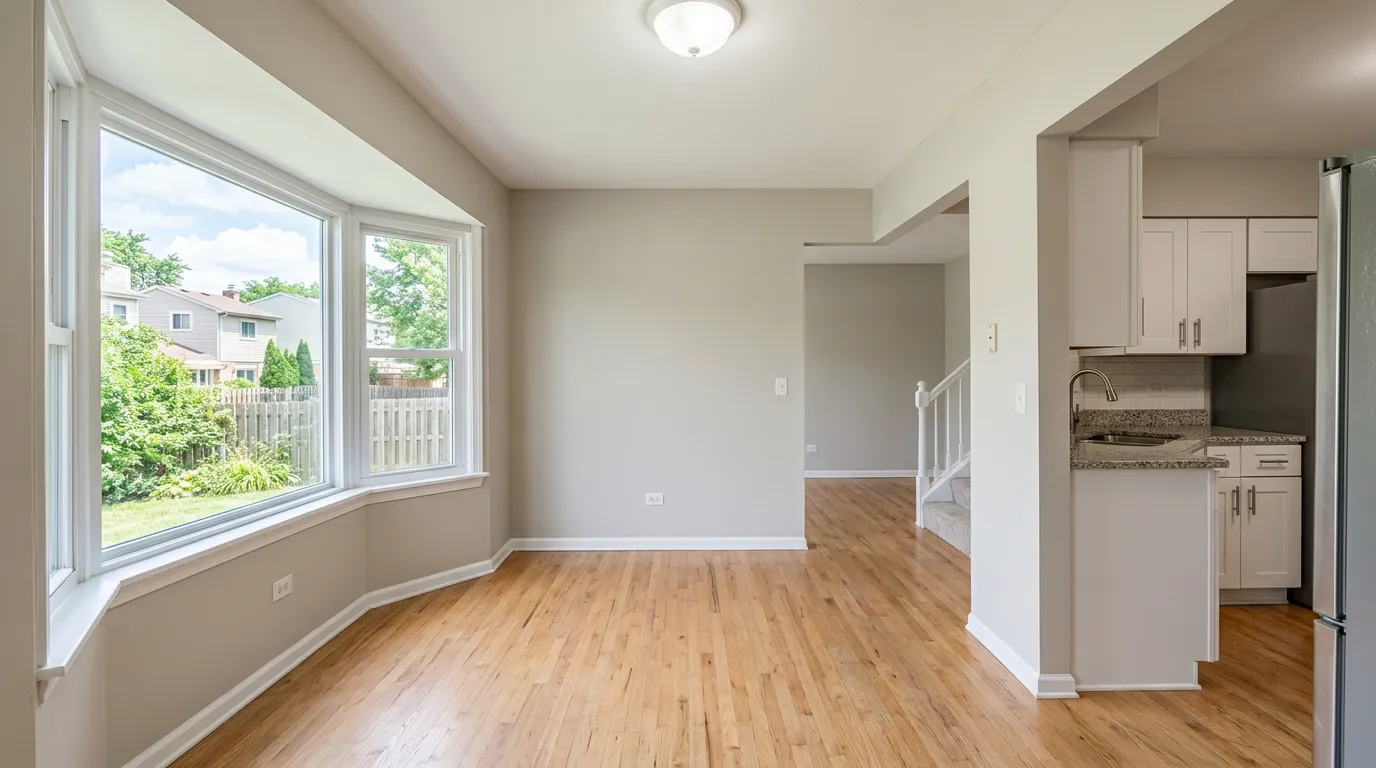
A 4-seat round table is the right call here, not a rectangle. Round tables read as "casual everyday breakfast" and let listing photographers shoot from any angle without cropping a chair. Banquette / built-in seating is risky — AI staging tools sometimes hallucinate the wall when they try to render fabric against existing trim. Stick with free-standing chairs.
4. Compact corner (apartment dining nook)
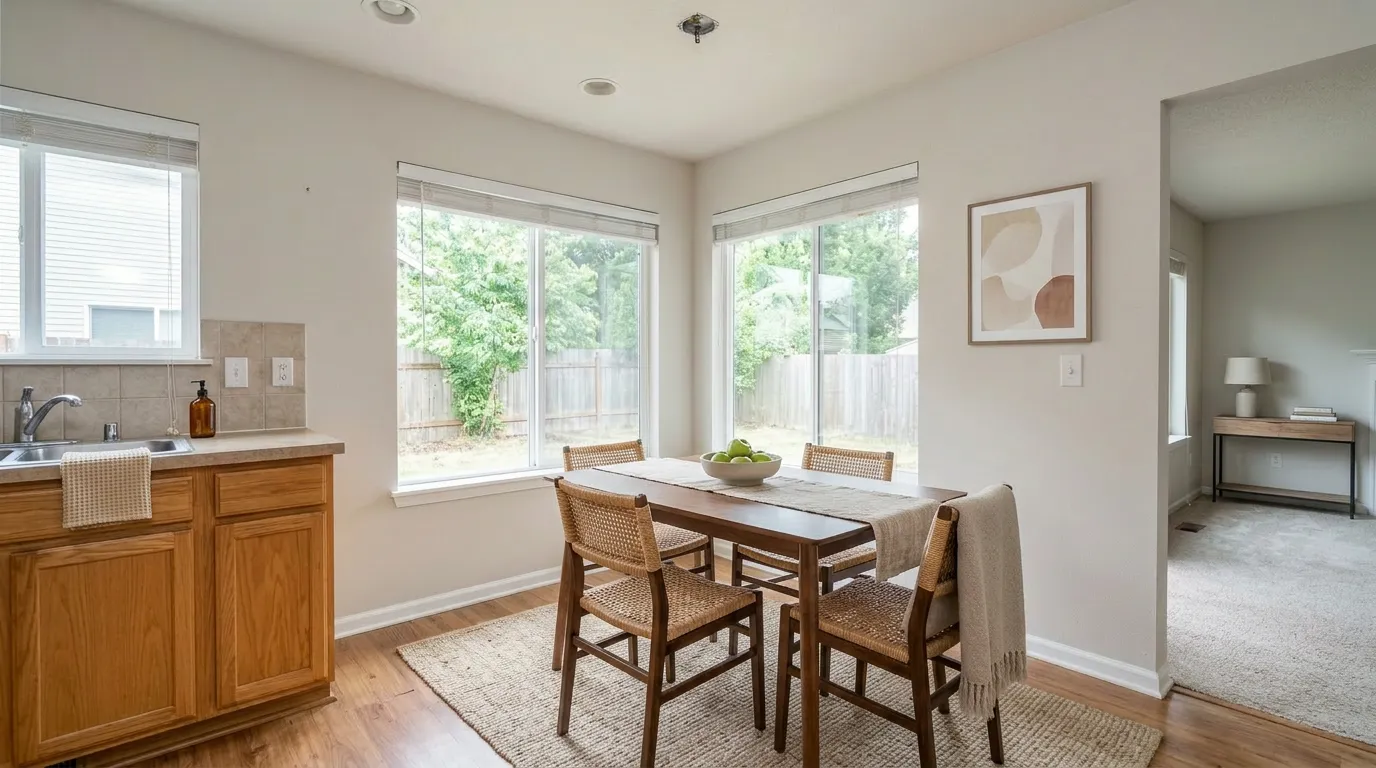
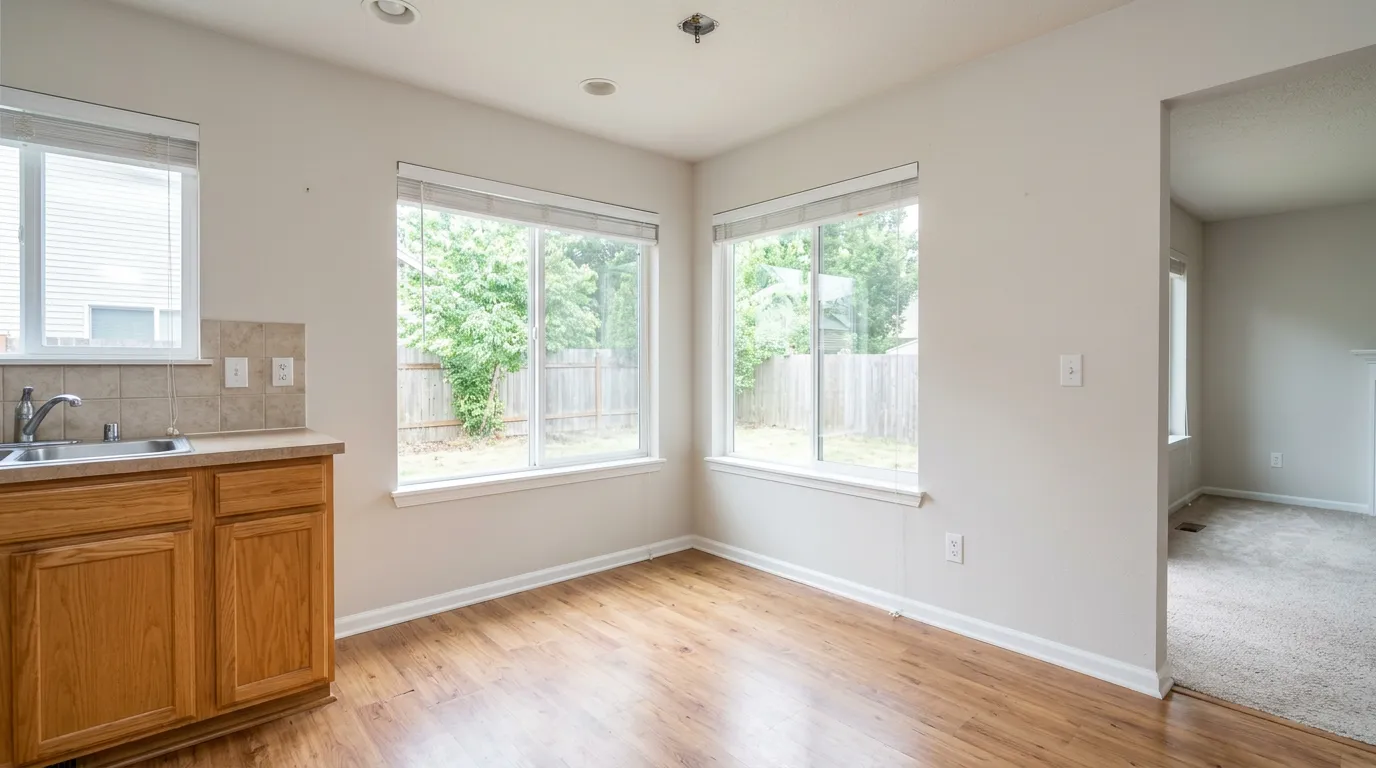
Condos and starter homes get a 4×4 ft alcove with a window. A 2-person bistro table or a 4-seat square is the only honest choice — anything bigger looks crammed at MLS thumbnail size. Style this minimalist or modern; small spaces don't tolerate visual noise.
Which style for which listing? A short cheat sheet
Here's what works for dining specifically across the eight styles in our virtual staging tool:
| Style | Best for | Avoid when |
|---|---|---|
| Modern | Newer construction, open-plan, urban listings | Heavy crown molding or wainscoting |
| Contemporary | Most homes built after 2010 | Older homes with traditional architecture |
| Luxury | Higher price point, formal dining rooms | Anything under $400k — looks aspirational, not authentic |
| Traditional / Farmhouse | Suburban family homes, older builds | Sleek modern kitchens with quartz waterfalls |
| Scandinavian | Smaller dining rooms with lots of natural light | Dark wood floors, low window count |
| Coastal | Beach markets, white-trim homes | Inland markets — looks out of place |
| Japandi / Minimalist | Studios, condos, modern lofts | Family homes — reads as "no kids allowed" |
| Industrial | Loft conversions, urban listings | Suburban single-family — clashes with siding and trim |
If you're unsure, default to contemporary for anything built after 2010 and traditional or luxury for anything older with formal architecture. We've watched this play out across hundreds of virtual home staging jobs: matching the staging style to the build era beats matching it to current trends.
The math: virtual vs traditional dining staging
The cost spread is what convinces most agents to switch. Traditional physical staging of a dining room — rented furniture, decor, runner, centerpiece, delivered, set up, and removed after sale — typically runs $300–$800 for a one-week shoot, or $1,500–$3,500 if you keep the staging in place for a 30-day listing window. Virtual staging of the same dining photo: $5–$15 per image, no rental contract, no delivery truck, ready in under a minute.
That's not the only number. Recent NAR member surveys keep returning the same patterns:
- The majority of buyer's agents say staged listings make it easier for buyers to visualize the home.
- Staged listings consistently sell faster than equivalent vacant listings, with the dining and living rooms cited as the highest-impact rooms.
- Listings priced under $500K — where physical staging cost is hard to justify on a single sale — are exactly where virtual staging closes the gap.
The Individual Agent math: at $10 per dining photo, you can stage every listing all year for less than one month of physical staging on one home.
How to make AI dining staging look real
The 4 layouts and the cheat sheet handle which furniture and which style. This section is about which renders to ship and which to re-roll. Two checklists — pro rules to enforce, and obvious tells to avoid.
Three rules pro stagers never skip
These small details separate "obviously AI" from "this could be a real photo." Force them into your render selection.
- Rug rule of 24 inches. The dining rug should extend at least 24 inches beyond the table on every side, so chairs stay on the rug even when pulled out. AI staging often picks rugs sized to the table, not the chairs. If rendered chairs slide off the rug edge, re-render or change style.
- Mirror on the wall opposite the window. In smaller dining rooms (under 12×12), a mirror on the wall opposite the window roughly doubles the natural light in the photo. Most AI tools won't add a mirror by default — but several let you pick "with mirror" as a decor option, and the resulting render reads noticeably bigger.
- Chandelier 30–34 inches above the table. AI sometimes places fixtures too high or too low. Eyeball the rendered chandelier: if it crops above the chair backs in the photo, it's too high; if it cuts the far wall, it's too low. Re-render once.
5 mistakes that scream "photoshopped"
These show up in every "is this virtually staged?" reddit thread:
- Table too big. A 10-seater in a 12×14 room reads as fake. Buyers can mentally measure tables — they own one.
- Chair backs blocking the chandelier. Chair height matters in dining photos. AI tools often pick chairs that visually cut the chandelier in half.
- Style mismatch with the kitchen. The #1 giveaway in open-plan homes. Match the kitchen, always.
- Overdone centerpiece. A 6-candle silver candelabra screams "real estate marketing." A simple linen runner with one ceramic vase reads honest.
- Wrong floor reflection. The AI-specific tell: when the staging tool puts a glossy table on a hardwood floor, the reflection often doesn't match the lighting in the rest of the photo. Choose matte finishes for AI-staged dining tables.
The fix for all five is the same — preview the result, re-render once if anything is off, and ship the cleaner version.
What buyers actually notice in 10 seconds
The two checklists above are the photographer's view. Here's the buyer's. Real estate forums are full of complaints from agents and recent buyers about virtual staging that didn't survive the showing — patterns worth knowing because they kill trust in the entire listing, not just the dining photo.
- "The furniture won't actually fit." This shows up in every Reddit thread on virtual staging. A dining table or chair set that looks 9 feet wide in an 11-foot room reads as photoshopped on the buyer's first scroll. Buyers can't always articulate why — but scale is the #1 silent reject.
- "Where did the thermostat go?" AI tools occasionally erase wall fixtures: thermostats, light switches, vents, even radiators. Buyers walking through the home spot the missing-then-present element instantly. It signals "this listing is pretending."
- "It's not the same room I saw online." When a buyer drives across town for a showing and the dining room looks fundamentally different from the photos — different scale, missing fixtures, different chandelier — they leave skeptical of every other room. One bad dining photo can torpedo a whole appointment.
The fix is a 30-second sanity check before MLS upload: zoom in on the staged photo, confirm fixtures still match the empty original, walk yourself mentally through the room and confirm the table fits. Skip the upload if anything feels off. Re-render is free.
Your dining room isn't empty? Stage from a furnished photo
Most virtual staging tutorials assume you start from a vacant room. In practice, half of listings come with dated or ugly existing furniture — a heavy 90s oak table, mismatched chairs from three different sets, or a buffet the seller doesn't want to move. Two ways to handle it:
- Two-pass AI workflow. Upload the furnished photo, run "empty room" or "decluttering" mode first, then run the decluttered output through dining room staging. Catch: not every tool supports declutter mode, and quality varies. If the existing furniture is heavy and dark on a light hardwood floor, decluttering can leave visible "ghost shadows" the staging pass needs to cover.
- Shoot the empty room yourself. Ask the seller for 20 minutes' access before MLS photos and shoot the room cleared. Cleaner result, less likely to fail at the AI step, and you have an empty original you can re-stage in different styles for buyer interest tests later.
When in doubt, option 2 wins on both quality and speed. AI declutter is a real feature, but it's still the fragile half of the workflow.
How to virtually stage a dining room with VirtualStaging.tools
The same workflow that works for bedroom virtual staging works for dining:
- Shoot the room empty at hip height, wide-angle (24–35mm equivalent), one window in frame for natural light.
- Upload to the tool — JPG, PNG, or WebP up to 20 MB. iPhone HEIC photos work too.
- Pick "Dining Room" as the room type and one of the 8 styles.
- Generate — usually under 60 seconds per render. Compare against the empty original.
- Re-roll if the table scale is off. Same style, same room — different result. Most agents land on the right photo within 2 tries.
Free tier covers 3 lifetime stagings — enough to test on a real listing before committing to a paid plan. No credit card to sign up.
When not to virtually stage a dining room
Three cases where it backfires:
- The dining room is part of a larger living/dining great room and you're already staging the living half. Two staged areas in one photo looks busy. Stage the living half only.
- The vacant photo already shows clear architectural features (millwork, archways, a feature wall). Staging covers them up. A wide empty shot wins.
- You suspect the room will be re-purposed as a home office. Stage it as an office instead — same square footage, more buyer relevance for remote-work shoppers.
Frequently Asked Questions
What size table should I use when virtually staging a dining room?
Match the table size to the room footprint, not the chandelier. For a 12×14 ft formal dining, a 6-seat rectangular table is the safe choice. For open-plan dining beside a kitchen island, 6-seat rectangular or 8-seat oval. Breakfast nooks should always be 4-seat round. The biggest mistake agents make is upsizing the table to fill the room — buyers measure mentally and call it out as fake.
Is it legal to virtually stage a dining room for MLS?
Yes, in every U.S. market we've seen, but most MLS rules require the listing photo caption to disclose that the room is virtually staged. Common phrasings: "virtually staged" or "digitally enhanced." Some MLS systems require a separate empty photo alongside the staged one. Check your local MLS rules — they vary by board.
How much does it cost to virtually stage a dining room?
Pricing ranges from $0 (free tools, usually with a watermark or limited rooms) to $30 per photo for done-for-you services. AI-driven tools like VirtualStaging.tools start at $0 for the first 3 photos lifetime, then move to subscription pricing. For a single dining room photo, the all-in cost is typically $5–$15. Compared with $1,500–$3,500 for a single 30-day physical staging job, the math is rarely close.
Can virtual staging show through-walls or open-plan dining areas correctly?
Modern AI tools render the dining area but don't change the visible kitchen or living room behind it. If you have an open-plan layout, the staging only modifies what's clearly inside the dining footprint. Walls, kitchen cabinets, and adjacent living-room furniture stay exactly as photographed.
Should I match the dining staging to the kitchen or to the living room?
Match the kitchen, especially in open-plan homes. The kitchen finish (cabinet color, countertop, hardware) sets the visual baseline buyers see first. A traditional dining set in a white-shaker modern kitchen reads as "designer mismatch" — usually the dealbreaker in open-plan listings.
What's the difference between virtually staging a dining room vs a living room?
Dining rooms are simpler — fewer pieces, more rigid layout (table + chairs + maybe a runner). Living rooms have more variables: sofa orientation, rugs, coffee tables, side tables, plants. Dining renders are usually faster and more reliable as a result. For a full walkthrough across rooms, see what virtual staging actually does.
Do buyers actually notice virtually staged dining rooms?
Yes — and they care less than agents think, as long as the staging is honestly labeled. Recent NAR member surveys show buyers increasingly expect AI-staged photos in MLS listings. The friction shows up when the staging is bad (oversized table, mismatched style, glossy reflections). Buyers don't fault the technique; they fault the execution.
What are the disadvantages or risks of virtually staging a dining room?
Three real risks worth knowing. (1) MLS rules require a "virtually staged" caption — skip it and you risk a complaint or fine. (2) Buyers who saw aspirational staged photos online may walk through a vacant dining room at the showing and feel let down — disclosing in the listing helps, but the mismatch always costs trust. (3) AI tools occasionally erase wall fixtures (thermostat, light switch, vent) or distort scale, and a bad render that reaches MLS is worse than no staging at all. Mitigation: always preview, re-render if anything is off, and label the photo properly.
Can I virtually stage a dining room from a phone photo?
Yes. Modern phone cameras (iPhone 13+, Pixel 7+, recent Galaxies) shoot well enough for AI virtual staging. Shoot in wide angle, hip height, with HDR on. Avoid Portrait mode — the depth blur breaks the AI staging. JPG and HEIC both upload fine to most virtual staging tools.
How long does it take to virtually stage one dining room photo?
Most AI tools: 30–60 seconds per render. Done-for-you services: 12–48 hours. If you re-roll the AI render once or twice for a better table scale, total time is usually under 5 minutes per photo. For a 30-listing year, that's roughly 2 hours of total dining-room staging work.
What's the best style for a luxury home's formal dining room?
Luxury or traditional, almost always. Modern furniture in a 1990s formal dining room with crown molding and a tray ceiling reads as a downgrade — buyers searching luxury inventory expect upholstered chairs, a runner, and a candelabra-style chandelier. Save the modern dining set for newer construction or open-plan layouts where the architecture supports it.
More from the blog
Related reading
Virtual Staging Photos: How to Get Listing-Ready Shots
What virtual staging photos are, how to get great ones, and the MLS disclosure rules — a practical 2026 guide for agents staging their own listings.
Instant Virtual Staging: What 'Instant' Really Means
How instant virtual staging works, how fast it really is versus traditional staging, and how to use the speed on a listing without cutting corners.

How Much Does Virtual Staging Cost? 2026 Price Guide
How much does virtual staging cost in 2026? Compare AI ($1–$5/photo), manual designer ($25–$75), and physical staging ($2,000+) — plus what's free.