If you typed "virtual staging near me" into Google, you're already shopping for the wrong thing. Virtual staging is a file-in, file-out workflow. The provider opens your JPEG, adds furniture in software, sends a JPEG back. Whether they're a block away or four time zones away doesn't change the product, the turnaround, or the price — it just narrows your shortlist for no good reason. Every serious provider in 2026 — AI tools, designer-edited services, and the marketplaces in between — defaults to all 50 states. The geography question solves itself.
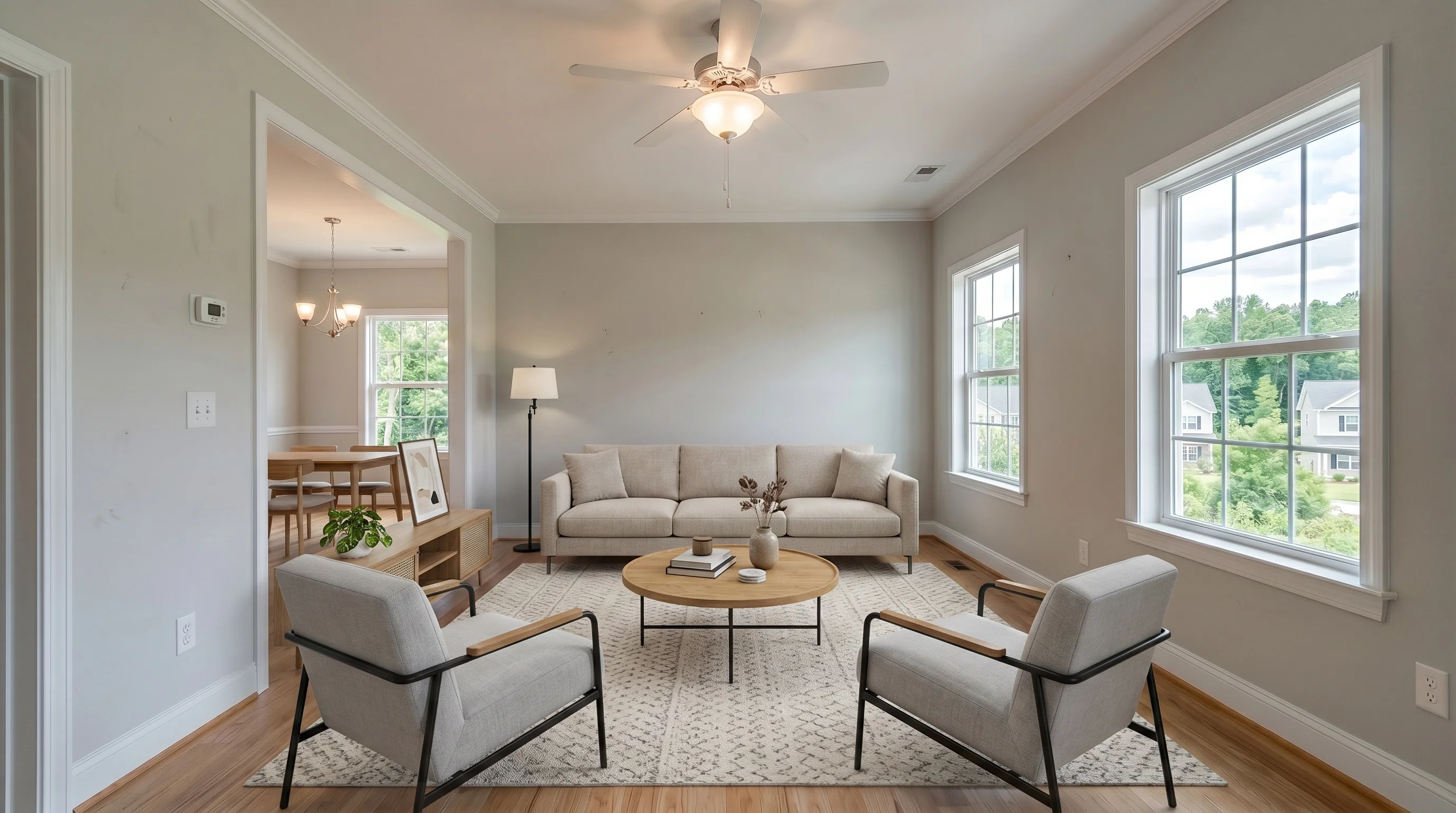
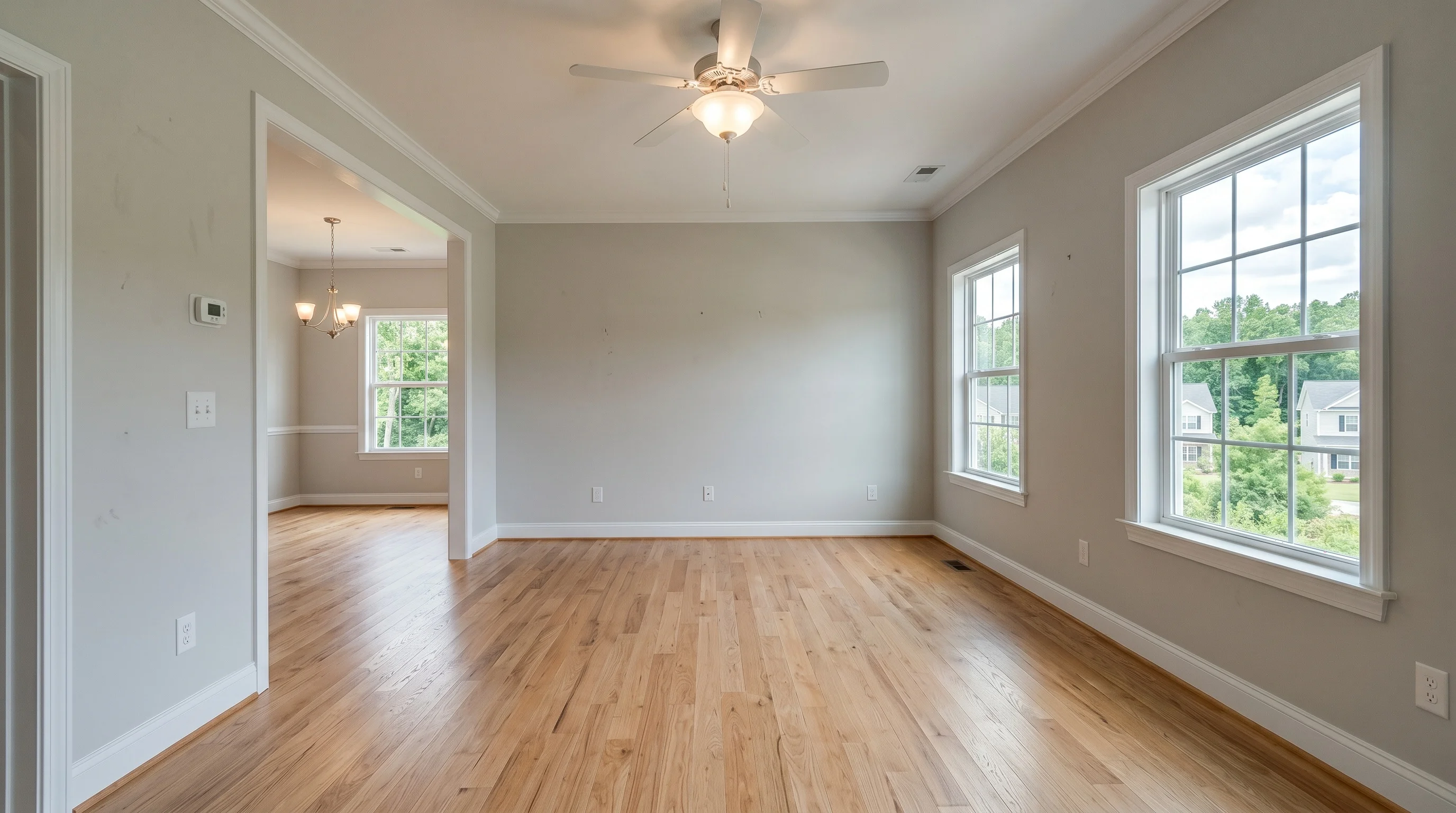
Written by the VirtualStaging.tools editorial team. Last updated June 6, 2026.
This guide explains why "near me" is a leftover reflex from the physical-staging era, what the location-independent landscape actually looks like in 2026, the new MLS and disclosure rules that started biting agents this year, the AI red lines buyers and broker liability counsel now watch for, and a checklist for picking a remote provider with the same confidence you'd have walking into a neighborhood studio.
Why "near me" is a reflex, not a requirement
Ten years ago, home staging meant a moving truck pulling up with sofas and lamps. Of course you wanted local — somebody had to physically furnish the house. Virtual staging inherited the word "staging," and a lot of agents inherited the assumption that came with it.
Nothing about the actual workflow benefits from proximity:
- You upload an empty-room JPEG to a website or app.
- An AI model or a remote designer adds furniture in software.
- You download a finished JPEG and post it to the MLS.
There's no truck, no walkthrough, no key handoff, no in-person consultation. A studio in your city is doing exactly the same upload-edit-download dance as a studio in another state — or a model running on a server. The "near me" intent is a search habit, not a product requirement.
The location-independent stack in 2026
The market that actually serves "virtual staging" queries has three layers, and all three work the same in Sacramento as they do in Savannah. A 1.2k-upvote comment from a working agent on r/realtors sums up the mental model the rest of the industry has converged on:
"The industry is generally split into three buckets: AI generators (instant/cheap, but often look cartoonish with scale issues), volume services (affordable, but use non-designers which often results in 'floating' furniture with bad lighting), and high-end design services (most expensive, but use professional designers for realistic shadows and reflections)." — u/matthewklangan
That's also how we'll frame the tiers, with a small addition: what to look for when you're judging the output, so you can spot a bad provider whether they're in your city or across the country.
DIY AI tools — minutes, $0–$30 a month
Pick a style, upload a photo, get a staged photo in under a minute. Our free tier gives you 3 finished photos lifetime with no credit card; paid plans land in the $15–$30/month range for 25–100 photos depending on the provider. Virtual Staging AI (acquired by Zillow in October 2024), REimagineHome, Collov, and ApplyDesign sit in the same tier. Quality varies room to room — re-rolls are free, so a bad render isn't a real cost.
Quality tells to watch for: contact shadows where chair legs and sofa feet meet the floor (real shadows mean the model handled lighting; missing shadows make furniture look pasted in), rugs with visible texture instead of a flat color slab, and furniture that physically fits the room. Scale is the most common AI failure mode — a queen bed crammed into a six-foot-wide bedroom is a tell.
Designer-edited services — 12–48 hours, $25–$75 a photo
BoxBrownie, Stuccco, Styldod, RoOomy, and VirtualStaging.com run human designers — sometimes with AI under the hood, sometimes pure Photoshop. You email a brief, they email back finished images. Revisions are usually included within a window. Turnaround is the same whether the designer lives in Manila, Melbourne, or Manhattan; what you're paying for is judgment on unusual layouts, multi-photo coherence (the same room shot from three angles looking like the same staged room, not three different houses), and brand consistency across a luxury listing.
Freelance marketplaces — wild card, $5–$30 a photo
Fiverr designers and VAs running ChatGPT-style workflows. Cheap entry point, no SLA, quality is whatever individual you found. Agents on Reddit warn against using a general-purpose chatbot directly: it will happily hallucinate a new wall or repaint the room when you only asked for a sofa. We come back to that risk in the red-lines section below.
For the deeper pricing math across all three tiers, see our virtual staging cost guide and the hire-vs-DIY breakdown.
When local would matter — and why it usually doesn't
There are a few cases where being near a provider sounds like it should help. Almost none of them survive a closer look.
"They'll come photograph the house for me." That's a real-estate photography service, not virtual staging. Plenty of cities have $150–$250 photography packages where someone shoots the listing. Once the photos exist, the staging step is location-independent. Bundle them only if it's cheaper than buying separately.
"Local designers know my market." A staged living room with a sofa, rug, and coffee table photographs the same in any zip code. The handful of cases where regional taste actually matters — a beach cottage in Destin, a desert modern in Scottsdale, a brownstone in Brooklyn — are handled by style selection, not by hiring a local designer. Both AI tools and remote services let you pick coastal, southwestern, or industrial. That covers the regional cue.
"I want to meet them in person before I trust them." Reasonable instinct, wrong solution. The way you de-risk a remote provider is by ordering one test photo before committing to a listing — that's a $0–$5 experiment with an AI tool, or one paid photo with a designer service. You learn more in 24 hours than you would from a coffee meeting.
"Time zones will slow me down." Designer services that advertise "24-hour turnaround" hit it from Manila as easily as from Manhattan, because they run shifts. AI tools return results in seconds regardless. The only honest time-zone concern is revision rounds — and that's solved by writing a clearer brief, not by hiring locally.
The one place local does still matter
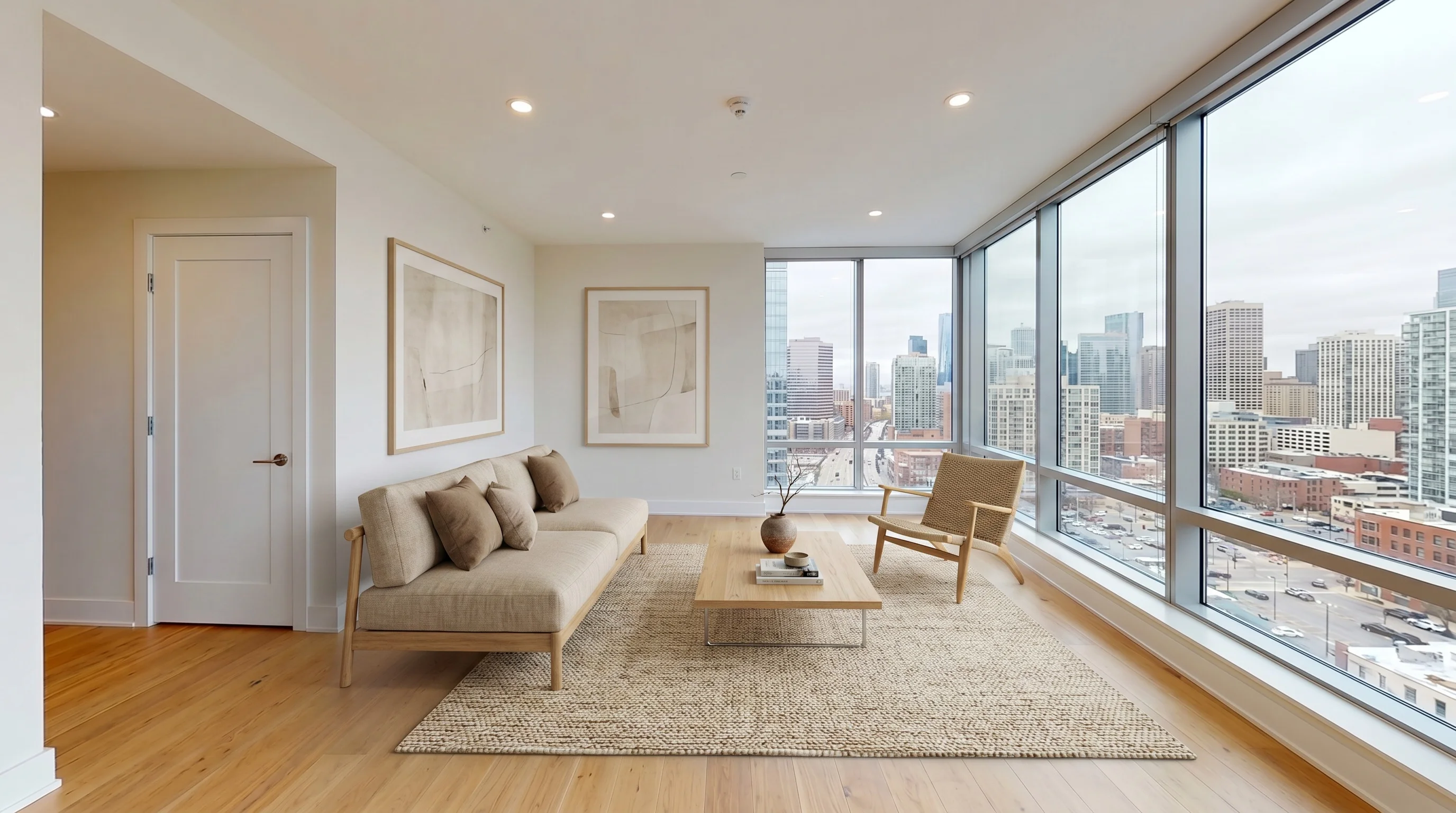
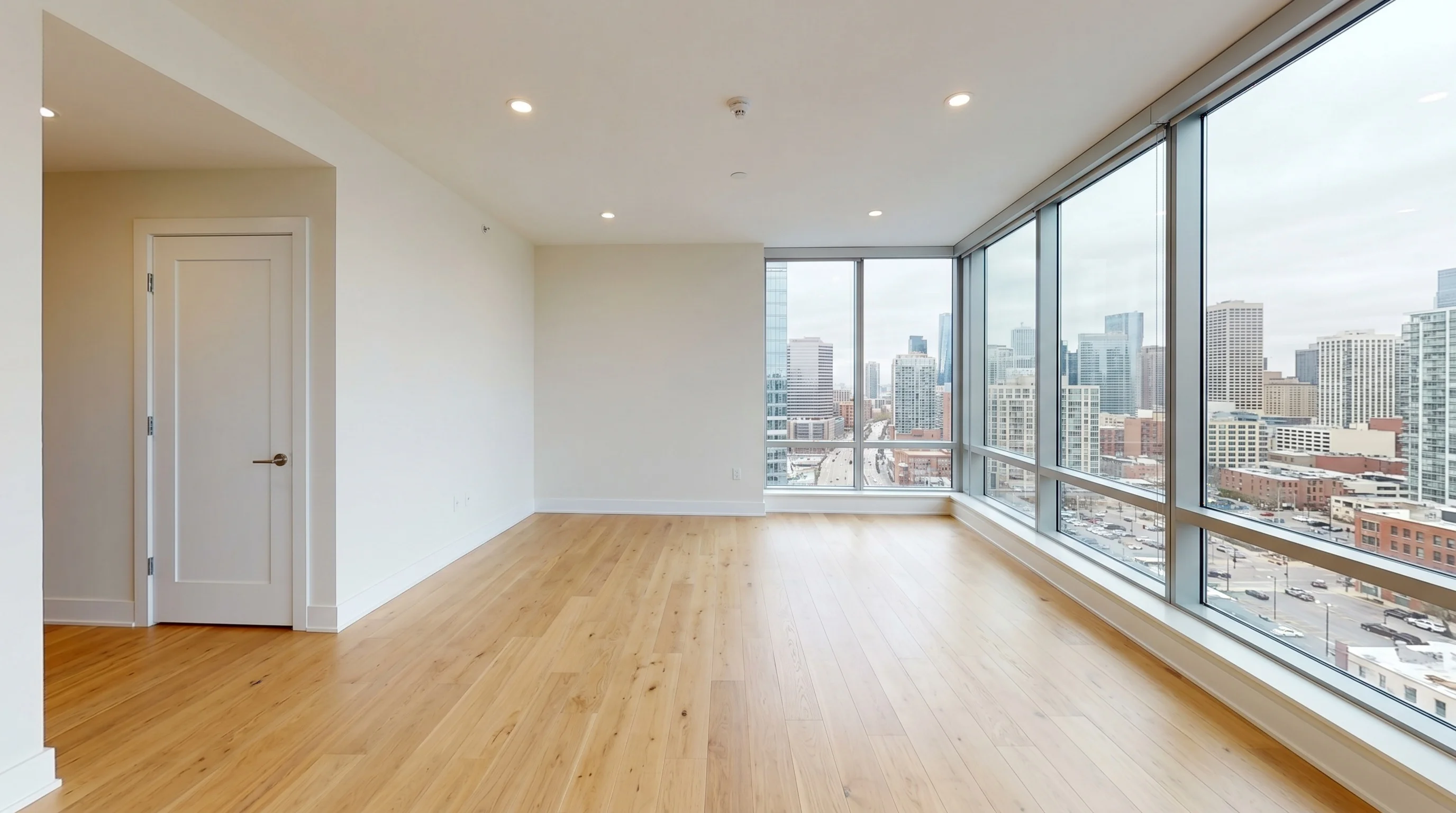
There's one workflow where geography actually saves you time: listings where the seller is still living in the house and you need to remove their stuff before staging.
Virtual staging assumes an empty room. If the photos show furniture, kids' toys, or a half-eaten breakfast on the counter, you either need (a) the seller to clear the room and re-shoot, (b) a virtual-decluttering AI pass before staging, or (c) a designer who'll handle removal as part of the order.
Local helps for (a) — your photographer can re-shoot tomorrow morning instead of waiting on the seller's schedule. For (b) and (c), location is again irrelevant. The decluttering AI runs in seconds; designer services include item removal in most orders.
Your real-estate photographer is the actual competition
Here's the part nobody types into Google: most working agents we talk to aren't shopping for a staging provider directly. They're using whoever their existing listing photographer offers as an add-on.
That's the truth behind a lot of "near me" searches — agents assume their photographer's bundled $25–$50/photo staging is the local default, and they're checking whether something nearby might be cheaper or faster. A real-estate photographer on r/realtors puts it bluntly:
"Lots of options out there. Your photographer should have an option to do virtual staging as an add on. I do photography and video services in my office for my fellow agents at a discounted rate." — u/TheFlyingGuy25
So the real decision isn't local vs remote provider — it's photographer add-on vs you running the staging yourself. A short decision matrix:
| Situation | Best path |
|---|---|
| You shoot 2–3 listings a month, have a steady photographer, and don't want one more login | Bundle through your photographer at their rate (usually $25–$50/photo) |
| You shoot 5+ listings a month and want full control over style/turnaround | DIY AI subscription ($15–$30/mo) — cheaper per photo and no waiting on a third party |
| You have one luxury or unusual listing where the photographer's default style won't carry | Order from a designer-edited service directly (BoxBrownie, Stuccco, Styldod) |
| You shoot listings yourself and don't have a photographer in the chain | DIY AI is the obvious entry point |
Your photographer is competing with the same remote AI and remote designer services this whole guide is about. Whether they win for your workflow depends on volume and how much style control you want — not on whether they live in your city.
What buyers and buyer-agents say about AI staging in 2026
This is the part that quietly changed in the last 12 months: buyers learned to spot it, and they're not subtle about how they feel. Two representative comments from r/realtors by working brokers who are also doing buyer searches:
"I have now started to skip past any property that is using virtual staging. I won't even consider them now... my brain immediately goes into a distrust state of mind." — u/MsTerious1, broker
"As a buyer, I instantly hate AI staged listings because I immediately don't trust what I see." — u/EauDeFrito
This isn't every buyer. But it's enough buyers that you can't treat AI staging as free upside any more — there's a downside risk attached, and it's a downside that scales with how fake the staging looks. The bad providers (and the agents using ChatGPT directly) are dragging down the perception of the whole category.
The fix is straightforward: do not let staging cross into editing the property. Which brings us to what working agents and broker counsel are now calling the red lines.
The 2026 red lines — what virtual staging must NOT do
Virtual staging adds furniture and decor to an empty room. That's the entire allowed surface area of the edit. Everything else is misrepresentation, and in 2026 that's not a theoretical category — there are MLS fines, broker bans, and at least one state law attached to it.
The most-cited cautionary tale on r/realtors right now (2.4k upvotes on the original post):
"The AI remodeled the fireplace, extended the middle wall, removed some outlets, changed the flooring color... The middle wall was much smaller in person, and you could only fit a small TV there. But the AI makes imaginary space and puts a big screen TV there. Buyer did not want to make an offer — specifically pointed out that the AI enhancements made them not trust it." — u/the-friendly-squid
These hard red lines apply to every provider, every tier, every photo:
- ❌ No moving, removing, or resizing walls, windows, doors, or openings
- ❌ No adding or modifying built-in fixtures — fireplaces, kitchen islands, light fixtures, ceiling fans
- ❌ No changing flooring color or material (a hardwood floor stays hardwood; tile stays tile)
- ❌ No repainting walls, no replacing kitchen cabinets, no swapping countertops
- ❌ No fixing visible damage or wear — water stains, cracked tile, scuffed walls stay visible
- ❌ No turning the fireplace on when the chimney is sealed (yes, this happened — and yes, it likely violates MLS rules)
- ✅ Add furniture (sofa, bed, table, chairs)
- ✅ Add soft goods (rugs, throw pillows, drapes, plants)
- ✅ Add decor accents (artwork, books, vases — generic, not branded)
A provider that quietly removes problems — paints over a scuff, smooths a wall, makes a small bedroom look big enough for a king bed — is shipping you future liability, not better marketing. Most pure-AI tools and all ChatGPT-style workflows will silently cross these lines unless you specifically prompt them not to. Designer-edited services are usually safer because a human is reviewing the output before it ships.
MLS rules, broker liability, and the 2025 California law
The compliance landscape moved hard in 2025, and a lot of agents haven't caught up. The four things you need to know, sourced from working agents on r/realtors and r/realtors:
1. MLS fines are not theoretical. The top comment on the most-read 2026 thread (533 upvotes):
"Photos that materially misrepresent the property are a violation of MLS rules. In the MLS whose rules I know best, it's an automatic $2,500 fine, no warning." — u/ratbastid
2. California now requires side-by-side disclosure on its major MLSs. Multiple California agents in the same thread confirm:
"On the major MLSs in California you have to put the picture right next to it. One change photo, one regular photo." — u/nofishies
Translation: every virtually staged photo on a California MLS listing needs the original empty-room version published next to it. Putting only the staged photo up is a violation.
3. Some MLSs require literal disclosure language at the top of the public remarks. From a Florida agent describing Stellar Central FL's rules:
"The first words of the public remarks must read 'One or more photo(s) was virtually staged.'" — u/por_que_
That's not a "caption" — it's the very first words of your listing description. Check your local MLS's exact wording requirement before you publish.
4. Brokerages are starting to ban AI staging outright. Not because they can't comply, but because the cost of getting it wrong fell on the broker, not the agent. From an agent describing why their brokerage shut the practice down:
"My qualifying broker actually brought in a rule at our brokerage that AI/Virtual staging were no longer allowed because of an incident she was involved in as a third-party mediator... The juice ain't worth the squeeze risk-wise." — u/GleeminSloth
The implication for your provider selection: a tool or service that quietly crosses the red lines (Section above) is a broker liability problem, not just a personal compliance footnote. If your brokerage has a policy on virtual staging, read it before you commit to a vendor.
A small operational note that comes up in the same threads: when you upload to the MLS, group the staged photos together and the originals together — don't interleave them. Multiple buyer-agents have flagged interleaved staged/unstaged carousels as making buyers immediately distrustful, even when the disclosure is correct. Staged first, then originals, then exterior is the pattern that doesn't trip the distrust reflex.
How to evaluate a remote provider as if it were local
Most agents have a checklist they'd run through if they walked into a neighborhood staging studio: portfolio, pricing, turnaround, what happens if it's wrong. Run the same checklist on a remote provider — it's just delivered through a browser tab.
- Order one test photo before any subscription or bulk commit. Pick the hardest room you've ever listed — odd angle, mixed lighting, weird scale. If the provider handles it cleanly, they'll handle your normal listings. If they don't, you found out for $0–$5.
- Ask about the re-render policy and the revision cap. AI tools should let you re-roll unlimited times. Designer services should specify how many revisions are included and what an additional revision costs — this is where "hidden fees that only become clear when a client requests a change" hide (a verbatim complaint we've seen multiple times on r/realtors).
- Run the multi-angle test. Upload two photos of the same room from different angles. If the staged furniture looks like it belongs to two different houses, the provider doesn't have multi-photo coherence — which matters when your listing has eight photos of the same living room.
- Verify the red lines. Check whether the provider's terms or marketing prohibit structural edits, fixture changes, and "improvements" to the underlying property. If they brag about removing flaws, walk away — that's the broker-liability case from earlier.
- Read the commercial-use terms. Some free tiers prohibit MLS use. Most paid tiers include commercial license, but verify before you publish.
- Look for the disclosure language. Every staged photo on the MLS needs a "virtually staged" caption — and on some MLSs, side-by-side originals or a literal opening line in public remarks. A provider that doesn't even mention this in their FAQ probably isn't built for working agents.
That six-item checklist replaces every "near me" trust signal. It's also genuinely better — a neighborhood studio's portfolio doesn't tell you anything about how your odd-angle ranch listing will turn out, and it certainly doesn't tell you whether the provider knows your MLS's 2026 disclosure rules.
Price comparison: local studio vs remote provider vs DIY
Here's the napkin math on a 1,200 sq ft single-family listing with eight photos that need staging — typical case. The two columns that matter most after headline price are the ones most pricing pages quietly hide: how many revisions per photo are included, and what each extra revision costs.
| Path | Per-photo cost | Revisions included | Overage fee | 8 photos | Turnaround |
|---|---|---|---|---|---|
| Local staging studio (full-service human) | $30–$50 | Usually 1–2 | Often quoted on request | $240–$400+ | 24–72 h |
| Remote designer service (BoxBrownie / Stuccco / Styldod) | $24–$32 | 1–2 free, varies | $5–$15 per extra revision | $192–$256+ | 12–48 h |
| AI subscription ($19/mo, 50 photos) | ~$0.38 effective | Unlimited re-rolls | $0 | included | < 1 min/photo |
| AI free tier (VirtualStaging.tools) | $0 | Unlimited re-rolls (within 3 photos lifetime) | $0 | $0 for 3 photos lifetime | < 1 min/photo |
The local premium is real and it's not buying you better photos — it's buying you proximity that the workflow doesn't actually use. If a local studio in your city happens to match the remote price, that's fine; if they don't, you're paying extra for nothing. And whichever tier you pick, the question worth asking before signing: what's the all-in cost for eight photos with two revisions each, not just the per-photo headline.
We keep a longer side-by-side in the best virtual staging companies roundup — useful if you're shortlisting providers across both tiers.
Does virtually staged actually sell faster?
Worth flagging an honest counter-data point. From a staging studio in r/realtors reporting their own San Antonio market data:
"We've crunched the numbers in our own market (San Antonio Metro) and found that virtually-staged homes take 101 days longer to go pending than homes we physically stage." — u/StagingStudio
One studio's numbers, one market — not a national benchmark. But it points at something we've seen consistently: low-quality virtual staging (scale errors, structural hallucinations, flat lighting, no contact shadows) actively underperforms an empty listing, because it triggers the distrust reflex from the buyer-perception section above. High-quality virtual staging — the kind that respects the red lines and uses a designer pass for unusual rooms — works fine.
The takeaway isn't "skip virtual staging." It's "don't ship the cheap-cartoonish kind." The price gap between a bad AI render and a designer-edited photo is sometimes the difference between 101 days off the market and 101 days on.
"Virtual staging near me" by city — the honest answer
A few city-name searches are genuinely informational ("how do agents in LA handle staging in 2026"), so worth being direct:
- Los Angeles — California's 2025 disclosure law requires side-by-side staged/original photos on the major MLSs (TheMLS, CRMLS). That's the dominant compliance constraint, not provider proximity. The agents producing the cleanest LA listings use remote AI for volume + remote designer services for the occasional luxury listing.
- New York / Brooklyn — small rooms and unusual layouts (railroad apartments, narrow brownstones) are where designer-edited services pull ahead of pure AI, because scale errors get magnified in tight spaces. Test a hard room with both tiers before committing — the designers are still remote, but they're worth the per-photo premium here.
- Smaller markets (anywhere) — there often is no local virtual staging studio, which is what surfaces the "near me" search in the first place. The answer isn't to keep looking — it's to use a remote provider, and verify they understand your MLS's specific disclosure requirements.
The pattern across every city: the providers worth using are remote, the price difference is real, the MLS compliance rules are local, and the "near me" filter is throwing away your best options.
What to do next
- If you have a listing this week — try our free tier on the hardest room. Three finished photos, no card, lifetime.
- If you have a luxury or unusual listing — order one test photo from a designer-edited service before subscribing. BoxBrownie, Stuccco, and Styldod all sell individual photos.
- If you have an MLS deadline tomorrow — the AI tier is faster than any local studio can quote you. Pick one and start.
- Before you publish: check your MLS's exact disclosure wording, side-by-side rule, and public-remarks requirement. The compliance landscape changed in 2025, and a 2024-era staging workflow may not clear today's rules.
The next time you type "near me" in front of "virtual staging," remember it's a search habit from a different decade. The product moved on, the rules moved on, and the search box hasn't caught up yet.
Frequently Asked Questions
Is there any benefit to using a local virtual staging company?
For the staging itself, no — the workflow is file-in, file-out and proximity adds nothing. The one adjacent case where local helps is real-estate photography, not staging: if you need someone to re-shoot a cluttered listing, a local photographer can do it tomorrow morning. Once empty-room photos exist, the staging step is location-independent regardless of where the provider sits.
How do I know a remote provider is legitimate?
Order one test photo before any subscription. AI tools give you 3 free photos with no card on our free tier; designer services like BoxBrownie or Stuccco sell single photos for $25–$32. Pick the hardest room you've ever listed and use it as the test. A 24-hour test order tells you more than weeks of reviews.
Will MLS accept virtually staged photos from a remote provider?
Yes — MLS rules don't care where the staging happened. What they do care about is disclosure: every major MLS requires a "virtually staged" caption, and some (notably California's major MLSs and Florida's Stellar Central MLS) require side-by-side originals or specific wording at the top of your public remarks. The location of the provider has never been part of any compliance requirement. The specifics of your local MLS's disclosure rules absolutely are.
What can go wrong with AI virtual staging in 2026?
The new failure mode isn't bad furniture — it's the model silently editing the property. Real cases this year include the AI extending a wall, replacing flooring, inventing a working fireplace, and removing electrical outlets. Buyers are starting to spot these edits, broker counsel is paying attention, and at least one brokerage has banned AI staging outright over a misrepresentation incident. The fix is to use a provider that explicitly prohibits structural and fixture edits — and to never use a general-purpose chatbot directly.
Can ChatGPT or another AI chatbot do virtual staging?
Technically yes, in practice no. A working agent on r/realtors described asking ChatGPT to remove snow from a yard; it repaved the driveway and added a retaining wall. General-purpose chatbots have no concept of "stay in your lane" — they'll happily modify the room itself when you only asked for a sofa. Use a purpose-built staging tool (AI or designer-edited) that constrains the edit to furniture and decor only.
How much does virtual staging cost in my city?
The price you pay depends on the tier you pick, not your zip code. AI subscriptions land around $15–$30/month for 25–100 photos. Designer-edited services charge $25–$75 per photo regardless of city. Local studios sometimes mark up to $30–$50 per photo, but that's a local premium, not a cost-of-living reflection. The number worth comparing isn't the per-photo headline — it's the all-in cost with revisions included. See our full cost guide for the per-tier math.
What's the difference between virtual staging and home staging?
Home staging is physical — furniture trucked into the actual house. Virtual staging is digital — furniture added to the photo in software. Same goal (help buyers picture themselves in the room), totally different workflow and cost structure. Our virtual home staging primer covers the full comparison.
Can I do virtual staging myself without hiring anyone?
Yes — that's exactly what AI tools enable. Upload your empty-room photo, pick a style, get a staged photo back in under a minute. We give 3 photos free, lifetime, with no credit card. Most working agents we talk to start with the DIY tier and only escalate to a designer service for the occasional luxury or unusual listing.
What about virtual staging companies near me in Los Angeles or New York?
The agents producing the best-looking LA and NY listings in 2026 are mostly using remote AI tools and remote designer services — the same ones serving the rest of the country. LA's biggest constraint isn't provider location; it's California's 2025 side-by-side disclosure law on the major MLSs. NY's biggest constraint is small-unit scale: railroad apartments and narrow brownstones magnify any AI scale error, so designer-edited services tend to outperform pure AI on hard rooms. Either way, the designers are still remote.
What do agents on Reddit recommend for virtual staging?
The recurring shape of the answer across r/realtors and r/RealEstatePhotography over the past 12 months: avoid general-purpose chatbots (ChatGPT, etc.) directly, treat the cheapest AI tools with caution on scale and lighting, and pay up for a designer-edited service on luxury or unusual listings. The single most-repeated piece of advice is to order one test photo before subscribing to anything, on the hardest room you've recently listed. That's the same checklist we recommend in this guide.
How fast can a remote provider turn around staged photos?
AI tools finish in under a minute per photo. Designer-edited services typically deliver in 12–48 hours, with some offering same-day rush for an extra fee. Local studios rarely beat these turnarounds — and never beat the AI tier. If your listing goes live tomorrow, AI is the only category that can hit the deadline reliably.
Do remote providers handle item removal or just empty-room staging?
Most designer-edited services include item removal as part of the order; ask before buying. Pure AI tools generally assume an empty room — if your photo shows furniture, you'll need a virtual-decluttering pass first. Some AI providers bundle decluttering; ours focuses on empty-to-staged. Either way, the seller doesn't have to physically move the furniture for the photos to work.
More from the blog
Related reading
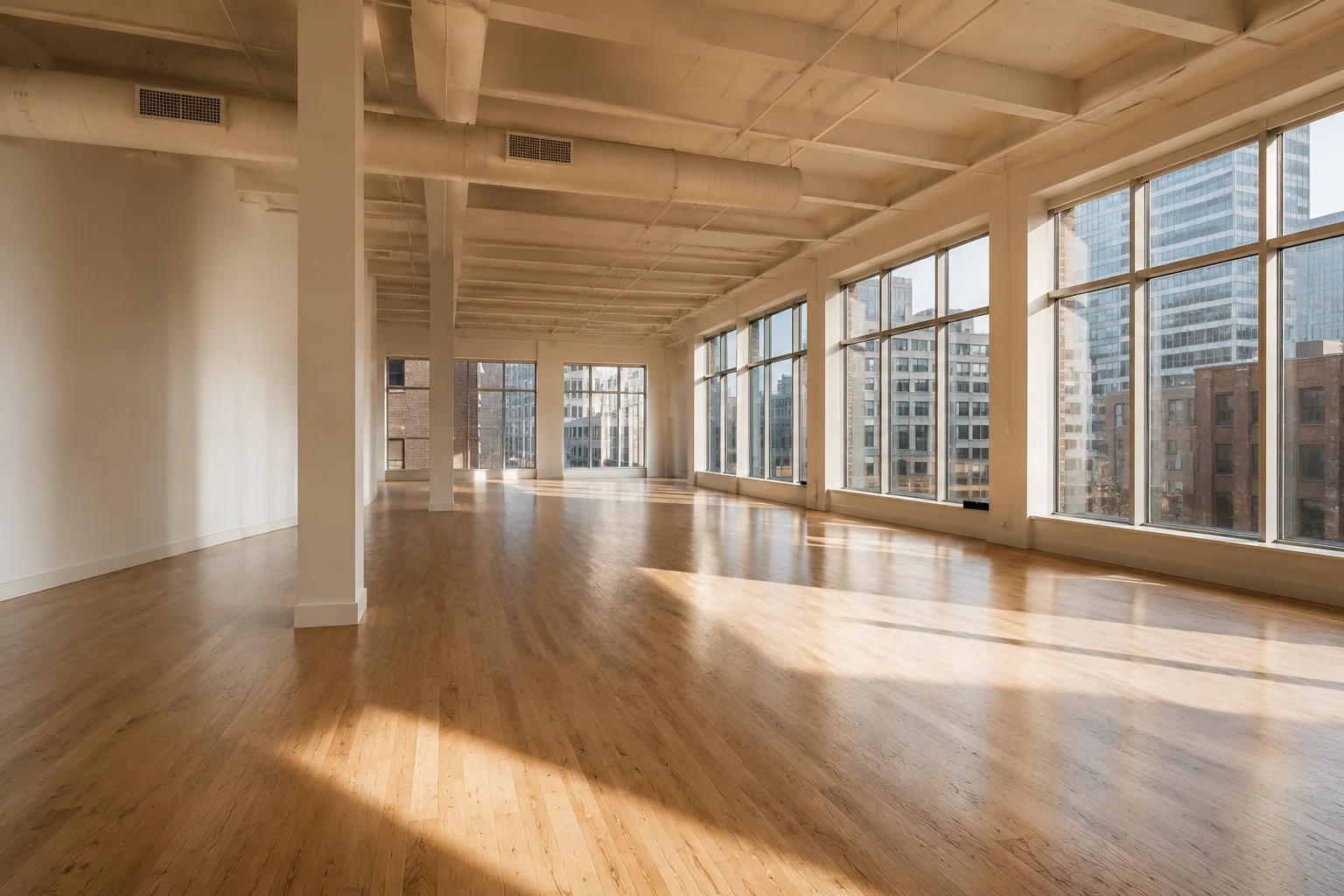
Commercial Virtual Staging: A Broker's Honest 2026 Guide
Commercial virtual staging for brokers and landlords — office, retail, restaurant. Pricing, providers, what AI handles, and honest limitations in 2026.
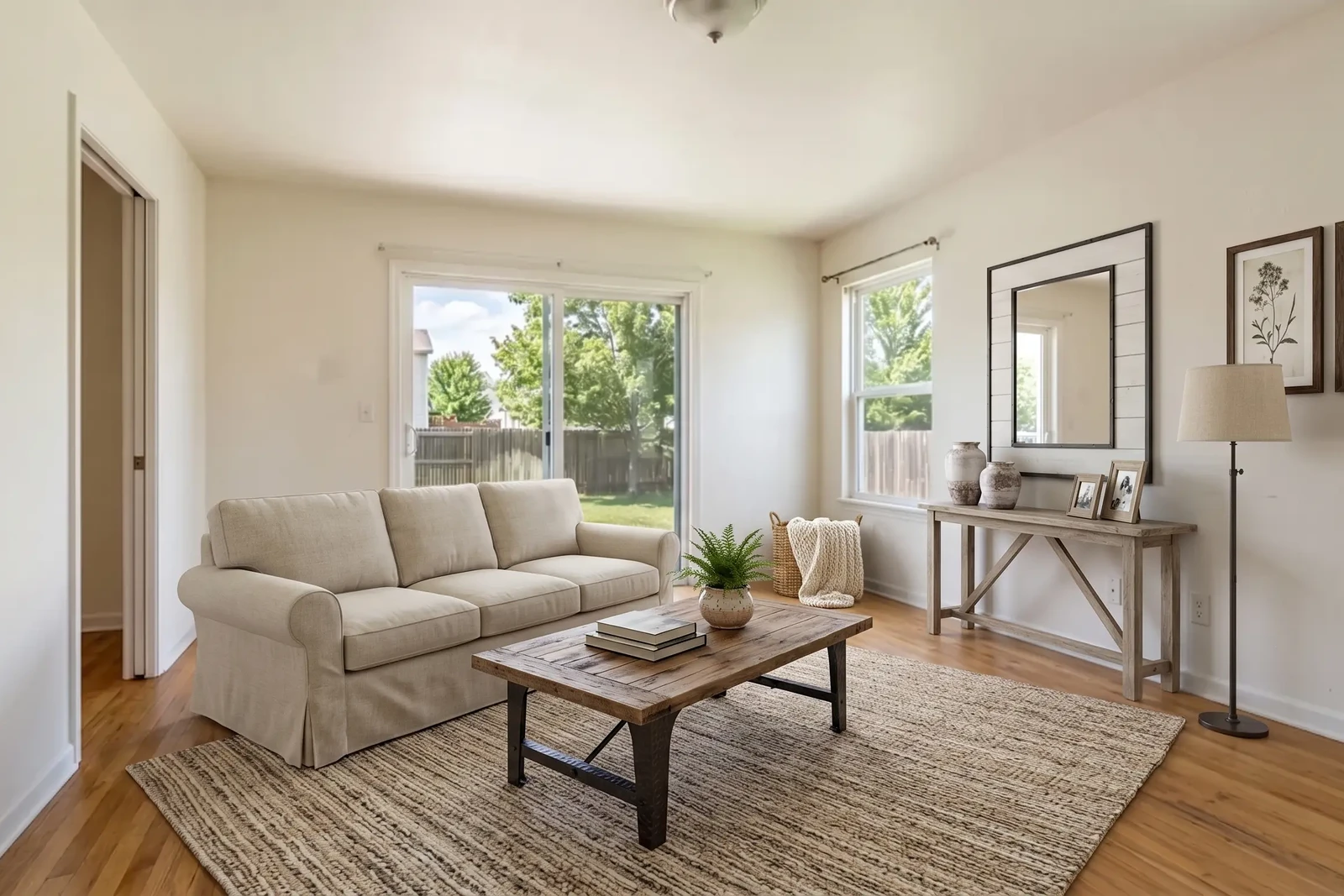
Virtual Home Staging: Room-by-Room Guide for Sellers in 2026
Virtual home staging guide for sellers and agents: which rooms to stage first, how to prepare, style matching, costs, honest limitations, and when to choose physical staging.
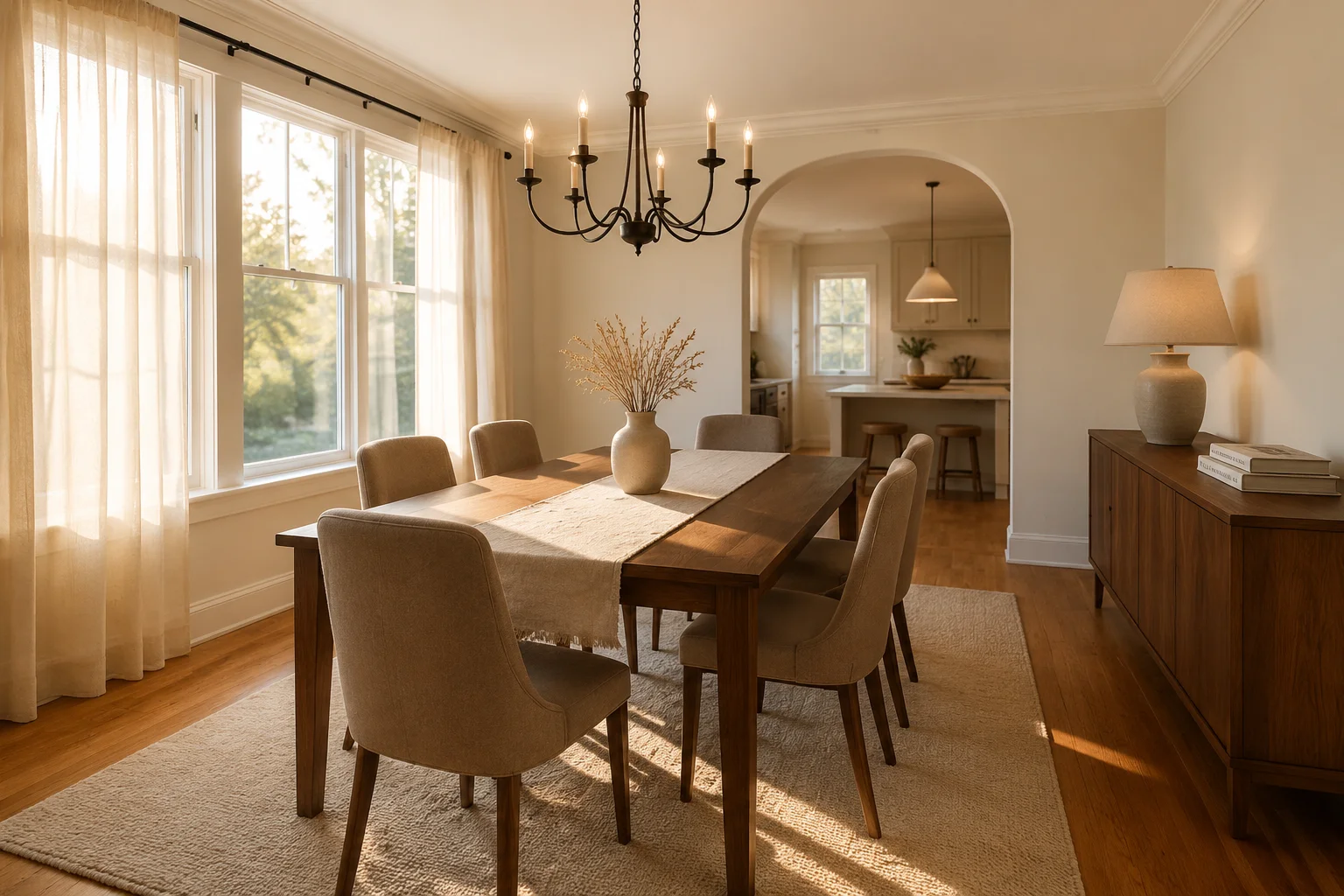
Virtual Staging for Dining Rooms: Layouts, Styles, Costs
How to virtually stage a dining room: 4 layouts, 8 styles, pro stager rules, costs vs traditional staging, and what buyers spot in 10 seconds.