A virtual staging photo is a listing photo of an empty (or sparsely furnished) room with furniture and decor added digitally — not physically. Done well, it looks like a photograph of a furnished room. Done badly, it looks like a video game. The difference is entirely in how the photo is made and how you use it.
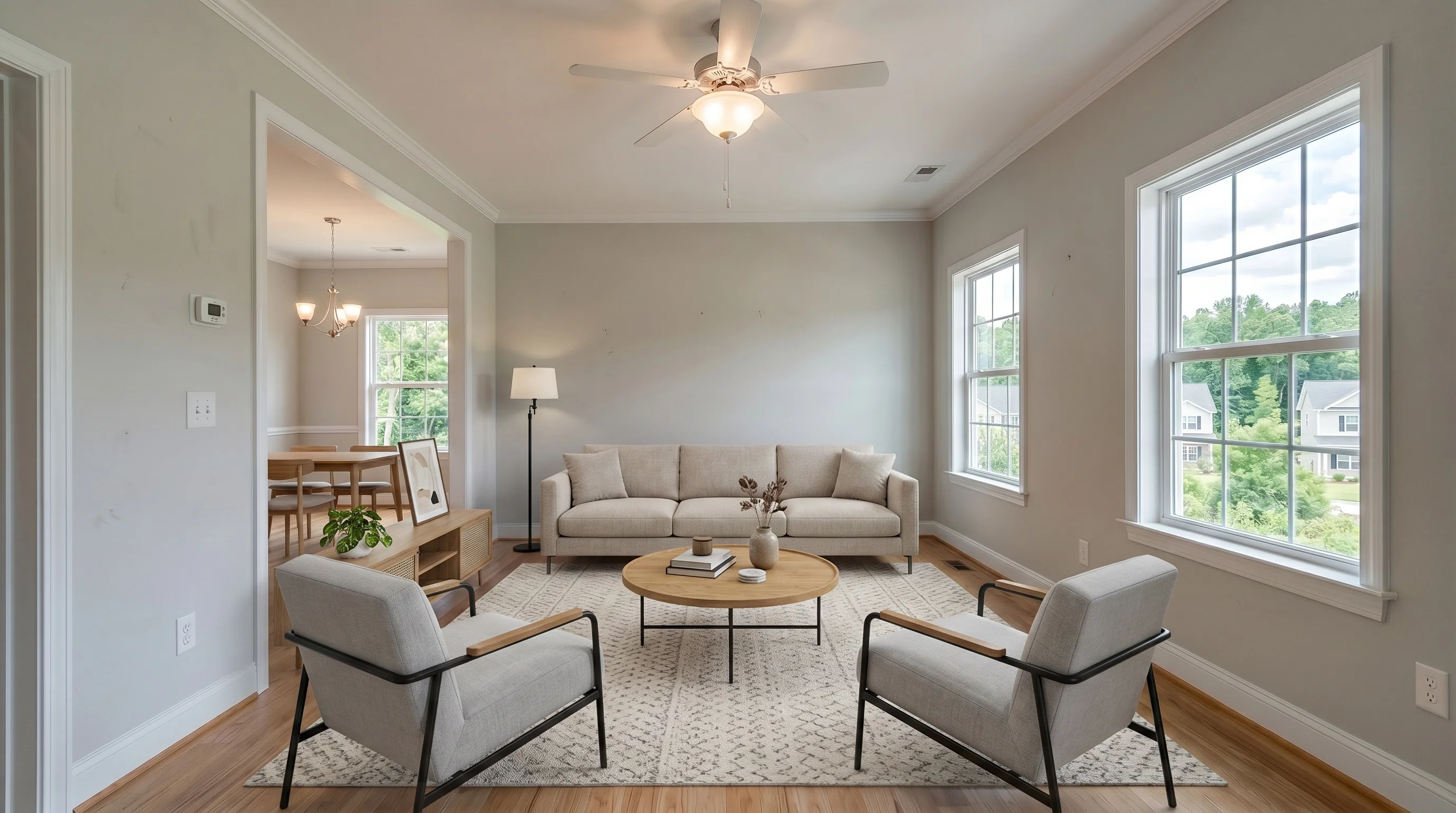
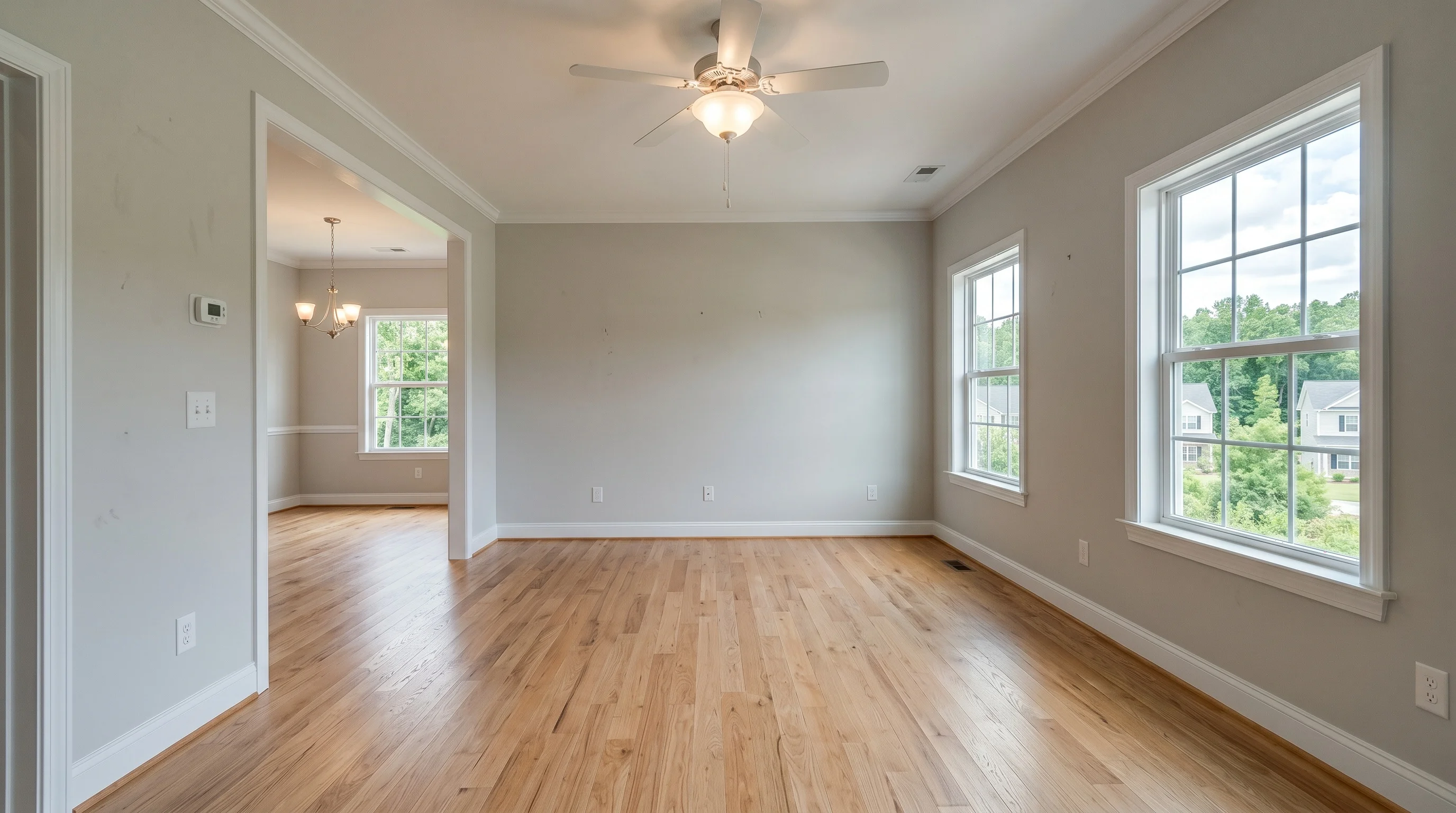
This guide covers what separates a great virtual staging photo from a fake-looking one, how to get them, and — the part that trips up the most agents — how to use them on the MLS without breaking the rules.
What is a virtual staging photo?
It starts with a real photograph of the actual room. Software then adds furniture, rugs, art, and plants on top of that photo, and is constrained to leave the walls, floors, windows, and fixtures alone. The result is a single image that shows the empty room furnished — so a buyer scrolling Zillow can picture living there instead of staring at bare floors.
That's the line that keeps it honest: a virtual staging photo should change what's movable (furniture) and nothing about the property itself. Add a sofa, yes. Patch a crack in the ceiling or swap the countertops, no — that stops being staging and becomes misrepresentation. (For the full picture of how virtual staging fits a listing, see our complete guide to virtual staging.)
It works because buyers shop with their eyes. In NAR's 2025 Profile of Home Staging, 83% of buyers' agents said staging made it easier for a buyer to picture a property as their home — and with most listings now screened first on a phone, a furnished photo is what earns the click an empty room doesn't.
How to get virtual staging photos
Two stages: shoot a clean photo, then stage it. The staging takes seconds — getting a usable photo is where most agents go wrong, so start there.
Shoot the room right (this decides most of the result):
- Shoot the empty room. For an occupied home, declutter or digitally clear it first — AI stages best on a clean, vacant space.
- Hold the camera level at about chest height (~48 inches) and keep vertical lines straight. Tilted walls are the single most common reason a staged photo looks "off."
- Frame the whole room from a corner with a wide angle so the floor and at least two walls read clearly — that gives the furniture somewhere believable to sit.
- Light it, and avoid blown-out windows. Turn on the lights, shoot in daylight, and expose for the room. Dark corners and white-hot windows both confuse the staging.
- Shoot at full resolution. A phone camera is fine — just don't crop down to a thumbnail. You want a high-res file for the MLS and print.
Then stage it:
- Upload the photo and pick the room type and a style — match the home and the likely buyer, not your own taste.
- Generate. An AI tool returns a finished photo in seconds; a human-designer service takes 24–48 hours.
- Review for scale and lighting, re-roll or request a revision if anything looks off, and download.
You don't need a DSLR, staging furniture, or editing skills — one sharp, level, well-lit phone shot of the empty room is enough to start.
What makes a good virtual staging photo
Most "AI staging looks fake" complaints come down to four things. These are what separate a photo that earns showings from one that costs you them:
- Realistic furniture scale. The most common failure is furniture shrunk to fit, so a 10×10 bedroom photographs like a primary suite. Buyers feel the gap the moment they walk in. Furniture should sit at true-to-room proportions.
- Matching light and shadows. The added furniture has to cast shadows in the same direction as the room's real light. Mismatched lighting is what makes a photo read as "edited."
- Resolution you can actually use. A web thumbnail is useless for print or a high-res MLS upload. Confirm you're getting a full-resolution file.
- Multi-angle consistency. If you stage the same room from two camera angles, the same furniture has to appear in the same place in both. Photos that don't match across angles are a giveaway — and a frequent complaint about cheap tools. (Making it look real is its own skill.)
Scale is the one worth dwelling on, because it's the complaint buyers voice most. Cram a king bed into a 10×10 room and the photo "catfishes the listing" — buyers get excited online, show up, feel misled, and leave irritated. The honest fix costs nothing: keep furniture proportional to the actual room, and pair your staged photos with a floor plan or room dimensions so size is never in question. A staged photo that matches the walk-through builds trust; one that oversells the space burns it.
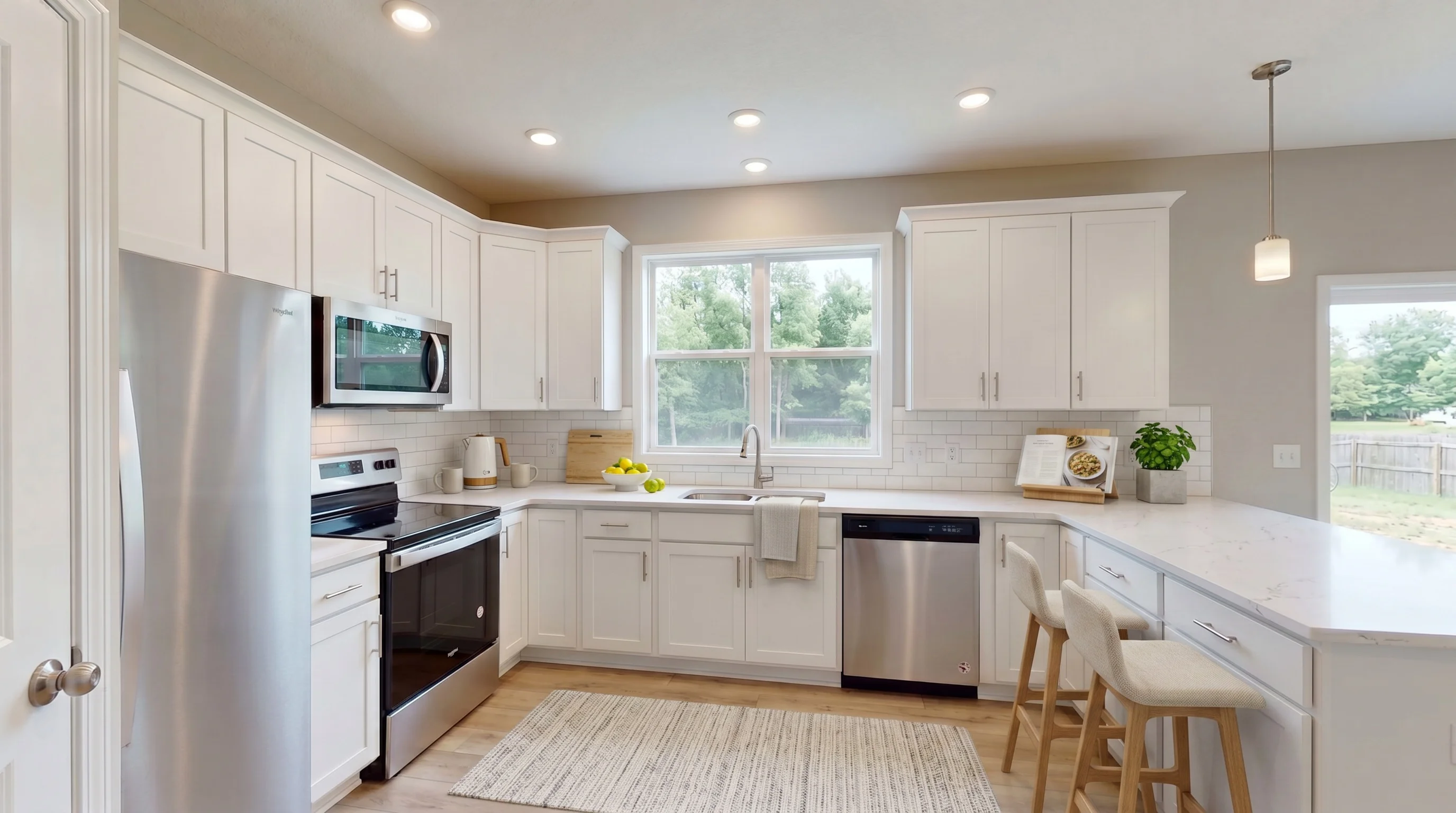
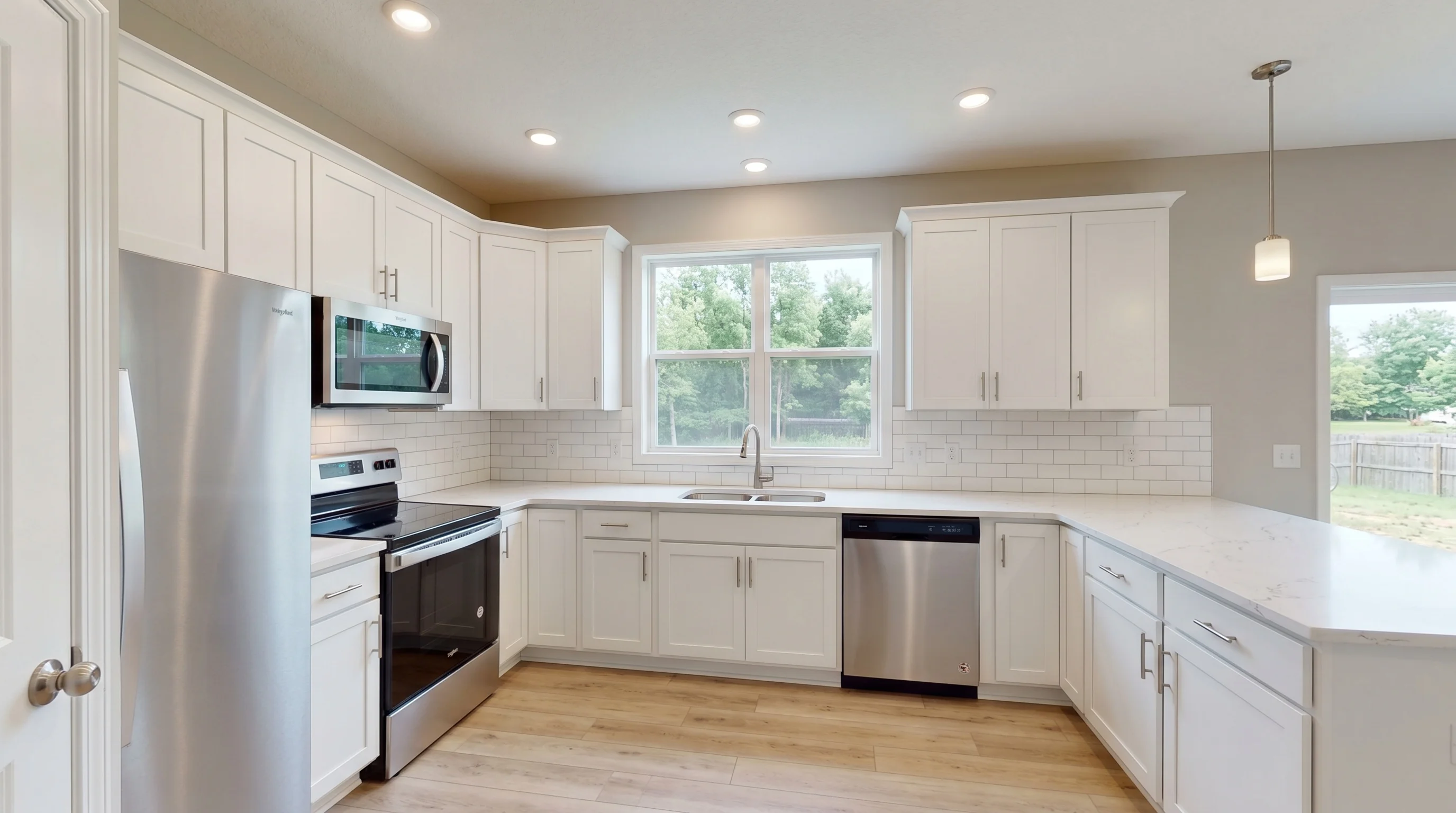
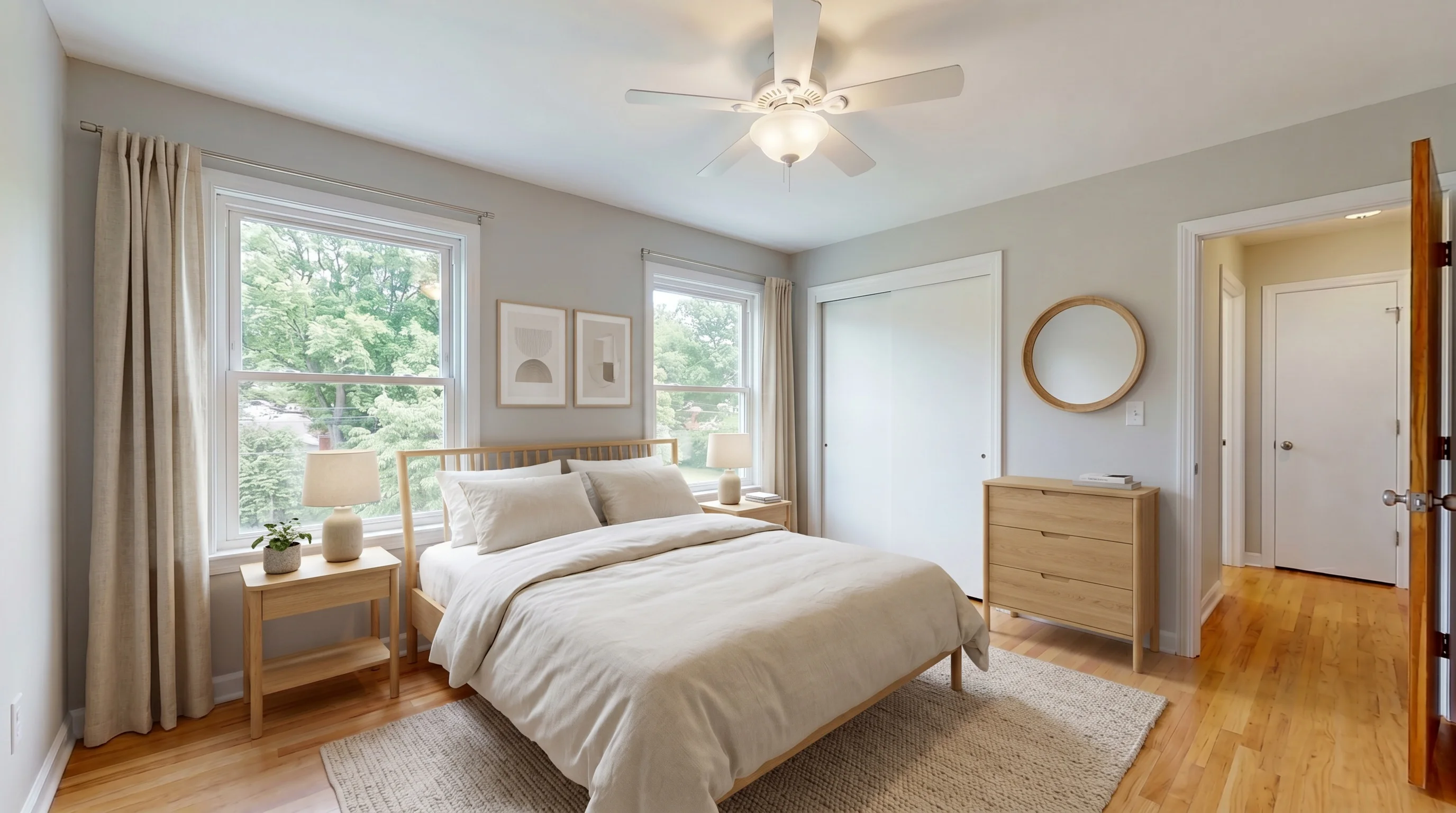
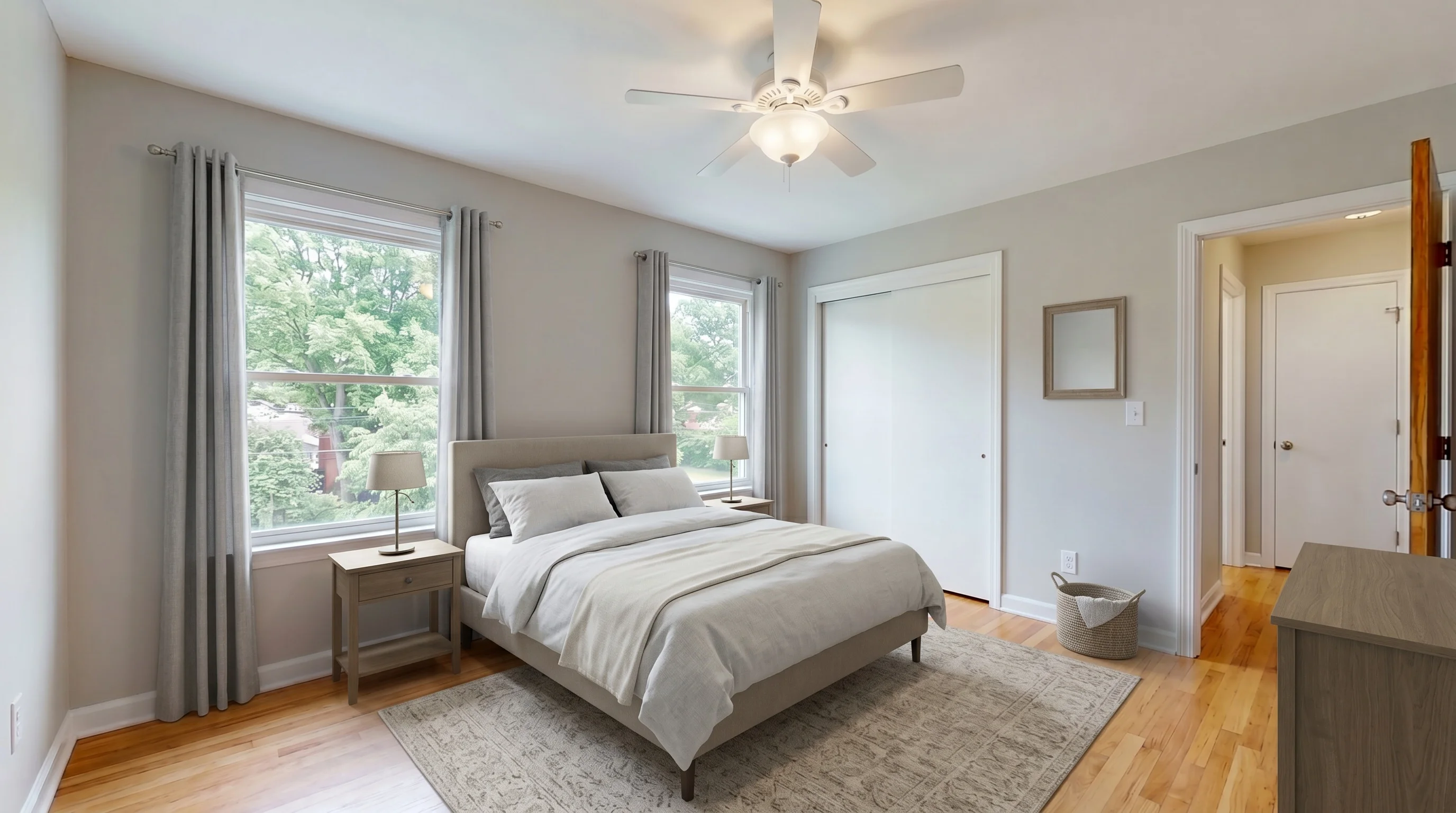
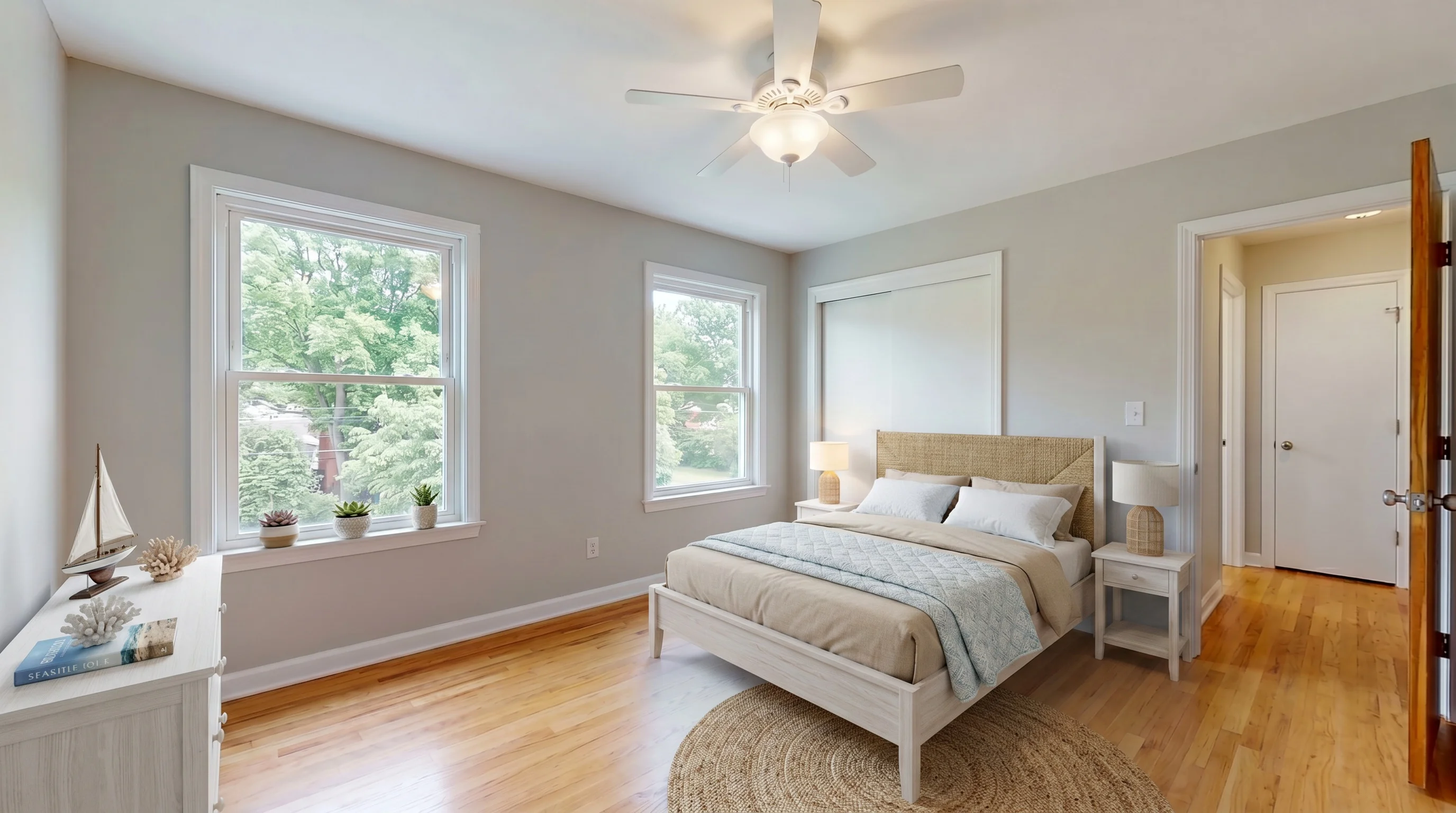
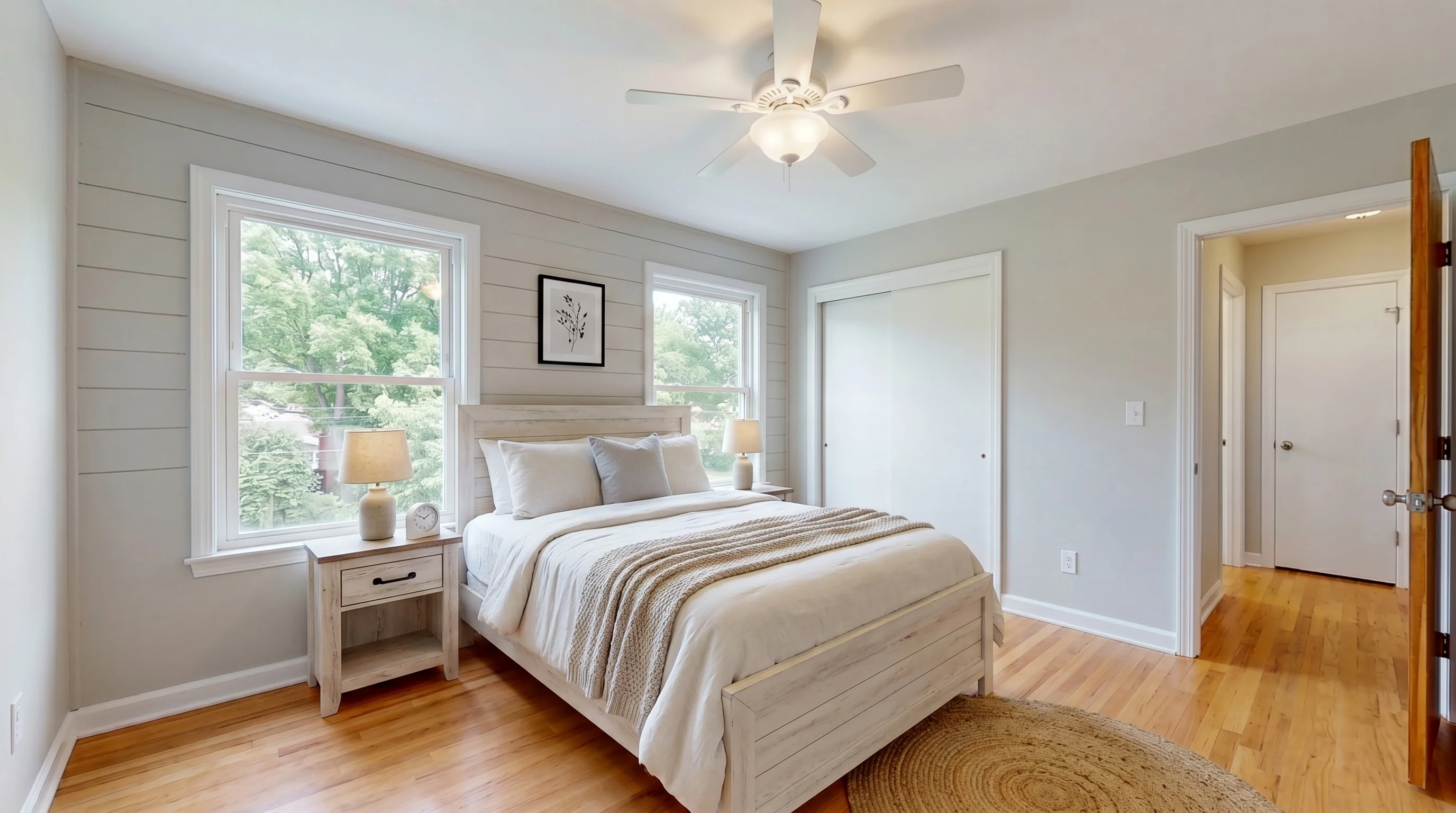
See the difference: one room, six styles
The same empty bedroom, virtually staged six ways. This is the real advantage of virtual over physical staging photos — you can test which look fits the buyer before you ever commit, at no extra cost:
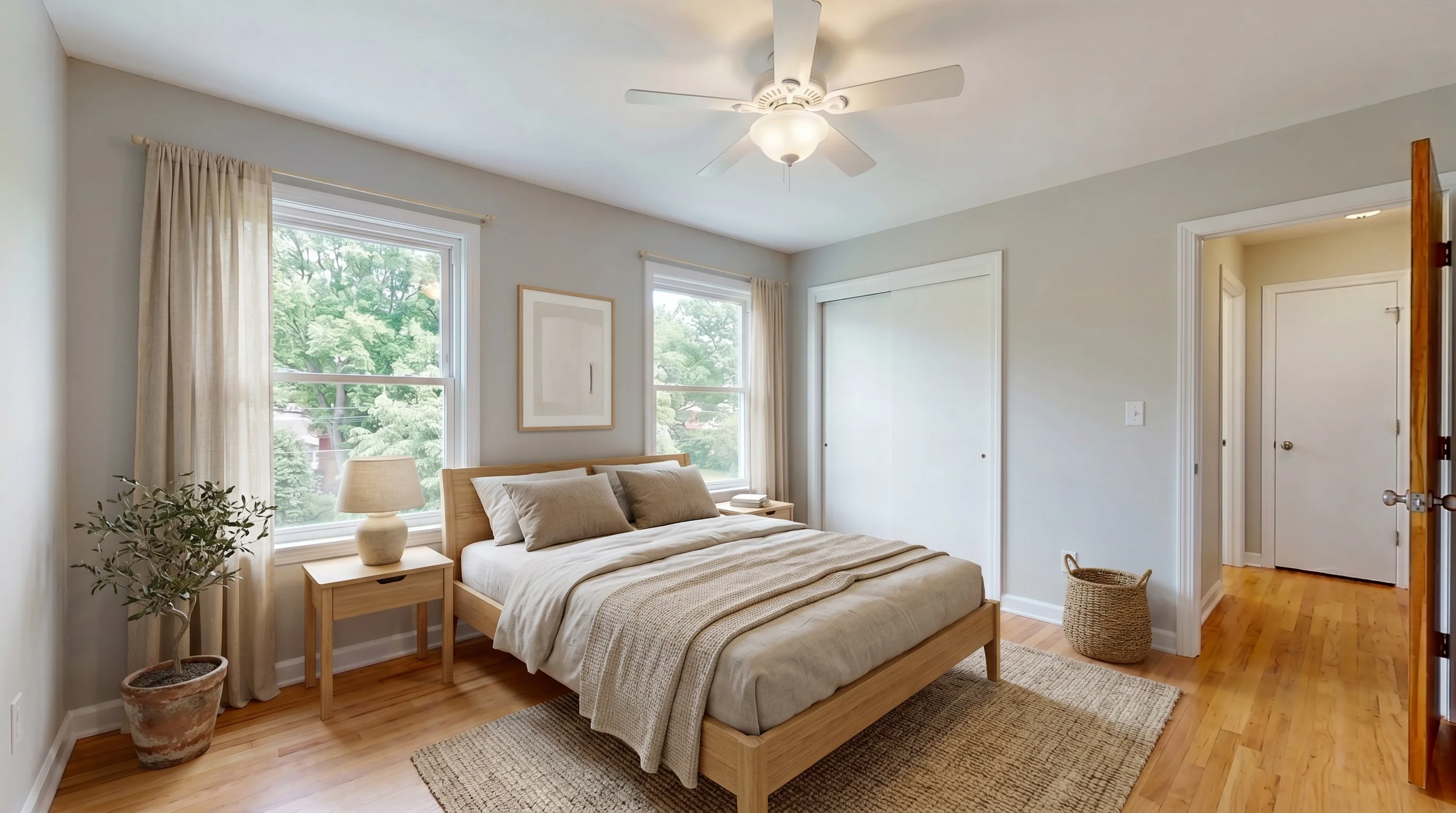
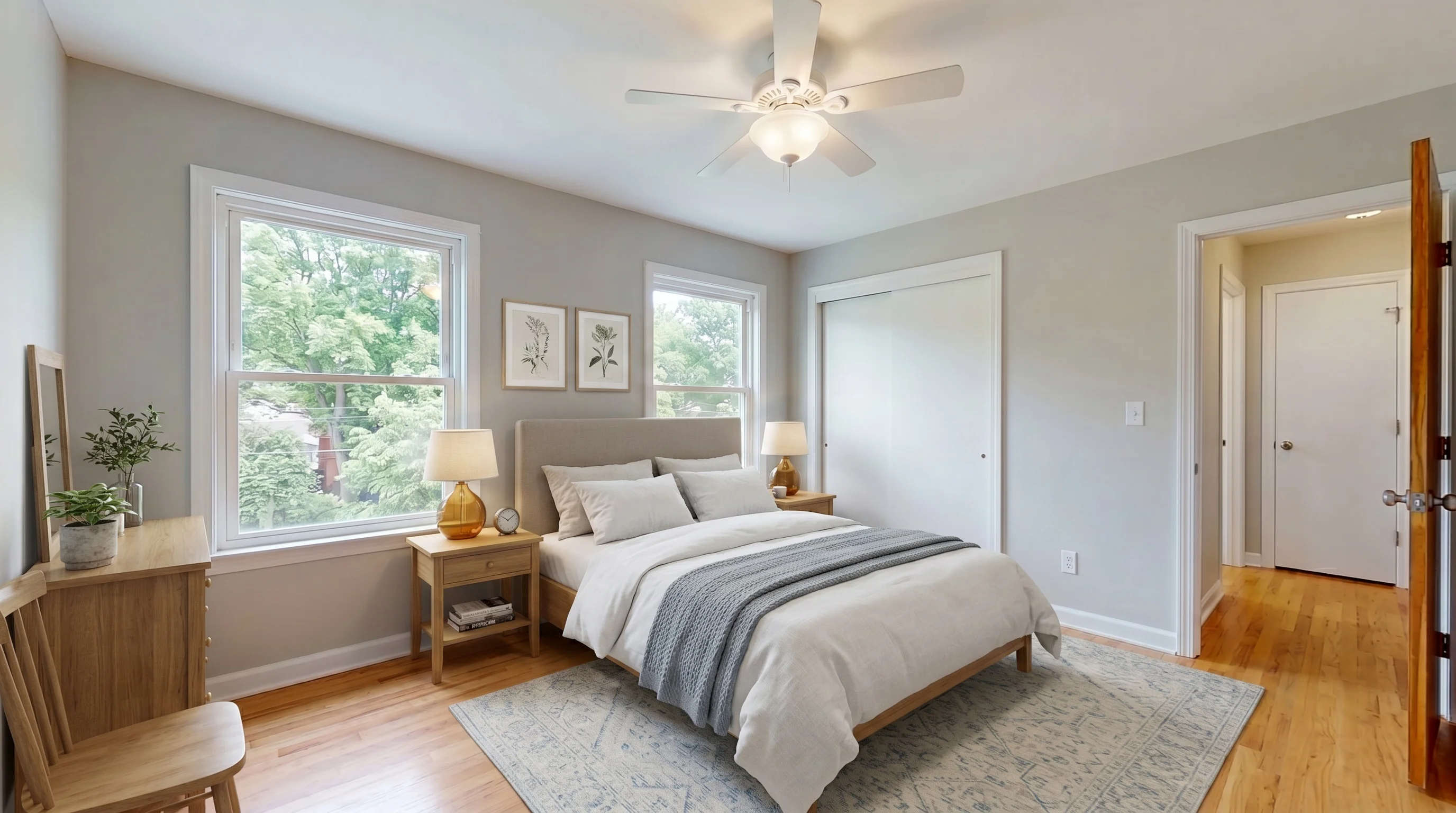
Which rooms should you stage?
You don't need to stage every room — and you shouldn't. The rooms that move buyers are the living room and the primary bedroom; add a dining room, family room, or finished basement if the layout calls for it. One well-staged hero room does more than a whole house of so-so ones.
Virtual staging earns its keep on vacant homes, awkward layouts, and listings that have sat a while — empty rooms that photograph cold or hard to read. For an occupied home, you'd declutter or digitally remove the existing furniture first. If a room already shows well furnished, leave it alone.
How to use virtual staging photos on the MLS
This is where agents get into trouble. Virtually staged photos are allowed on nearly every major MLS — but only if you follow two rules: label them clearly, and include at least one unaltered photo of the same room. NAR's Code of Ethics (Article 12) requires honesty in advertising, and individual MLSs add their own specifics:
- HAR (Houston): digitally altered photos must carry a watermark noting "image does not represent actual property as is," and the unaltered image must accompany the edited one.
- ACTRIS (Austin): rendered images are allowed as long as the original photo is also uploaded.
- NTREIS (Dallas–Ft. Worth): prohibits "embellished" photos that misrepresent the property.
And as of January 1, 2026, California's AB 723 makes disclosure a matter of law there: agents must label digitally altered marketing images and make the original, unaltered photos accessible — and a disclosure buried in the caption or agent remarks alone does not satisfy it. NAR updated its virtual-staging guidance in late 2025 along the same lines: keep the originals available to buyers.
Three habits cover you on almost any board:
- Show the original right beside the staged one. Most MLSs (and AB 723) want the unaltered photo immediately before or after the staged version in the photo sequence — not just a note in the description.
- Mind the watermark rules — they cut both ways. Some MLSs require a "virtually staged" stamp on the image (HAR); many others ban text or watermarks in photos and will auto-reject or pull a listing that has them. Confirm yours before uploading.
- Aim to add furniture without altering the home, then verify against the original (more on that next).
Getting it wrong isn't just a takedown — depending on the board it can mean MLS fines, and material misrepresentation can draw licensing complaints. Rules vary widely by board, so check yours.
Staging vs. altering the home: the line that matters
Adding furniture to an empty room is fine. Changing the home itself is not — and it's where agents land in real trouble. Swapping flooring, repainting walls, erasing stains or damage, removing power lines, replacing the view outside a window, or adding a fireplace fire or a pool that isn't there: those cross from staging into misrepresenting the property. That's the difference between a disclosure formality and a fraud complaint. The safe rule is simple — stage what's movable, leave the property exactly as it is. If a tool quietly "improves" walls, floors, or fixtures, that's not a feature; it's liability.
Where else to use them
Beyond the MLS, the same staged photos do double duty — Zillow and Realtor.com listings, social posts, email blasts, and printed flyers. One caveat: portals like Zillow sometimes strip an agent's MLS remarks, so a "virtually staged" note buried only in the remarks may not travel. Labeling the image itself (a small caption or watermark) is the durable way to keep the disclosure attached wherever the photo ends up.
What virtual staging photos cost — and what's free
Per photo, the range in 2026 is roughly $1–$5 with AI tools and $25–$75 with human-designer services; on a subscription the AI rate drops well under a dollar. For a full breakdown by method, room count, and hidden fees, see our virtual staging cost guide.
You can also get virtual staging photos free to start — VirtualStaging.tools includes 3 staged photos free, lifetime, no credit card, enough to stage a hero shot and judge the quality yourself before paying. (Here's what's actually free across tools.)
Frequently Asked Questions
What are virtual staging photos?
Virtual staging photos are real listing photos of an empty or lightly furnished room with furniture, rugs, art, and decor added digitally instead of physically. The intent is that only movable furnishings are added and the walls, floors, and fixtures are left alone — worth verifying on each render. The goal is to help buyers visualize a furnished space without the cost and weeks of physical staging.
How do I take pictures for virtual staging?
Shoot the empty room from a corner with a wide angle, holding the camera level at about chest height (~48 inches) so vertical lines stay straight. Turn on the lights, shoot in daylight, and avoid blown-out windows. Capture the whole room — floor and at least two walls — at full resolution. A phone camera is fine; a sharp, bright, level photo is what lets the staging tool produce a realistic result.
Can I use Canva or ChatGPT for virtual staging?
You can, but with limits. General tools like Canva, Photoshop, or ChatGPT can drop furniture into a photo, but they often warp scale, change the room's layout, or produce a "render" look — and they don't keep furniture consistent across angles of the same room. Purpose-built virtual staging tools are trained on real rooms and hold proportions and lighting better. For a one-off, a general tool can do; for listing-ready photos at any volume, a dedicated tool is more reliable.
Which rooms should I virtually stage?
Stage the rooms that sell: the living room and primary bedroom first, then a dining room, family room, or finished basement if the layout calls for it. You rarely need every room. Virtual staging works best on vacant homes, awkward layouts, and listings that have been on the market a while — a well-staged hero room or two beats a whole house of mediocre ones.
What does it mean if a property is virtually staged?
It means the furniture in the listing photos was added digitally — the rooms are actually empty (or differently furnished) in person. It's a normal, legal marketing practice meant to help buyers visualize the space, as long as it's disclosed and the home itself isn't altered. Expect to walk into empty rooms, and ask to see the unaltered original photos, which most MLSs now require to be posted alongside the staged ones.
How do I get virtual staging photos for my listing?
Take a clear, well-lit photo of the empty room, upload it to a virtual staging tool, pick the room type and a style, and download the staged result. AI tools return a finished photo in seconds; human-designer services take 24–48 hours. You don't need staging furniture, editing skills, or lead time — a single good empty-room shot is enough to start.
Are virtual staging photos allowed on the MLS?
Yes, on nearly every major MLS — provided each staged photo is clearly labeled as virtually staged and at least one unaltered photo of the same room is included. Specifics vary: HAR (Houston) requires a watermark plus the original; ACTRIS (Austin) requires the original be uploaded; NTREIS (Dallas–Ft. Worth) prohibits misrepresentative edits. Always check your own MLS's rules.
Do I have to disclose virtual staging?
Yes. NAR's Code of Ethics (Article 12) requires honest advertising, most MLSs require a label plus an unaltered photo, and as of January 1, 2026, California's AB 723 legally requires disclosing digitally altered images and making the unaltered originals accessible. Label every staged photo "virtually staged," keep the empty original in the listing, and don't alter the property's actual condition.
Why do my virtual staging photos look fake?
Usually one of four things: furniture shrunk to fit (wrong scale), shadows that don't match the room's real light, low resolution, or furniture that shifts position between angles of the same room. Fixing scale and lighting is what separates a believable staged photo from one that looks like a video game. Start from a sharp, well-lit empty-room photo and choose a tool that preserves realistic proportions.
Can I get virtual staging photos for free?
Yes. Most AI tools offer a free tier — VirtualStaging.tools includes 3 staged photos free, lifetime, with no credit card. That's enough to stage a hero shot and judge the quality before paying. Free output is typically watermarked; on our plans, removing the watermark and raising the monthly photo allowance is what you pay for — the resolution and the commercial license are the same on the free tier.
How much do virtual staging photos cost?
In 2026, roughly $1–$5 per photo with AI tools and $25–$75 per photo with human-designer services. On a monthly subscription the AI rate drops well under $1 a photo. Physical staging, by comparison, runs $2,000+ per home. See our cost guide for the full per-listing math.
Can virtual staging photos remove existing furniture?
Many tools can digitally remove furniture from an occupied room before re-staging it, so a cluttered or dated space photographs clean. That's standard and acceptable — it changes the furnishings, not the property. What you should never do is edit the room's actual condition (walls, flooring, fixtures, defects); that crosses from staging into misrepresentation.
More from the blog
Related reading

How Much Does Virtual Staging Cost? 2026 Price Guide
How much does virtual staging cost in 2026? Compare AI ($1–$5/photo), manual designer ($25–$75), and physical staging ($2,000+) — plus what's free.
Virtual Staging Pay Per Photo vs Subscription (2026)
Pay per photo for virtual staging or subscribe? How pay-as-you-go, credit packs, and monthly plans compare — and when each is cheapest for you.
Virtual Staging App: What Solo Agents Actually Need in 2026
Virtual staging apps in 2026 — native iOS/Android vs web apps, free tiers compared, the 6 'tells' buyers spot, AB 723 disclosure rules, and the solo-agent cost math.