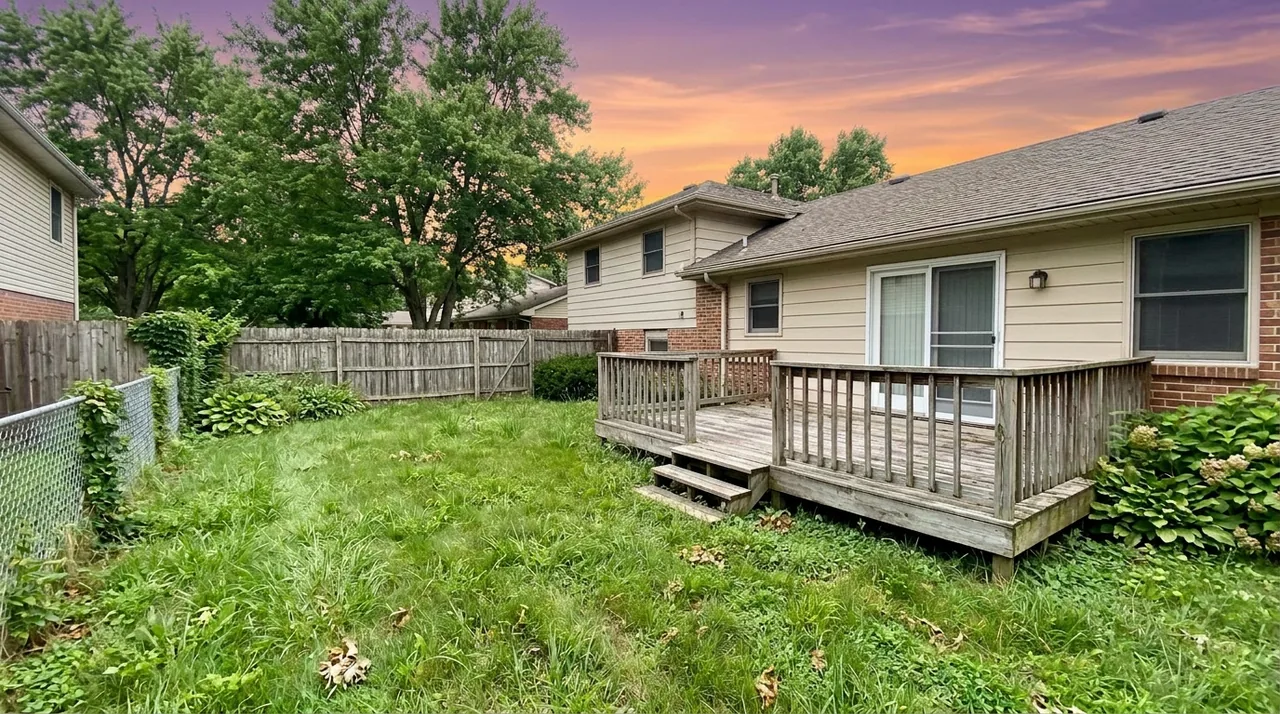
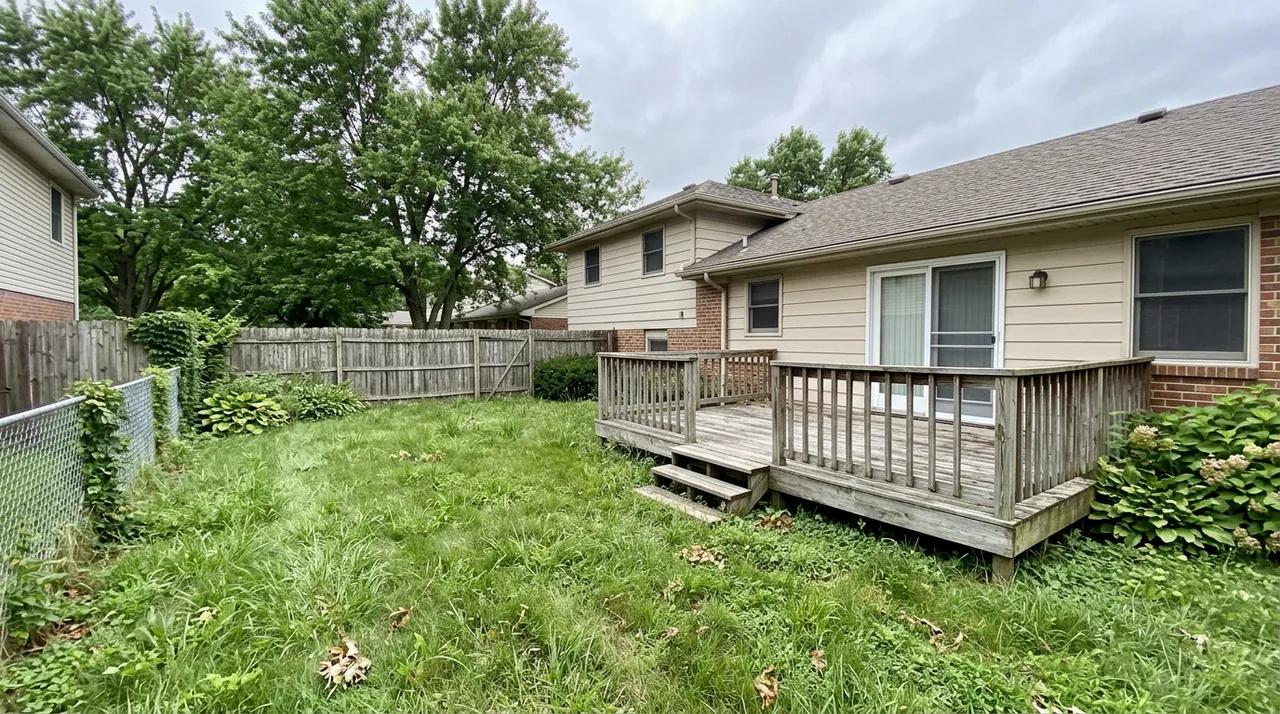
Virtual twilight photo editing converts a standard daytime exterior into a golden-hour or dusk scene — warm lit windows, a dramatic sky, and the glow that makes a house look like a home a buyer wants to walk into.
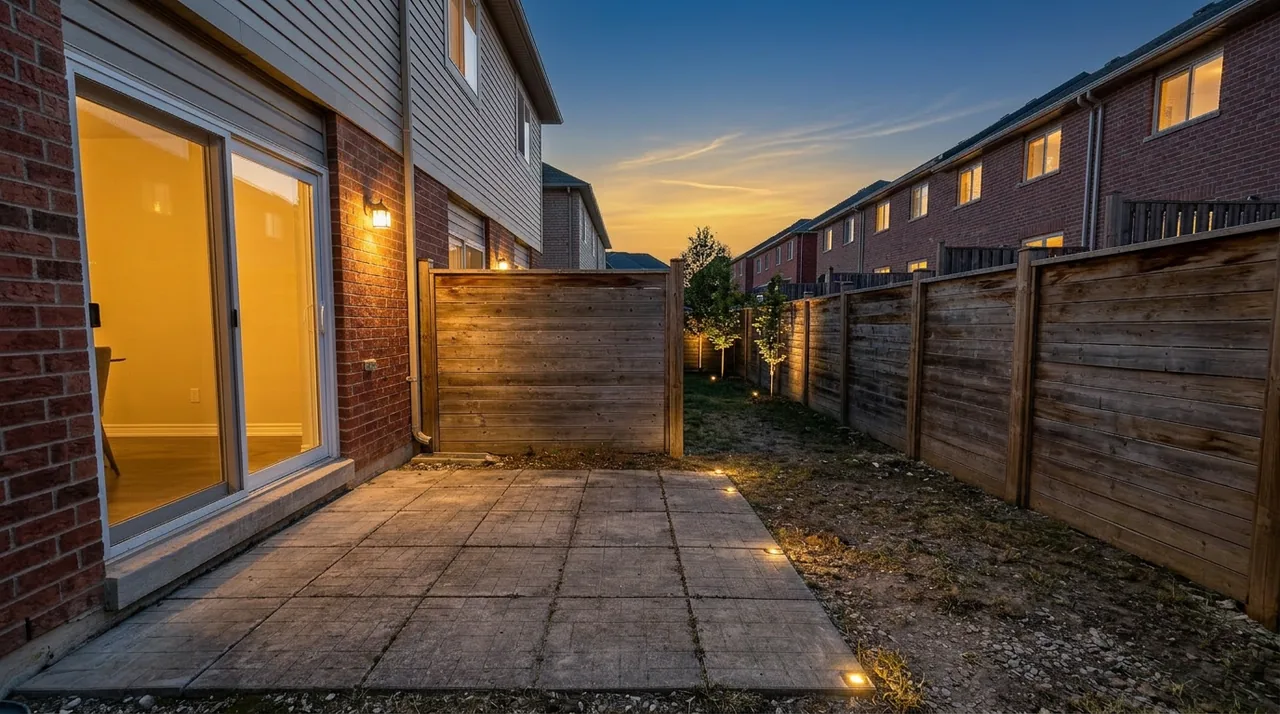
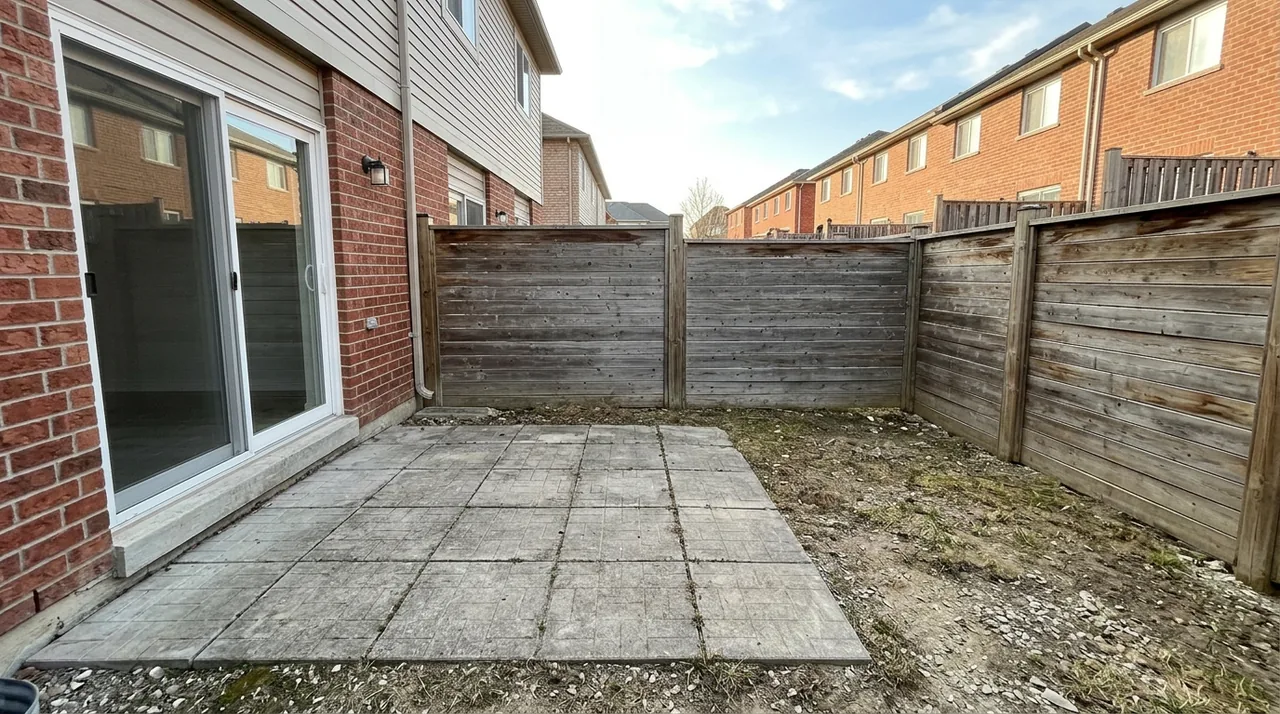
Real estate photographers have used manual Photoshop twilight edits for years. A skilled retoucher could spend three hours on one shot to get the window glow right. AI-based tools now do the same job in under two minutes at a fraction of the cost.
This guide covers what a twilight edit actually changes, when it helps a listing, and how to tell a realistic result from a bad one.
What a twilight edit actually changes
A twilight conversion isn't a filter. A proper edit adjusts several elements simultaneously:
- Sky: replaced with a sunset, blue-hour, or golden-hour image matched to the lighting direction of the original shot
- Window glow: interior lights are brightened to simulate illuminated rooms — the single most important element for realism
- Facade tone: ambient light shifts from cool midday to warm dusk
- Shadows: recast to be consistent with a lower sun angle
Each element has to match for the result to look real. A brilliant sunset sky paired with windows that are still dark from the original daylight shot is the most common sign of a rushed edit — and experienced buyers on listing portals notice it.
Why twilight photos perform better in search results
The practical argument for twilight isn't aesthetic — it's competitive. Zillow, Realtor.com, and Redfin display thumbnail grids in search results. A listing competes for a click against 20 other properties at the same price point, usually in a 3-second scroll.
Most listing photos are shot midday under overcast light: grey sky, flat shadows, neutral color temperature. A twilight exterior photo is warm, distinct, and immediately reads as a professionally presented listing. The click-through advantage is real even when the underlying property is identical to its neighbors.
There's also a buyer-psychology dimension. A lit home at dusk signals occupancy and warmth — it looks inviting rather than vacant and clinical. For listings that are empty (or virtually staged), a twilight exterior offsets the cold feeling that otherwise well-executed interior shots can still carry.
The three types of virtual twilight edits
Exterior twilight (day to dusk)
The standard use case: a daytime front-of-house photo converted to golden hour or dusk. Window glow is the technical challenge. Bad edits have windows that look like solid-colored rectangles or glow with nuclear intensity. Good edits layer realistic interior light that brightens from the center and bleeds slightly around the window frame, with slight lens bloom on the brightest panes.
Interior twilight
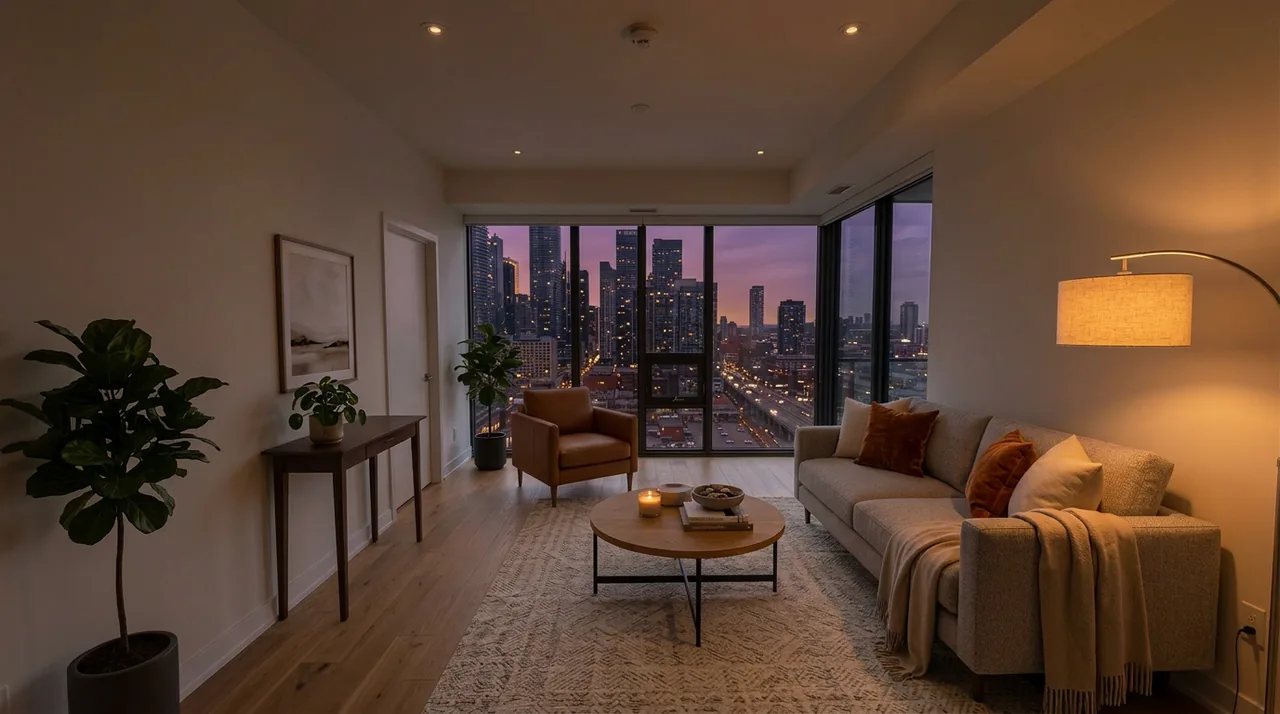
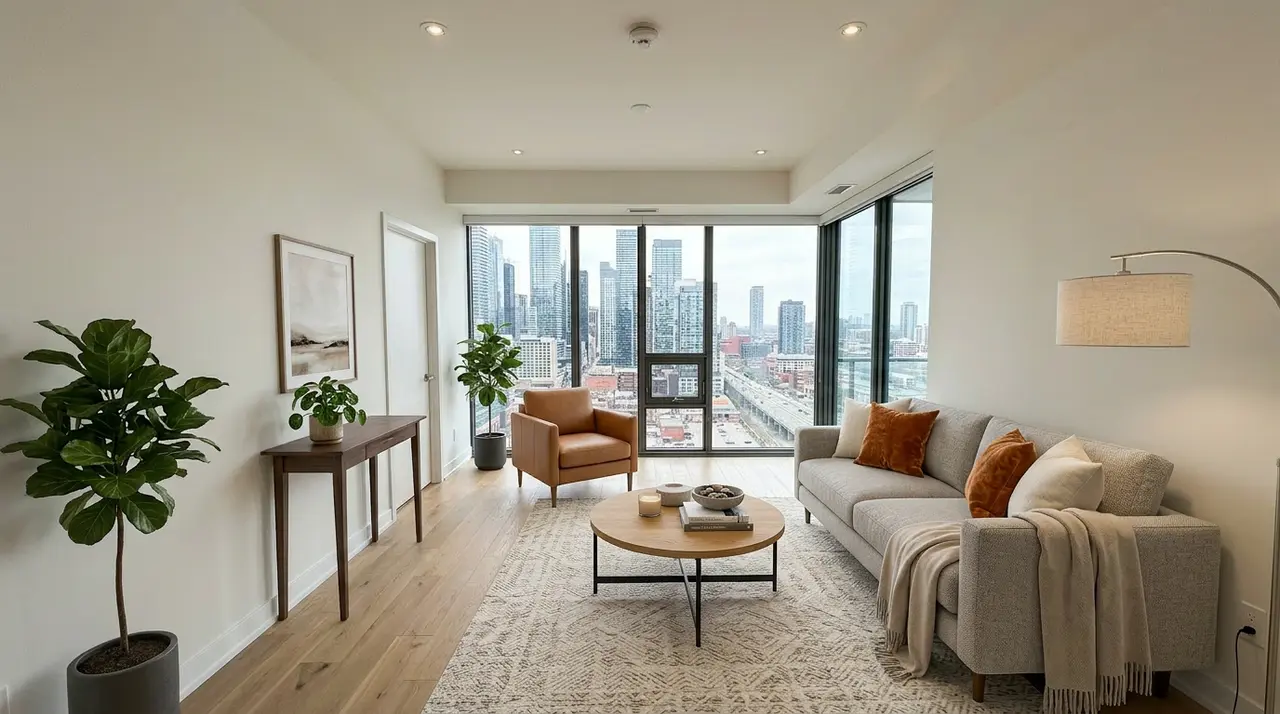
Used for open-plan living areas with large visible windows. The edit shifts the view through the windows from washed-out daylight to golden-hour, and warms the interior ambient light to match. Effective for main living areas shot wide-angle where the window exposure is part of the composition.
Sky replacement
The narrower version of the edit: replace a grey or blown-out sky with a dramatic sunset or blue-hour image, without full twilight treatment of the facade. Most useful for condos, townhouses, and properties where window glow isn't part of the shot composition. Lower complexity, lower cost, and often sufficient for listings where the structure is largely facade-flat.
Why virtual twilight has a bad reputation — and how to avoid it
It's worth being honest about something the vendor landing pages won't tell you: a lot of twilight edits look terrible. Spend ten minutes in r/RealEstatePhotography and you'll find working photographers calling day-to-dusk conversions "fake cartoon crap," "super fake," and comparing them to "a low budget TV show" faking nighttime with a daytime shot. That reputation is earned — by rushed, over-processed edits that a buyer clocks as fake in half a second. The technique isn't the problem; the execution usually is.
Here's what actually gives a bad twilight away, straight from the tells photographers and buyers complain about most:
Nuclear-yellow windows. The single most common complaint. Real interior light at dusk is a warm 2700–3200K glow with variation across the pane — brighter in the center, softer at the edges. A window filled with one flat, saturated yellow reads as painted-on, not lit. "SO YELLOW" is the phrase that comes up again and again.
Wet-looking driveways and colored ground reflections. For some reason a lot of edits add a glossy "wet concrete" reflection to the driveway. Buyers and agents find it baffling and fake — it's one of the most-mocked twilight tells. If it didn't just rain, the pavement shouldn't be a mirror.
Impossible shadows. At true twilight there are almost no hard directional shadows. An edit that keeps the sharp midday shadows — or casts them in a direction that contradicts where the sunset sky is glowing — breaks instantly for anyone paying attention.
AI artifacts from cheap tools. Power lines turned into trees, jagged grass along the roofline, a sky whose clouds sit in the exact same position on every photo (a dead giveaway you batch-replaced with one stock sky). These come from tools that recreate the image rather than edit it.
Sky that doesn't match the facade. A vivid orange sky casts warm light on the house. If the facade is still in neutral daylight white balance under a dramatic sunset, the physics don't line up. A good edit shifts the whole image, not just the sky layer.
The fix for all of these is restraint plus a realistic reference: warm-not-yellow windows, a twilight that's genuinely darker than daylight (it's dusk, not noon), no invented reflections, and clean masking around the roofline. Modern AI tools handle this far better than the early ones — but the output still needs a human eye before it goes on the MLS. If a shot looks "off," redo it or drop the twilight treatment on that photo. One convincing twilight beats three that look comped.
When not to use virtual twilight at all
Good execution doesn't fix a photo that was never a fit for the technique. Skip twilight on:
- A shot with little or no visible sky. A rowhouse squeezed between neighbors, a deep porch overhang, or a facade shot from too close leaves the model almost nothing to relight — the effect ends up minimal at best, distracting at worst. If the sky isn't part of the composition, sky replacement has nowhere to land.
- A north-facing facade. Golden-hour light comes from a low angle in the east or west. A north-facing exterior physically can't catch that warm side-light the way an east- or west-facing one does, so a convincing "sunset glow on the siding" on a north-facing house looks off to anyone who's stood outside at dusk — even before you get into the separate issue of misrepresenting the light a buyer would actually see (see Disclosure below).
- A listing whose selling point is natural daylight. If the description leans on "sun-drenched" or "floods with natural light," a twilight hero photo undercuts your own pitch. Save twilight for listings where the daytime shot reads flat or unremarkable, not ones where daylight is the feature.
- Fabricating a view through the windows. Warming existing window glow is a lighting edit. Compositing in a view, room, or object that wasn't in the original photo is a different, riskier kind of edit — it's not what a twilight tool is built for, and it crosses into misrepresenting what a buyer would actually see.
- Removing power lines, wires, or altering the roofline. A twilight edit changes light, not structure. If a photo's problem is a utility pole or wire in frame, that's a separate retouching request (or a reshoot from a different angle) — treat it as an actual structural claim, not a lighting adjustment, and see what virtual staging should never change for why that distinction matters.
Manual editing vs. AI tools
Manual Photoshop twilight editing by a skilled retoucher produces the highest quality ceiling. A human can catch and fix edge cases — unusual rooflines, complex tree canopy, multi-window facades with different depths — that AI still occasionally mishandles. The cost is time and money: $15–50 per image, with 12–48 hour turnaround at most services.
AI-based tools trade the ceiling for speed and cost. A batch of 8 exterior photos can be processed in under ten minutes for $2–6 per image. For most standard residential listings — suburban house, clear facade, straightforward roofline — AI quality is indistinguishable from manual work to a buyer viewing a listing portal. Twilight conversion is just one of the edits an AI real estate photo editing tool handles — the same tool stages empty rooms and removes clutter from the same upload.
Manual editing is worth the premium when: the property has complex architecture or heavy tree cover that masks the roofline; the shot will be used in print marketing or billboard advertising; or the listing is luxury-tier where every detail will be scrutinized at high resolution.
Pricing
Current rates across common options (mid-2026):
| Service | Per image | Turnaround |
|---|---|---|
| VirtualStaging.tools | Included in plan | Minutes |
| BoxBrownie | ~$5 | 24 hours |
| Styldod | $7–15 | 24 hours |
| Freelance retoucher | $20–50 | 24–48 hours |
For agents already on a virtual staging subscription that bundles twilight editing, the marginal cost is zero. For a one-off, AI tools offer the best price-to-quality ratio for standard residential exteriors. See the 2026 virtual staging pricing breakdown for a full comparison across tools.
How to use a virtual twilight editor
The workflow at VirtualStaging.tools:
- Upload the exterior photo — use the highest-resolution original available, not a compressed export
- Select "Virtual Twilight" as the edit type
- The AI processes the image in under 90 seconds
- Download the result; request a redo if the window glow looks off on a specific pane
One practical note: submit your best source photo. Harsh midday shadows across the facade are difficult to correct because the shadow pattern would be inconsistent with twilight lighting direction. Photos shot under light overcast or in the hour before golden hour work best as input.
If you're submitting photos for a full listing, twilight works best for the front-of-house hero shot and any backyard or pool exterior. Not every photo needs twilight treatment — overusing it flattens the effect and can make a listing look uniformly processed. Two or three twilight edits per listing is the typical sweet spot. For those same empty backyard, deck, and porch shots, exterior virtual staging is the daytime counterpart — it furnishes the space with outdoor furniture rather than changing the light.
Pre-publish check before it goes on the MLS
Run through this on the result, side by side with the original, before you download and use it:
- Windows read as warm, not yellow — visible variation across each pane, brighter center to softer edge, not one flat saturated color.
- Sky and facade light direction match — the warm cast on the house lines up with where the sunset sky is glowing, not still lit like midday.
- Shadows are soft and minimal, not hard midday shadows — true twilight has almost no sharp directional shadow.
- No invented reflections — a dry driveway or walkway stays dry; a "wet concrete" glaze the original photo doesn't support is a tell, not an enhancement.
- Roofline and tree edges are clean — no halos, jagged fringing, or a sky that looks identical across multiple photos from the same shoot (a sign of one stock sky reused rather than a real edit).
- Nothing structural moved — same power lines, same windows, same roofline as the original. A twilight edit changes light, not the building.
If a result fails more than one of these, redo it with a different source photo (see "when not to use" above) rather than publishing a shot you'd have to explain at a showing.
Disclosure: what MLS rules require
A twilight photo is a digitally altered image, and most MLSs now expect altered listing photos to be disclosed. NAR's Standard of Practice 12-10 requires that any material alteration to a listing image be clearly disclosed. In practice, a short caption on the photo does the job — something like "Exterior twilight created with digital day-to-dusk editing."
California went further: AB 723, effective January 1, 2026, requires licensees to disclose digitally altered listing photos and to make the original image available. Other states and boards are moving the same direction. The safe habit, wherever you list, is to label any twilight or virtually staged photo and keep the unedited original on file.
This isn't a reason to avoid twilight — it's routinely treated as acceptable enhancement, not misrepresentation, as long as it's disclosed and the edit doesn't misstate the property (don't fake a west-facing sunset on a north-facing house, for instance). The one thing that gets agents in trouble is an undisclosed edit that changes what a buyer believes about the home. Check your local MLS's specific wording — the disclosure language varies board to board.
Frequently Asked Questions
What is virtual twilight photo editing?
Virtual twilight photo editing digitally converts a daytime real estate photo into a twilight or dusk scene. The edit replaces the sky with a golden-hour or blue-hour image, adds warm window glow to simulate lit interior lights, and adjusts the facade's ambient light to match. It's done either by a human retoucher in Photoshop or by an AI tool in seconds to minutes.
Is virtual twilight the same as day-to-dusk?
Yes — "virtual twilight," "day to dusk," "twilight conversion," and "dusk effect" all refer to the same technique. The terms are interchangeable across photography, listing services, and retouching vendors. Some services use "sky replacement" as a narrower term that excludes window glow work.
How much does virtual twilight photo editing cost?
AI-based tools typically charge $2–6 per image with turnaround in minutes. Traditional Photoshop retouching services charge $15–50 per image with 24–48 hour turnaround. Some virtual staging subscriptions include twilight editing at no extra per-image cost. For a standard listing with one or two twilight shots needed, AI tools are significantly more cost-effective.
Do MLS rules allow virtual twilight photos?
Most MLSs permit twilight-converted photos as long as they're disclosed as digitally altered. NAR Standard of Practice 12-10 requires that altered listing images be clearly disclosed, and California's AB 723 (effective January 1, 2026) requires disclosing altered photos and keeping the original available. In practice, a caption such as "digitally enhanced — twilight" satisfies most boards. Twilight conversion is widely treated as acceptable enhancement rather than misrepresentation when disclosed. Check your local MLS rules — see the disclosure section above and MLS requirements for virtual staging for more detail.
Can any exterior photo be converted to twilight?
Almost any exterior photo can be converted, but results vary. Photos shot under flat overcast light work best — the AI has a clean, shadow-free facade to work with. Photos with harsh midday shadows are harder because the shadow direction would be inconsistent with twilight lighting. Wide-angle shots with heavy tree cover over the roofline produce more edge artifacts than clean shots with an open sky. Best source conditions: overcast daylight, late afternoon, or early morning.
What makes a virtual twilight photo look fake?
The most common tell is window glow that looks flat or solid — real windows at dusk have subtle variation and slight lens bloom, not a uniform fill color. Second is a sky that doesn't match the facade's ambient light: a vivid orange sunset sky would cast warm light on the facade, so a neutral daylight facade under that sky looks composited. Third is poor masking around rooflines and branches, visible as halos or fringing at the sky edge. Modern AI tools handle all three more consistently than earlier versions.
Should I use twilight editing for every listing photo?
No. Twilight works best as a treatment for one or two hero exterior shots — the front of house and the backyard or pool, if applicable. Using it on every photo dilutes the visual impact and can make a listing look uniformly processed. Interior photos generally don't benefit unless they're wide-angle shots with prominent windows. Two or three twilight edits per listing is the standard approach.
How long does virtual twilight editing take?
AI tools return results in 1–3 minutes per image. Traditional retouching services take 24–48 hours. If you're shooting and listing same-day, an AI tool is the only option that fits the timeline. Traditional services are better when quality is the primary constraint and you have lead time — for example, a luxury listing where the photos will also appear in print.
Can virtual twilight show the interior through windows?
Yes — well-executed twilight edits render a realistic warm interior glow through the windows rather than leaving them dark or filling them with a flat color. The AI reconstructs the glow based on the window proportions and the facade lighting. Some services also support compositing a real interior photo behind the windows, though this adds significant complexity and cost over standard twilight conversion.
Does twilight editing work alongside virtual staging?
Yes. Virtual staging adds furniture and decor to empty interior photos; twilight editing transforms exterior daylight shots. Both can be applied to the same listing — a virtually staged main living area paired with a twilight exterior hero is a common approach for vacant properties. The two edits are independent and can be ordered from the same service or separately. See how to get listing-ready virtual staging photos for more on the interior workflow.
Is there a free virtual twilight app or tool?
Some AI tools offer free trial credits — a few free conversions or a set dollar amount of starter credit — which is enough to test one or two exterior shots before committing. Fully free, unlimited twilight editing is rare and usually comes with watermarks, low resolution, or heavy queue limits that make it impractical for a real listing. For a single hero shot, a free trial is the practical way to try it; for regular listing volume, a paid AI tool or a plan that bundles twilight editing costs a few dollars per image and removes the limits.
What software do professionals use for twilight editing?
Manual retouchers work in Adobe Photoshop and Lightroom — bracketed exposures merged, the sky masked and replaced, window glow painted in, and the whole image color-graded to dusk. It's the highest-quality ceiling but takes real skill and time. Most agents don't edit themselves; they either use a dedicated AI day-to-dusk tool that automates the whole process in under two minutes, or send photos to a retouching service. For standard residential exteriors, a good AI tool now matches manual Photoshop work as far as a buyer scrolling a listing portal can tell.
More from the blog
Related reading

How to Write Instructions AI Staging Will Follow
We tested five staging instructions on real listing photos. The four that worked share one trait — and the one that failed shows the model's limit.
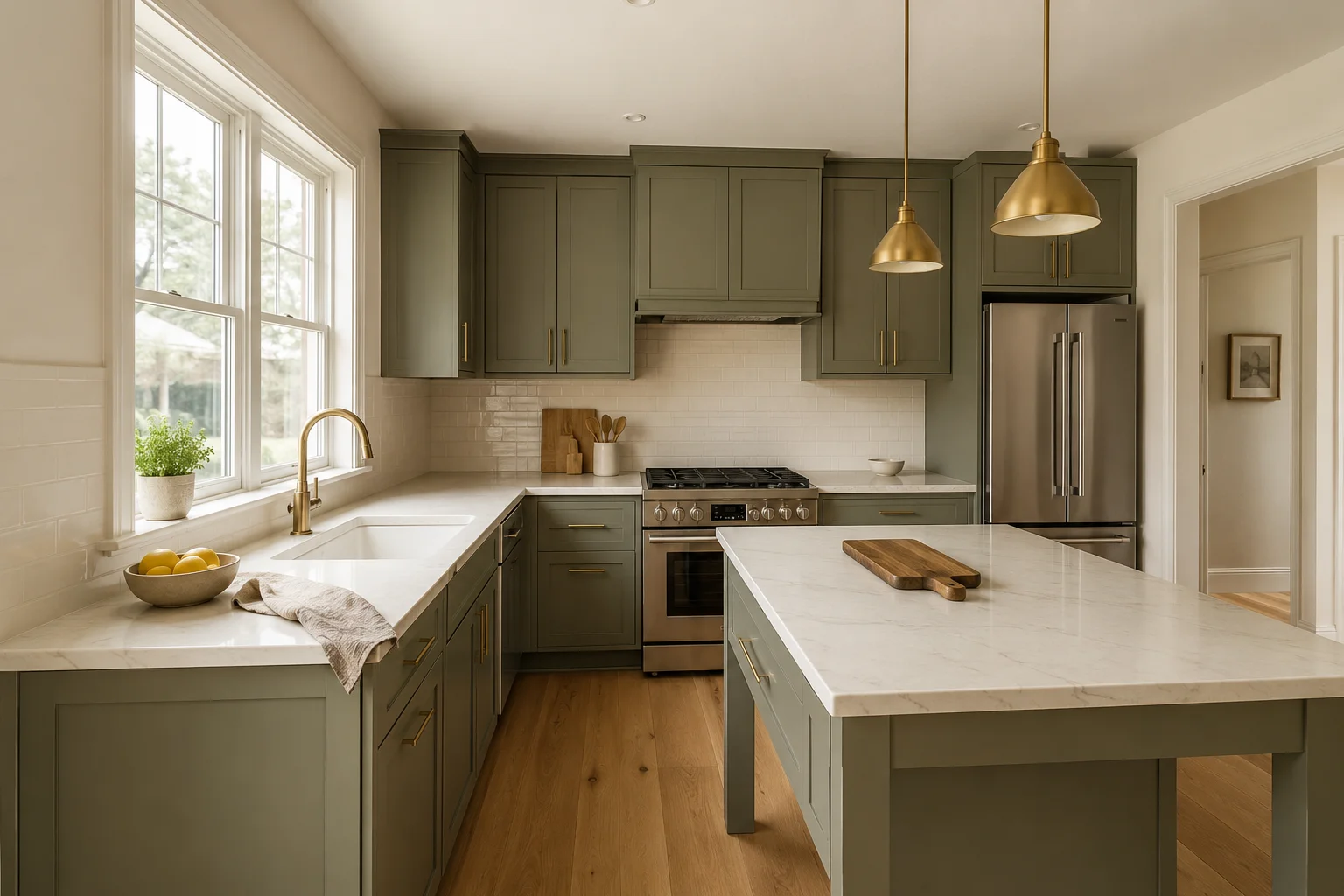
Virtual Kitchen Renovation: The Honest Listing Guide
How virtual kitchen renovation works for real estate listings, what it can and can't change, MLS disclosure rules, and a workflow agents can trust.
Which Listing Photos Should You Virtually Stage?
Not every room needs virtual staging. A practical framework for which rooms to prioritize, how many photos to stage per listing, and which photos to leave alone.