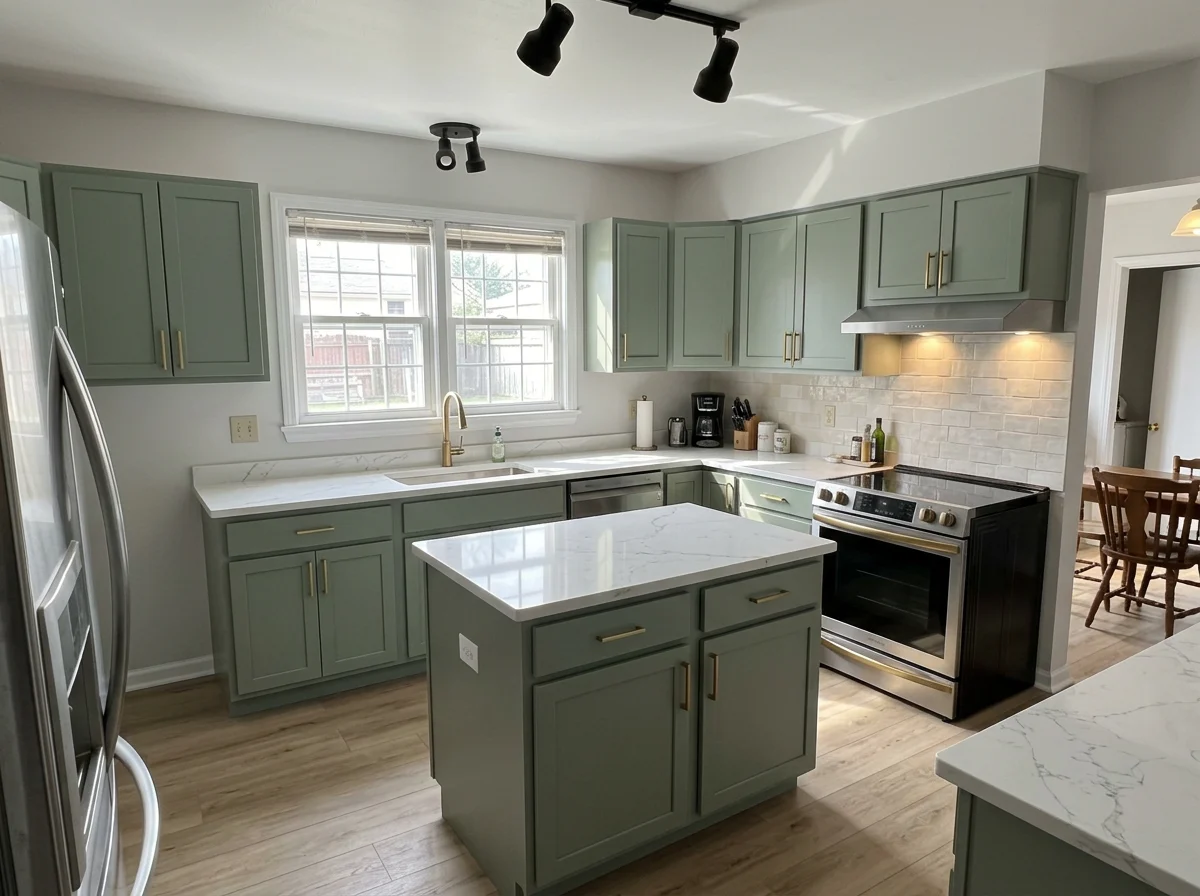
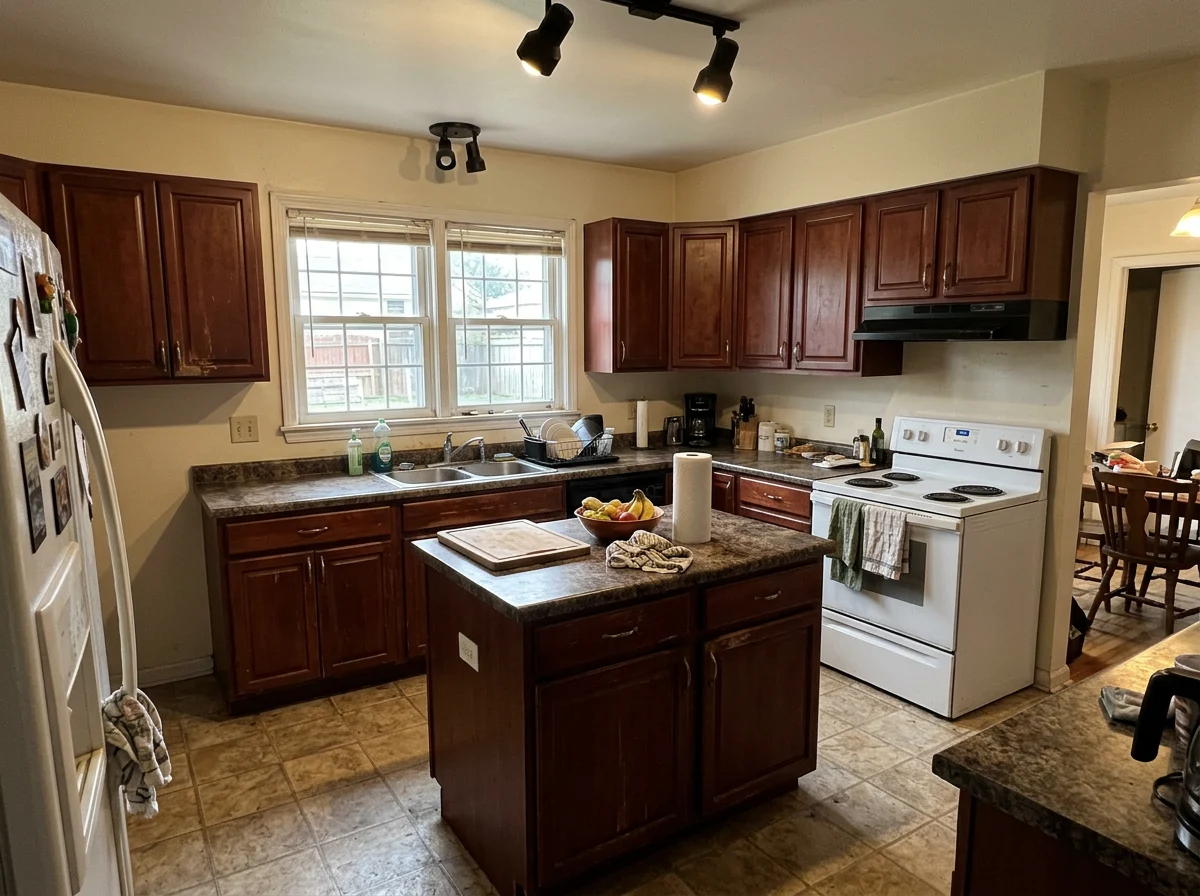
Virtual kitchen renovation is editing a listing photo so a dated kitchen shows updated finishes — new cabinet color, counters, backsplash, flooring — while keeping the exact same room, layout, and camera angle. It is not a remodel. Nothing physical changes. The goal is to let a buyer picture the potential of a kitchen that's structurally fine but cosmetically stuck in 2003.
That last part is where it gets risky. Done honestly, it's a powerful way to market a fixer or a dated home. Done carelessly — moving walls, inventing an island that won't fit, hiding the actual condition — it crosses into misrepresentation and can get you an MLS violation or worse. This guide is written for solo agents who want the upside without the liability.
Virtual renovation vs. virtual staging — not the same thing
These two get confused constantly, and the difference matters for how you disclose them.
- Virtual staging adds furniture and decor to an empty room. The walls, floor, and finishes are real and unchanged — you're just showing it lived-in. (If that's actually what you need, start with the complete guide to virtual staging.)
- Virtual renovation changes the finishes themselves — cabinets, counters, paint, flooring, fixtures. The room is real, but the surfaces shown are not the current condition.
That distinction drives the disclosure. A virtually staged empty room is showing real space with imagined furniture. A virtually renovated kitchen is showing imagined finishes on a real kitchen — a bigger claim, and one buyers are right to scrutinize. More on the disclosure rules below.
When it actually helps a listing
Virtual kitchen renovation earns its place in a narrow set of situations — not every listing:
- A dated-but-sound kitchen. Oak cabinets, laminate counters, working appliances. The layout is fine; only the finishes read "old." A renovated preview helps buyers see past the cosmetics instead of mentally subtracting $40k.
- A fixer or estate sale where you want to attract buyers who'll renovate, and show them a realistic end state rather than asking them to imagine it from scratch.
- A flip mid-renovation, where you can preview the finished look while work is underway.
Where it does not help: a kitchen that's already updated (nothing to gain), or a listing where the seller wants the renovated photo to be the primary photo with no original shown. That second case is where agents get in trouble.
What it can change — and what it can't
This is the most important section, because the honest tools and the reckless ones diverge exactly here.
What virtual renovation can realistically change:
| Element | Typical change |
|---|---|
| Cabinets | Color, door style, hardware |
| Countertops | Laminate → quartz, granite, butcher block |
| Backsplash | Add or update tile |
| Flooring | Vinyl/tile → wood-look, LVP |
| Paint | Wall and trim color |
| Fixtures | Faucet, lighting, cabinet pulls |
What it should NOT change — and what a trustworthy tool refuses to do:
- Move or remove walls. If the tool offers to "open up" the kitchen by deleting a wall, walk away. You'd be showing a floor plan that doesn't exist.
- Change the layout. The island, sink, range, and window stay exactly where they are. The before/after above keeps the island in the same spot — finishes change, geometry doesn't.
- Add square footage or invent cabinets where there's no room for them.
This is also how you separate a trustworthy tool from a dangerous one: a good tool preserves the architecture and only repaints the surfaces; a general-purpose image AI re-imagines the whole room. Agents who've tested both describe exactly this split — purpose-built renovation models keep the original walls and fixtures, while asking a generic chatbot to "remodel this kitchen" tends to hallucinate new windows, extra square footage, and an island that was never there. The single most common complaint about AI renovation, voiced over and over by agents and buyers, is that the AI "took down a wall and created a kitchen that had nothing to do with the original." A renovation preview is only useful if it's the same room.
Will buyers be able to tell it's AI?
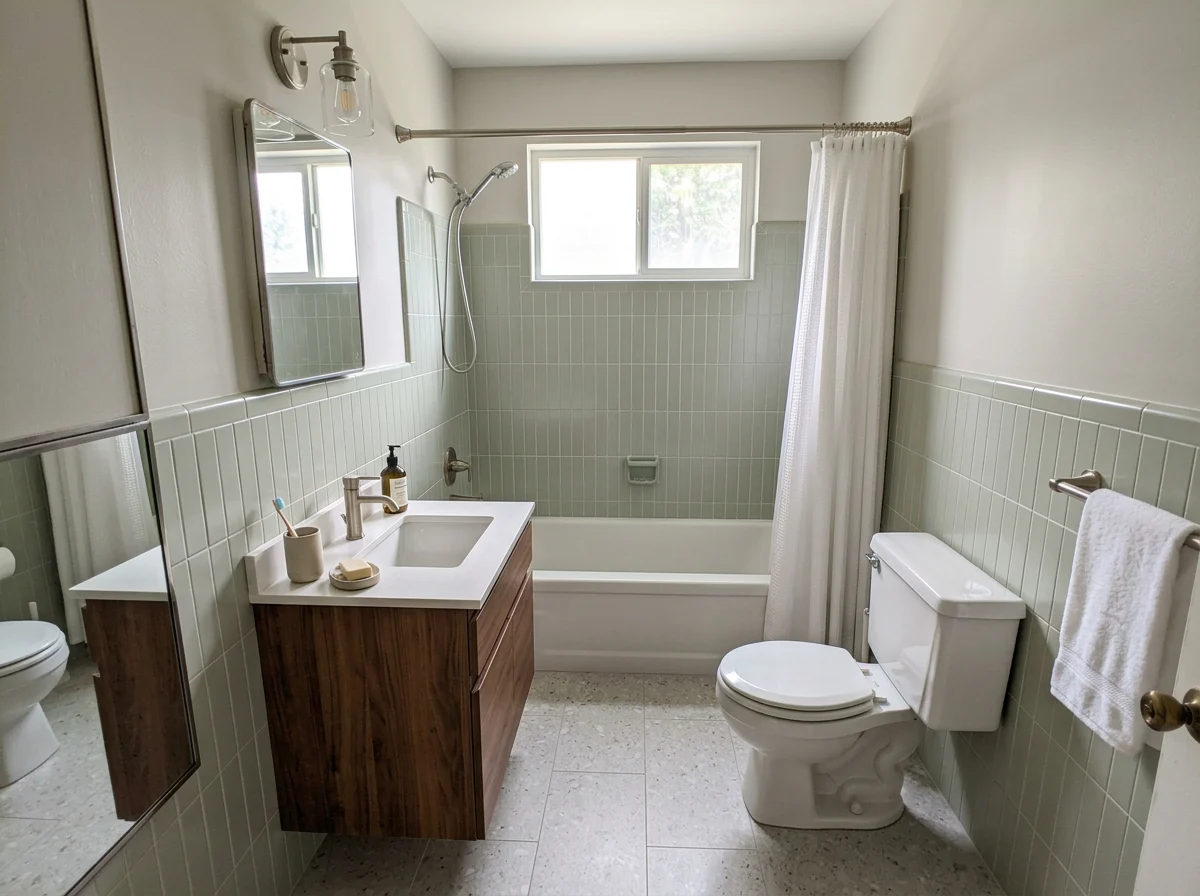
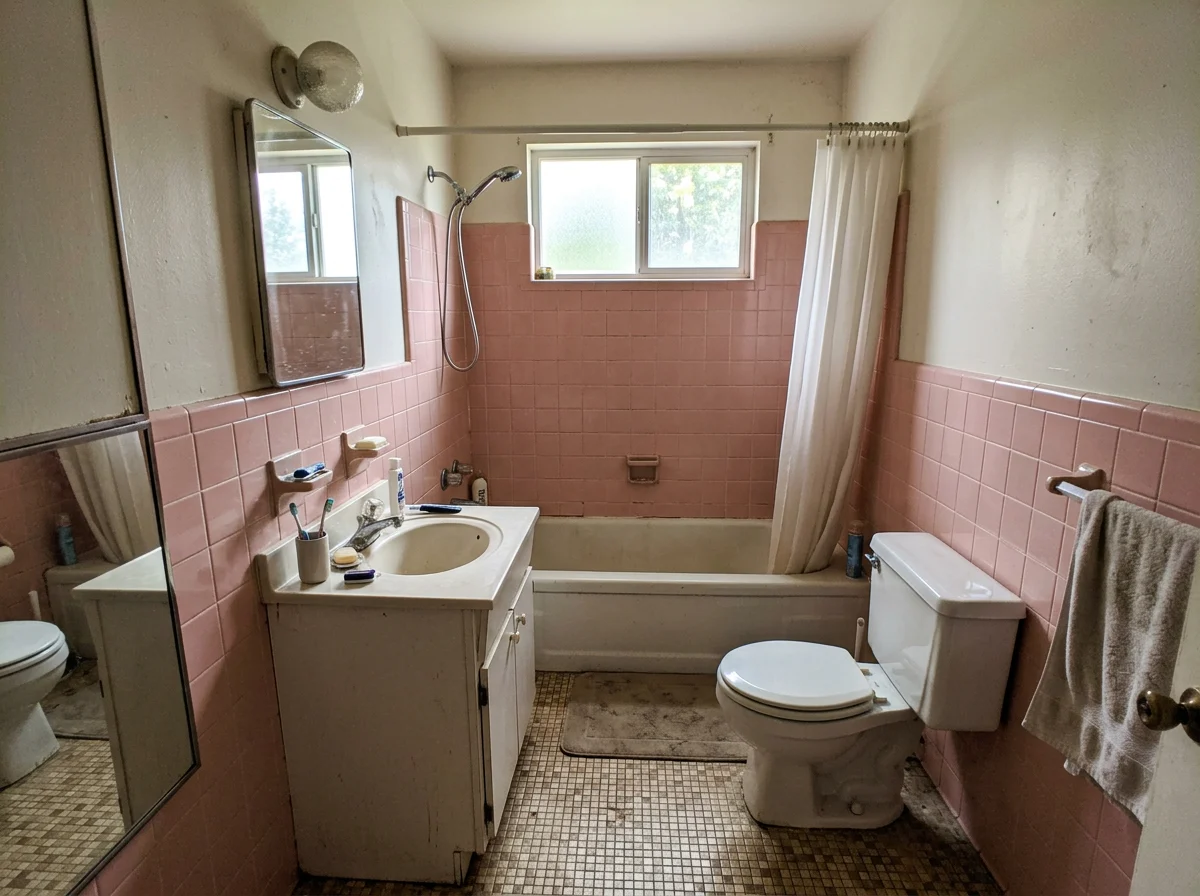
Increasingly, yes — and that's the real risk, bigger than any MLS rule. Buyers have learned to spot AI-edited listings, and the moment they do, trust collapses. The complaints are remarkably consistent: windows that don't match between rooms, lighting that's subtly off, edges that clip. A buyer who senses a photo was "regenerated" stops believing any of your photos.
The counterintuitive lesson is that fidelity matters more than beauty. A render that makes the kitchen prettier but quietly changes the room's bones gets caught — and a caught render doesn't just fail to help, it actively kills the deal. Agents report buyers walking specifically because the AI enhancements made them distrust the listing. The vernacular buyers use for it is blunt: "bait and switch," or being "catfished by the listing."
So the bar for a renovation preview isn't "does it look impressive." It's "could a buyer standing in the real kitchen tell what's been changed and why." That's the whole case for output that keeps the original geometry, shows the unedited photo right next to it, and carries a visible "concept" label — you're removing every reason for a buyer to feel tricked.
Two ways to use a renovation preview
Where you put the renovated image changes the risk profile entirely. There are two legitimate uses, and they are not equal:
- As a concept shown to buyers in person — "here's what this kitchen could look like updated," presented during a tour or in a supplemental flyer, with the buyer standing in the actual room. This is legal, common, and low-risk: nobody is being misled, because the real kitchen is right in front of them. This is the safest home for a renovation render.
- As a photo in the MLS listing — the highest-scrutiny use. Here the renovated image is competing with reality in the buyer's mind before they ever visit, so it must follow your MLS's disclosure rules to the letter (below), never be the only or primary image of that room, and only ever show finish changes — never structural ones.
If you're unsure, default to use #1. A renovation preview does its best, safest work as a clearly-labeled concept, not as a listing hero shot.
What the disclosure rules actually say
Most MLS systems allow digitally altered photos if they are clearly labeled and not deceptive — but the specifics vary by board, so confirm yours. Here's what the authoritative sources actually require, as of June 2026:
- NAR Code of Ethics, Standard of Practice 12-10 (Adopted 1/07, Amended 1/18) obligates REALTORS® to "present a true picture in their advertising and representations to the public," and explicitly prohibits "misleading images." A renovated photo that hides a kitchen's real condition is squarely what this targets. (NAR)
- California's AB 723 (Chapter 497, effective January 1, 2026) requires a reasonably conspicuous disclosure on any digitally altered listing photo, plus a link or QR code to the original, unaltered image. "Digitally altered" expressly includes virtual staging and changing flooring, paint, or cabinets — exactly what a kitchen renovation does. Routine adjustments like lighting, sharpening, or cropping don't count. The enforcement teeth: a willful violation of the Real Estate Law is a crime under the state's licensing authority. (Note: despite what some blogs claim, the statute itself sets no $500–$5,000 per-listing fine — that figure comes from individual MLS rulebooks, not AB 723.) (CA leginfo)
- CRMLS (California's largest MLS) spells out the practice: the original, unaltered image must appear immediately before or after the enhanced one, both labeled. As of its latest guidance, CRMLS has no fine for breaking this rule and is revisiting fines in 2026 — so don't rely on "there's no penalty" staying true. (CRMLS)
Boiled down to a checklist that keeps you safe almost anywhere:
- Caption every renovated photo — something like "Virtually renovated — concept rendering, not current condition."
- Always include the original, unedited photo of the same kitchen in the same listing, adjacent to the render.
- Never use a renovated photo as the only image of that room.
A surprising number of competitor tools market the output without ever mentioning disclosure. That silence is a liability they're handing you. The right workflow makes the original photo and a "concept" label impossible to skip — forced side-by-side, a visible watermark — so you can't accidentally publish something a buyer could call deceptive. (For the broader picture on how altered photos affect buyer trust and time-on-market, see our virtual staging in real estate ROI guide.)
How much it costs and how long it takes
Pricing for AI virtual renovation has dropped sharply. Where a hand-rendered architectural visualization used to run $50–$200 per image with a 2–3 day turnaround, AI tools now produce a kitchen preview in under a minute for a few dollars or less — and several, including this one, give you a few images free to test the quality before you pay anything.
A few honest notes on cost:
- Per-photo pricing beats subscriptions if you only renovate the occasional dated listing. You don't need a monthly plan to preview one kitchen.
- Free tiers are real but small. Our own free tier is 3 images for life — enough to test on a real listing, not enough to run a business on. Anyone advertising unlimited free renovations is usually watermarking heavily or selling your data.
- A render is not a renovation budget. The preview shows a plausible end state; it says nothing about what the work costs or whether the structure supports it. If you or a buyer needs the actual number, that's a contractor's quote, not an AI image — be explicit about that so the render is never mistaken for an estimate.
For a fuller breakdown across staging and renovation, see how much virtual staging costs.
A workflow you can trust
Here's the honest, defensible process end to end:
- Shoot the kitchen straight — well-lit, wide, level. The AI works from your photo; a dark or crooked shot produces a dark, crooked render.
- Upload and choose a finish direction — a light, neutral palette (white/sage cabinets, quartz, wood-look floors) reads as "move-in ready" to the widest buyer pool. Avoid trendy choices that date fast.
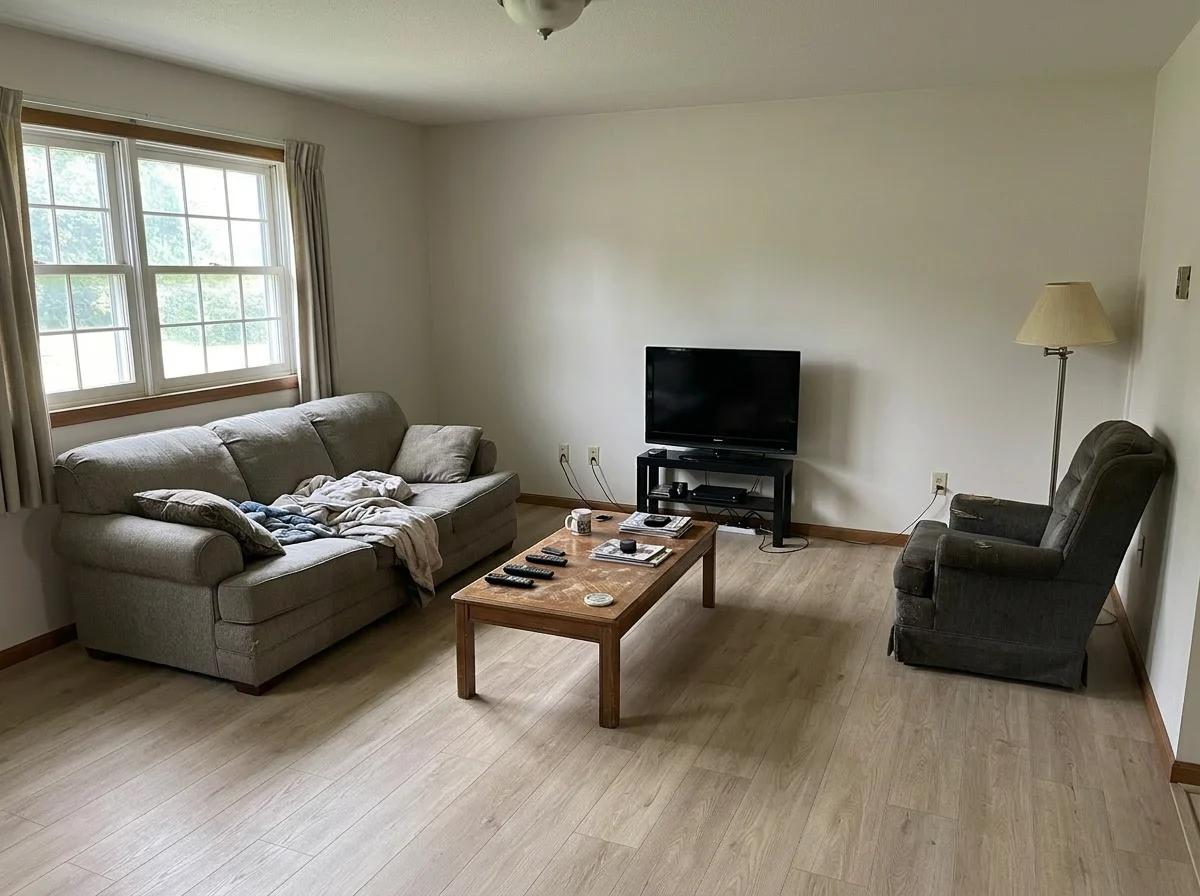
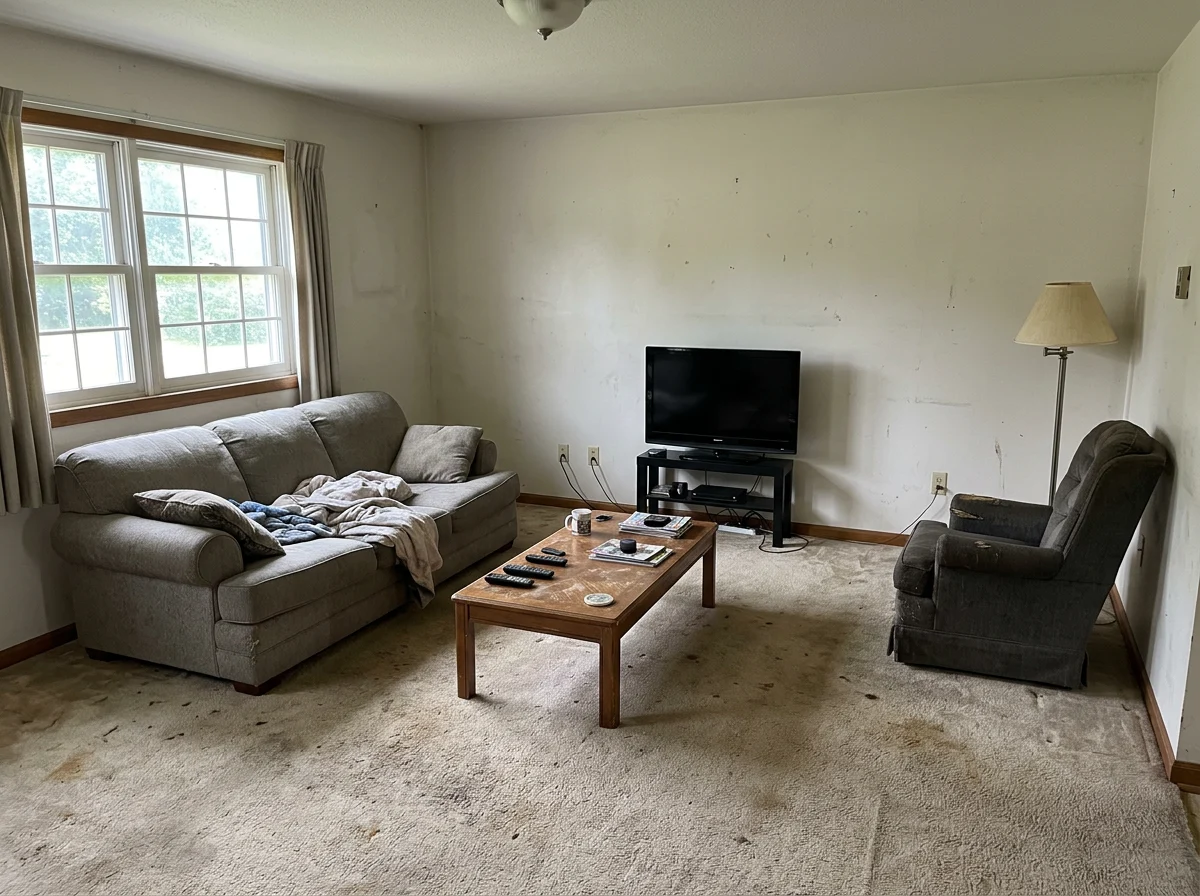
- Check the geometry. Compare the render to the original side by side. Same island position? Same window? Same appliance layout? If the tool moved anything structural, regenerate or reject it.
- Keep the watermark and "concept" label. Don't crop them out.
- Publish both photos — original and renovated, adjacent — with the disclosure caption.
Steps 3 and 5 are the ones that keep you compliant. A good tool makes them automatic instead of optional.
When to skip it entirely
Virtual renovation isn't free of downside, and a few listings are better off without it:
- Move-in-ready kitchens — there's nothing to preview, and a "renovated" version just invites the question "so what's wrong with the real one?"
- Sellers who won't disclose. If a seller insists on presenting the renovated photo as the current state, decline. It's your license on the line.
- Buyers who need to renovate but want a contractor quote. A concept render is marketing, not a scope of work. Be clear it's illustrative, not a bid.
When the kitchen is dated-but-sound and you disclose honestly, it's one of the highest-leverage edits in real estate marketing. Outside that, it's friction.
Frequently Asked Questions
What is virtual kitchen renovation?
Virtual kitchen renovation is digitally editing a listing photo so a dated kitchen shows updated finishes — new cabinet color, countertops, backsplash, and flooring — while keeping the same room, layout, and camera angle. Nothing physical is built; it's a concept rendering that helps a buyer picture the kitchen's potential. It differs from virtual staging, which adds furniture to an empty room rather than changing finishes.
Can I use AI to renovate my kitchen from a photo?
Yes. You upload a photo of the existing kitchen, choose a finish direction, and the AI returns the same room with updated surfaces in under a minute. The important caveat for listing use is fidelity: a purpose-built renovation tool keeps the walls, windows, and layout intact and only changes finishes. General chatbots tend to invent new geometry, which is unusable — and risky — for real estate.
Can ChatGPT remodel my kitchen?
It can produce a remodel image, but it often hallucinates — adding windows, changing the room's dimensions, or inventing an island that isn't there. That's fine for casual inspiration, but for a real estate listing it's a liability: the render no longer matches the actual room. Tools built specifically for renovation are designed to preserve the original architecture and change only the finishes, which is what listing use requires.
Is virtual renovation allowed on the MLS?
Most MLS systems allow digitally altered photos as long as they are clearly labeled and not deceptive, but rules vary by board — always check yours. California's AB 723 (effective January 2026) requires a conspicuous disclosure plus access to the original unaltered image. The safe, near-universal practice is to label every renovated image as a concept, include the original photo of the same room adjacent to it, and never use a renovated photo as the only image of that space.
Do I have to disclose a virtually renovated photo?
Yes. NAR's Standard of Practice 12-10 requires agents to present a true picture and bars misleading images, and states like California now mandate written disclosure with a link to the original. Practically, that means a visible caption identifying the image as a concept rendering and the unedited photo shown alongside it. Disclosure isn't just legal cover — agents who self-disclose actually build more buyer trust than those who hide the edit.
What is considered an altered real estate photo?
An altered photo is one that digitally adds, removes, or changes a property's physical features — virtual staging, new flooring or paint, swapped cabinets, removed clutter that hides condition, or changed windows and landscaping. Routine adjustments like exposure, white balance, sharpening, and cropping generally don't count because they don't misrepresent the property. The line is whether the edit changes the property's condition or features versus just matching how the eye sees the room.
Can virtual renovation move walls or change the layout?
A trustworthy tool won't. Moving or removing walls, changing the layout, or adding square footage produces a floor plan that doesn't exist — which is misrepresentation, not marketing. Reputable virtual renovation keeps the geometry locked: the island, sink, range, windows, and walls stay exactly where they are, and only the surface finishes change. If a tool alters structure, regenerate or reject the result.
Will buyers be able to tell a photo was AI-renovated?
Often, yes — buyers have gotten good at spotting mismatched windows, off lighting, and warped geometry, and once they sense an edit they distrust the whole listing. That's why fidelity beats beauty: a render that changes the room's structure gets caught and can cost you the offer. Keeping the original geometry, showing the unedited photo beside it, and labeling it a concept removes the "bait and switch" reaction entirely.
How much does virtual kitchen renovation cost?
AI virtual renovation typically costs a few dollars or less per image and returns results in under a minute — a steep drop from the $50–$200 and 24–72 hour turnaround of older hand-rendered visualizations. Many tools, including this one, offer a few free images to test quality first. Remember the render is a marketing visual, not a renovation budget; the actual cost to build it out is a separate contractor estimate.
What's the difference between virtual staging and virtual renovation?
Virtual staging adds furniture and decor to an empty room — the walls, floors, and finishes shown are real and unchanged. Virtual renovation changes the finishes themselves: cabinets, counters, paint, flooring. Renovation makes a bigger claim about the space, so it requires stricter disclosure and always pairing the render with the original photo of the same room.
What kitchen finishes should I show in a renovated preview?
A light, neutral palette — white or sage cabinets, quartz counters, wood-look flooring, simple subway backsplash — reads as move-in-ready to the widest buyer pool and dates slowly. Avoid bold or trendy choices that appeal to a narrow taste. The goal is to show broad potential, not impose one specific design that could alienate buyers with different taste.
Can I try virtual kitchen renovation for free?
Yes. Our free tier includes 3 images for life — enough to test the quality on a real listing before deciding whether to pay. Be skeptical of any tool advertising unlimited free renovations; they typically watermark heavily or monetize your data. Test on one dated kitchen, check the geometry against the original, and judge the output before committing.
More from the blog
Related reading
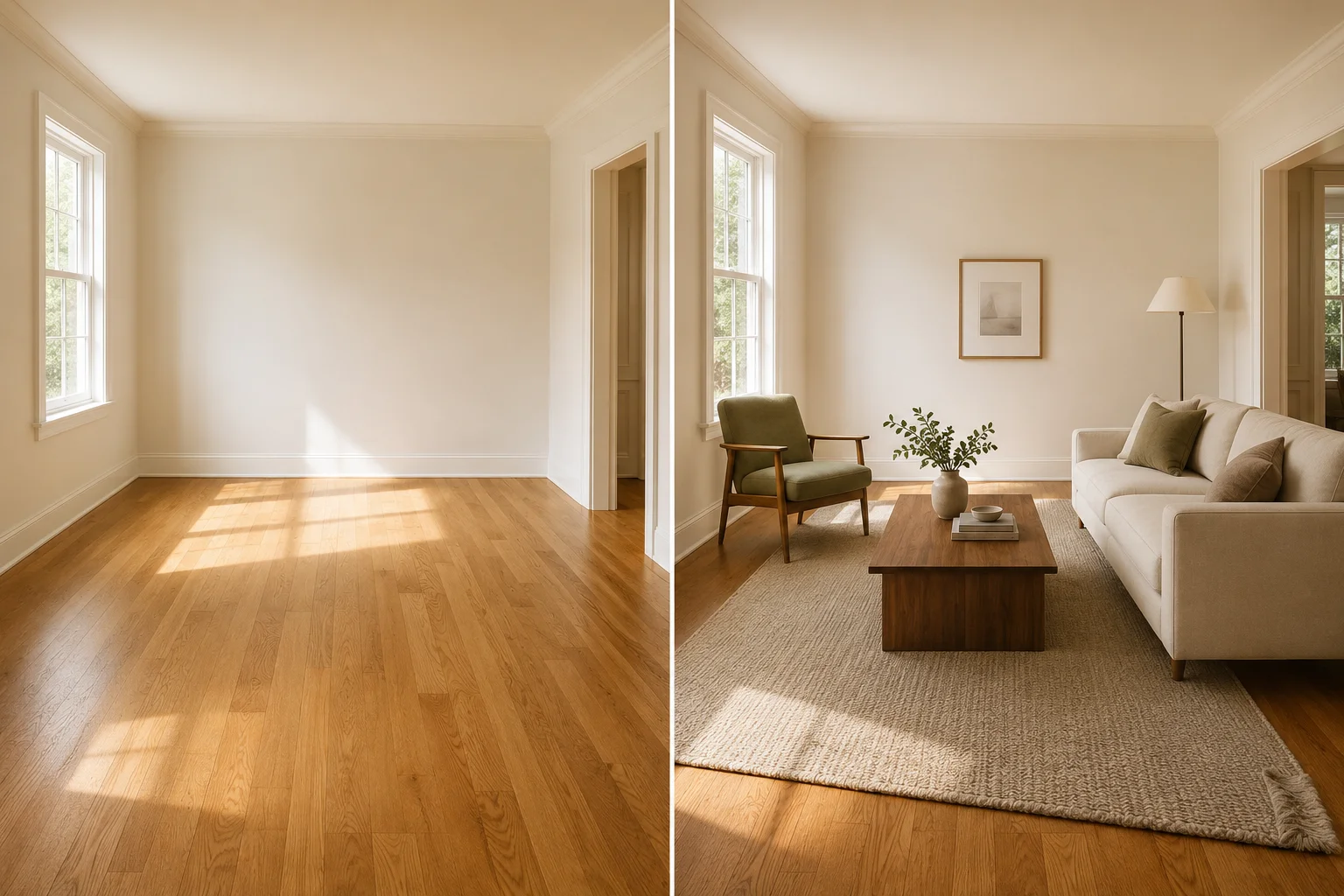
Virtual Furniture Staging: Real Examples, Costs & How-To
See realistic virtual furniture staging before-and-afters for listing photos, plus cost, disclosure, and a quality check for scale, light, shadows, and structure.

Why Your AI Virtual Staging Looks Fake (and How to Fix It)
Seven reasons AI virtual staging looks fake — scale, shadows, perspective, style mismatch — with a fix for each and when to regenerate vs. switch photos.
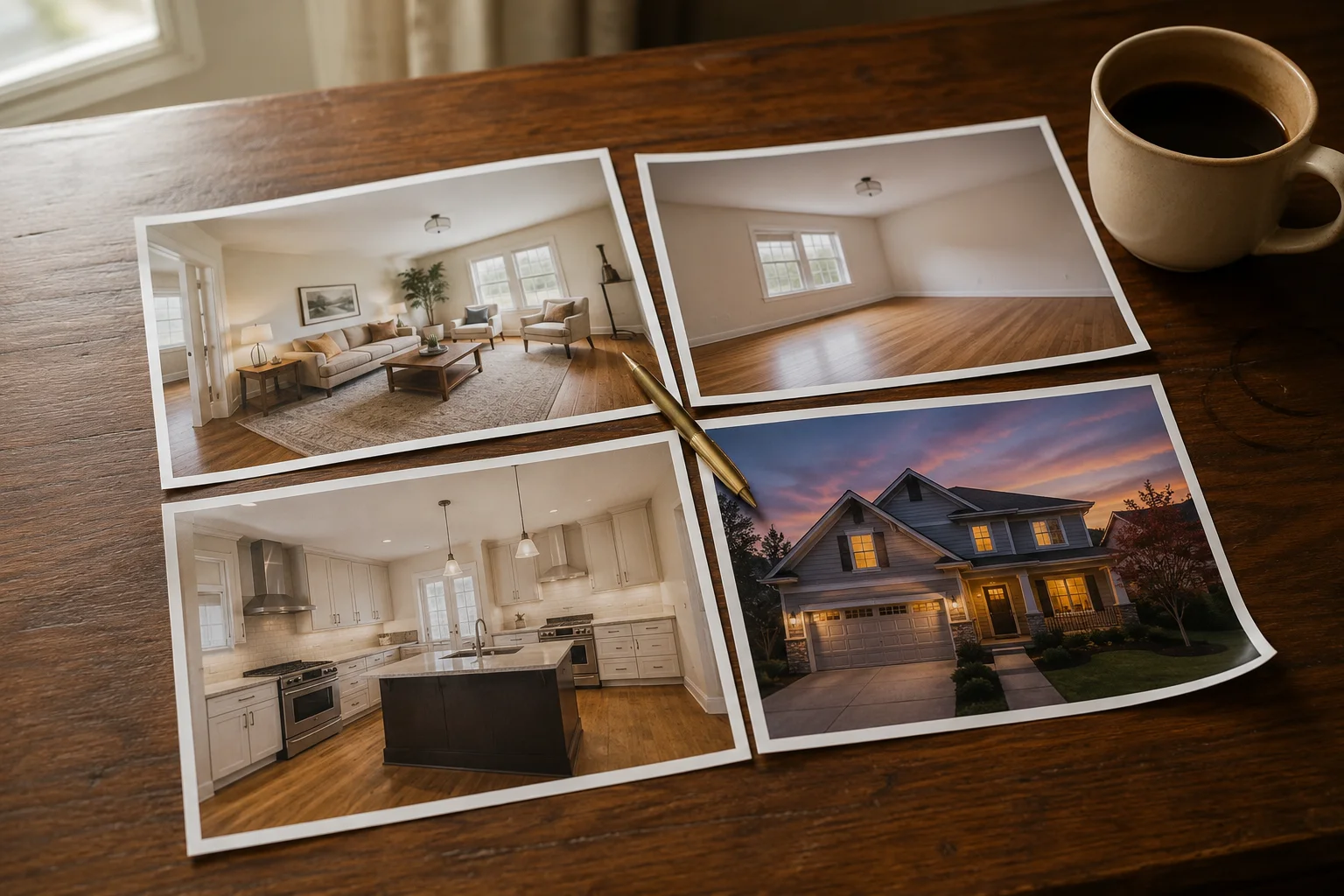
Virtual Staging vs Furniture Removal vs Renovation vs Twilight: Which Tool Do You Need?
Four AI real estate photo tools solve four different problems. A decision guide for which one your listing photo actually needs — and when to skip editing entirely.