Not every property stages the same way. A vacant suburban home, an occupied condo with dated furniture, and a luxury listing each need a different approach — and treating them all the same is how agents end up with staged photos that look wrong for the listing.
This playbook is organized by property type. For each one, you get what works, what to avoid, and the realistic cost to stage the whole property — not just a single hero shot. It also covers the parts agents actually get burned on: when virtual staging backfires, how it stacks up against physical staging, and how to disclose it without crossing into misrepresentation.
What "Virtual Staging Properties" Actually Covers
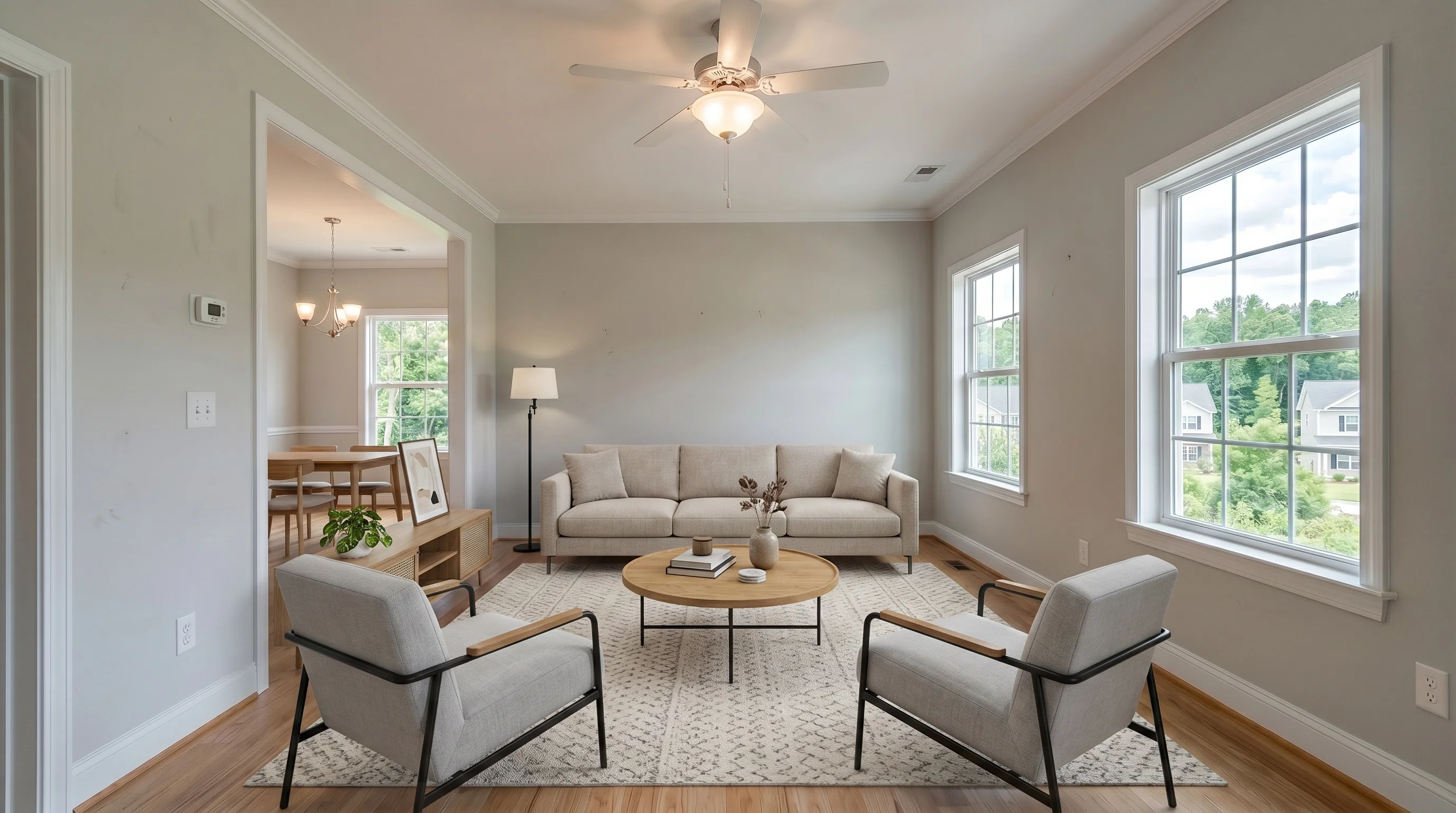
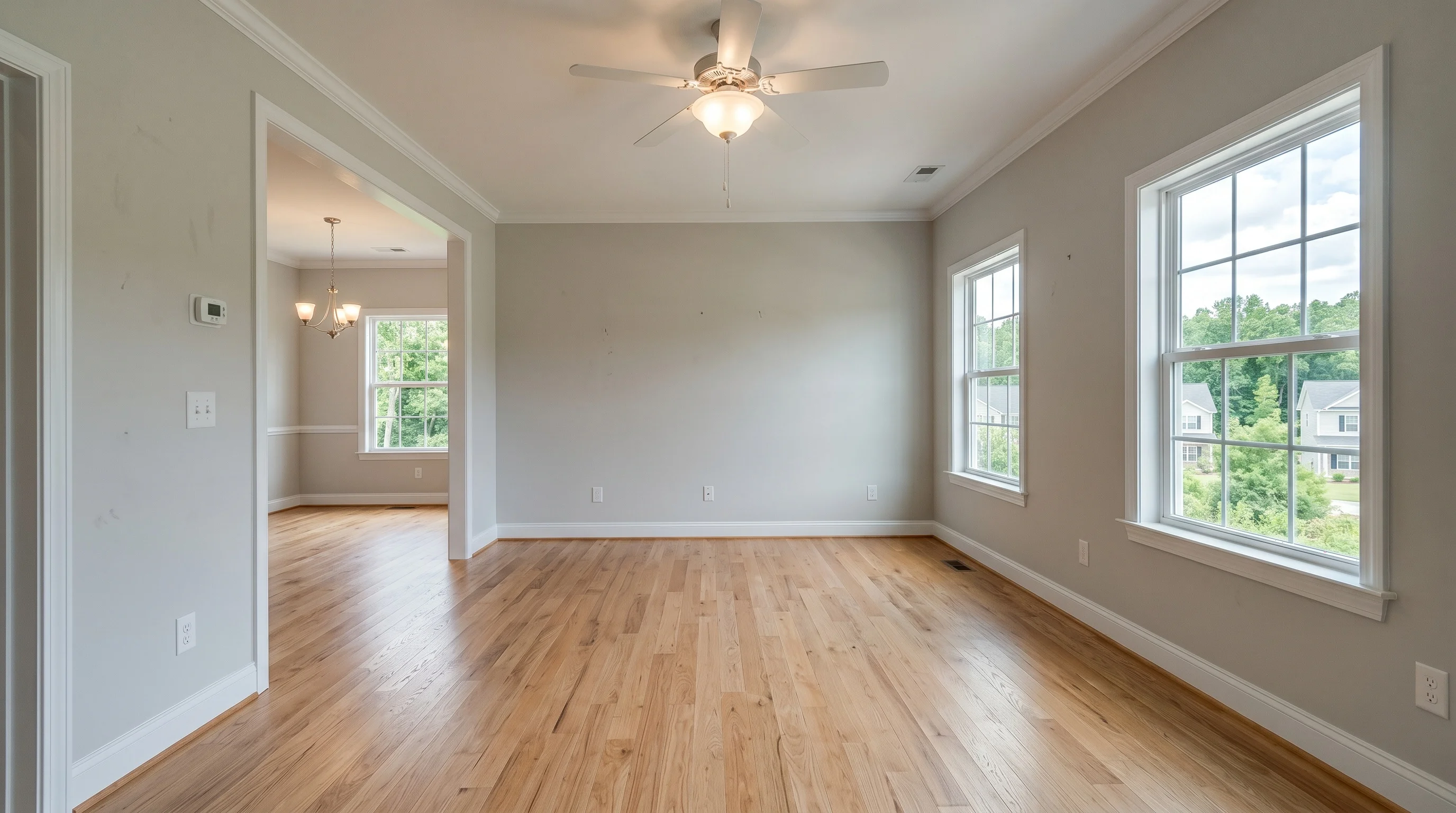
Virtually staging a property means digitally furnishing its listing photos so buyers can picture living there. The physical property is untouched — only the photographs change. You upload a photo of an empty or cluttered room, choose a style, and get a furnished version back in minutes.
The phrase staging properties (plural) matters because the unit of work is the listing, not the photo. A real listing has five to twelve photographed rooms. The decisions that trip agents up — which rooms to stage, how to keep a consistent style across them, what the whole thing costs — only show up at the property level. That is the lens this guide uses.
If you want the foundational mechanics first, start with what virtual staging is and the ROI case for agents. This post assumes you already know the basics and want a per-property-type plan.
Does Virtual Staging Actually Help a Property Sell?
Short answer: it helps the listing get seen and visited — which is most of the battle — but it doesn't replace correct pricing or a sound property.
Buyers shop online first. The overwhelming majority form an opinion about a home from its photos before they ever schedule a showing, and an empty room gives them nothing to anchor to. As one agent put it on a real-estate forum, "If I walk into an empty house, I'm just totally lost." Furnished photos give scale, purpose, and warmth to rooms that otherwise read as bare square footage.
The effect is most visible on stale listings. Agents routinely report a property that "sat for weeks until we virtually staged it — then went under contract days later." That's not magic; it's the listing finally photographing well enough to pull showings.
What virtual staging does not do: fix an overpriced listing, hide a bad floor plan, or compensate for deferred maintenance. Treat it as the tool that earns the showing, not the one that closes the deal. For the full return-on-investment breakdown, see our ROI guide for agents.
Which Property Types Gain the Most
Virtual staging helps almost any listing, but the return is uneven. Ranked by impact:
- Vacant homes — the clearest win. An empty room gives buyers nothing to anchor to, and most are forming an opinion online before they ever schedule a showing. Vacant rooms are also the easiest input for AI: a clean, empty canvas produces the most reliable results.
- Builder spec and new construction — same as vacant, plus you can show the same shell in multiple styles to appeal to different buyer profiles without building out a model unit.
- Occupied homes with dated or heavy furniture — high impact but harder. The existing furniture has to be removed first (digitally or physically) before new pieces go in, which adds a step and some risk.
- Condos and apartments — strong for online-search-heavy urban markets where the listing photo is doing most of the selling.
- Rentals — a lower-stakes but real use case: furnished-look photos help long-term and mid-term rentals lease faster.
The Property-Type Playbook
| Property type | Best approach | Watch out for |
|---|---|---|
| Vacant home | Stage the main living space, primary bedroom, and one secondary bedroom. Keep one style across all rooms. | Don't stage every closet and hallway — buyers expect some empty space. |
| New construction / spec | Stage in 2 styles (e.g. modern + farmhouse) to widen appeal. | Match finishes the builder actually used; mismatched flooring reads as fake. |
| Occupied + dated | Remove existing furniture first, then stage. Coordinate with the seller. | Leftover personal items (photos, clutter) carry into the final image. |
| Condo / apartment | Lean on light, airy styles that make compact rooms feel larger. | Over-furnishing a small room makes it look smaller, not cozier. |
| Luxury ($1M+) | Use restrained, high-end styling — or pair virtual staging with a minimal physical stage. | Buyers at this price point expect real furniture at showings; manage expectations. |
| Rental | Stage the living area and bedroom only; keep it neutral. | Don't over-invest — rental margins don't support staging every room. |
The single most common mistake across all of these is over-staging. Buyers do not need to see a furnished version of the laundry room, the garage, and every bathroom. Stage the rooms that sell — living space, primary bedroom, kitchen if it's a selling point — and leave the rest.
Matching Style to the Property and Buyer
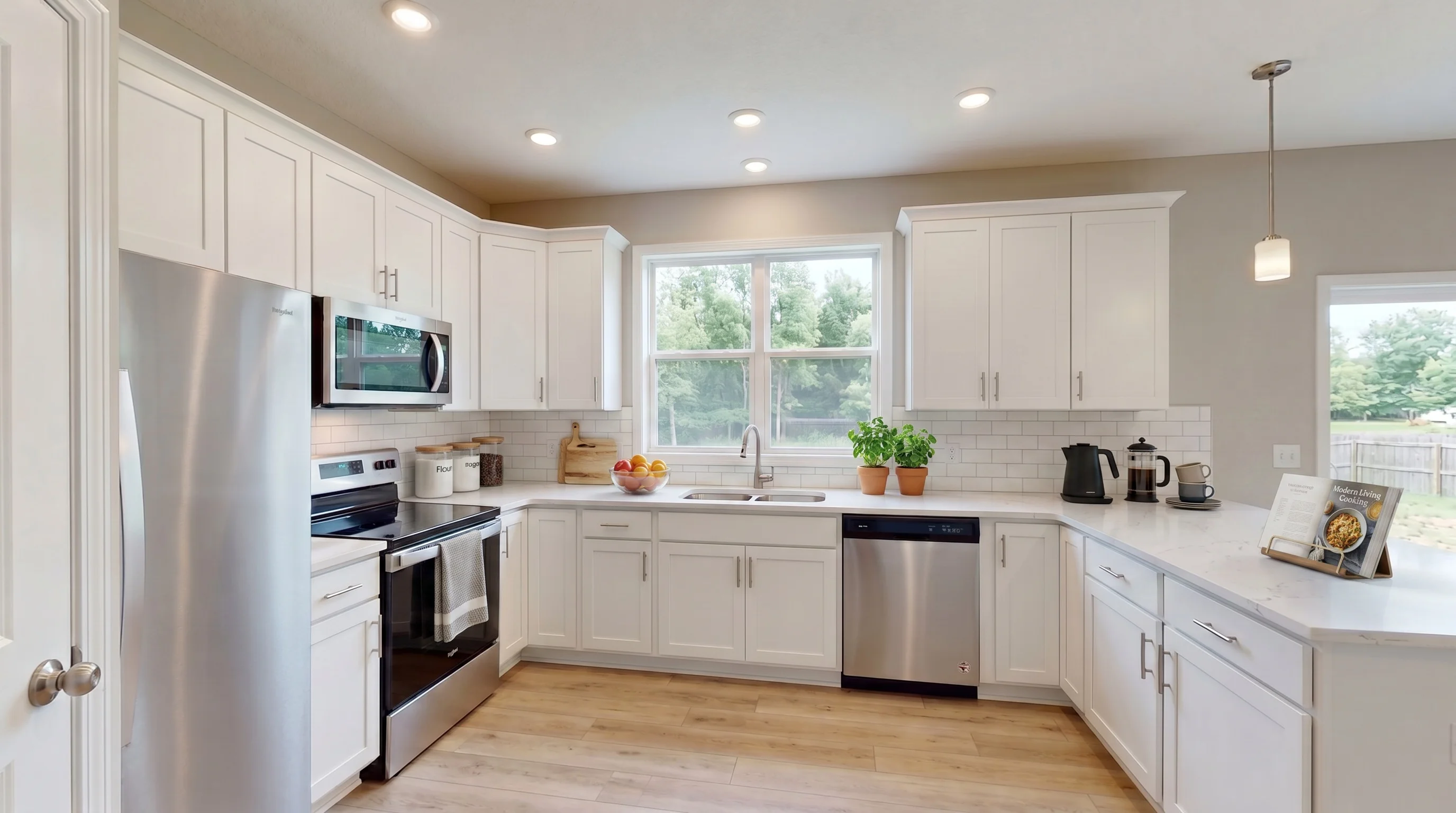
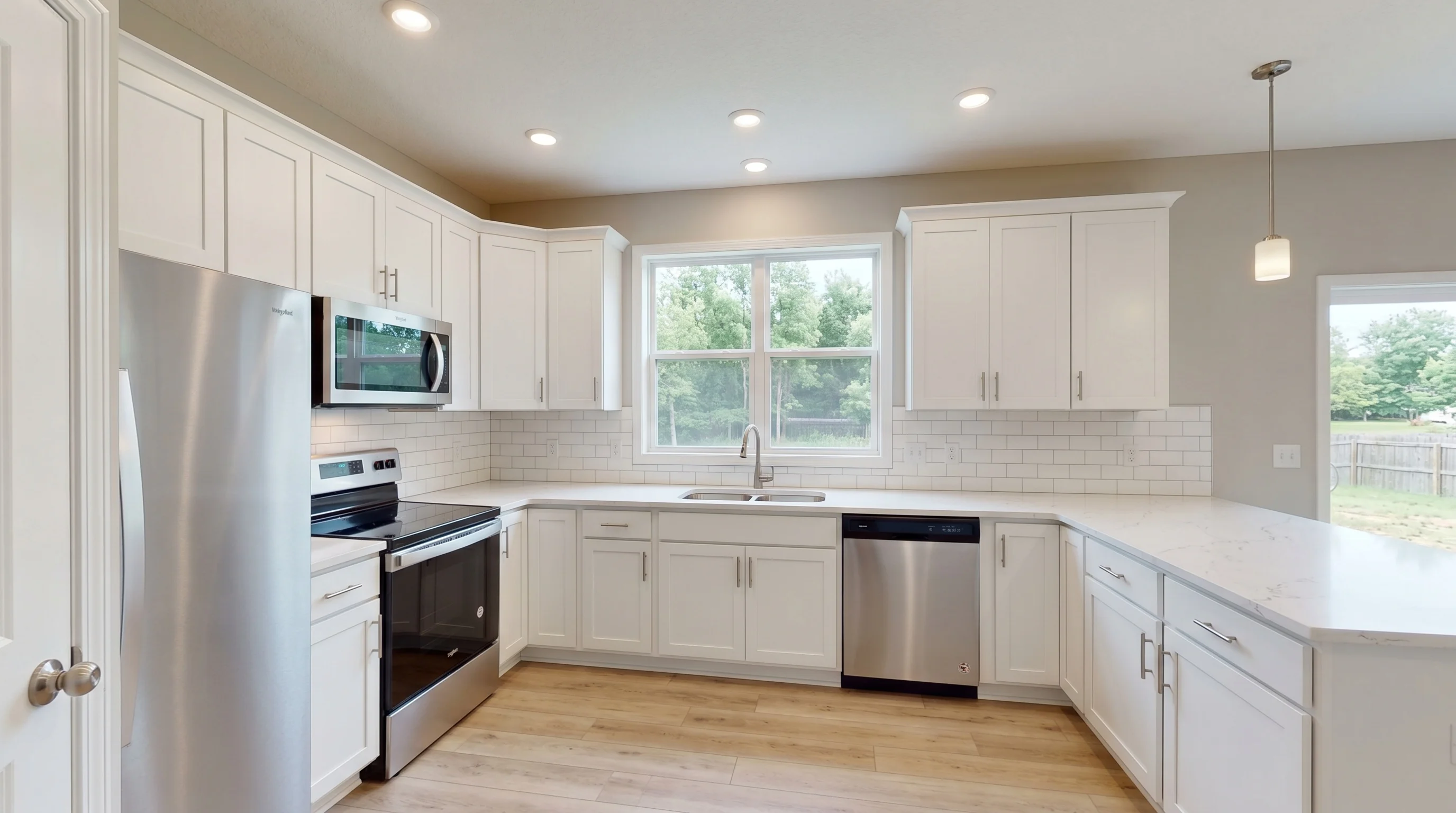
Picking a style is not a taste decision — it's a targeting decision. The same room rendered in six styles speaks to six different buyers. A coastal primary bedroom in an inland starter home reads as off; an industrial loft setup in a 55+ downsizer listing reads as out of touch.
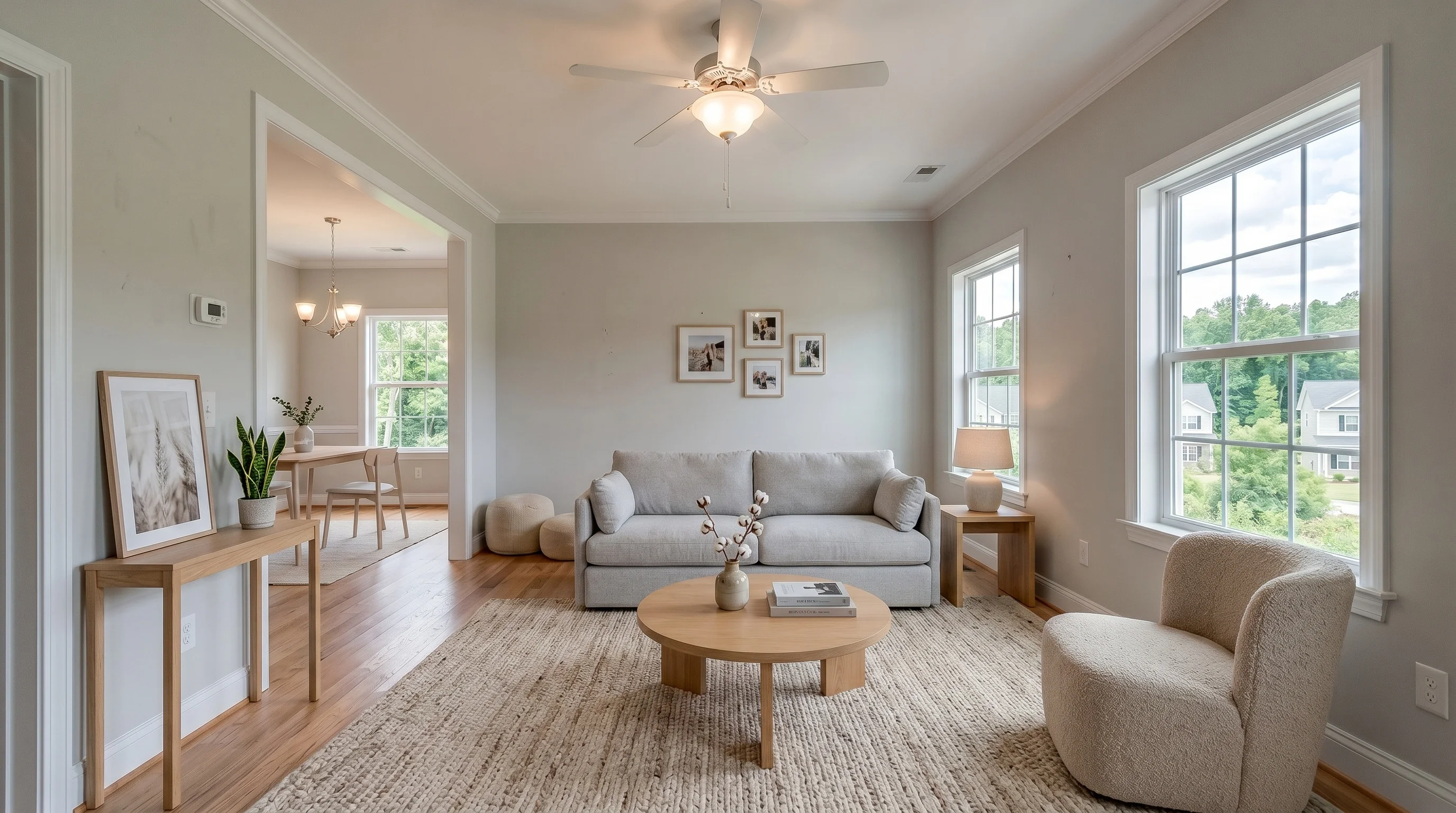
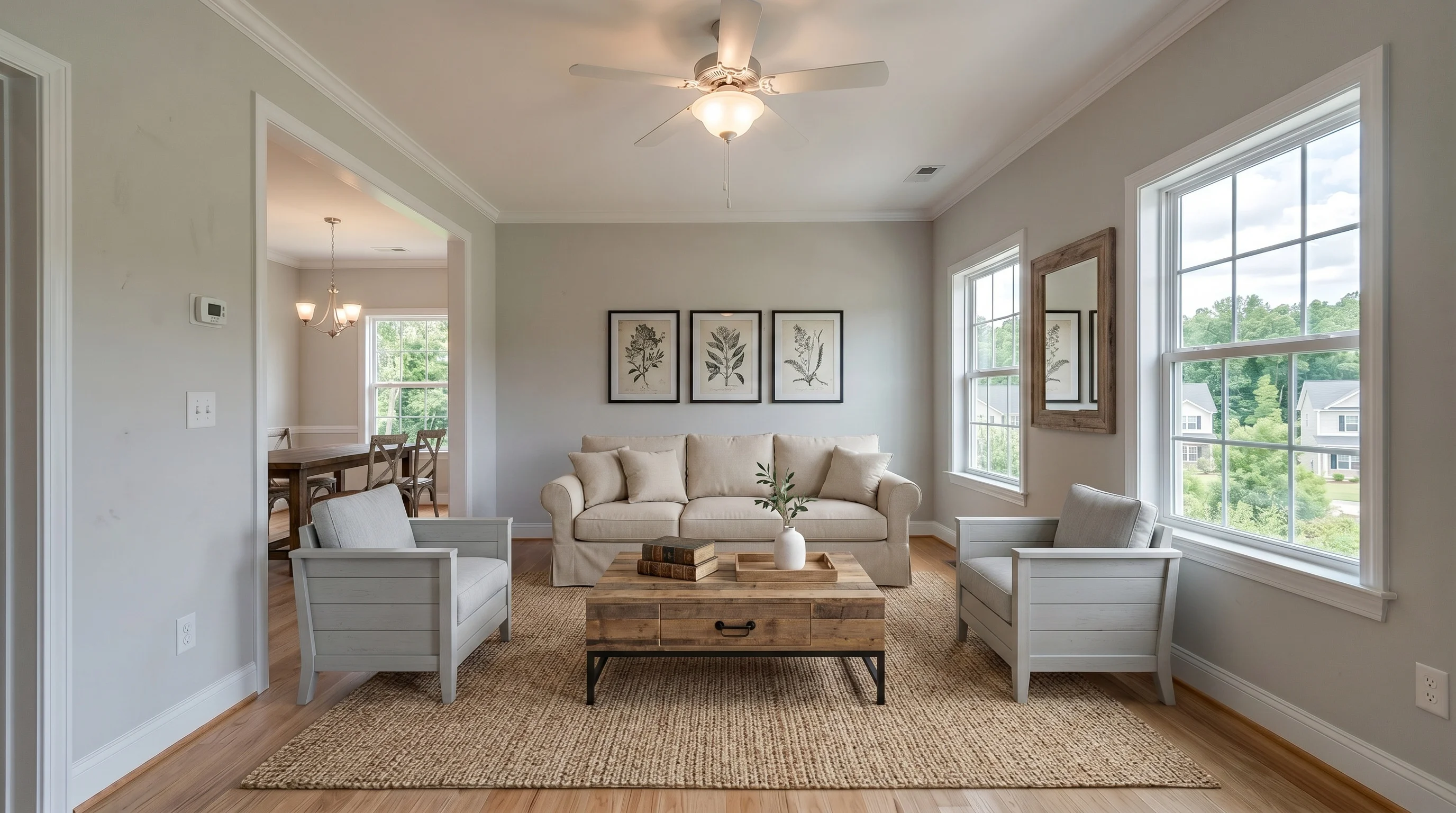
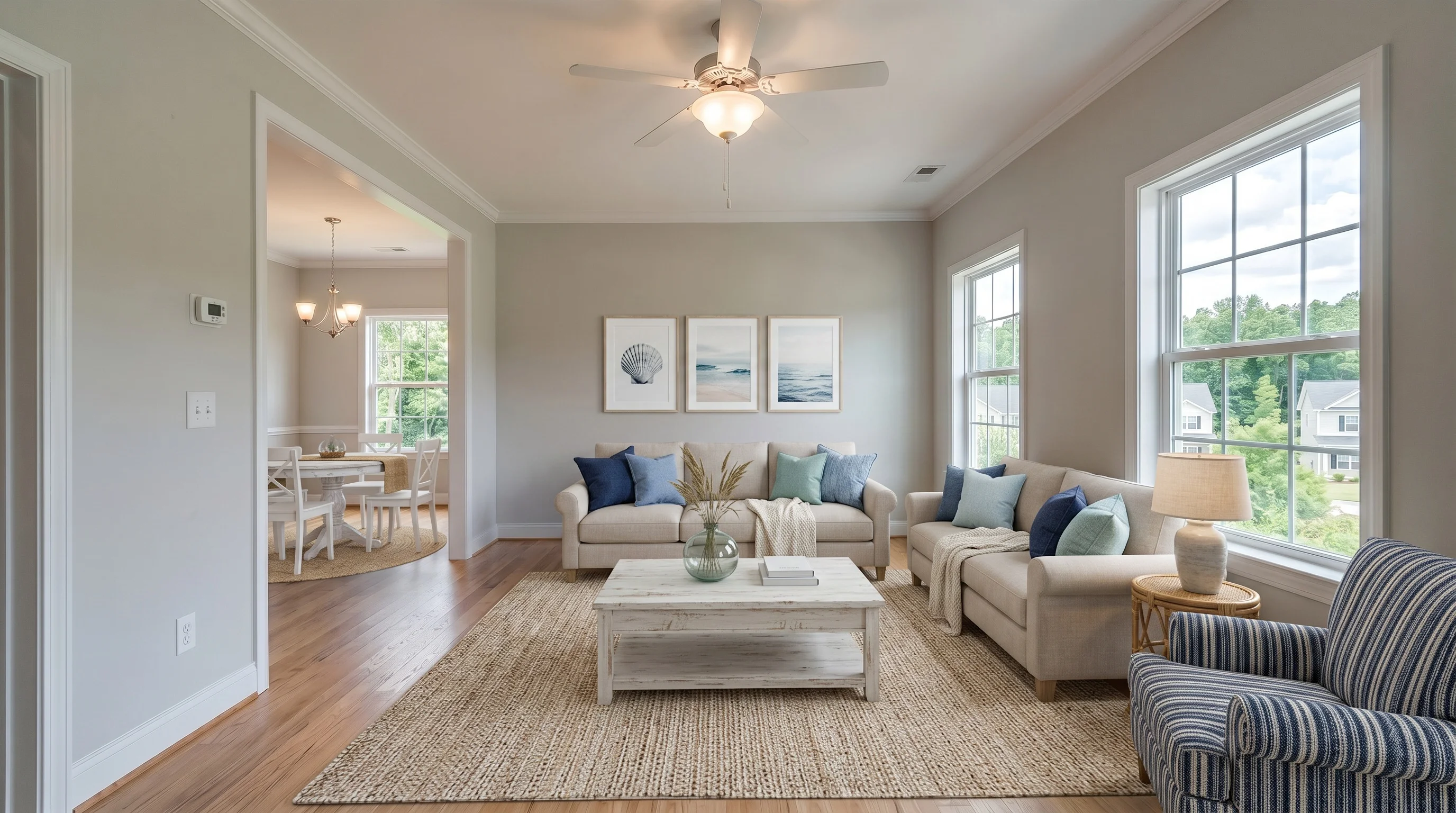
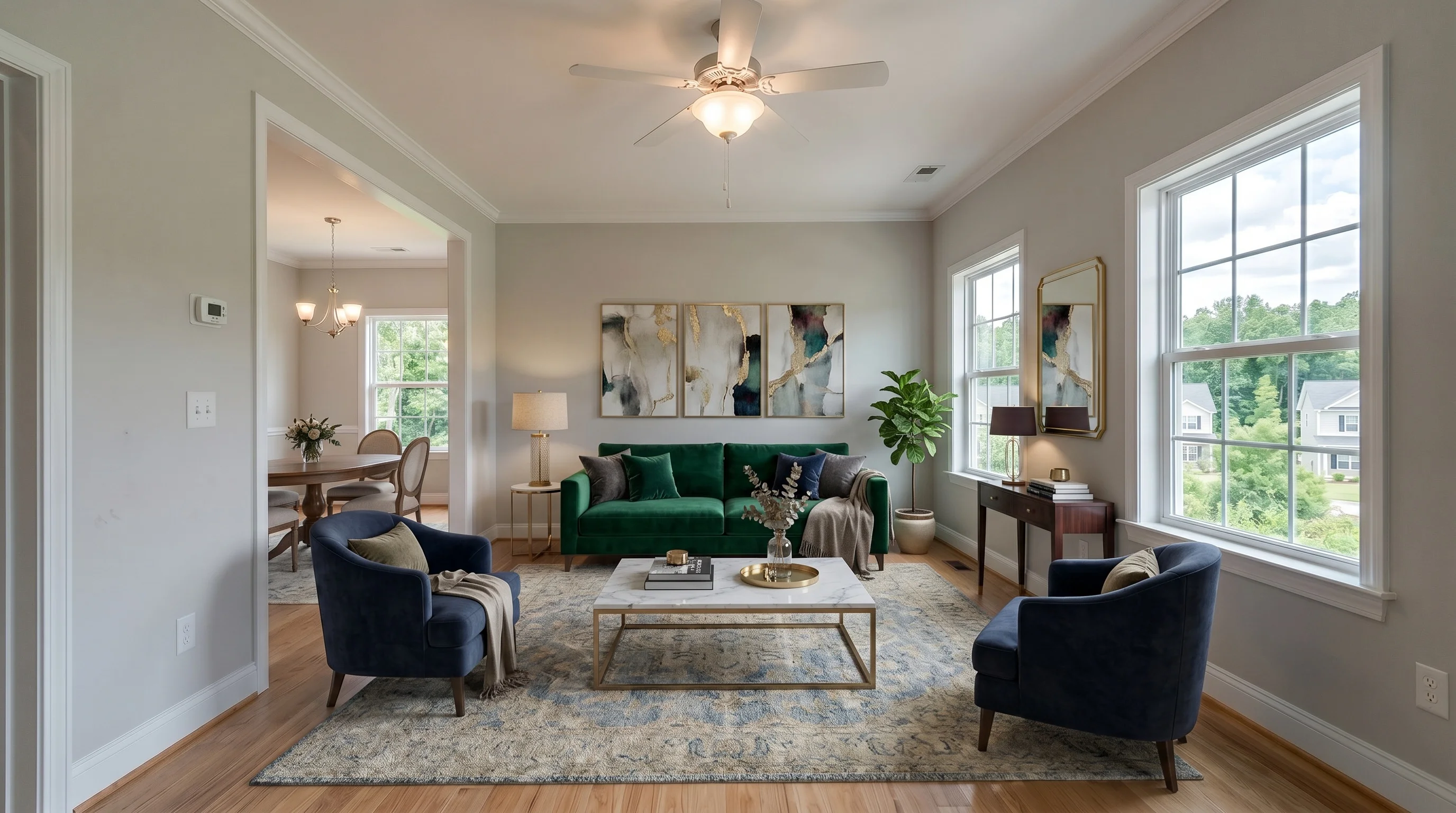
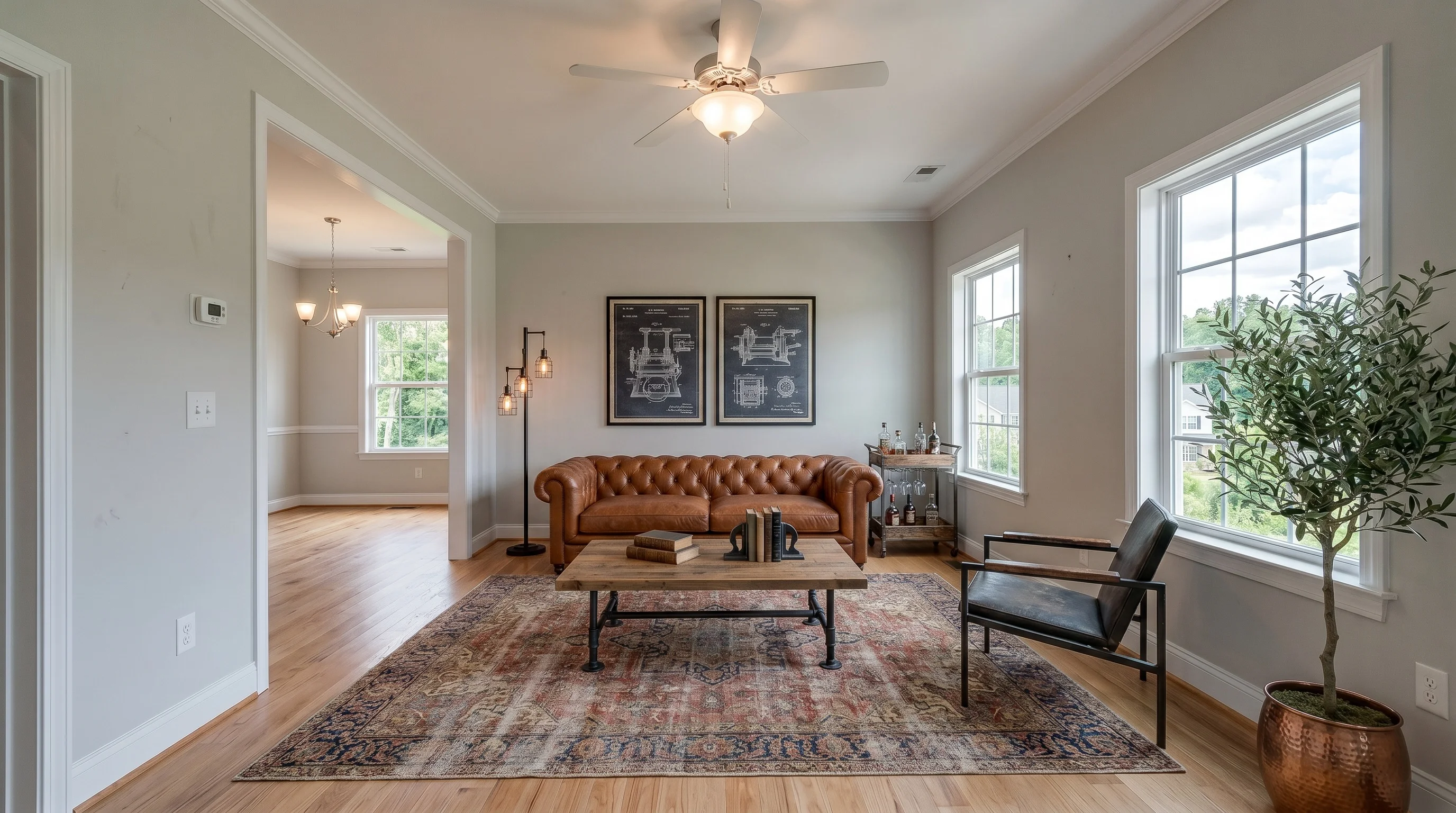
Whatever style you pick, hold it consistent across the property. The bedroom, living room, and dining room of one listing should look like they belong to the same home. Mixing a farmhouse living room with an industrial bedroom in the same listing breaks the illusion faster than any single off image. Our room-by-room guide for sellers walks through how to keep a style coherent across a whole house.
Where Virtual Staging Goes Wrong — and How to Avoid It
Most complaints about virtual staging aren't really about staging — they're about bad staging. And bad staging is worse than an empty room, because it erodes trust in the entire listing. Agents who follow real-estate forums see the same failures over and over:
- Scale and proportion errors — the number-one giveaway. A sofa rendered at half its real size, a TV floating two feet off the floor, a dining table clipping into the back wall. Buyers notice instantly, and modern AI's biggest tell is no longer "fake-looking furniture" — it's proportion and spatial breathing room.
- Floating furniture and wrong shadows. Pieces that don't sit on the floor, or shadows that fall the wrong way, read as obviously edited.
- The in-person letdown. A bed that makes a small bedroom look huge online sets up disappointment at the showing — "the room was so small." That gap doesn't just lose the sale; it makes the buyer distrust every other photo in the set.
The fix is mostly about tooling and restraint:
- Demand to-scale results. The single most important promise isn't "photorealistic" — it's correct scale. A good tool keeps furniture in proportion and never moves windows, doors, or walls. (This is exactly where generic AI image tools fail — more on that below.)
- Never alter permanent features. Adding furniture is fine; "removing" a stain, inventing hardwood, or hiding a defect is misrepresentation, not staging.
- Don't over-furnish. Crowding a room to look "cozy" backfires and exaggerates size.
- Keep expectations honest. The staged photo should flatter the room, not invent a different one.
Virtual vs. Physical Staging: Which a Property Needs
Both have a place. The right call depends on price point and how much of the sale is happening online.
| Virtual staging | Physical staging | |
|---|---|---|
| Typical cost | $15–$50 per photo (one-time), or a subscription | $2,000–$6,000 for the first 90 days, plus renewals |
| Turnaround | Minutes to a day | Days to schedule, then installed for weeks |
| Where it shines | Online listing photos, vacant rooms, stale listings | The in-person experience at showings and open houses |
| Flexibility | Re-style any room instantly | Locked to what was physically installed |
| Best for | Most listings under ~$600K, condos, rentals, spec homes | Luxury and top-of-market homes where buyers expect real furniture |
For most mid-market listings, virtual staging carries the online photos — which is where buyers decide whether to visit at all. At the luxury end, many agents do both: virtual staging for the MLS gallery, plus a minimal physical stage of the entry and main living area so the showing lives up to the photos.
What It Costs to Stage a Whole Property
Costs scale with the number of rooms, not the size of the property. The models you'll encounter:
| Pricing model | Typical cost | When it makes sense |
|---|---|---|
| Per-photo (traditional services) | $15–$50 per image; a six-room listing runs $90–$300 | Occasional listings, one-off staging |
| AI subscription / credit pack | A monthly plan or credit bundle; far cheaper per image at volume | Agents doing more than a couple of listings a month |
| Physical staging (for comparison) | $2,000–$5,000 for a 90-day vacant-home contract, plus renewals | Luxury listings; the in-person experience |
A note on price psychology: many agents balk at the $49–$50-per-image tier that some services charge, especially when revisions are capped or billed extra. Per-photo pricing is the mental model most agents use, so compare tools on the all-in cost of a full listing, not a single hero shot.
For most listings under $600K, the math strongly favors virtual. You can also test output quality before committing a cent — most tools, including ours, give you a few staged photos free to evaluate. (Our free tier is 3 staged photos for the lifetime of the account, which is enough to stage one room and judge whether the result is listing-ready.) For a full breakdown by model, see how much virtual staging costs.
Can You Virtually Stage a Property for Free with ChatGPT?
You can try — and for a single test image, a general AI tool might be fine. But for listing photos that go in front of buyers, general-purpose AI (ChatGPT, Gemini, and similar) has a specific, well-documented problem: it hallucinates the room. Agents who've tried it report furniture at the wrong scale, layouts silently changed, and windows or doors moved to places they don't exist. One described the experience as "hallucination city."
That's the difference between a general image generator and a tool built for real estate. A purpose-built virtual staging tool preserves the room's structure — it adds furniture without moving the architecture or rescaling the space. That single constraint is what separates a usable listing photo from one that misrepresents the property (and invites the disclosure problems below).
The honest take: free DIY is fine for kicking the tires on one photo. For a whole property where results have to be consistent and to-scale, use a tool designed for it — and use a free tier (ours is 3 photos) to judge the quality before you pay. If you'd rather hand the whole thing off, our guide on using a tool vs. hiring a service lays out the tradeoff.
Disclosure: Staging Properties the Legal Way
Virtually staged photos must be disclosed. Under NAR's Standard of Practice and most US MLS rules, a digitally altered listing photo has to be labeled so buyers aren't misled into thinking the furniture is real. The harder question agents actually ask isn't whether to disclose — it's how.
The practical standard:
- Label every altered photo. A caption like "Virtually staged" on each edited image is the baseline. Note that some MLSs have rules about watermarks specifically — check whether yours wants a caption, an overlay, or both.
- Show the original where you can. A growing norm (and buyer expectation) is to include the unedited empty photo alongside the staged one, so anyone can see what's real. Keep an unedited version of every photo on file regardless.
- Never hide a defect. Digitally removing water stains, cracks, or damage — or adding a feature the property doesn't have, like new flooring or a wall — crosses from staging into misrepresentation.
Rules are tightening at the state level. California's AB 723, effective in 2026, requires real-estate advertising to disclose when an image has been digitally altered and to give viewers a way to see the original. Expect more states to follow. Because exact wording and watermark rules vary by board and by state, confirm the requirements for your specific MLS and jurisdiction before you publish.
This is per-photo across the whole property, not a one-time listing note. If you stage five rooms, label five photos.
The Workflow for Staging a Full Property
A repeatable property-level workflow, from shoot to live MLS:
- Shoot every room empty and clean. Clear surfaces, open every blind for natural light, and shoot from a corner at chest height for the widest, most accurate geometry. The output is only as good as the input photo. (More in our listing photo guide.)
- Pick one style for the property based on the target buyer, not your taste.
- Stage the rooms that sell first — living space, primary bedroom, kitchen. Add secondary rooms only if they strengthen the listing.
- Review for consistency and scale. Do the staged rooms look like one home? Is anything over-furnished, or is any piece out of proportion?
- Label and upload. Add the "Virtually staged" caption to each altered photo and publish.
For agents weighing whether to run this in-house with an AI tool or hand it to a service, our guide on when to hire vs. use AI lays out the tradeoff.
Frequently Asked Questions
What does it mean to virtually stage a property?
Virtually staging a property means digitally adding furniture and décor to its listing photos so buyers can picture living there, while the physical property stays untouched. You upload a photo of an empty or cluttered room, choose a style, and receive a furnished version in minutes. The work is done per photo, so staging a full property means staging each room you want to show.
What are the disadvantages of virtual staging?
The main risk is bad execution: furniture at the wrong scale, floating pieces, or a room that looks bigger online than in person — which can erode buyer trust in the whole listing. It also can't be touched at a showing, so the in-person space has to live up to the photos. These are avoidable by using a to-scale tool, not over-furnishing, and never altering permanent features. Done well, virtual staging is low-risk; done carelessly, it's worse than an empty room.
How many rooms of a property should I virtually stage?
Stage the rooms that sell — typically the main living space, the primary bedroom, and the kitchen if it's a selling point. A four-to-six-room set covers most listings. Avoid staging closets, hallways, garages, and every bathroom; buyers expect to see some empty space, and over-staging looks unnatural and costs more without adding impact.
Which property types benefit most from virtual staging?
Vacant homes and new construction benefit most — empty rooms give buyers nothing to anchor to, and they're the cleanest input for AI staging. Condos in online-search-heavy urban markets and occupied homes with dated furniture also gain a lot, though occupied homes need the existing furniture removed first. Rentals are a lower-stakes but real use case.
Does virtual staging help a property sell faster?
It helps the listing attract showings, which is where most online shoppers decide. Furnished photos give buyers scale and context an empty room can't, and stale listings often pick up activity after being staged. It won't fix an overpriced or poorly maintained home, though — think of virtual staging as the tool that earns the visit, not the one that closes the deal.
How much does it cost to virtually stage a whole property?
Costs scale with room count, not property size. Per-photo pricing runs $15–$50 per image, so a six-room listing is roughly $90–$300. AI subscription or credit plans are cheaper per image at volume. Either way it's far below physical staging, which costs $2,000–$5,000 for a 90-day vacant-home contract. See our cost guide for a full breakdown.
Is virtual staging as good as real staging?
For online listing photos, virtual staging does the same job at a fraction of the cost and time. Physical staging wins on the in-person experience — buyers can walk through real, furnished rooms — which matters most at the luxury end. Many agents use virtual staging for the MLS gallery and a light physical stage for showings, getting both benefits without paying full price for either.
Can ChatGPT do virtual staging?
You can try, but general AI tools like ChatGPT or Gemini tend to hallucinate the room — changing the layout, moving windows or doors, and rendering furniture at the wrong scale. That's fine for a quick test, but risky for listing photos that have to represent the property accurately. A tool built for real estate preserves the room's structure and keeps furniture to scale, which is what keeps the photo honest and MLS-compliant.
Does virtually staged furniture look fake?
It can, if the tool gets scale or shadows wrong — that's the most common complaint. The giveaways are furniture that's out of proportion, pieces that don't sit on the floor, and shadows falling the wrong way. A quality result keeps everything to scale, grounded with real contact shadows, and never resizes the room. Showing the original empty photo alongside the staged one also keeps everything transparent.
Can you virtually stage an occupied property?
Yes, but it's an extra step. The existing furniture has to be removed first — either physically before the shoot or digitally with a furniture-removal tool — before new pieces are added. Leftover personal items like family photos and clutter will carry into the final image, so the room needs to be cleared and cleaned as if the seller were moving out.
Do I have to disclose virtually staged property photos?
Yes. Under NAR's Standard of Practice and most US MLS rules, digitally altered listing photos must be labeled — typically with a "Virtually staged" caption on each altered image. Disclose per photo, never digitally hide a property defect, and keep unedited originals on file. Some states are adding stricter rules (California's AB 723, effective 2026, requires disclosing digitally altered images and providing the original), and exact wording varies by board, so confirm your local MLS and state requirements.
Should every room in a property use the same style?
Yes. Hold one style across the entire property so the rooms look like they belong to the same home. Mixing, say, a farmhouse living room with an industrial bedroom in one listing breaks the illusion faster than any single weak photo. Pick the style based on the target buyer for that property, then apply it consistently.
Is virtual staging good enough for luxury properties?
It can be, with restraint. Luxury listings need understated, high-end styling rather than busy rooms. But buyers at the $1M+ level expect to see real furniture at showings, so many agents pair virtual staging for the MLS photos with a minimal physical stage of the entry and main living area. Set buyer expectations so the in-person visit isn't a letdown.
More from the blog
Related reading

Virtual Staging Service: When to Hire vs Use AI
How virtual staging services work, what they cost, and when hiring a designer still beats doing it yourself with AI — an agent's 2026 comparison.
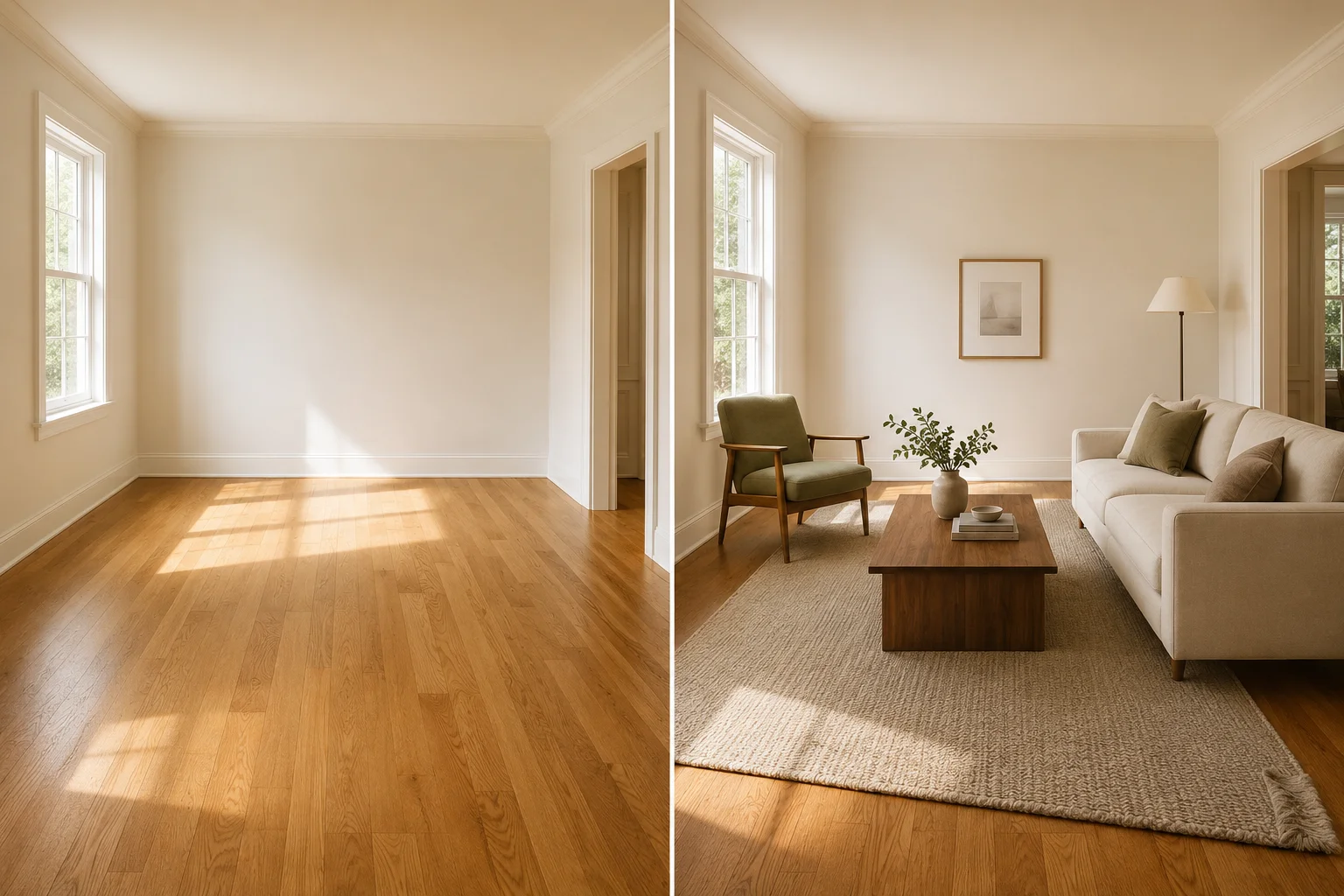
Virtual Furniture Staging: How to Make It Look Real
Virtual furniture staging adds furniture to empty listing photos in seconds. How to get furniture that looks real and avoid the AI tells buyers spot.
What Is Virtual Staging? The Complete 2026 Realtor's Guide
Virtual staging explained: how it works, what it costs, how long it takes, MLS disclosure rules, and whether it's worth it for individual real estate agents in 2026.