AI-powered virtual staging uses a generative image model to add realistic furniture to a photo of an empty room — in seconds, for a few dollars, without anyone moving a couch. The phrase gets attached to almost every staging tool now, but most agents have never seen what the "AI" part actually does, where it shines, and where it quietly falls apart.
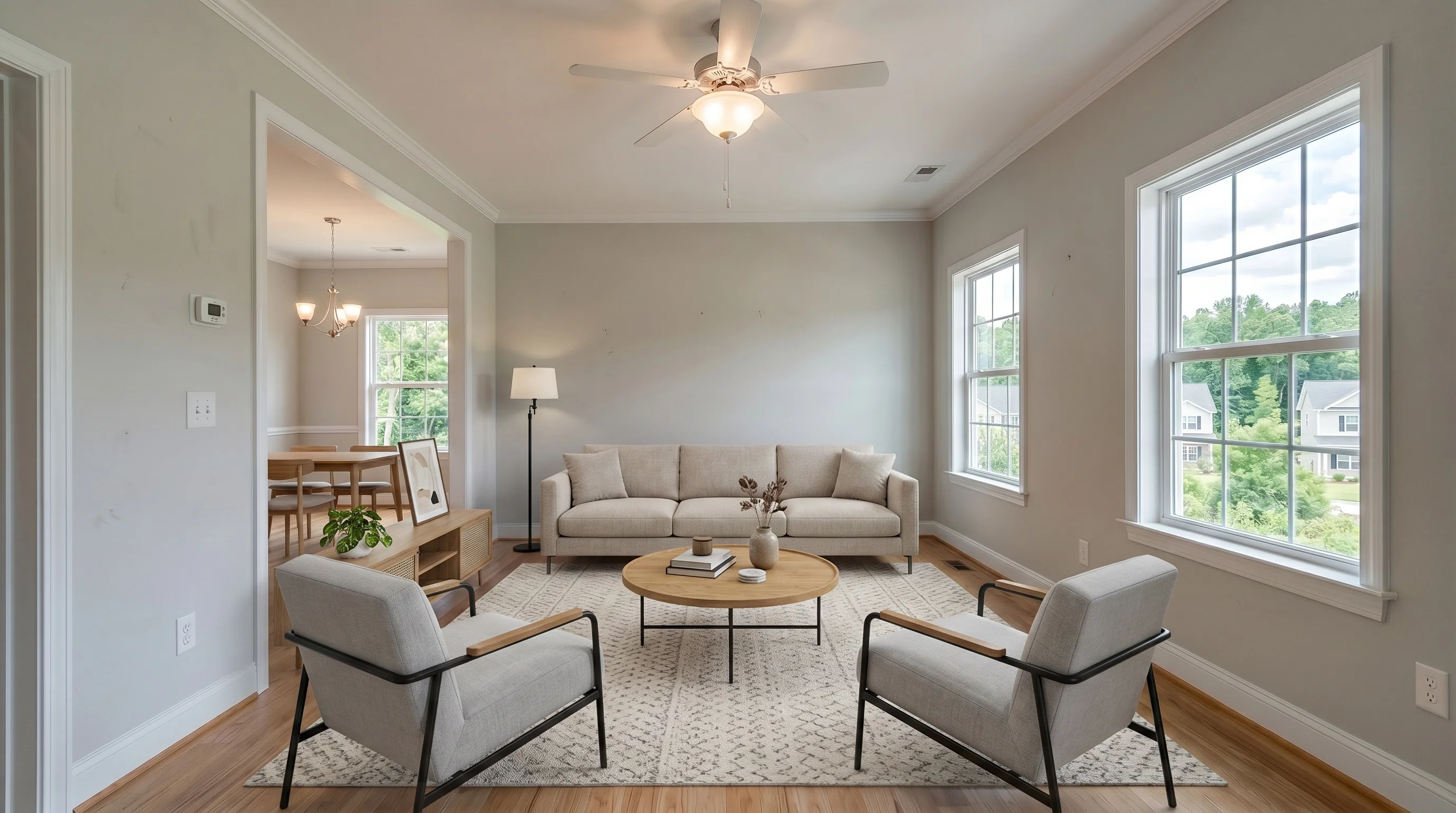
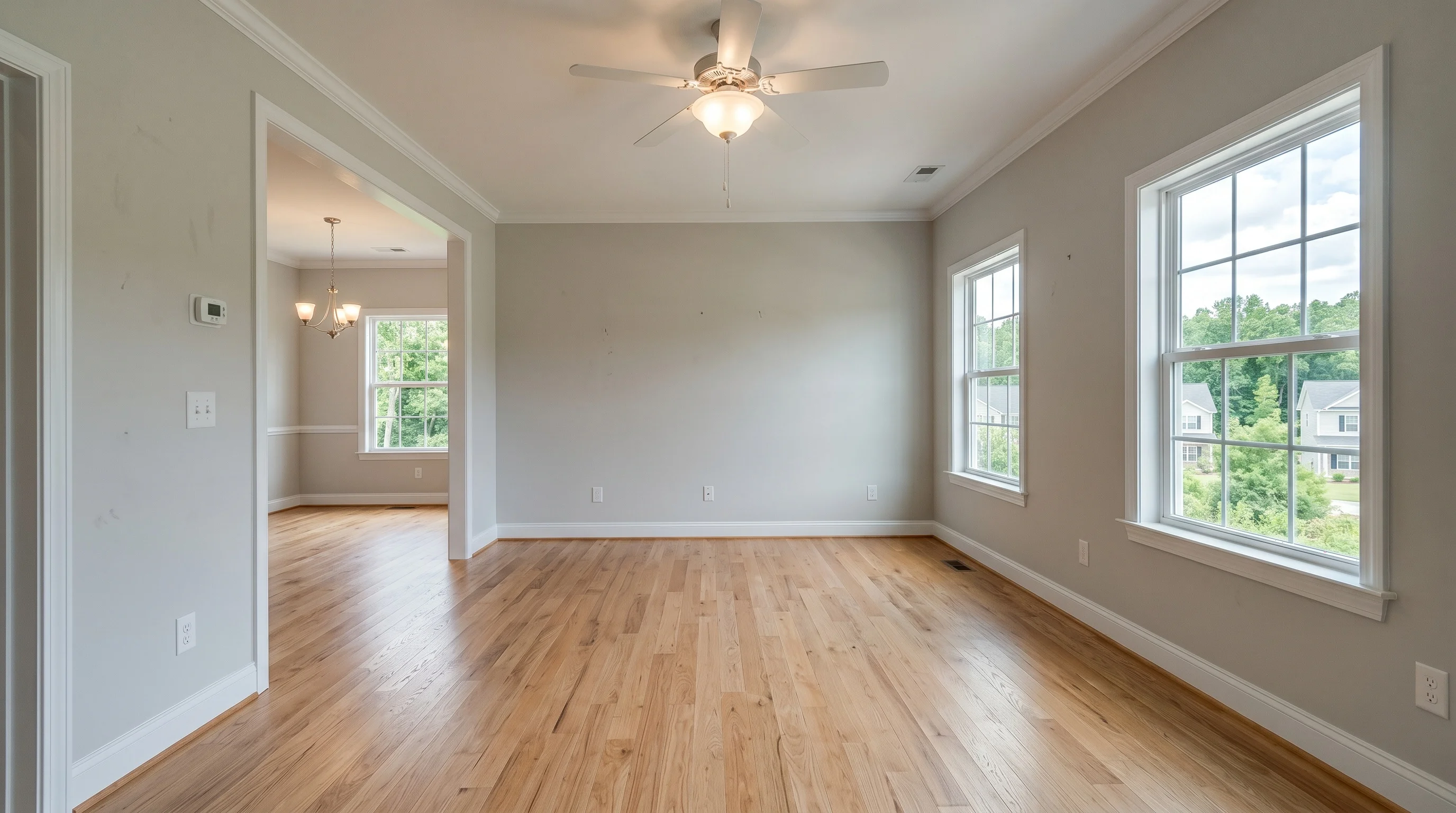
This guide explains how the technology works under the hood, what it can and can't do honestly, and how to use it on a real listing. If you're trying to pick between specific platforms, see our AI virtual staging tools comparison. For the broader fundamentals, start with the complete virtual staging guide.
What "AI-Powered" Actually Means Here
Older virtual staging was a manual Photoshop job: a designer cut out 3D furniture renders and pasted them into your photo, matching perspective and shadows by hand. It looked good, but it cost $25–$75 per image and took 24–48 hours.
AI-powered staging replaces the designer with a generative model. You upload an empty room, the model "reads" the photo — walls, floor, windows, light direction, camera angle — and then generates furniture that fits that specific space. It isn't pulling a stock sofa from a library and dropping it in. It's painting new pixels that match the room's geometry and lighting on the fly.
That single shift is why AI staging is fast and cheap. There's no human in the loop for a standard result, so a furnished photo comes back in under a minute instead of two days, and the per-image cost drops from dozens of dollars to single digits or less.
How AI Virtual Staging Works, Step by Step
Behind a clean "upload and wait" interface, most modern tools run roughly the same pipeline:
- Image analysis. The model identifies the room type (living room, bedroom, kitchen), the empty floor area, window and door positions, and the dominant light source. This is what lets it place a rug on the floor and not on the wall.
- Perspective and depth mapping. It estimates the camera angle and the depth of the room so generated furniture sits at the correct scale — a sofa in the foreground larger than the console behind it.
- Style conditioning. You pick a style (modern, Scandinavian, coastal, etc.). That choice steers what kind of furniture, colors, and decor the model generates.
- Generation. The model paints furniture directly into the empty space, matching the room's existing lighting and shadows so the result reads as one photograph, not a collage.
- Compositing and cleanup. The furnished area is blended back with the untouched parts of the room — your real walls, floor, and windows stay exactly as photographed.
The important nuance: a good tool changes only the empty space. Your listing's actual architecture — the real hardwood, the real bay window, the real ceiling height — is preserved. That's both an honesty requirement and what keeps the photo MLS-usable.
What AI Does Well — and Where It Still Struggles
AI staging is genuinely good now, but it is not magic, and pretending otherwise gets agents burned. An honest split:
Where AI staging is reliable:
- Empty rooms with clear floor space and decent lighting — its home turf.
- Standard rooms: living rooms, bedrooms, dining rooms, home offices.
- Producing several style variations of the same room in minutes.
- Keeping the room's real structure intact while adding furniture.
Where it still struggles:
- Changing the room itself — the failure mode that matters most. The complaint agents post in 2026 is no longer "floating furniture." It's general-purpose AI silently re-imagining the architecture — extending a wall, swapping the flooring, adding a chandelier or a window that isn't there, even making a room look bigger than it is. That crosses the line from tacky into misrepresentation. A purpose-built staging tool should lock the room's structure and only add furniture; if a tool alters walls, windows, or floors, stop using it for listings.
- Multi-angle consistency. Basic tools stage each photo independently, so the "same" room comes back with different furniture in the wide shot than in the close-up. Buyers and sharp-eyed clients notice instantly. Staging a room consistently across every angle is one of the harder things to get right — and a real quality differentiator between tools.
- Occupied or cluttered rooms. If the room already has furniture, results get unpredictable. Most tools assume an empty space; removing existing furniture is a separate, harder job best handled by a dedicated furniture removal tool before you stage.
- Tricky geometry. Angled ceilings, split levels, narrow galley kitchens, and heavy reflections (large mirrors, glass) can confuse depth estimation, leading to furniture that's slightly the wrong scale.
- Exact-product matching. AI generates plausible furniture, not a specific catalog item. If you need the staged sofa to be buyable, that's not what this does.
The practical takeaway: treat AI staging as a fast first draft that's usually publish-ready, not a guaranteed one-click final. Budget thirty seconds to review each image — and the first thing to check is that the room is still your room, structure untouched.
Can ChatGPT or Gemini Do Virtual Staging?
This is the most common question agents ask, so here's the honest answer: yes, you can prompt a general image model like ChatGPT or Gemini to "add furniture to this room," and it will produce something. For a quick personal mock-up, that's fine. For a listing photo, it's risky — for the exact reason in the section above.
General-purpose models aren't built to respect your room. Ask one to furnish a space and it will happily move a wall, change the flooring, or invent a window to make the composition look nicer — the architectural-hallucination problem agents complain about constantly. They also tend to output low-resolution, over-compressed images that look soft next to MLS-quality photography, and they won't keep the same room consistent across two camera angles.
A purpose-built staging tool is the same underlying AI with guardrails bolted on: it locks the room's structure, only paints furniture into the empty floor space, keeps styles consistent, and exports at full resolution. So the practical rule is — a chat model is fine for a private "what could this look like" sketch, but for anything that goes on a listing, use a tool designed to leave the real room alone.
One Room, Many Styles in Minutes
The clearest advantage of AI over manual staging is iteration speed. Staging the same room in six different styles used to mean six separate design orders. With AI it's six clicks, and you can match the look to the buyer you expect.
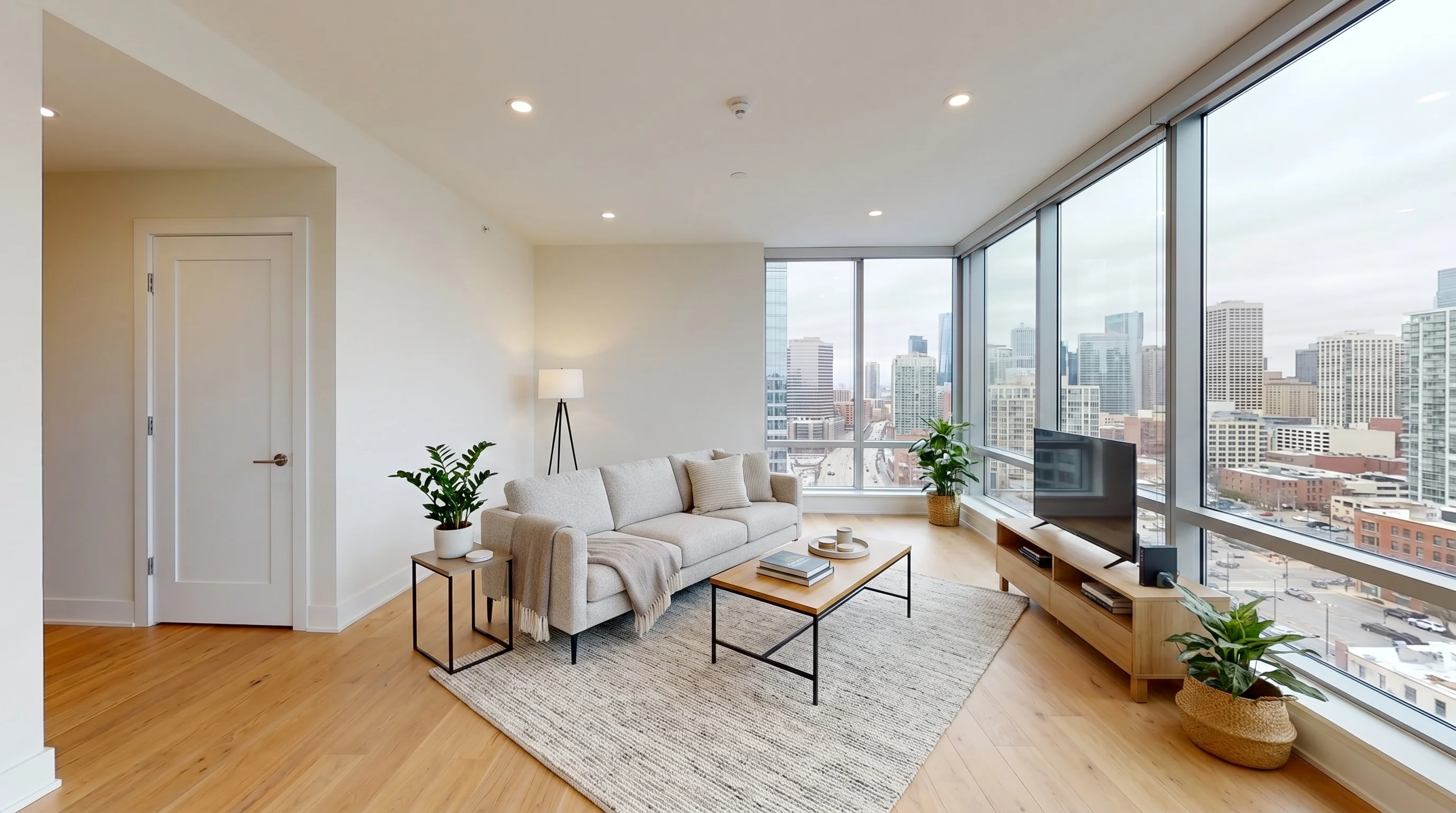
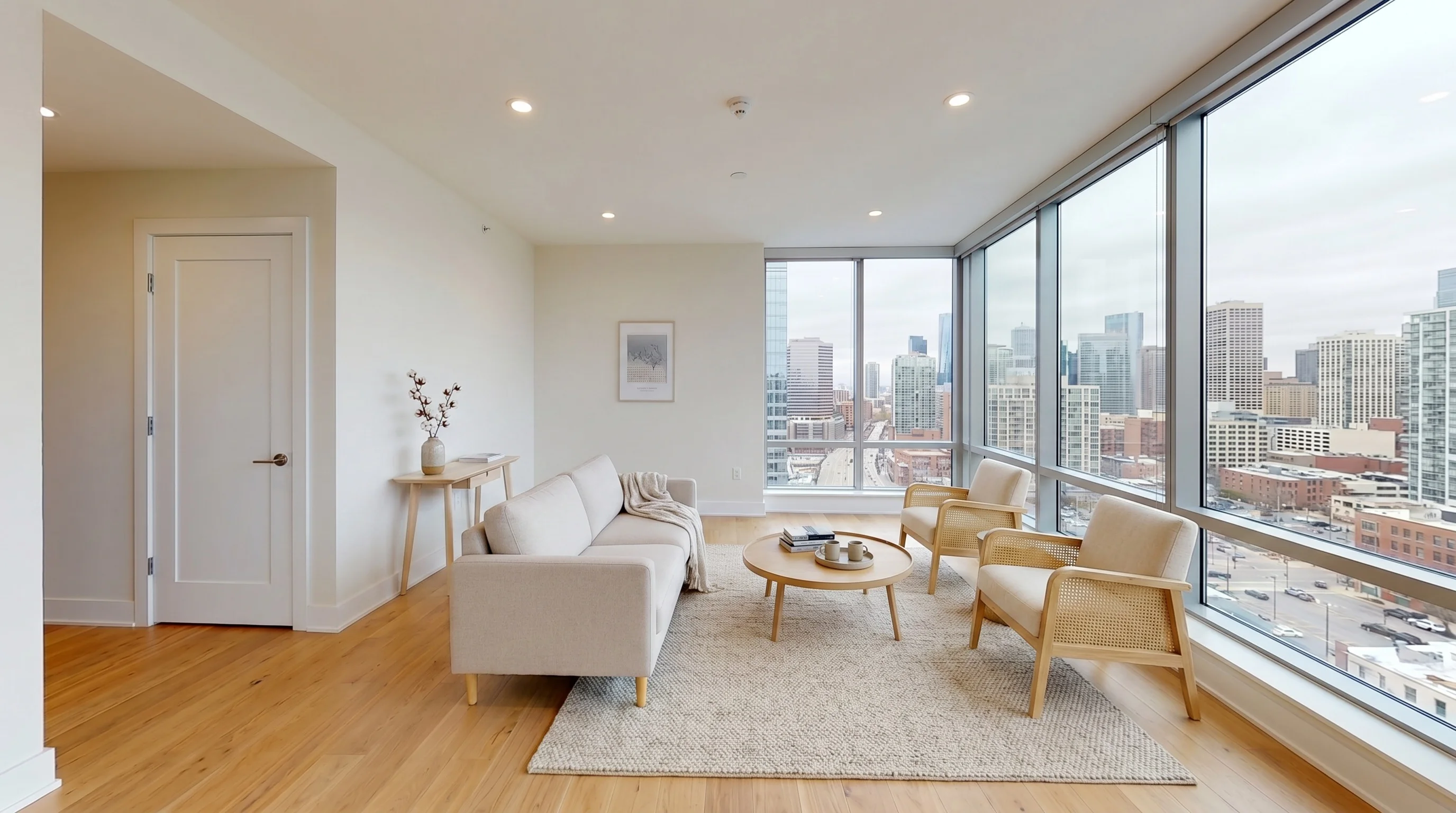
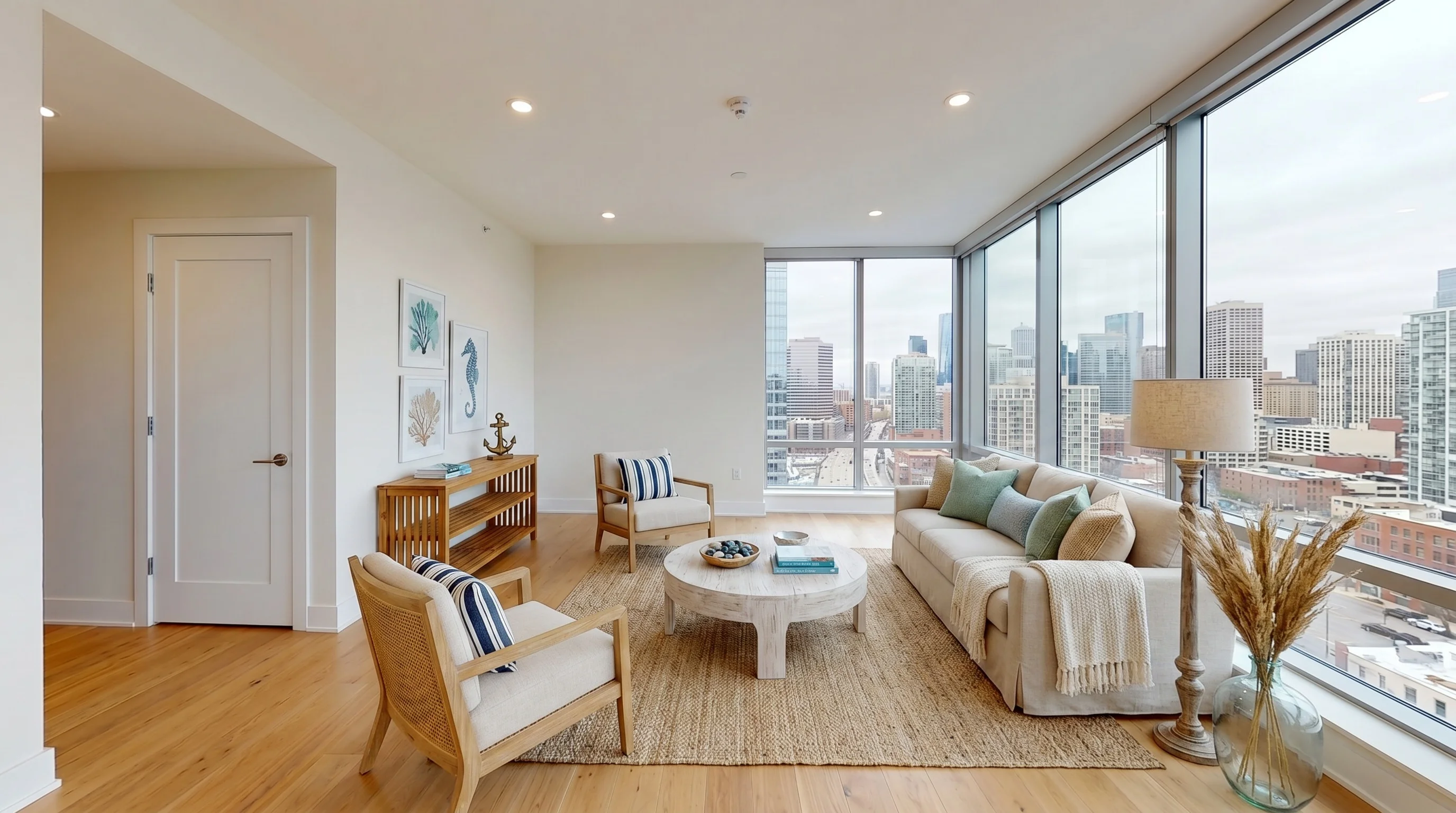
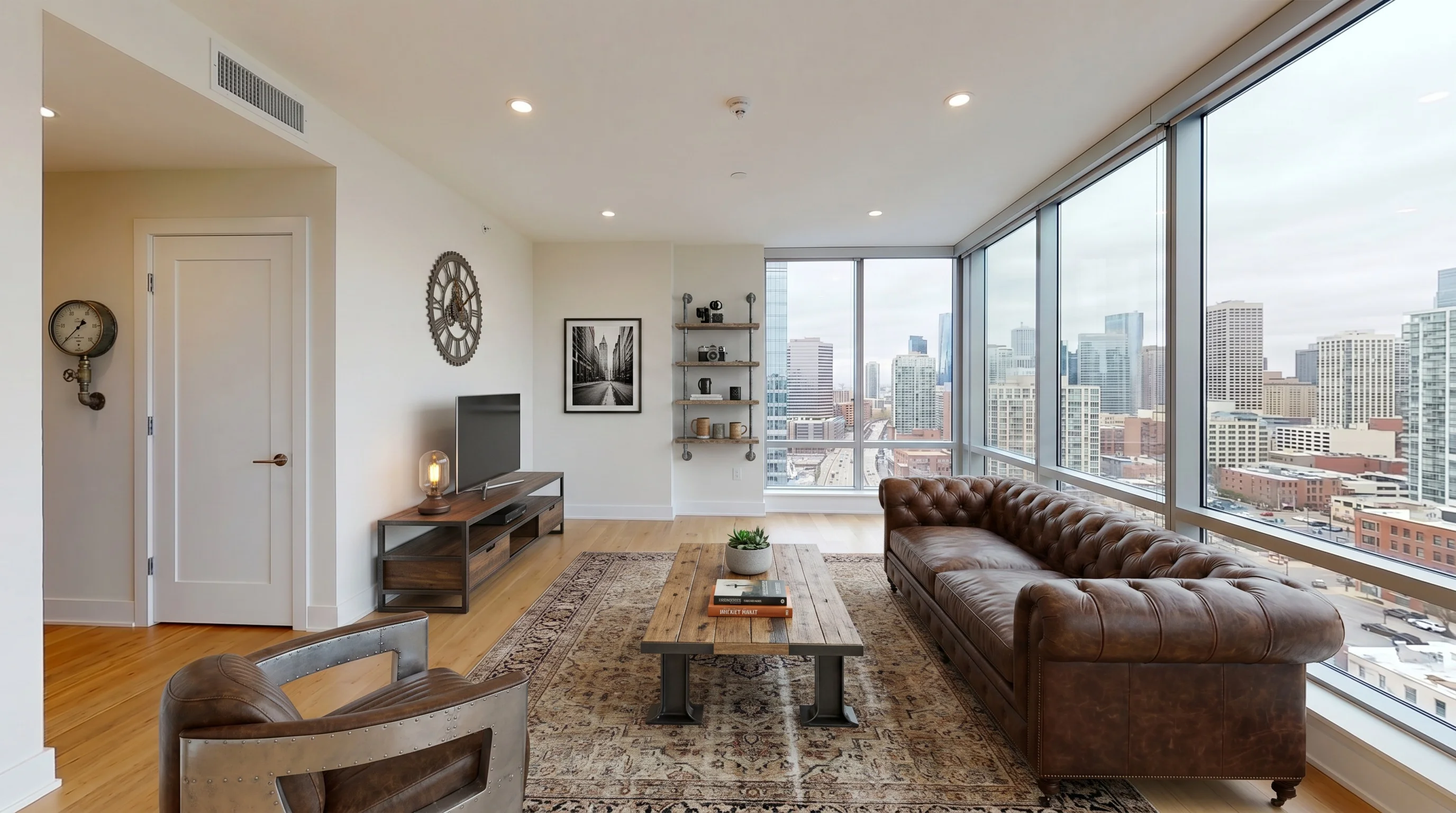
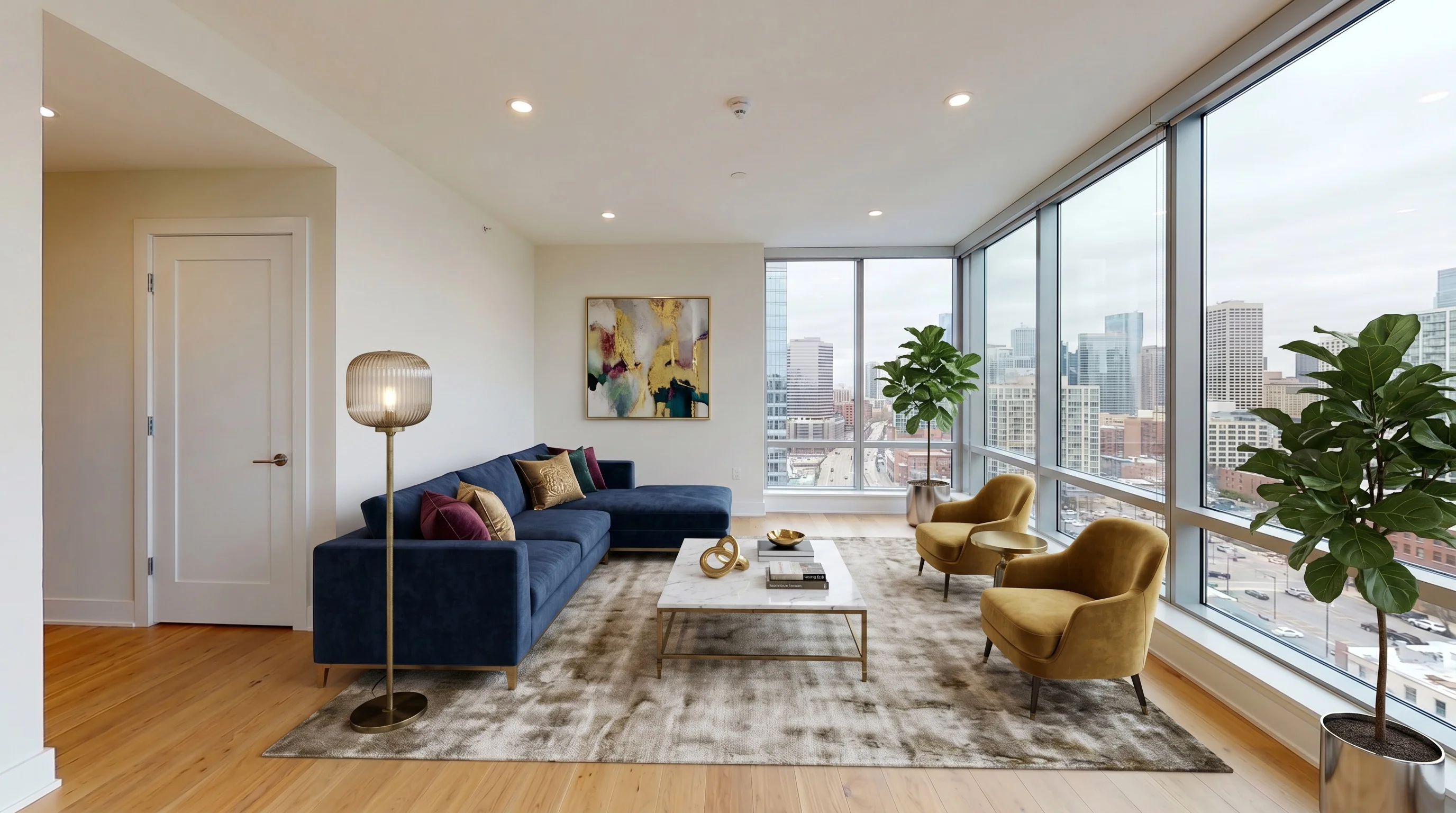
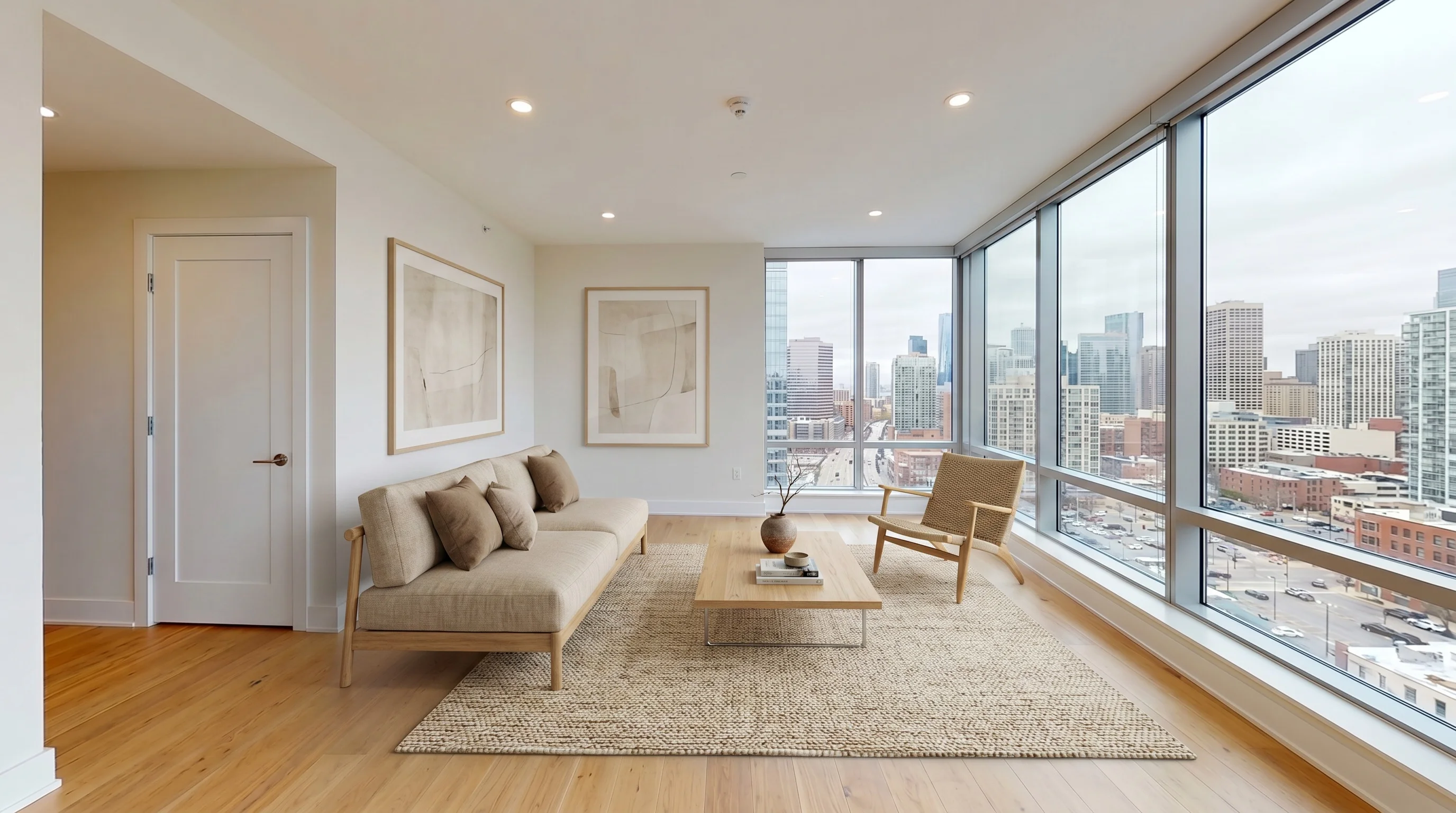
Same room, six audiences. The wrong style isn't ugly — it's mismatched. Stage to whoever is realistically walking through the door.
How to Use AI Virtual Staging on a Real Listing
The workflow is short, but a few habits separate a clean result from an obvious one:
- Shoot the room empty and well-lit. Lights on, blinds open, camera held level at chest height, framed so you capture floor-to-ceiling. The AI works from what it sees — a dim, tilted photo produces a dim, tilted stage.
- Pick a style that matches the buyer, not your taste. A $2M listing reads cheap in budget Scandinavian; a starter home reads pretentious in formal luxury. Match the price point and neighborhood.
- Generate, then actually review. Zoom in. Check furniture scale against doorways, look for melted edges or floating objects, confirm the room's real features are untouched.
- Regenerate the misses, not the whole set. If one room comes back off, re-run just that one — usually a different seed fixes it.
- Disclose. Label staged photos as virtually staged in the MLS and listing, every time (more below).
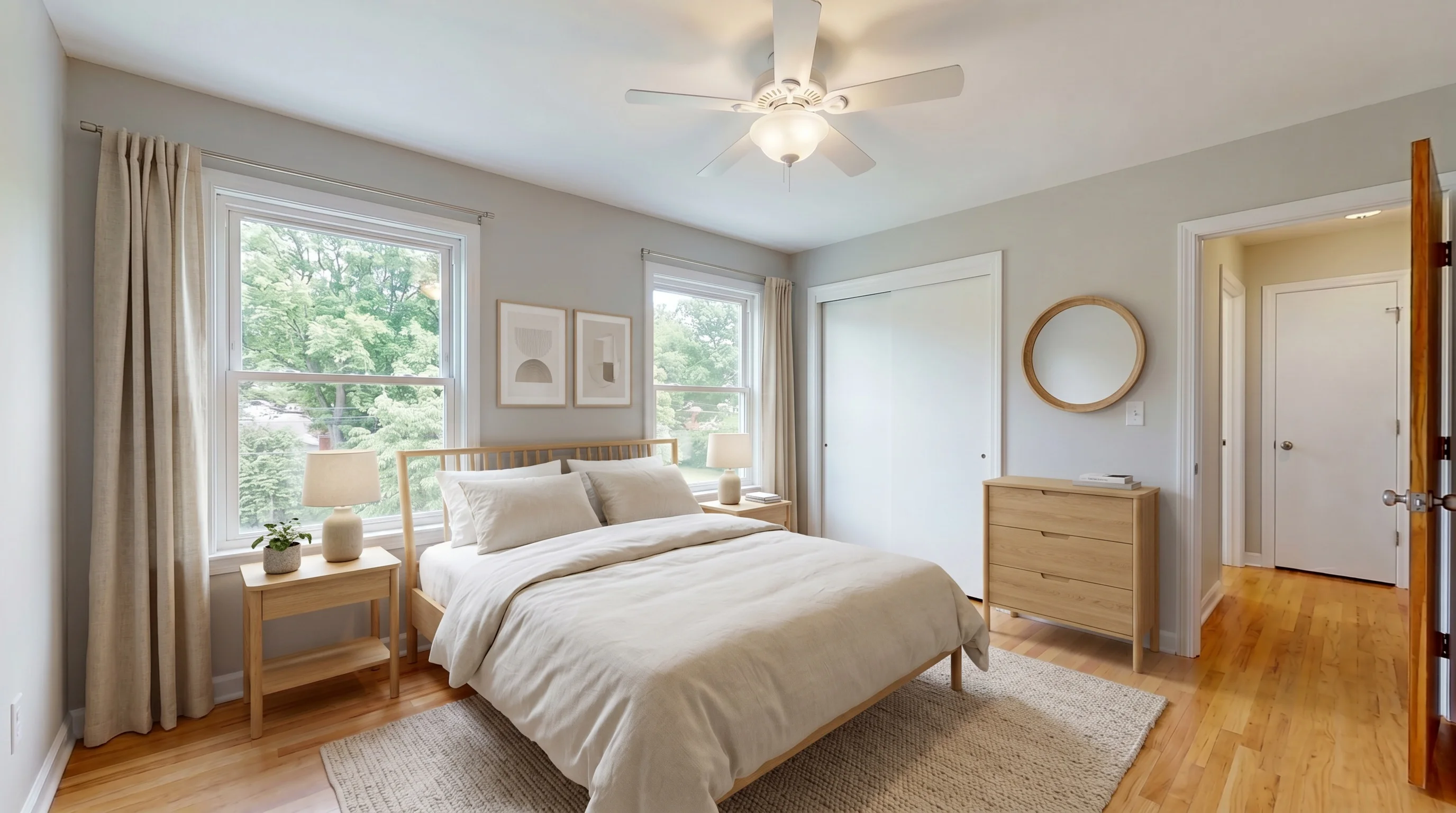
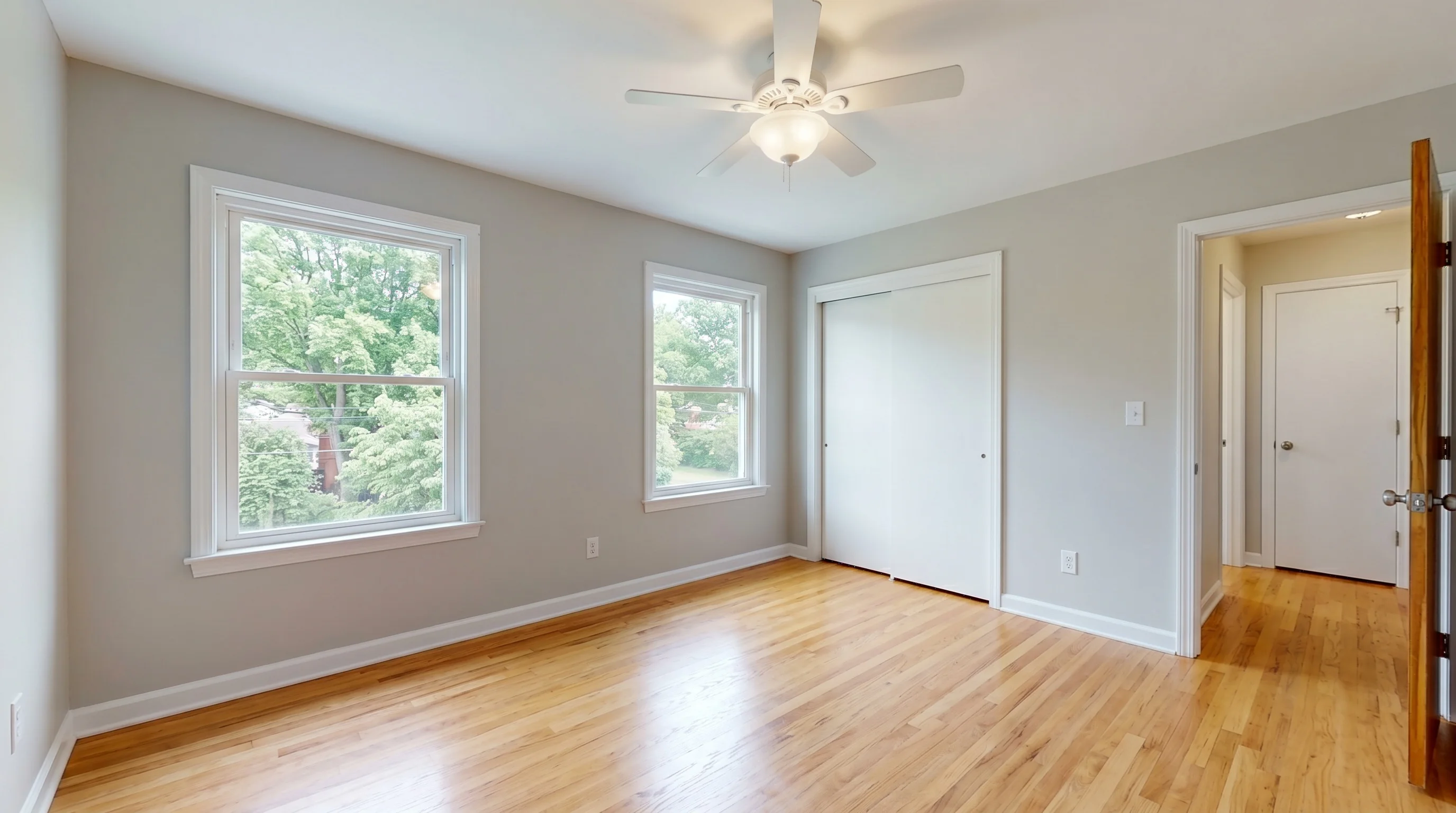
Most agents stage the three rooms that decide showings: living room, primary bedroom, and kitchen or dining. You don't need every room — you need the ones buyers picture themselves in. The same workflow works beyond standard homes, too: vacation rentals, new construction shown empty, and vacant commercial or office space all stage the same way.
AI vs. Traditional Virtual Staging
| AI virtual staging | Manual / designer staging | |
|---|---|---|
| Turnaround | Seconds to a minute | 24–48 hours |
| Cost per photo | Free to a few dollars | $25–$75 |
| Revisions | Instant, self-serve | New order, extra wait |
| Style variety | Many, in minutes | Limited by order |
| Best for | Volume, speed, empty rooms | Complex edits, hand-finished detail |
For most listing photography in 2026, AI wins on speed and cost by a wide margin. Manual staging still earns its keep for unusual edits — heavy decluttering, custom requests, or a flagship listing where a human eye on every pixel is worth the wait and the price.
What AI Virtual Staging Costs
This is where AI's economics are hard to argue with. Manual staging runs $25–$75 per image. AI tools price anywhere from free entry tiers to a few dollars per photo at volume. Our own free tier is 3 staged photos for the lifetime of the account — enough to stage a small listing or test quality before paying anything.
For a full cost breakdown across tools and tiers, see how much virtual staging costs, or just try the free tier and judge the output yourself.
Does Virtual Staging Backfire?
Search the topic and you'll find plenty of agents who hate virtual staging. They're not wrong — they've just seen it done badly. It's worth understanding why it backfires before you use it, because the failure is avoidable.
The case for staging is real: NAR's research on home staging consistently finds that a furnished, well-presented home helps buyers picture themselves living there, and staged listings tend to move faster than bare ones. Empty rooms photograph cold and make it hard to judge scale. That's the upside agents are chasing.
But here's where it goes wrong, in the words of real buyers and agents:
- The disappointment gap. Buyers get excited by a beautifully staged photo, drive out, and find a room half the size with furniture that could never have fit. Now they distrust the whole listing — and your credibility with it. The fix: realistic furniture, scaled to the actual room, never oversized to make a space look bigger.
- The trust spiral. "If they faked the furniture, what else did they touch?" One photo that looks altered makes buyers second-guess every other image. The fix: change nothing but the furniture — same walls, same windows, same floor — so there's nothing else to doubt.
- The "obviously fake" tell. Soft, over-smooth, video-game-looking furniture screams AI and undermines the listing. The fix: use a tool that outputs full-resolution, photographic results and review every image before it goes live.
Done this way — furniture only, true to scale, structurally honest, and disclosed — virtual staging helps. Done as a beautify-everything shortcut, it costs you the buyer's trust. The medium isn't the problem; how you use it is.
MLS Compliance and Disclosure
AI does not change the disclosure rule: a virtually staged photo must be labeled as such. The NAR Code of Ethics (Standard of Practice 12-10) obligates members to "present a true picture" and forbids misleading images. Most MLSs require a "virtually staged" note on edited photos — though the exact rule varies by board, so check yours. Because good AI staging only adds furniture and leaves the real room intact, it stays compliant — as long as you disclose and you don't alter permanent features (don't erase water damage, don't add a fireplace that isn't there).
Three habits keep you safe across almost any board:
- Disclose conspicuously. A clear "virtually staged" label on the image or in the remarks, not a watermark so faint it vanishes on a phone screen.
- Keep the original — and show it. Save the unedited photo. Some MLSs (California's CRMLS, for example) require the unaltered image to sit immediately next to the staged one, both labeled. Even where it isn't required, showing the empty room alongside the staged one is the single most-recommended way to stay honest.
- Don't materially misrepresent. Misleading photos can violate MLS rules, and some boards levy real fines. New laws are tightening this: California's AB 723, effective January 1, 2026, requires a "reasonably conspicuous" disclosure plus a link to the original image whenever a listing photo is digitally altered — which includes virtual staging.
The honest line is simple: stage to help buyers imagine the space, never to misrepresent it. Add furniture, keep the architecture real, show the original, and label it.
Frequently Asked Questions
What is AI-powered virtual staging?
It's virtual staging where a generative AI model adds realistic furniture to a photo of an empty room, instead of a human designer compositing 3D renders by hand. You upload an empty room, pick a style, and the model generates furniture matched to that room's geometry and lighting — typically in under a minute and for a fraction of the cost of manual staging.
How does AI virtual staging actually work?
The tool analyzes your photo to identify the room type, floor space, windows, and light direction, estimates the camera angle and depth, then generates furniture directly into the empty area in your chosen style. It blends the new furniture with your untouched walls, floor, and windows so the result looks like a single photograph rather than a collage.
Is AI virtual staging good enough to use on real listings?
For empty, well-lit rooms with clear floor space, yes — results are usually publish-ready. It still struggles with occupied or cluttered rooms, unusual geometry, and fine details like furniture edges, so every output needs a quick human review. Treat it as a fast first draft that's usually final, not a guaranteed one-click result.
Can ChatGPT do virtual staging?
You can prompt ChatGPT or Gemini to add furniture to a room photo, and it will produce something — fine for a quick personal mock-up. For a listing photo it's risky: general-purpose models often alter the room itself (moving walls, changing floors, inventing windows), output low-resolution images, and won't keep the same room consistent across angles. A purpose-built staging tool uses the same AI with guardrails that lock the structure and export at full resolution.
Is AI virtual staging legit?
Yes — it's a legitimate, widely used real estate marketing tool, and it's compliant as long as you disclose it and don't misrepresent the property. The skepticism online comes from staging done badly: furniture that won't fit, or AI that quietly changes the room. Used honestly — furniture only, real structure untouched, clearly labeled — it's a normal part of listing photography, no more deceptive than physical staging.
Do buyers like virtually staged photos?
Buyers respond well to staging that's realistic and disclosed — it helps them picture the space and judge scale. They react badly when it backfires: furniture that could never fit the real room, or photos that look obviously altered, which makes them distrust the whole listing. The deciding factor isn't AI versus human; it's whether the staging is true to the actual room and clearly labeled as virtual.
How much does AI virtual staging cost?
Far less than manual staging, which runs $25–$75 per image. AI tools range from free entry tiers to a few dollars per photo at volume. Our free tier includes 3 staged photos for the lifetime of the account, so you can test quality before paying.
Can AI virtual staging remove existing furniture?
Adding furniture to an empty room is what AI does best. Removing existing furniture from an occupied room is a harder, separate problem better handled by a dedicated furniture removal tool before you stage. For best results, clear or photograph the room empty first.
Do I have to disclose AI virtual staging?
Yes. A virtually staged photo must be labeled as such in the MLS and listing, regardless of whether a human or AI created it, and the rule varies by board so check yours. Keep the unedited original — some MLSs require it next to the staged image, and California's AB 723 (effective January 1, 2026) requires a conspicuous disclosure plus a link to the original for any digitally altered listing photo. As long as you only add furniture and don't alter permanent features, AI staging stays compliant when disclosed.
What's the difference between AI virtual staging and a 3D rendering?
A 3D rendering builds the room and furniture from a model and takes hours of design work. AI virtual staging generates furniture directly onto your real photograph in seconds, keeping your actual room and architecture as the base. AI is faster and cheaper; 3D rendering offers more manual control for custom or new-construction work.
Which AI virtual staging tool is best?
It depends on your volume, budget, and the styles you need. We break down the leading options — including where competitors beat us — in our AI virtual staging tools comparison. The fastest way to judge any tool is to run one of your own empty rooms through its free tier.
The Bottom Line
AI-powered virtual staging is no longer a novelty — it's a generative model that reads an empty room and paints in furniture matched to its geometry and light, in seconds, for a few dollars. It's genuinely reliable on empty, well-lit rooms and a clear win over manual staging on speed and cost. It still needs a human glance per image and isn't built for occupied rooms or exact-product matching. Use it as a fast first draft, disclose it, and let buyers picture themselves home.
Stage your first listing with AI — free
Upload an empty room, pick a style, and get a furnished photo in under a minute. 3 staged photos free, no card needed.
Try Free — No Card NeededMore from the blog
Related reading

Does Virtual Staging Help Sell a House? The Real Data
Does virtual staging help sell a house? NAR's 2025 data shows staging cuts days on market and lifts offers. Here's what's real and what's marketing hype.
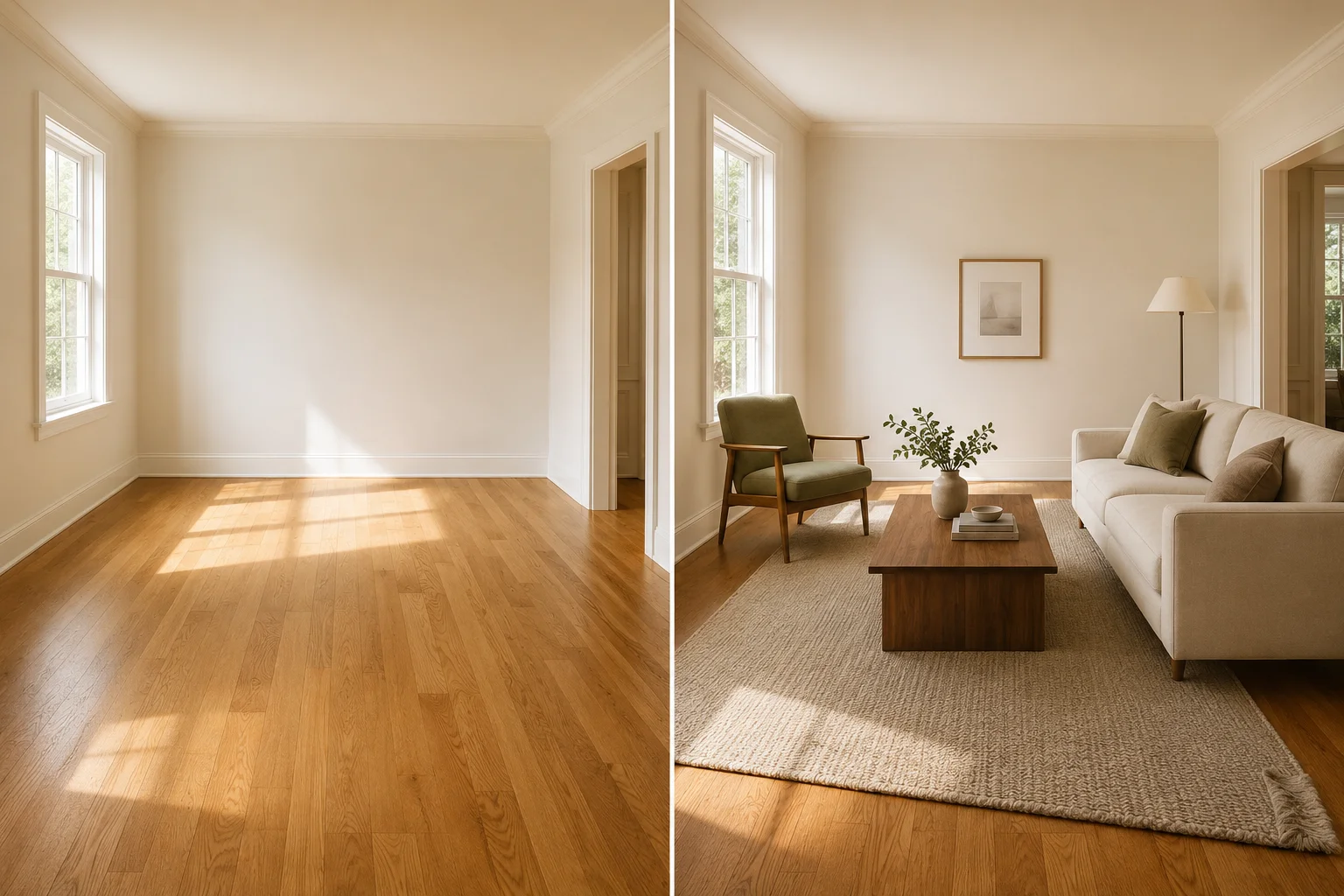
Virtual Furniture Staging: Real Examples, Costs & How-To
See realistic virtual furniture staging before-and-afters for listing photos, plus cost, disclosure, and a quality check for scale, light, shadows, and structure.

Commercial Virtual Staging: A Broker's Honest 2026 Guide
Commercial virtual staging for brokers and landlords — office, retail, restaurant. Pricing, providers, what AI handles, and honest limitations in 2026.