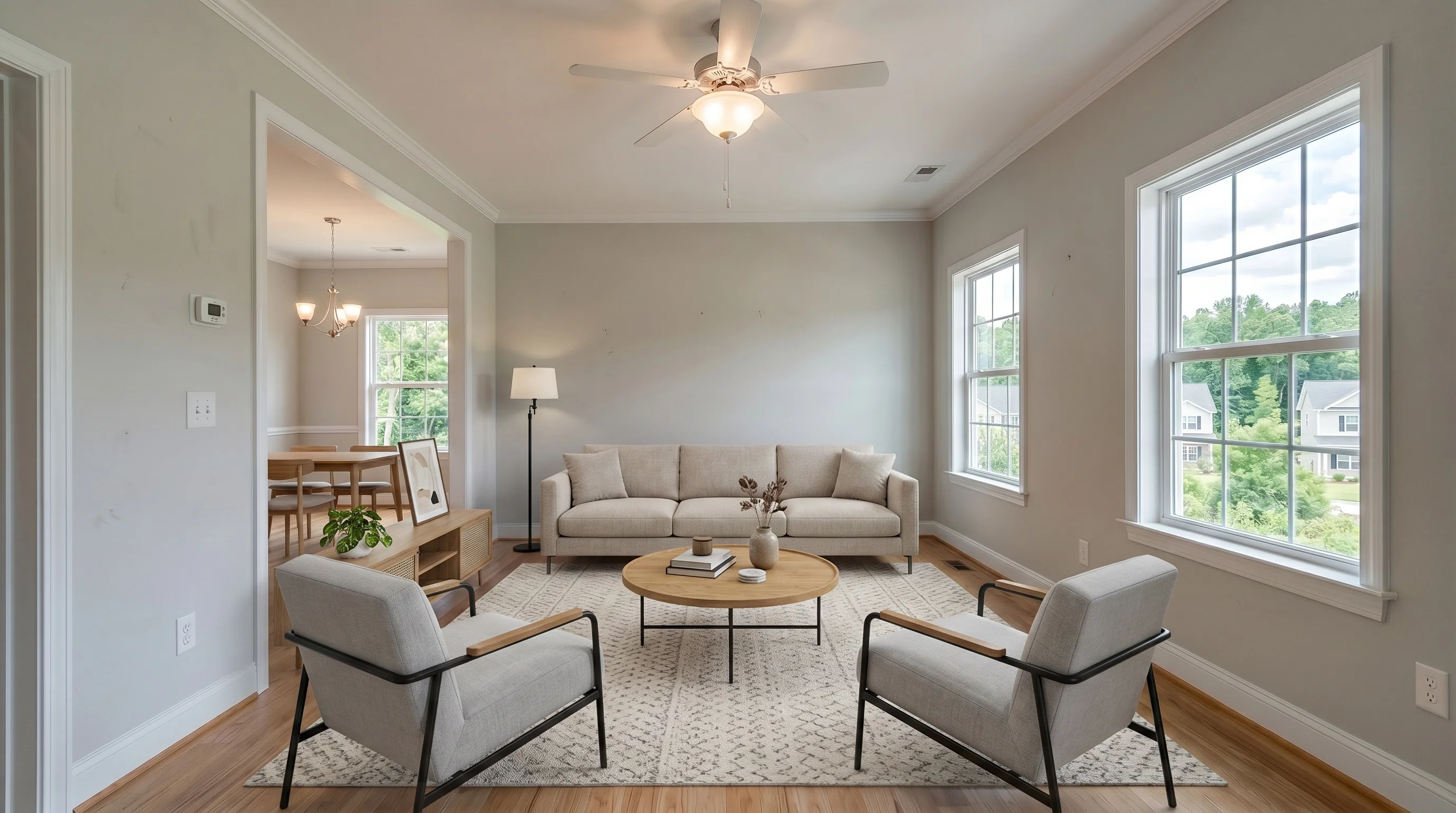
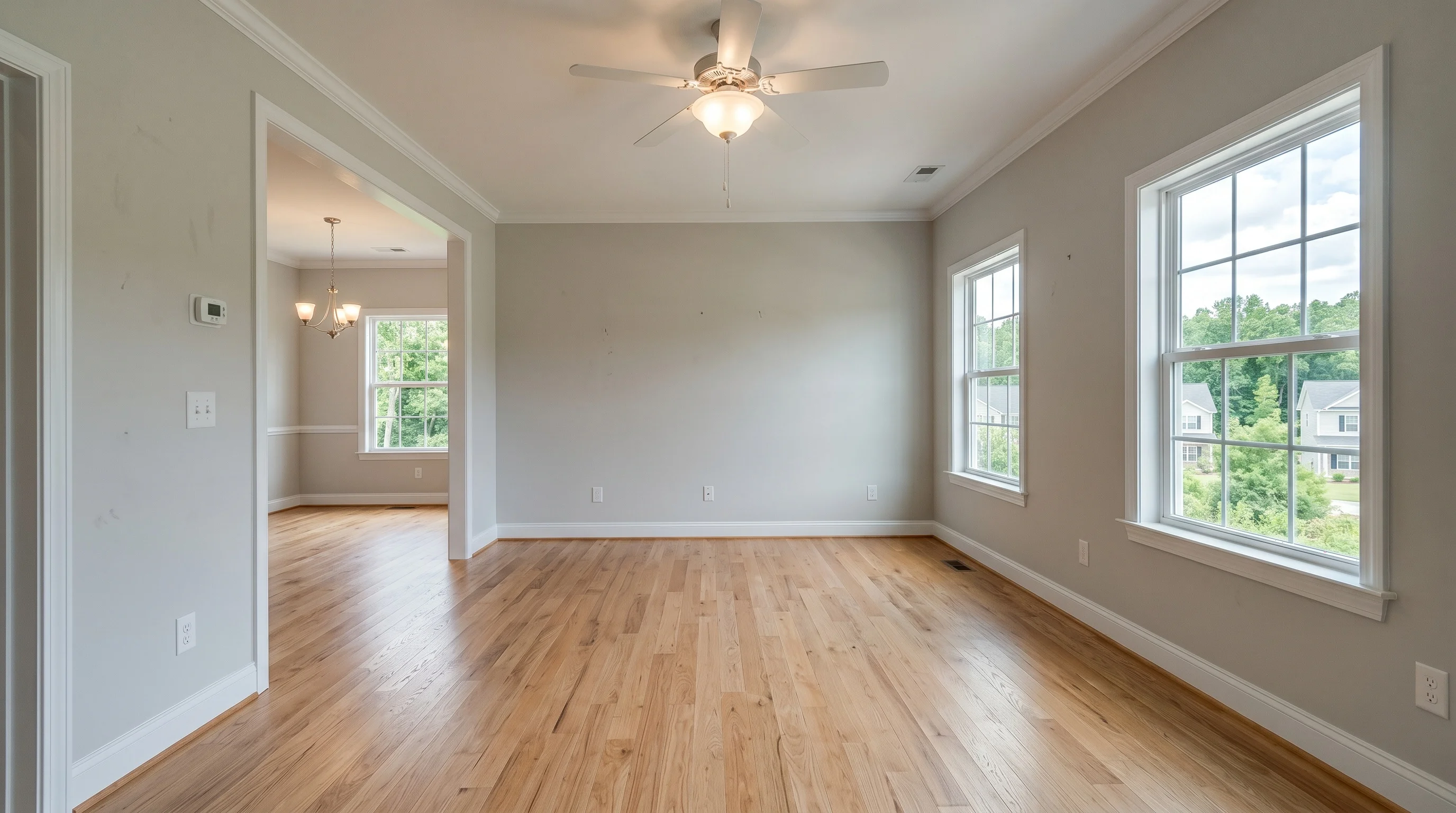
Once a virtually staged photo is ready, agents split into two camps: publish the staged version alone so it does its job undiluted, or put the empty room right next to it. The second camp usually wins on compliance grounds — most MLS boards and California's AB 723 want the unaltered photo adjacent to the altered one. But that's not actually why agents who do this stick with it. Buyers who are house-shopping right now, on forums where agents aren't in the room, describe skipping listings that don't show the original. The compliance argument and the conversion argument point the same direction — most agents just haven't heard the second one.
The debate agents are actually having
Search real estate agent communities for opinions on this and you'll find a genuine split, not a settled consensus. One camp treats the empty room as a liability: it's the "before," it looks worse, and showing it right next to the polished "after" feels like handing a buyer a reason to notice what's missing. Some agents go further and say they'd rather not even show a virtually staged property to a buyer at all — the gap between the photo and the walkthrough feels like a risk not worth taking.
The other camp treats the pairing as the whole point. Their reasoning isn't about satisfying a rule — it's that buyers who've been burned by a listing that looked incredible online and disappointing in person have started treating an unpaired staged photo as a red flag. Showing the original doesn't undercut the staged one; withholding it is what erodes trust, because buyers now actively look for the tell.
Neither camp is wrong about the risk. They disagree about which risk is bigger: a slightly less flattering gallery, or a buyer who feels managed.
What buyers say when you ask them directly
Ask people who are actually house-shopping — not agents, not marketers — and the pattern is consistent: they've learned to read a staged photo as a claim, and they want to verify it. Several describe the same habit independently: when a listing shows only the staged version of a room, they assume something is being hidden, and they either discount the photo or skip the listing outright. When both photos are there, they say it the opposite way — seeing the empty room next to the staged one reads as the agent being straightforward, not as evidence the room is disappointing.
This matters more than it looks like it should, because none of this shows up in a survey about "trust in real estate photos" — it shows up as behavior on the listing itself. A buyer who feels misled doesn't leave a comment explaining why; they just don't request a showing. That's the same mechanism behind why virtual staging that oversells a space can cost you a showing instead of winning one — the risk isn't the technique, it's the gap between what the photo promises and what the buyer finds.
What the rules actually require (the floor, not the ceiling)
Most MLS boards already settle the compliance question for you: place the unaltered photo immediately before or after the staged one in the sequence, and label both. California's AB 723, effective January 1, 2026, adds a state-law requirement for digitally altered listing photos — a reasonably conspicuous disclosure on or near the image, plus a way to reach the original unaltered photo. NAR's Code of Ethics Standard of Practice 12-10 covers the same ground in principle: present a true picture, don't use misleading images. Rules vary by board, so confirm what yours requires before you publish — but "both photos, clearly labeled, next to each other" satisfies nearly all of them, including the boards that don't spell it out.
That's the compliance floor. What the buyer research above suggests is that treating it as a ceiling — the bare minimum to avoid a complaint — is where agents leave value on the table. The pairing isn't just permitted; on the evidence, it's the version buyers prefer.
Why showing the empty room doesn't undercut the staged one
The instinct that pairing "dilutes" the staged photo assumes a buyer's trust is a fixed pool that gets divided between two images. In practice it works the other way: an empty room next to a staged one doesn't ask the buyer to choose which to believe, it tells them both are real, and the staged version is showing them potential rather than making a claim about what's currently there.
The comparison photo also does a job the staged photo can't do alone: it lets the buyer's eye register the room's actual proportions, windows, and light before furniture reframes it. What virtual staging should never change — the walls, windows, floor plan — is exactly what the original photo proves stayed intact. You're not weakening the pitch by including it; you're providing the evidence that the pitch is honest, which is what lets a skeptical buyer accept it.
The one case where the pairing genuinely can work against you is when the two photos don't actually match — different lighting, a shifted angle, or (worse) a structural detail that changed between them. That's a real photo, not a presentation problem, and it's worth a second look before you publish either one.
A sequencing and captioning framework you can use today
Once you've accepted that both photos belong in the gallery, three decisions are left: order, spacing, and wording.
Order — staged first, original immediately after. Buyers browse a gallery in sequence, and the staged photo is what earns the click to keep scrolling. Put the original right behind it (not the reverse) so the pairing reads as "here's the potential, here's the current state" rather than opening on the room's least flattering version.
Spacing — adjacent, not just present. "Somewhere in the gallery" doesn't satisfy the intent of the disclosure rules or the buyer-trust logic above — a buyer who has to hunt for the comparison won't bother, and a board reviewing for compliance won't count it either. Keep the pair back-to-back for every staged room, not just once at the end of the gallery.
Wording — label both, every time. A one-line caption on the staged photo ("Virtually staged") and a matching one on the original ("Actual condition, unfurnished") is enough — you don't need paragraphs of methodology. Repeat the label on every staged photo in the set; a single disclaimer in the listing description doesn't travel with the images if a buyer views them outside the full listing (saved searches, shared links, some MLS syndication feeds strip descriptions but keep captions).
For a multi-room listing, apply the same pair-and-label pattern to every room you stage — prioritize which rooms actually move the sale rather than staging everything, since each staged room doubles into two gallery slots.
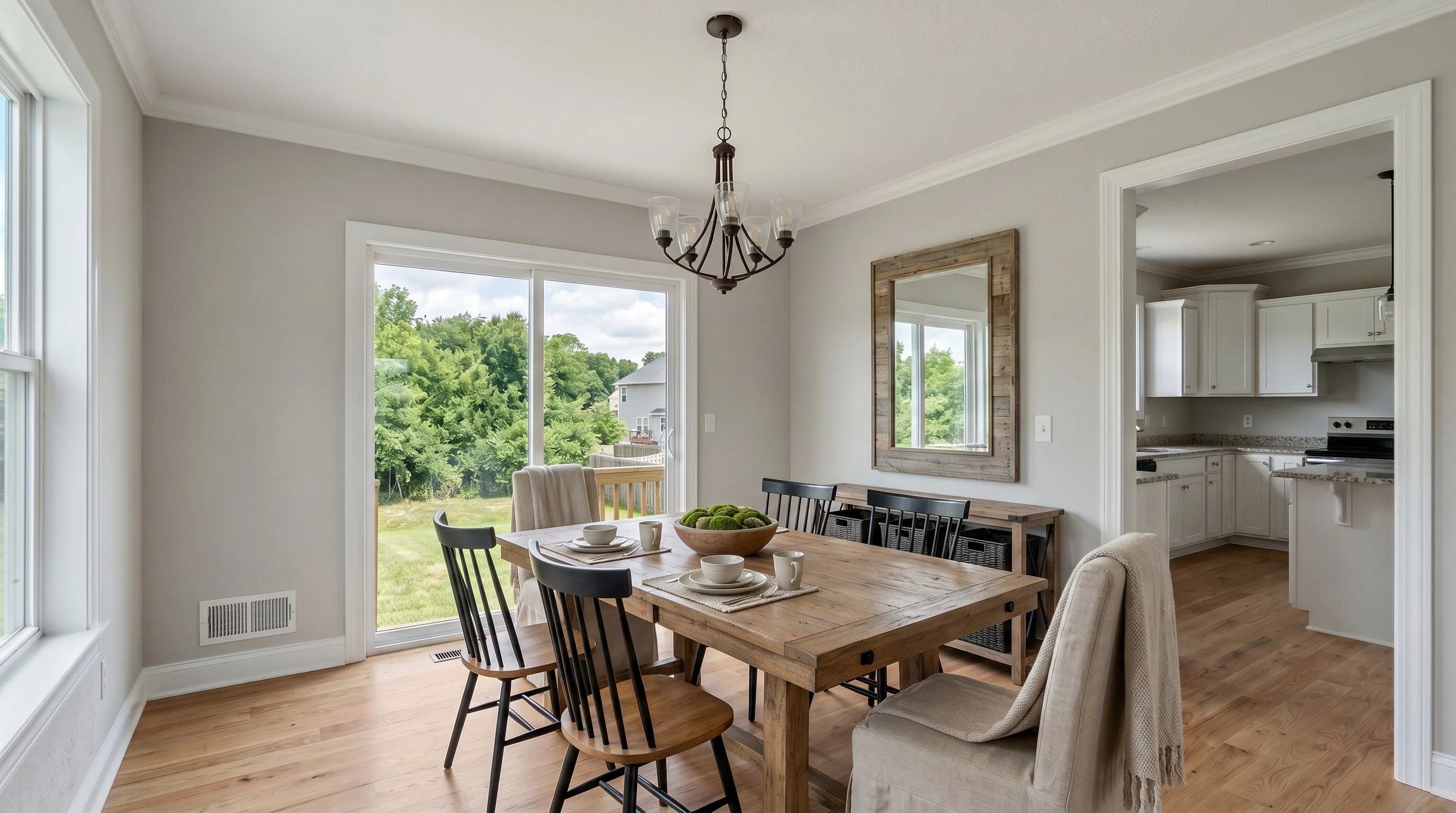
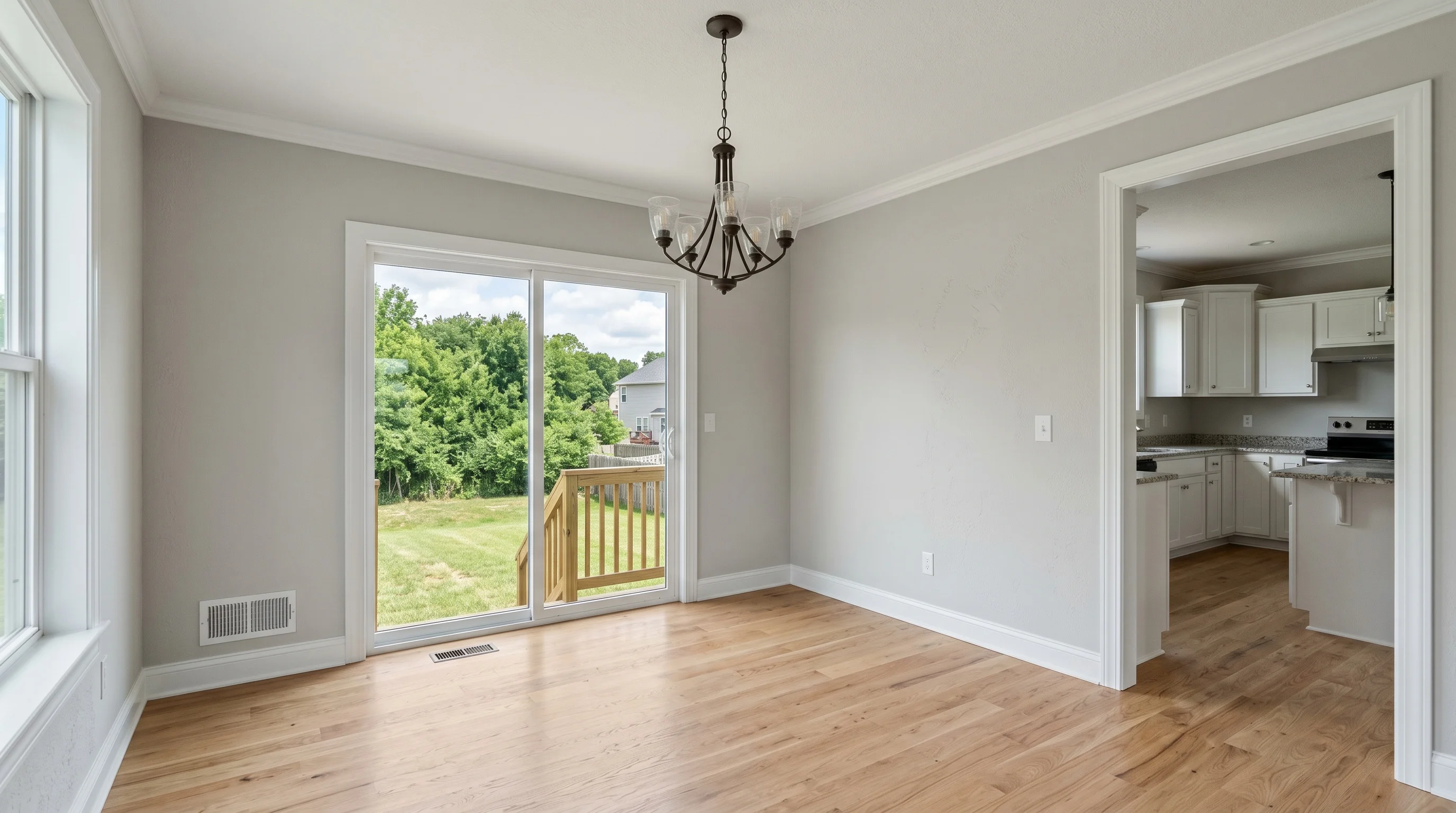
Two mistakes that actually do backfire
Showing the staged photo alone, anywhere in the set. This is the one buyers describe reacting to negatively, and it's also the version most likely to draw a compliance question. If you stage a room, the unaltered photo needs to be in the gallery too — not filed away for "if anyone asks."
A caption that undersells what changed. "Enhanced" or "Digitally improved" reads as evasive once a buyer has learned to expect the word "staged" or "virtually staged." Vague labeling is what turns a transparent practice into something that looks like it's trying not to be noticed — the opposite of the effect you want.
Everything else — which style you choose, how many rooms you stage, whether you use a warm or neutral palette — matters far less to trust than whether the pairing and the label are actually there.
Where this fits your workflow
This is easier to get right than it sounds, because the two photos you need already exist as a pair the moment you generate a staged room — you're not producing an extra asset, just choosing to publish one you already have. VirtualStaging.tools keeps the original photo tied to every staged result: switch to the "Original" tab on any result page and save it alongside your staged download, instead of digging back through your camera roll for the source file. If you're staging a listing for the first time, the workflow question above matters more than which style you land on — get the pairing and the caption right, and the styling choice underneath it is the easy part.
Frequently Asked Questions
Do I have to show the unstaged photo, or is a caption enough?
For most MLS boards, no — a caption alone doesn't satisfy the requirement, and it doesn't satisfy buyer expectations either. The original, unaltered photo needs to be in the gallery, generally placed immediately before or after the staged version. Rules vary by board, so check yours, but "both photos, both labeled, adjacent" is the safe default that covers nearly every version of the rule.
Won't showing the empty room make my staged photo look worse by comparison?
The evidence from actual home shoppers points the other way: buyers who see only the staged version are more likely to suspect something is being hidden, while seeing both reads as the agent being straightforward. The staged photo is still doing its job — showing potential — the original just confirms that potential is honestly presented, not fabricated.
Which photo should go first in the gallery — staged or original?
Staged first, original immediately after. The staged photo is what holds a buyer's attention as they scroll; putting the empty room first risks losing them before they see the room's potential. As long as the two are adjacent, order matters less than proximity — but staged-then-original is the sequence buyers respond to best.
Does California's AB 723 apply to virtual staging specifically?
Yes. AB 723, effective January 1, 2026, requires a reasonably conspicuous disclosure on or near any digitally altered listing photo — which includes furniture and staging — plus a way to reach the original, unaltered image. It doesn't specify a fine amount in the statute itself; check your MLS's own enforcement policy, since those vary by board.
Do I need to caption every staged photo, or just the first one in the listing?
Every one. A single disclaimer in the listing description doesn't always travel with the images — saved searches, shared links, and some syndication feeds show photos without the full description attached. A short caption on each staged image ("Virtually staged") and its paired original ("Actual condition") is what actually reaches a buyer wherever they see the photo.
What if the original and staged photos don't quite match — different lighting or angle?
Fix that before you publish either one. The trust the pairing builds depends on the two photos clearly being the same room, same shot — a mismatch in lighting or framing reads as manipulation even if nothing structural changed. If your tool's output doesn't line up cleanly with your source photo, regenerate or reshoot rather than publishing a pair that raises more questions than it answers.
Does this apply to virtual renovation the same way it applies to virtual staging?
The principle is the same but the stakes are higher. Virtual renovation changes finishes — cabinets, counters, flooring — which is a bigger claim about the property than adding furniture, so pairing the render with the original photo matters even more, and skipping it is a bigger risk.
Should I stage every room, or just the ones I'm willing to pair and caption?
Stage the rooms that actually influence a buyer's decision — usually the living room, primary bedroom, and dining room — rather than every room in the listing. Every staged room means one more pair to sequence and caption correctly, so staging fewer rooms well beats staging everything and getting the presentation sloppy.
Does downloading or viewing the original photo use up one of my free credits?
No. On VirtualStaging.tools, your free or paid quota is spent generating the staged result, not on viewing or saving the original — that's the photo you uploaded, and it stays available on the result page at no additional cost. You can pull it for your MLS gallery as many times as you need without touching your remaining photo count.
Generate the pair you'll actually publish
VirtualStaging.tools keeps your original photo linked to every staged result — 3 photos free, no credit card, so you can see the workflow before committing to a listing.
Try it freeMore from the blog
Related reading
What Is Virtual Staging? The Complete 2026 Realtor's Guide
Virtual staging explained: how it works, what it costs, how long it takes, MLS disclosure rules, and whether it's worth it for individual real estate agents in 2026.
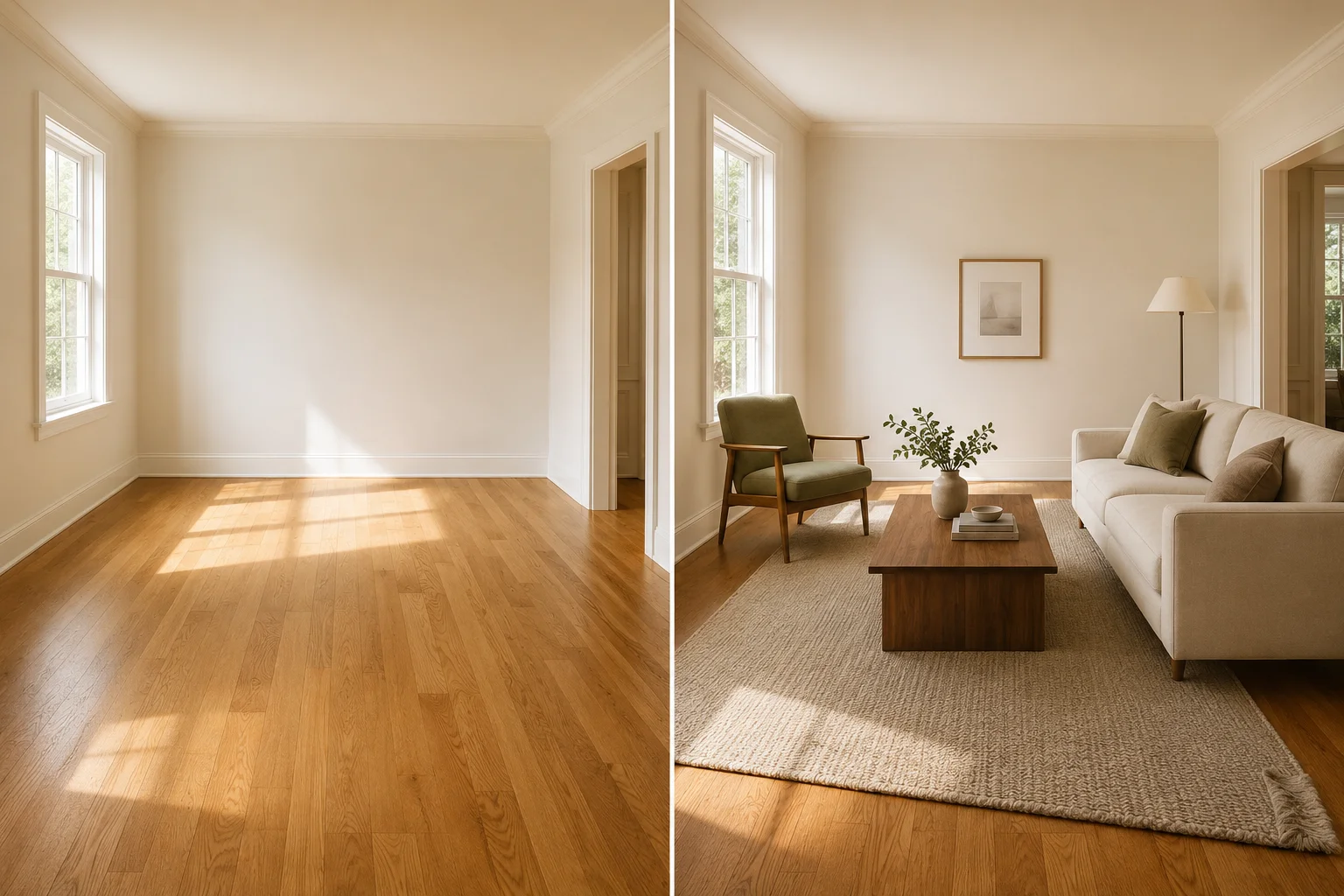
Virtual Furniture Staging: Real Examples, Costs & How-To
See realistic virtual furniture staging before-and-afters for listing photos, plus cost, disclosure, and a quality check for scale, light, shadows, and structure.
Does Virtual Staging Help Sell a House? The Real Data
Does virtual staging help sell a house? NAR's 2025 data shows staging cuts days on market and lifts offers. Here's what's real and what's marketing hype.